package com.msc.example;
class Sinleton{
private static final Sinleton INSTANCE = new Sinleton() ;
private Sinleton () {} ;
public static Sinleton getInstance(){
return INSTANCE ;
}
public void print(){
System.out.println("单例设计模式饿汉式");
}
}
class SinletonB{
private static SinletonB instance ;
private SinletonB () {} ;
public static SinletonB getInstance(){
if(instance == null){
instance = new SinletonB() ;
}
return instance ;
}
public void print(){
System.out.println("单例设计模式懒汉式");
}
}
class Color{
private static final Color RED = new Color("红色") ;
private static final Color GREEN = new Color("绿色") ;
private static final Color BLUE = new Color("蓝色") ;
public String color ;
private Color(String color){
this.color = color ;
}
public static Color getColor(String color){
switch (color){
case "red" : return RED ;
case "green" : return GREEN ;
case "blue" : return BLUE ;
default: return null ;
}
}
public String toString(){
return this.color ;
}
}
interface IMessage{
public void print() ;
}
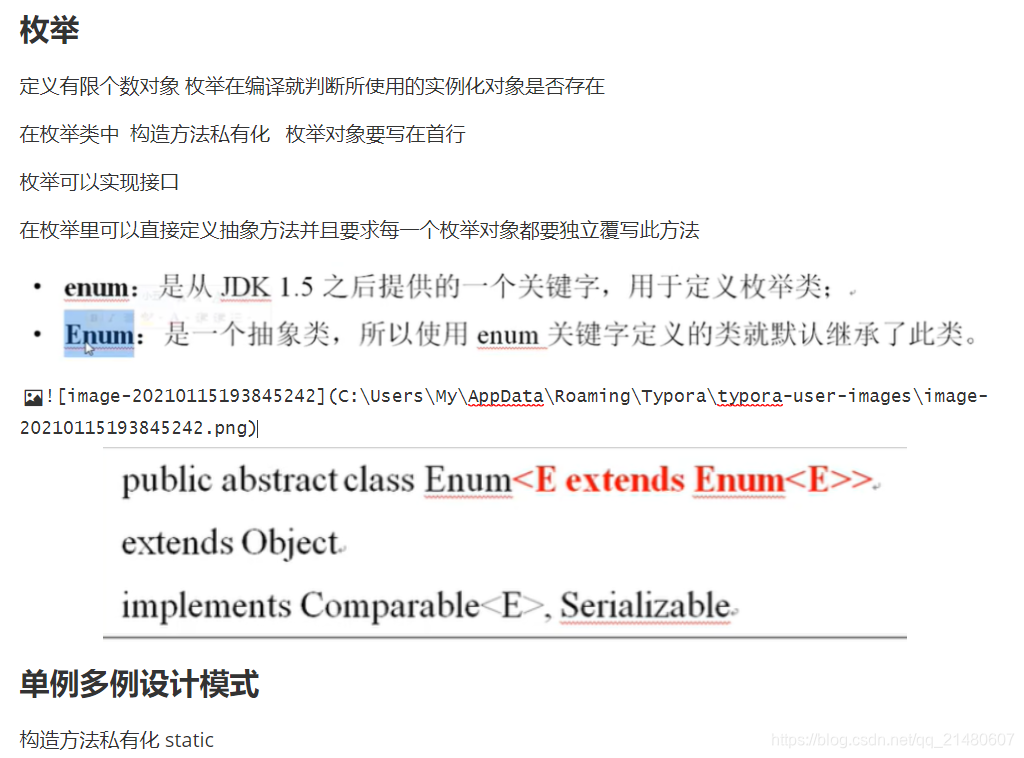
enum ColorB implements IMessage{
RED("红色"){
@Override
public String getMessage() {
return this.toString();
}
} , BLUE("蓝色"){
@Override
public String getMessage() {
return this.toString();
}
} , GREEN("绿色"){
@Override
public String getMessage() {
return this.toString();
}
};
private String color ;
private ColorB() {} ;
private ColorB(String color){
this.color = color ;
}
@Override
public String toString() {
return "ColorB{" +
"color='" + color + '\'' +
'}';
}
public void print(){
System.out.println("枚举实现接口");
}
public abstract String getMessage() ;
}
enum Sex{
MALE("男"),FEMALE("女") ;
private String sex ;
private Sex () {} ;
private Sex (String sex){
this.sex = sex ;
}
@Override
public String toString() {
return this.sex ;
}
}
class PersonD{
private String name ;
private Sex sex ;
public PersonD () {} ;
public PersonD (String name,Sex sex) {
this.name = name ;
this.sex = sex ;
} ;
@Override
public String toString() {
return "PersonD{" +
"name='" + name + '\'' +
", sex=" + sex +
'}';
}
}
public class SingletonDemo {
public static void main(String[] args) {
System.out.println("----------单例-------------");
Sinleton instance = null ;
instance = Sinleton.getInstance() ;
instance.print();
SinletonB instancec = null ;
instancec = SinletonB.getInstance() ;
instancec.print();
System.out.println("----------多例-------------");
Color red = Color.getColor("red");
System.out.println(red.toString());
Color blue = Color.getColor("blue");
System.out.println(blue.toString());
System.out.println("----------枚举-------------");
IMessage msg = ColorB.RED ;
msg.print();
for(ColorB c : ColorB.values()){
System.out.println(c.toString());
}
ColorB c = ColorB.GREEN ;
System.out.println("----------枚举switch-------------");
switch (c){
case RED -> System.out.println(ColorB.RED.getMessage()) ;
case GREEN -> System.out.println(ColorB.GREEN.getMessage()) ;
case BLUE -> System.out.println(ColorB.BLUE.getMessage()) ;
default -> System.out.println("默认") ;
}
System.out.println("----------枚举option-------------");
System.out.println(new PersonD("张三",Sex.MALE));
}
}



 本文通过实例解析了单例模式的饿汉式和懒汉式实现,以及多例模式、枚举多例和接口实现。介绍了如何在不同场景下使用这些设计模式,并展示了Color类的多例和枚举实例。





 扫一扫
扫一扫


 324
324

 被折叠的 条评论
为什么被折叠?
被折叠的 条评论
为什么被折叠?
 到【灌水乐园】发言





