 uni-app与uniCloud实战



 本文详细介绍如何使用uni-app结合uniCloud进行小程序开发,包括创建项目、云函数编写及调用、云数据库操作等核心步骤,并提供实际代码示例。
一、uni-app 介绍
使用uniCloud,可以自己一个人把小程序的前后端开发都搞定。不用买域名、不用买云服务器。最关键的是当小程序访问量小的时候,在后端服务器相关的资源是免费的。
二、uni-app(uniCloud)使用
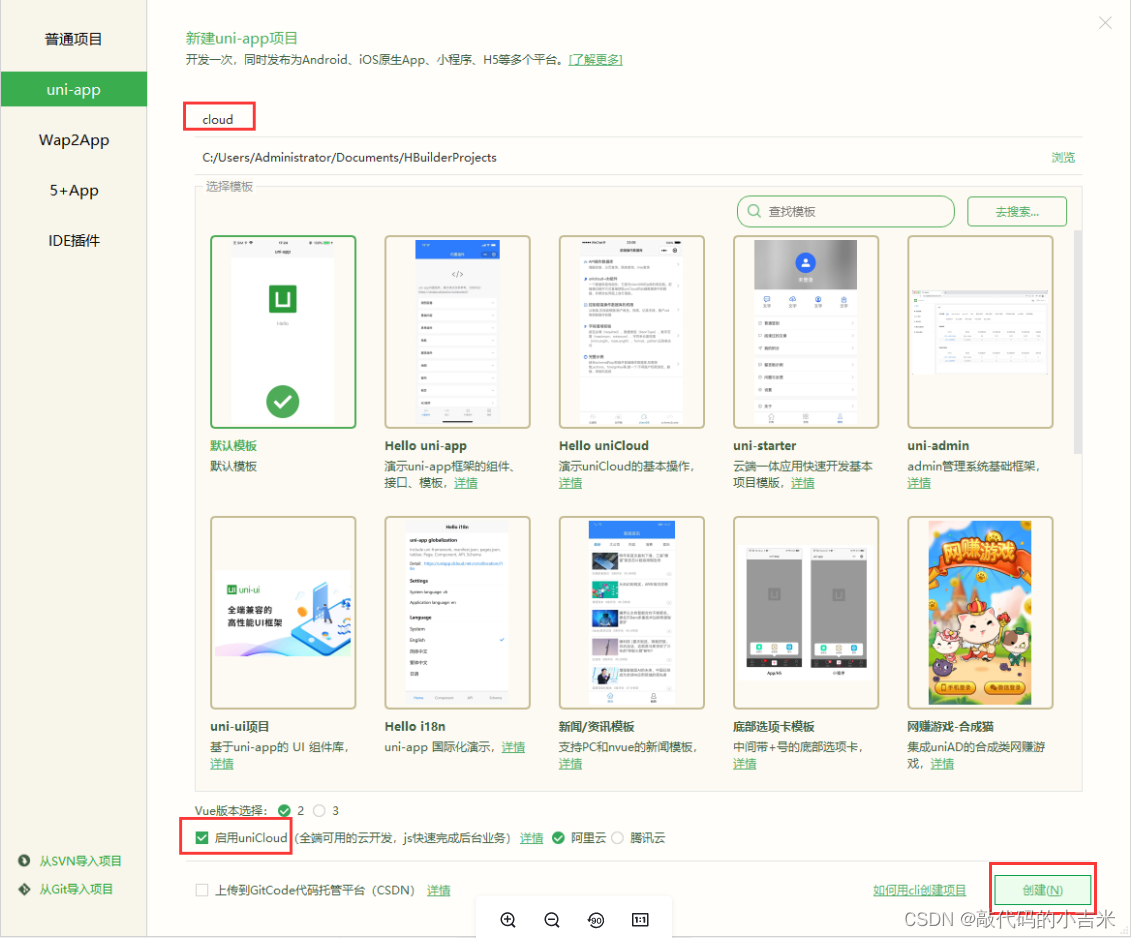
1. 创建uniCloud项目
2. 创建云服务空间
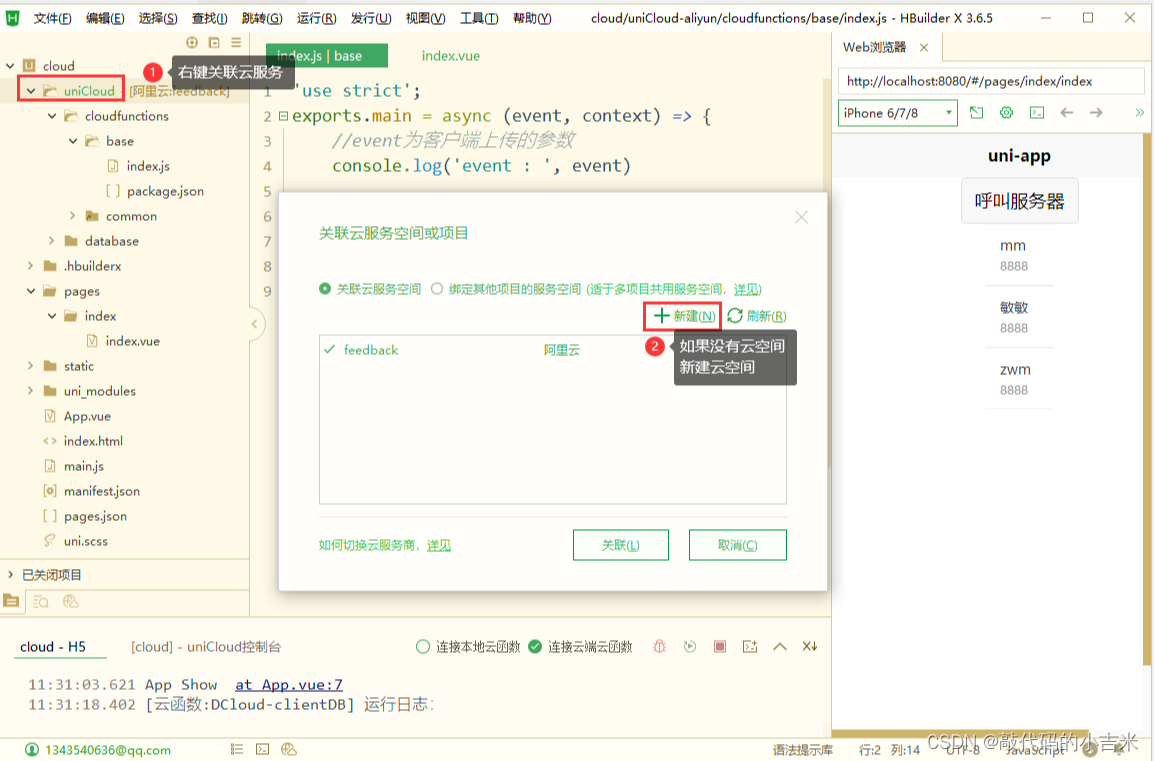
2.1 关联云空间
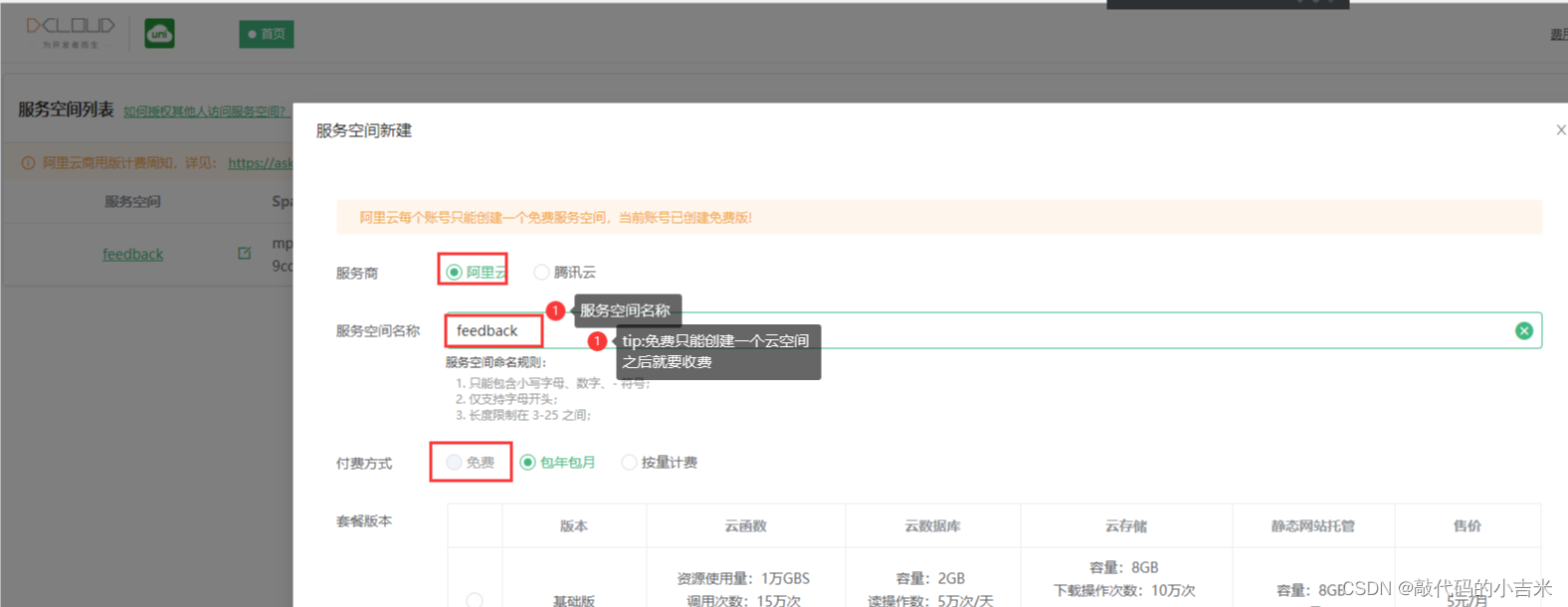
2.2 新建云空间
3. 云函数
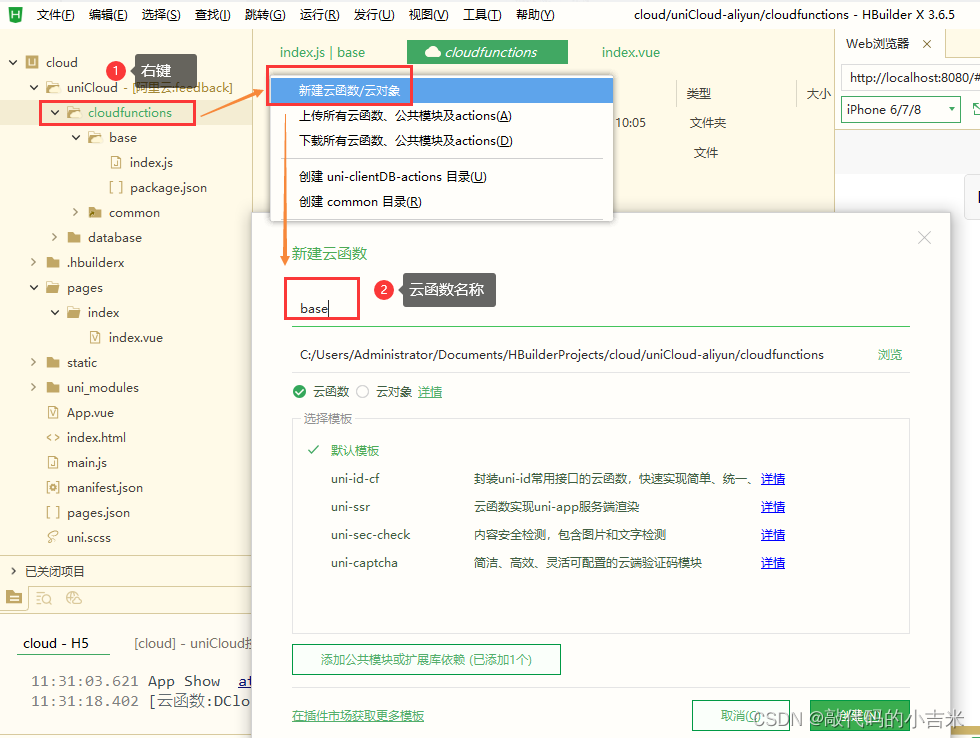
3.1 创建云函数
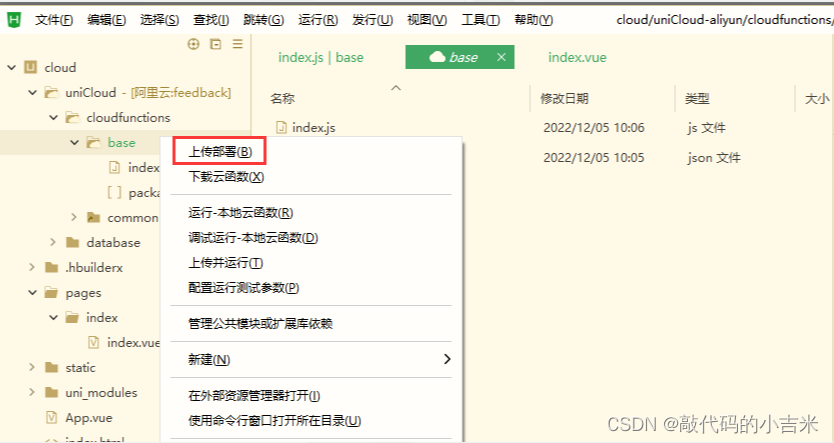
3.1.2 上传云函数
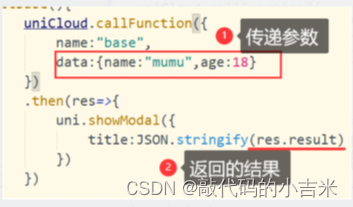
3.2 页面调用
在methods
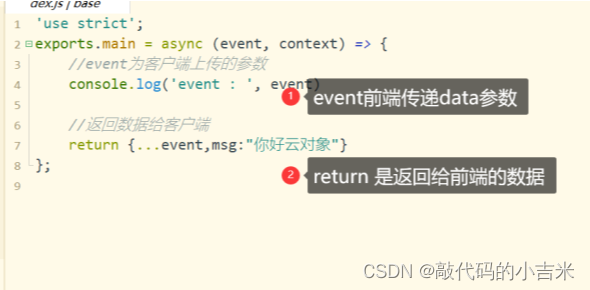
3.3 云函数编写
云函数index.js
4. 云数据库
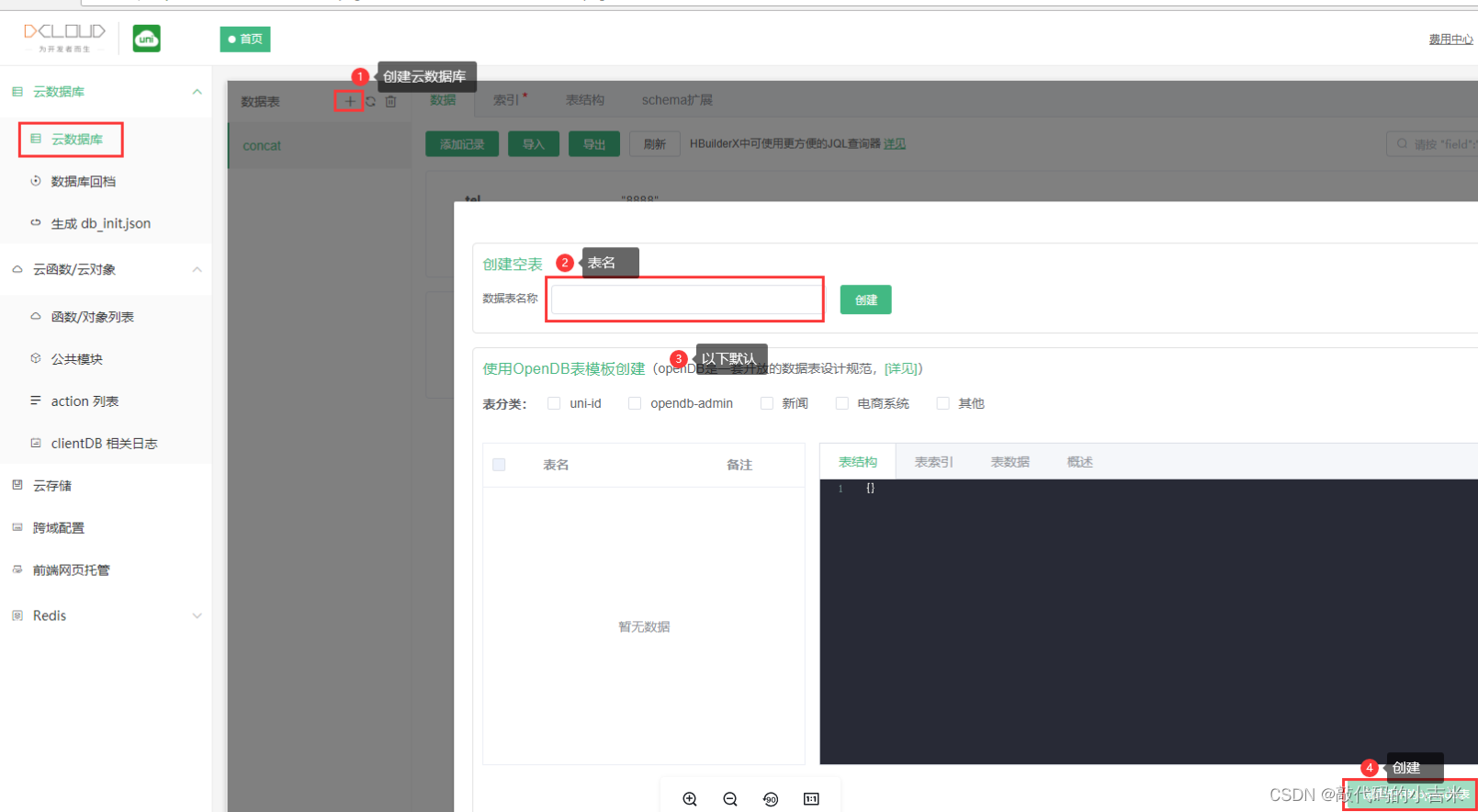
4.1 创建云数据
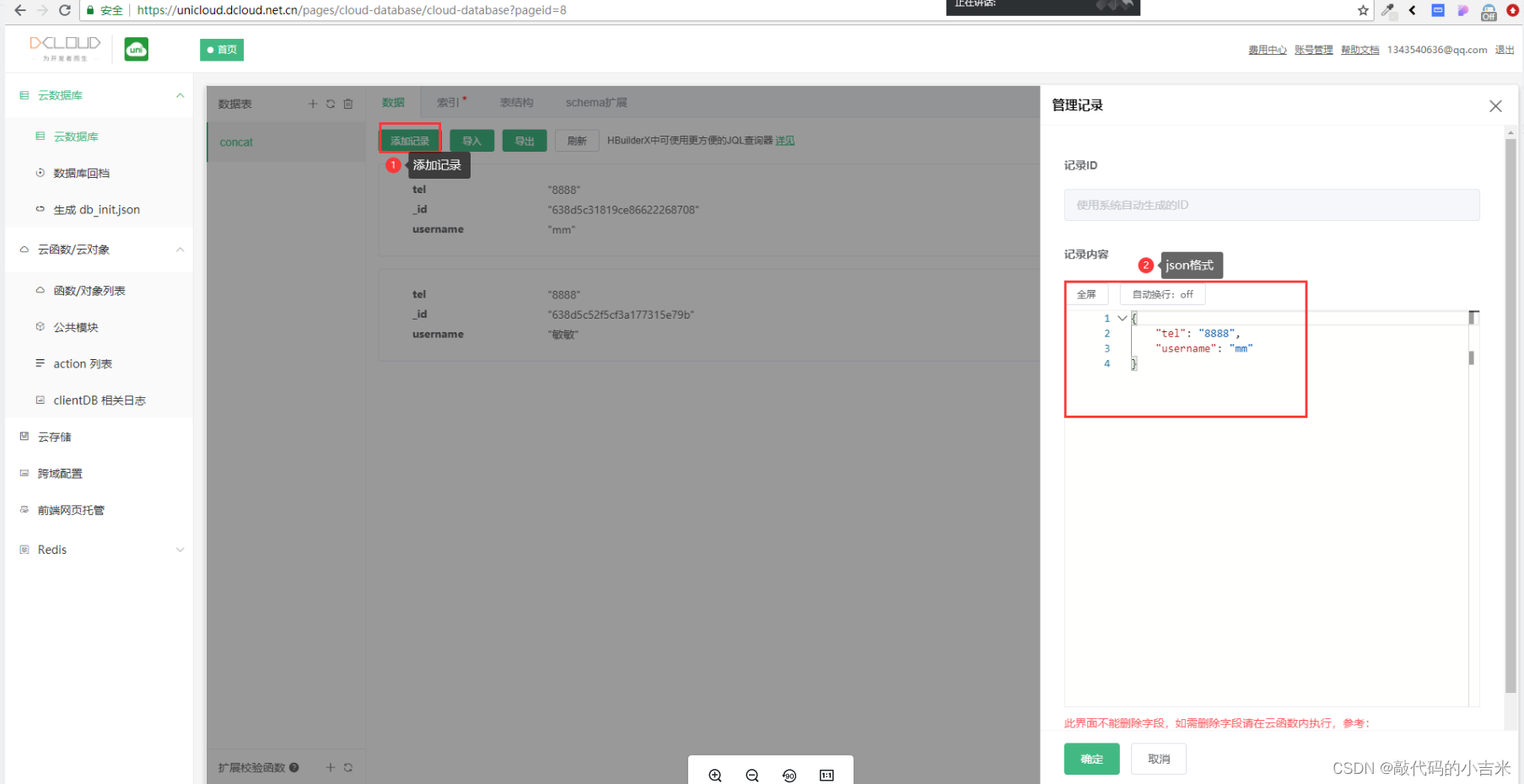
4.2 添加云数据
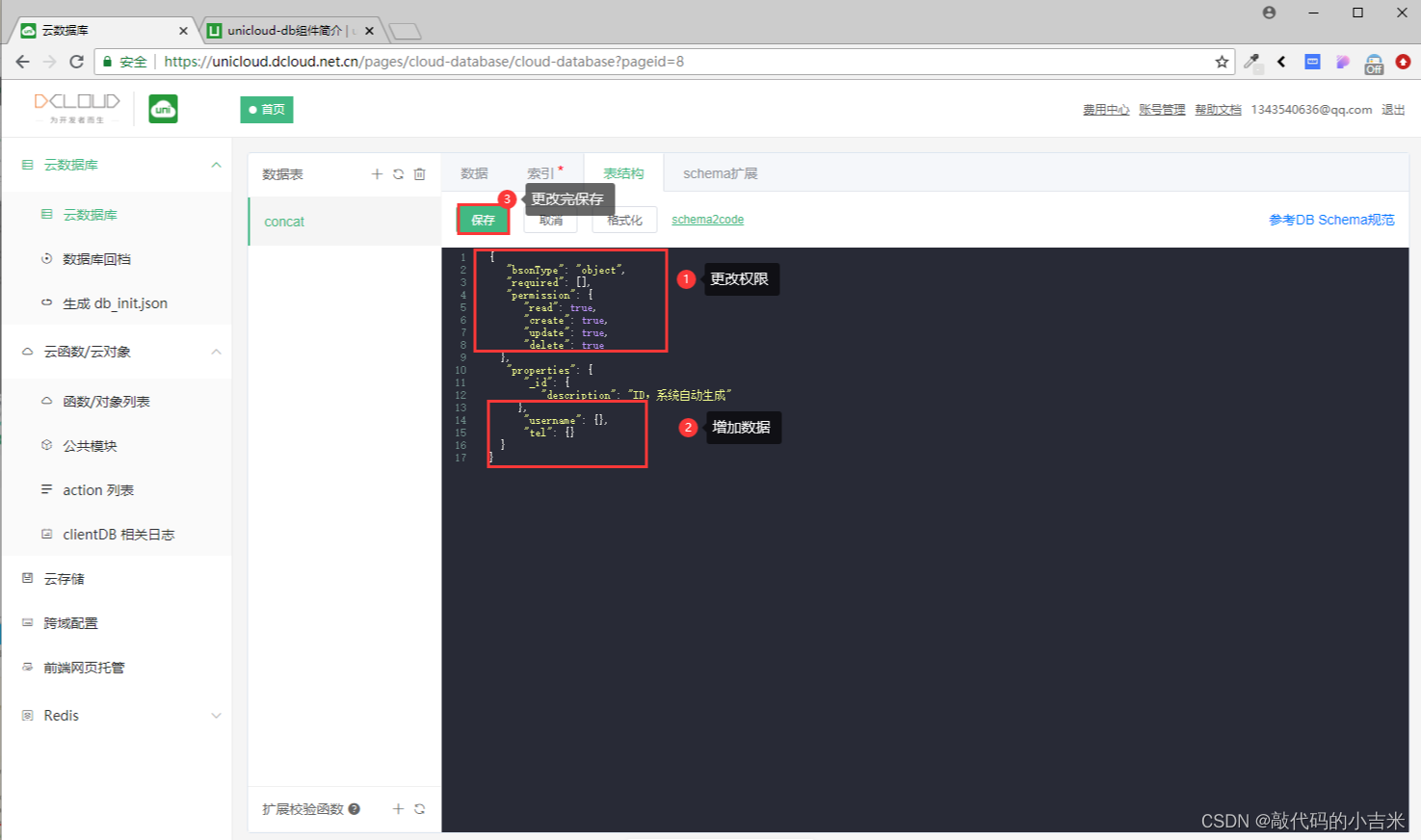
4.3 云数据–表结构介绍
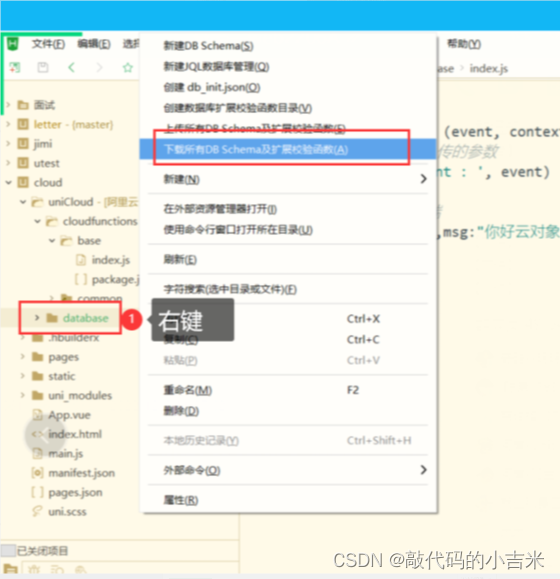
4.4 下载表结构(需要时下载)
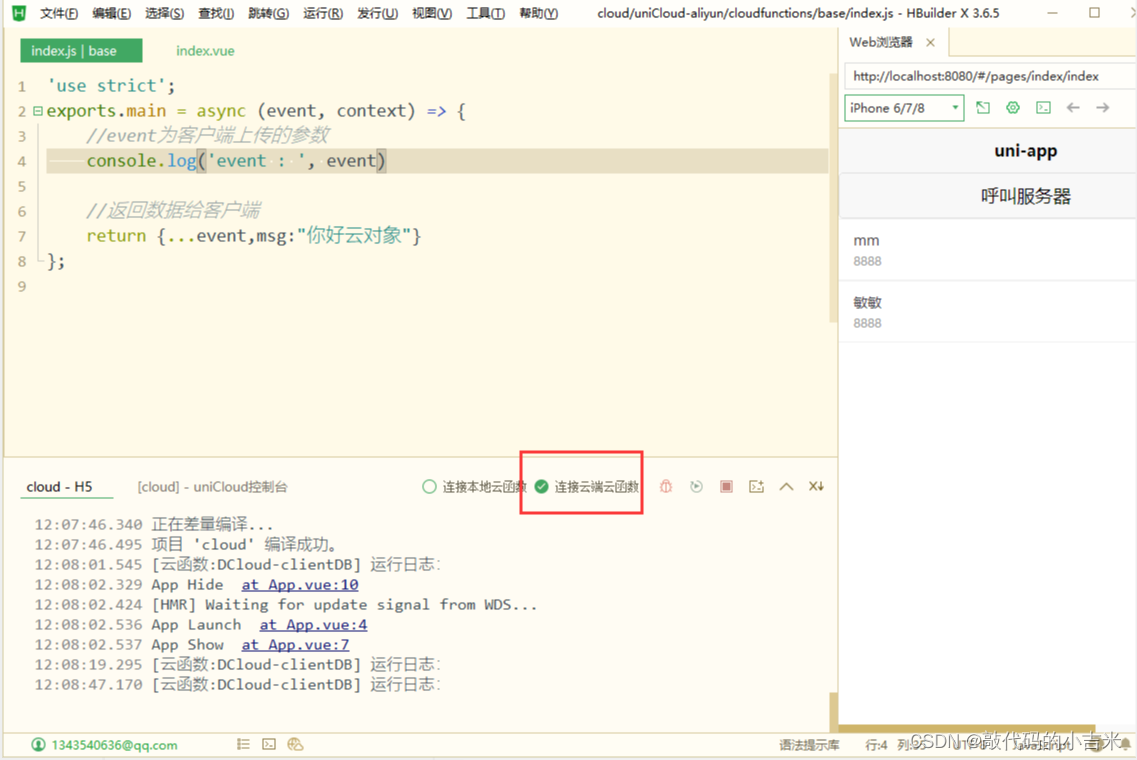
4.5 运行项目
tip:连接云函数
4.6 展示数据(前端)
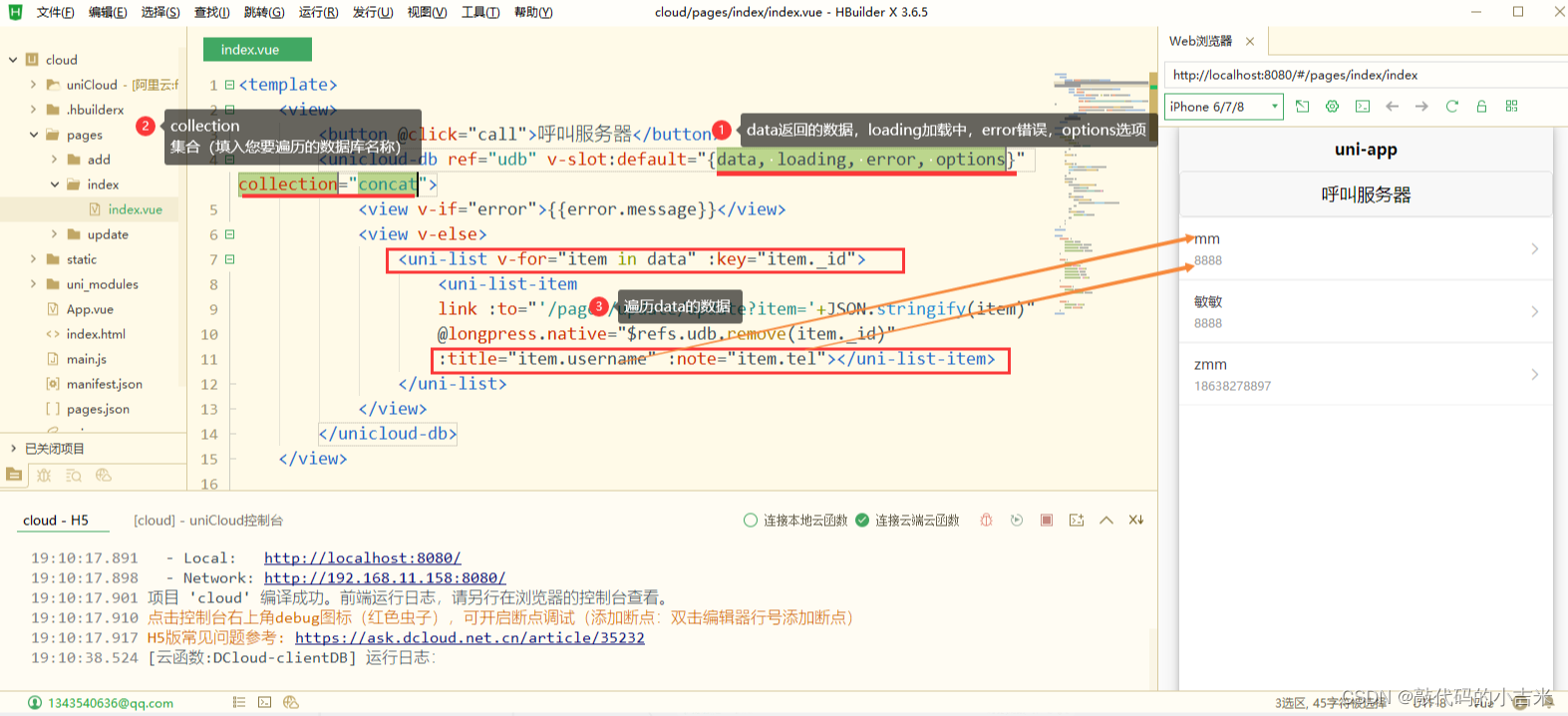
代码
<template>
<view>
<button @click="call">呼叫服务器</button>
<unicloud-db v-slot:default="{data, loading, error, options}" collection="concat">
<view v-if="error">{
{error.message}}</view>
<view v-else>
<uni-list v-for="item in data" :key="item._id">
<uni-list-item
:title="item.username" :note="item.tel"></uni-list-item>
</uni-list>
</view>
</unicloud-db>
</view>
</template>
<script>
export default {
data() {
return {
title: 'Hello'
}
},
onLoad() {
},
onShow() {
if(this.$refs&&this.$refs.udb){
this.$refs.udb.$refresh()
}
},
methods:  最低0.47元/天 解锁文章






 扫一扫
扫一扫


 2974
2974

 被折叠的 条评论
为什么被折叠?
被折叠的 条评论
为什么被折叠?
 到【灌水乐园】发言





