



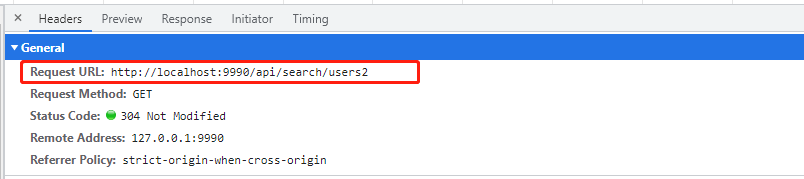
 在Vite的配置文件vite.config.js中,设置了服务器的host、port、cors和proxy,用于允许跨域并代理API请求。当调用http://localhost:9990/api/search/users2时,请求会被转发到http://localhost:5000,并通过axios库执行GET操作,以获取用户数据。
在vite.config.js文件中进行配置
    server: {
        host: "0.0.0.0",
        open: false,
        port: 9990,
        cors: true, // 允许跨域
        proxy: {
            '/api': { //apiTest是自行设置的请求前缀,按照这个来匹配请求,有这个字段的请求,就会进到代理来
                target: 'http://localhost:5000',
                changeOrigin: true, //是否跨域
                rewrite: (path) => path.replace('/api', '')
            }
        }
    },
2.页面调用

定义一个点击事件,并使用axios调用接口
http://localhost:9990这个地址必须是你自己vue运行的地址
    get(){
      axios.get('http://localhost:9990/api/search/users2').then(res=>{
        console.log(res)
      })
    },
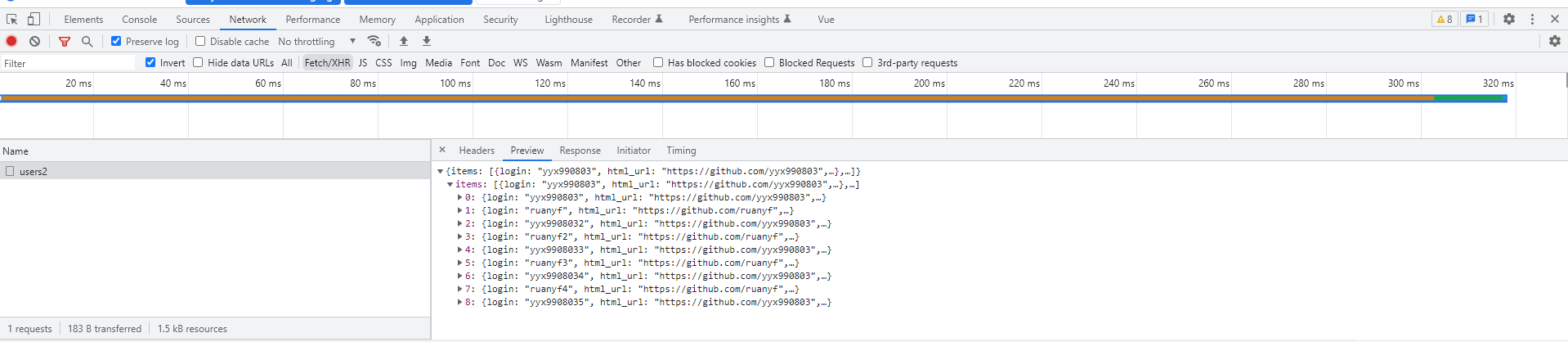
3.获取到数据






 扫一扫
扫一扫


 2335
2335


 到【灌水乐园】发言



