兄弟们直接上图
1. 文本未超出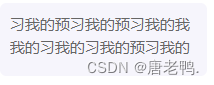
2. 文本超出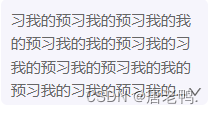
3. 超出后点击箭头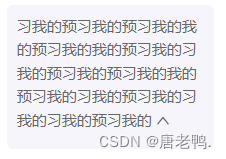
4.ts代码
const onDownClick = () => {
document.getElementById("asidep")!.style.height = 'auto'
document.getElementById("asidearea")!.style.overflow = "visible"
document.getElementById("asidearea")!.style.textOverflow = "clip"
document.getElementById("asidearea")!.style.display = "block"
document.getElementById("downicon")!.style.display = "none"
document.getElementById("upicon")!.style.display = "inline-block"
}
const onUpClick = () => {
document.getElementById("asidearea")!.style.overflow = "hidden"
document.getElementById("asidearea")!.style.textOverflow = "ellipsis"
document.getElementById("asidearea")!.style.display = "-webkit-box"
document.getElementById("downicon")!.style.display = "block"
}
useEffect(()=>{
draggleRef.current!.clientHeight > 75 ? document.getElementById("asidep")!.style.overflow = "unset" : document.getElementById("downicon")!.style.display = "none"
},[])
<div id={"asidearea"} className={css.asidearea}>
<p ref={draggleRef} id={"asidep"}>
习我的预习我的预习我的我的预习我的我的预习我的习我的预习我的预习我的我的预习我的习我的预习我的习我的习我的预习我的
<UpOutlined id={"upicon"} style={{cursor:'pointer',display:'none'}} onClick={onUpClick} />
</p>
<div id={"downicon"}><DownOutlined onClick={onDownClick}/></div>
</div>
5.less代码
.asidearea {
      width:166px;
      background-color:#f6f5fc;
      border-radius:5px;
      padding: 8px;
      padding-bottom: 2px;
      margin-top:10px;
      color:#666666;
      font-size:11px;
      text-overflow: -o-ellipsis-lastline;
      overflow: hidden;
      text-overflow: ellipsis;
      display: -webkit-box;
      -webkit-line-clamp: 4;
      -webkit-box-orient: vertical;
      p {
        overflow: hidden;
      }
      :global {
        .anticon-down {
          position: absolute;
          top: 117px;
          right: 23px;
          cursor: pointer;
        }
      }
    }
OVER


 379


 扫一扫


 被折叠的 条评论
为什么被折叠?
 到【灌水乐园】发言


