


echarts学习笔记
echarts带框的图例
echarts带框的图例,整理分享。
echarts带框的图例
链接: https://blog.youkuaiyun.com/weixin_39707941/article/details/111558624.
图片:
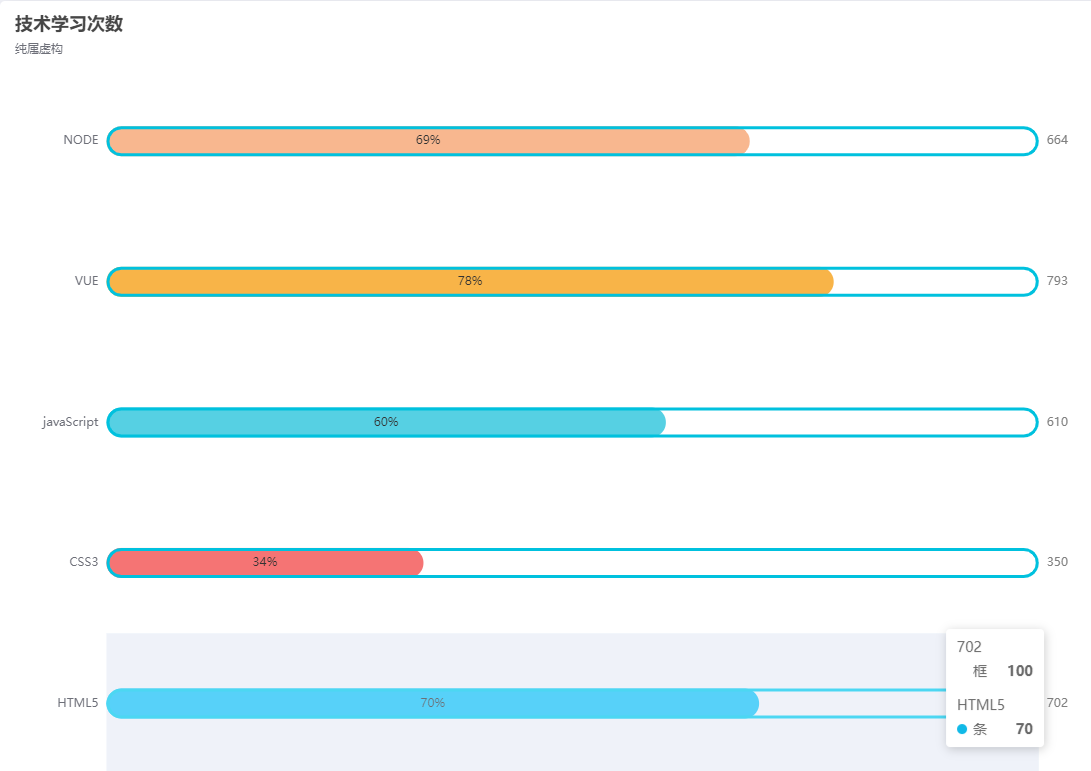
var Colors = ["#10B9E7","#F57474","#56D0E3","#F8B448","#F8B78F"]
option = {
title: {
    text: "技术学习次数",
    subtext: "纯属虚构"
},

//鼠标移入指定区域的提示框
tooltip: {
    //移入当前行/列
    trigger: "axis",
    //设置样式
    axisPointer: {type: "shadow"}
},

//图表头部提示
legend: {
    //提示内容,要和series中name保持一致
    data: [ "条","框"],
    //是否显示(true显示/false不显示)
    show:false
},

//网格也就是整个图表
grid: {
    //距离左边的距离
    left: "3%",
    //距离右边的距离
    right: "4%",
    //距离底部的距离
    bottom: "3%",
    containLabel: true
},

//x轴
xAxis: {show:false},

//y轴
yAxis: [
    {
    type: "category",
    //显示的左侧提示
    data: ["HTML5", "CSS3", "javaScript", "VUE", "NODE"],
    //y轴的线
    axisLine:{show:false},
    //y轴线上的标记刻度
    axisTick:{show:false},
    },
    {
        type:"category",
        //设置为显示
        show:true,
        //右侧显示的数据
        data:[702,350,610,793,664],
        //同样不让y轴线显示出来
        axisLine:{show:false},
        //不显示刻度
        axisTick:{show:false},
        //设置
        axisLabel:{
        //右侧显示的数据样式
            textStyle:{
            //字体大小
            fontSize:12,
            //字体颜色
            color:"gray"}
        },
    }
],
//具体数据及样式
series: [
{
    //这是显示条
    name: "条",
    //设置为条状图
    type: "bar",
    //具体每一个的数据
    data: [70, 34, 60, 78, 69],
    //单个的样式
    itemStyle:{
        //通过naomal属性设置
        normal:{
            //柱状图的边角弧度
            barBorderRadius:20,
            //设置颜色
            color:function(params){
                //拿到每一个的下标,然后在Colors数组中选一个颜色
                // var num = Colors.length;
                // console.log(Colors[params.dataIndex])
                return Colors[params.dataIndex];
            }
        }
    },
    barCategoryGap:50,
    //柱状图的宽度
    barWidth:30,
    //样式
    label:{
        //设置样式
        normal:{
            //显示
            show:true,
            //定位
            position:"inside",
            //每个图上显示百分比
            formatter:"{c}%"
        }
      },
    //这是第一个
    yAxisIndex:0,
},

{
    //设置柱状图的外框
    name: "框",
    //设置为柱状
    type: "bar",
    barCategoryGap:50,
    //柱状图的宽度
    barWidth:30,
    //每一个的样式
    itemStyle:{
        //颜色
        color:"none",
        //边框色
        borderColor:"#00C1DE",
        //border宽度
        borderWidth:3,
        //border的边角弧度
        barBorderRadius:15
    },
    //柱状图的长度
    data: [100,100,100,100,100],
    //第二个堆在第一个上
    yAxisIndex:1,
}
]};





 扫一扫
扫一扫


 2580
2580

 被折叠的 条评论
为什么被折叠?
被折叠的 条评论
为什么被折叠?
 到【灌水乐园】发言





