



 本文详细解析了在使用Openshift容器云平台时,system:admin账户因环境变量与启动目录不匹配导致的免密登录失败问题。通过调整openshift start命令执行路径与/etc/profile中KUBECONFIG、CURL_CA_BUNDLE变量指向的一致性,成功解决了system:admin账户的登录障碍。
问题描述:当我们关闭掉openshift容器云,在下一次通过 openshift start & 命令启动openshift后,想通过system:admin登录系统发现openshift提示用户要输入密码,由于system:admin是通过密钥证书免密登录系统的,所以此处会出现system:admin无法登录openshift的问题。
如下图分别是执行openshift start & 命令在 / 根目录 而/etc/profile中
KUBECONFIG 、CURL_CA_BUNDLE变量中设置的openshift.local.config 所在的目录是/home,两者不一致,导致system:admin免密登录失败。
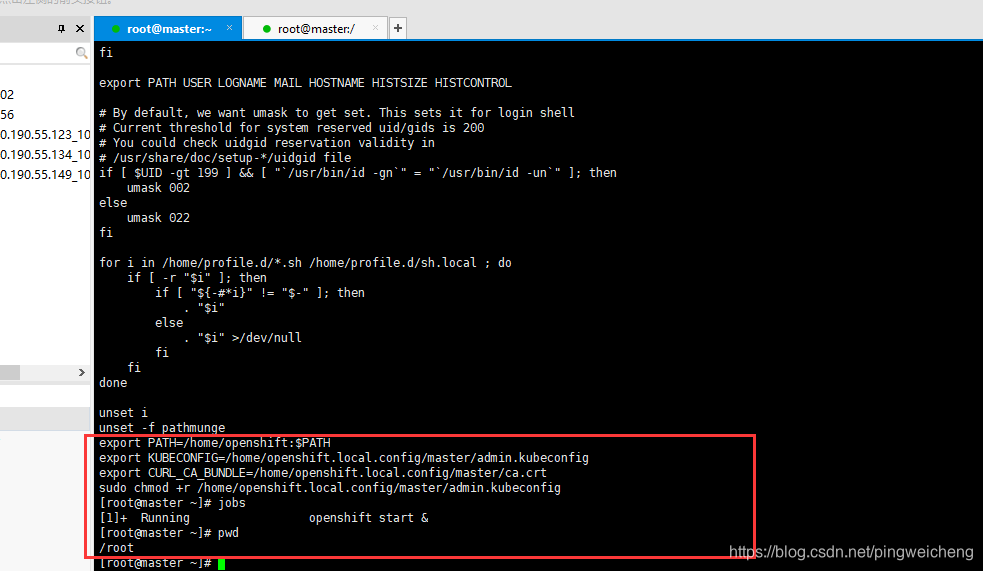
问题解决:通过openshift start & 启动openshift,执行此命令的所在的目录要与/etc/profile中KUBECONFIG 、CURL_CA_BUNDLE变量中设置的openshift.local.config 所在的目录保持一致。
例如,我这里的openshift.local.config在/home目录,那么启动openshift的命令openshift start &就要在/home目录执行,如果我在其他目录执行此命令启动openshift ,就会出现system:admin账号无法登陆openshift
export KUBECONFIG=/home/openshift.local.config/master/admin.kubeconfig
export CURL_CA_BUNDLE=/home/openshift.local.config/master/ca.crt
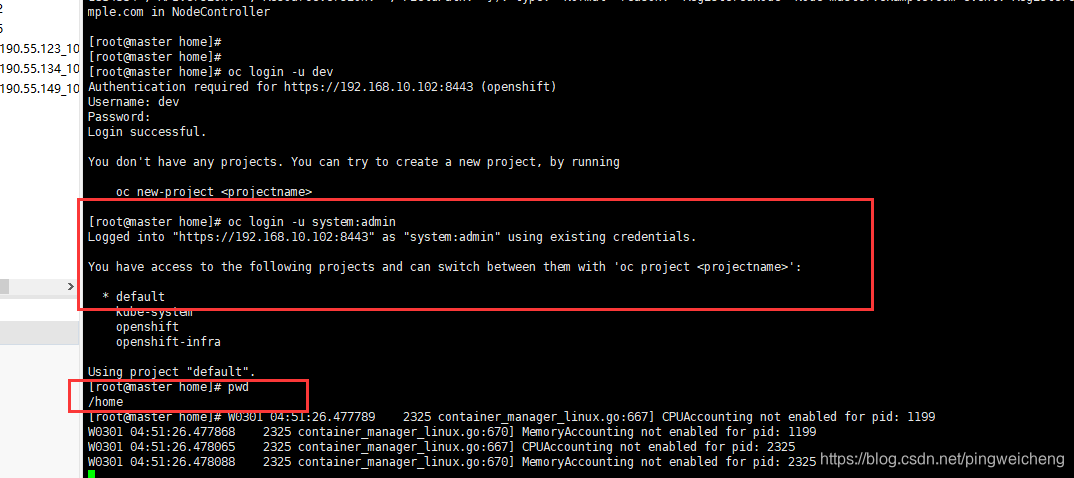
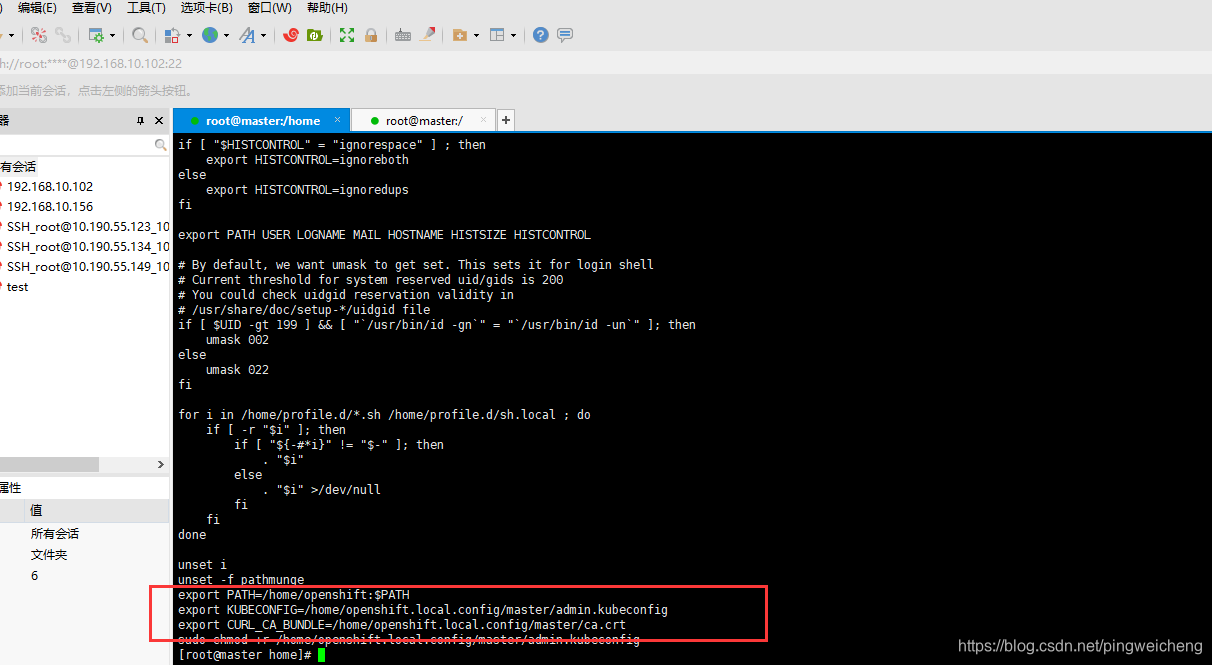
如下图分别是执行openshift start &命令在 /home目录 而/etc/profile中
KUBECONFIG 、CURL_CA_BUNDLE变量中设置的openshift.local.config 所在目录是/home,两者不一致,所以system:admin免密登录成功!
附上:我的linux服务器配置的/etc/profile文件内容如下:
if [ "$HISTCONTROL" = "ignorespace" ] ; then
    export HISTCONTROL=ignoreboth
else
    export HISTCONTROL=ignoredups
fi

export PATH USER LOGNAME MAIL HOSTNAME HISTSIZE HISTCONTROL

# By default, we want umask to get set. This sets it for login shell
# Current threshold for system reserved uid/gids is 200
# You could check uidgid reservation validity in
# /usr/share/doc/setup-*/uidgid file
if [ $UID -gt 199 ] && [ "`/usr/bin/id -gn`" = "`/usr/bin/id -un`" ]; then
    umask 002
else
    umask 022
fi

for i in /home/profile.d/*.sh /home/profile.d/sh.local ; do
    if [ -r "$i" ]; then
        if [ "${-#*i}" != "$-" ]; then
            . "$i"
        else
            . "$i" >/dev/null
        fi
    fi
done

unset i
unset -f pathmunge
export PATH=/home/openshift:$PATH
export KUBECONFIG=/home/openshift.local.config/master/admin.kubeconfig
export CURL_CA_BUNDLE=/home/openshift.local.config/master/ca.crt
sudo chmod +r /home/openshift.local.config/master/admin.kubeconfig





 扫一扫
扫一扫


 1274
1274

 被折叠的 条评论
为什么被折叠?
被折叠的 条评论
为什么被折叠?
 到【灌水乐园】发言





