


具体步骤:
1、在Anaconda创建虚拟环境
Conda create -n 20250417-111 python=3.10
2、启动虚拟环境
conda activate 20250417-111
3、下载包Pillow
pip install Pillow
4、下载pillow-heif
pip install pillow-heif
5、打开pycharm,虚拟环境
6、跑代码
import os
def rename_photos(folder_path):
    # 检查文件夹是否存在
    if not os.path.exists(folder_path):
        print(f"文件夹 {folder_path} 不存在。")
        return

    # 获取文件夹中的所有照片文件
    photo_files = []
    for root, dirs, files in os.walk(folder_path):
        for file in files:
            if file.lower().endswith(('.jpg', '.jpeg', '.png', '.gif')):
                file_path = os.path.join(root, file)
                photo_files.append(file_path)

    # 按原始顺序重命名照片
    for index, photo in enumerate(photo_files):
        file_extension = os.path.splitext(photo)[1]
        new_file_name = f"b{index + 1:05d}{file_extension}"
        new_file_path = os.path.join(folder_path, new_file_name)
        try:
            os.rename(photo, new_file_path)
            print(f"已将 {photo} 重命名为 {new_file_path}")
        except Exception as e:
            print(f"重命名 {photo} 时出错: {e}")
if __name__ == "__main__":
    folder_path = r"C:\Users\李辉琴\Desktop\zhuangeshi\heic"
    rename_photos(folder_path)
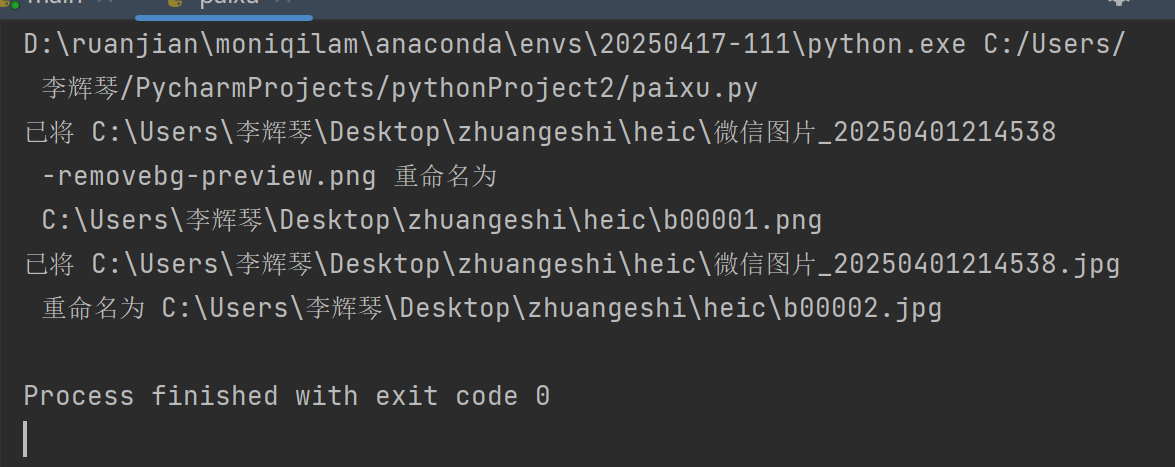
7、成功






 扫一扫
扫一扫


 424
424

 被折叠的 条评论
为什么被折叠?
被折叠的 条评论
为什么被折叠?
 到【灌水乐园】发言





