



接上一篇:
手把手教你学会接口自动化系列三-编写线索新建接口-优快云博客
在企业里面,一般都会给到接口文档,对于悟空CRM获取筛选的接口文档如下:
获取筛选场景
获取线索/客户/商机等列表筛选场景
请求方法:POST/GET
接口地址:/api/scene/queryScene
内容类型:application/x-www-form-urlencoded
授权方法:请求头中携带Admin-Token
示例请求
type=1
| 参数名 | 解释|
| — | — |
|type |类型1.线索 2.客户 3.联系人 4.产品 5.商机|
示例响应
{"code": 0,"data": [{"isSystem": 1,"bydata": null,"data": "{\"is_transform\":{\"condition\":\"is\",\"name\":\"is_transform\",\"value\":0}}","sceneId": 434349,"name": "全部线索","isDefault": 0},...]}
当然,我们也可以操作软件,抓下接口看下,如下:
请求网址:
http://192.168.0.134:8081/scene/queryScene
请求方法:POST

Content-Type:application/x-www-form-urlencoded
Admin-Token:c6f5011b85734d09b637e090e7342edd
请求体为:
type = 1
我们可以先用postman手动调下接口试试
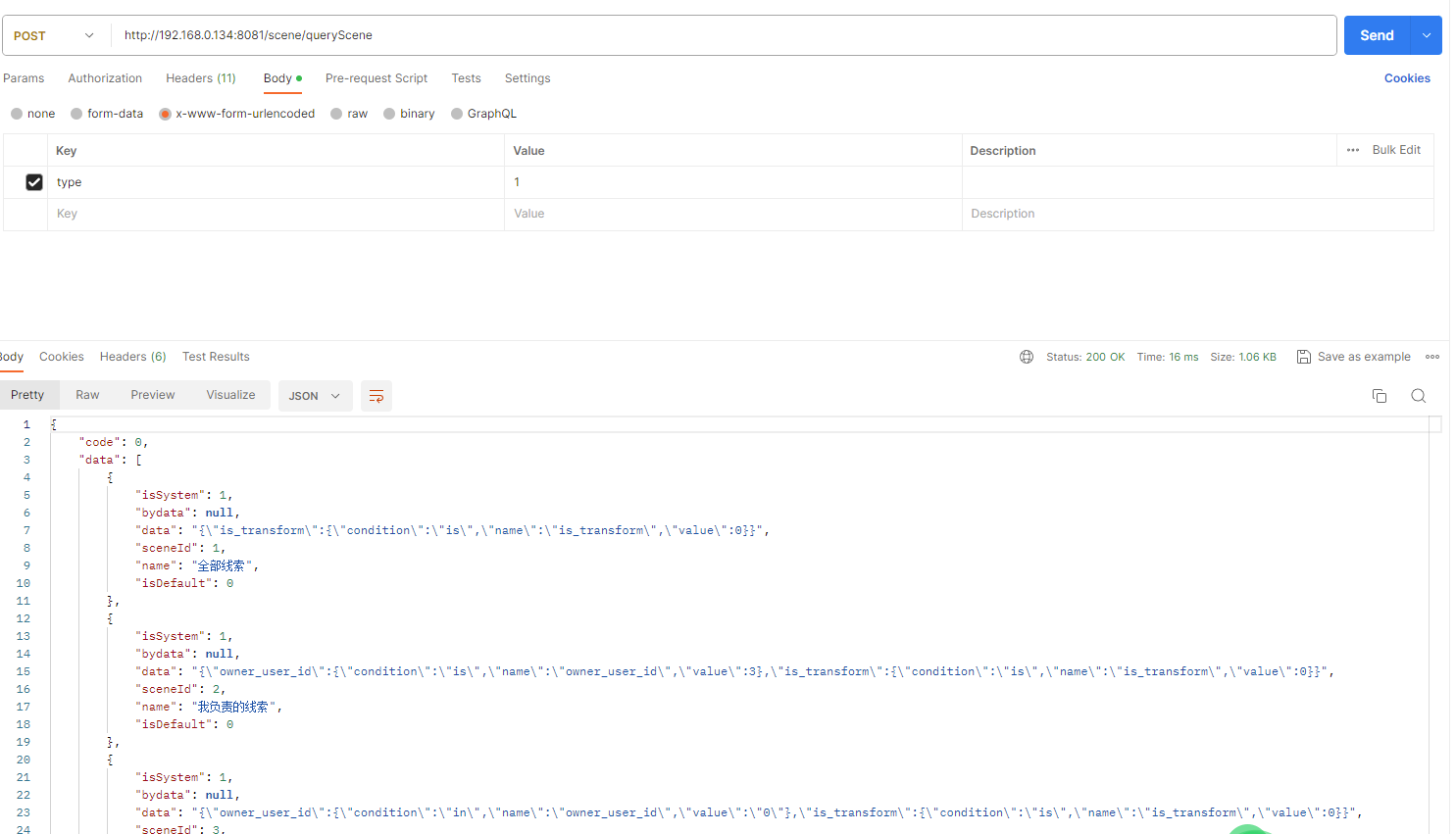
也能得到响应结果如下:
{

"code": 0,

"data": [

{

"isSystem": 1,

"bydata": null,

"data": "{\"is_transform\":{\"condition\":\"is\",\"name\":\"is_transform\",\"value\":0}}",

"sceneId": 1,

"name": "全部线索",

"isDefault": 0

},

{

"isSystem": 1,

"bydata": null,

"data": "{\"owner_user_id\":{\"condition\":\"is\",\"name\":\"owner_user_id\",\"value\":3},\"is_transform\":{\"condition\":\"is\",\"name\":\"is_transform\",\"value\":0}}",

"sceneId": 2,

"name": "我负责的线索",

"isDefault": 0

},

{

"isSystem": 1,

"bydata": null,

"data": "{\"owner_user_id\":{\"condition\":\"in\",\"name\":\"owner_user_id\",\"value\":\"0\"},\"is_transform\":{\"condition\":\"is\",\"name\":\"is_transform\",\"value\":0}}",

"sceneId": 3,

"name": "下属负责的线索",

"isDefault": 0

},

{

"isSystem": 1,

"bydata": "transform",

"data": "{\"is_transform\":{\"condition\":\"is\",\"name\":\"is_transform\",\"value\":\"1\"}}",

"sceneId": 4,

"name": "已转化的线索",

"isDefault": 0

}

]

}
下来我们编写对应的接口自动化demo代码
# !/usr/bin/env python

# -*- coding: utf-8 -*-

# @Time : 2024/01

# @Author : Laopi

import json


import requests


'''

调用登录获取token

'''

url = "http://192.168.0.134:8081/login"

headers={"Content-Type":"application/x-www-form-urlencoded"}

data={"username":"admin","password":"123456"}

response = requests.post(url=url,

headers=headers,

data=data)

cookie = response.json()['Admin-Token']


url = "http://192.168.0.134:8081/scene/queryScene"

headers={"Content-Type":"application/x-www-form-urlencoded","Admin-Token":cookie}

data = {"type":"1"}

response1 = requests.post(url=url,headers=headers,data=data)

print(response1.json())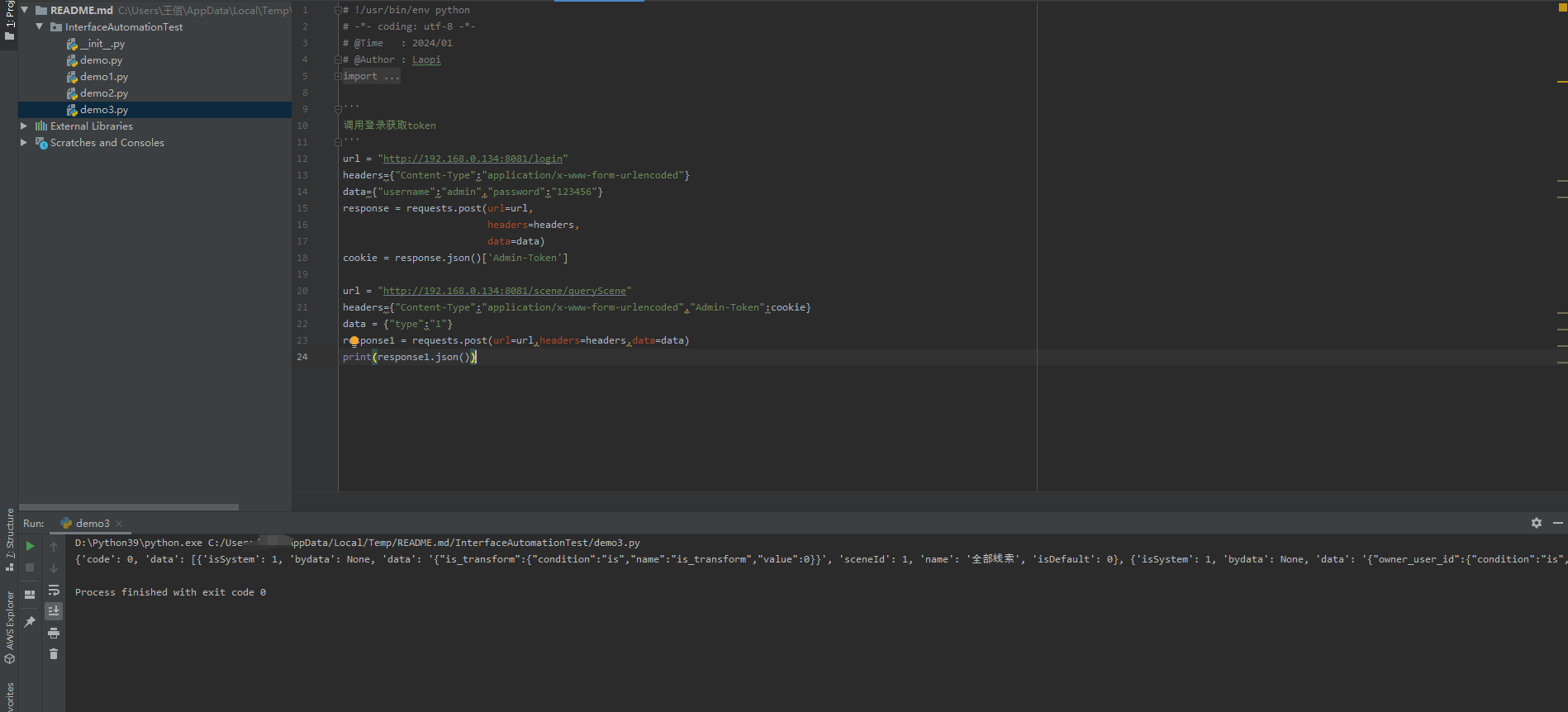





 扫一扫
扫一扫


 919
919

 被折叠的 条评论
为什么被折叠?
被折叠的 条评论
为什么被折叠?
 到【灌水乐园】发言





