


 本文介绍了当两台处于同一域中的SQL Server实例无法互相连接时的解决方案。主要问题是远程服务器防火墙未开放1433端口。通过逐步指导如何配置防火墙规则来允许远程连接,包括创建新的入站规则并指定TCP端口1433。
处于同一个域中的两台Sql server 实例无法连接,报的错误信息如下:
A network-related or instance-specific error occurred while establishing a connection to SQL Server. The server was not found or was not accessible. Verify that the instance name is correct and that SQL Server is configured to allow remote connections. (provider: Named Pipes Provider, error: 40 - Could not open a connection to SQL Server) (.Net SqlClient Data Provider)
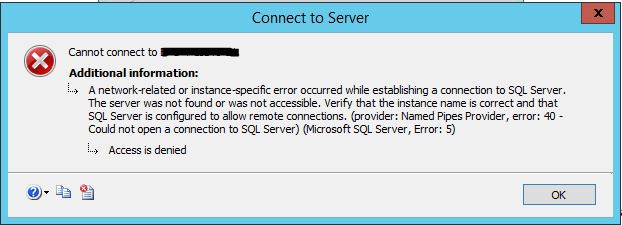
错误原因是远程Server的防火墙没有打开端口1433
1433端口用于远程连接,是Sql Server默认的端口,SQL Server服务使用两个端口:TCP-1433、UDP-1434。其中1433用于供SQL Server对外提供服务,1434用于向请求者返回SQL Server使用了哪个TCP/IP端口。
Solution
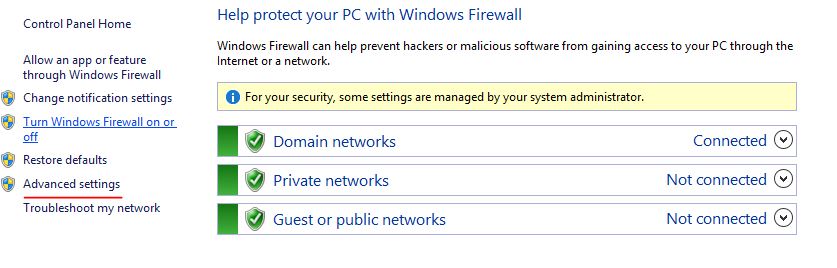
step1,打开FireWall,Advanced Settings

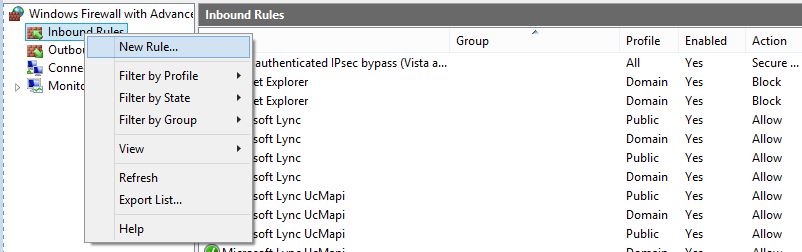
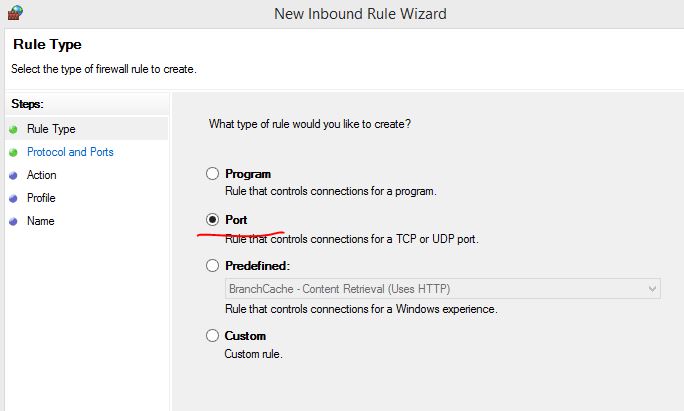
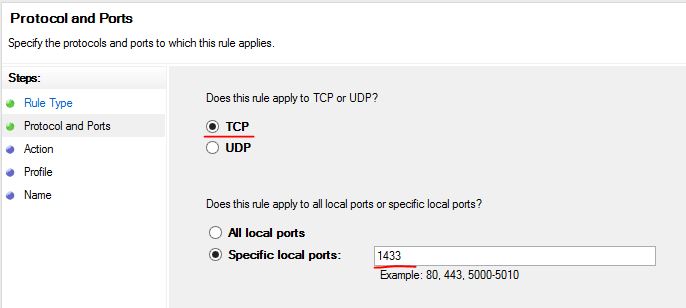
step2,New Inbound Rule,创建一个Port, TCP的端口号是 1433
Inbound Rules 显式定义允许或阻塞进入本地Server的规则
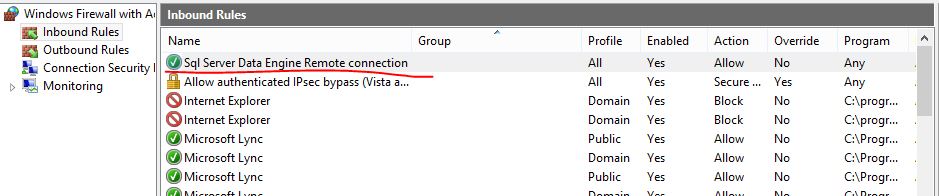
step3,查看在FireWall中创建的Inbound Rule





 扫一扫
扫一扫


 4339
4339

 被折叠的 条评论
为什么被折叠?
被折叠的 条评论
为什么被折叠?
 到【灌水乐园】发言





