





ubuntu16.04
安装nfs服务
如果用: apt-get install nfs-kernel-server portmap安装后会自动运行
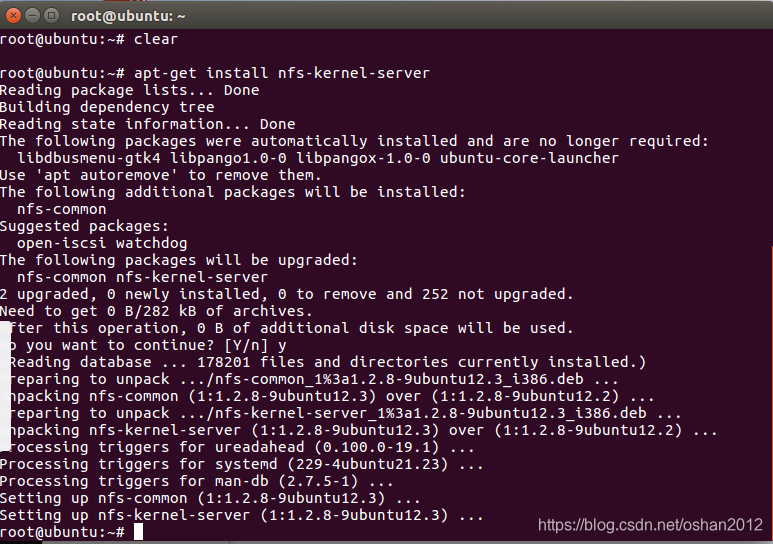
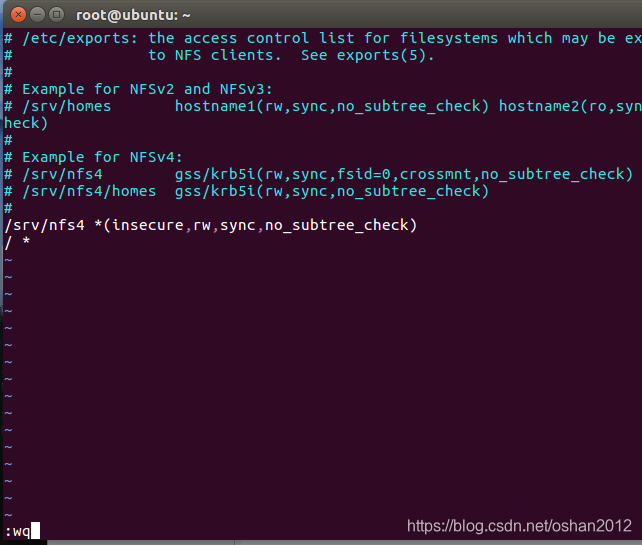
打开/etc/exports文件,在末尾加入:
/ * 保存(注意/ * 之间有空格)
注:/etc/exports为NFS服务器的配置文件,"/ *"是挂载根目录下的所有文件

执行下面重启NFS服务
/etc/init.d/nfs-kernel-server restart

注:nfs允许挂载的目录及权限,在文件/etc/exports中进行定义,各字段含义如下:
/home/ *(rw,sync,no_root_squash)
/home/:要共享的目录
* :允许所有的网段访问
rw :读写权限
sync:资料同步写入内在和硬盘
no_root_squash:nfs客户端共享目录使用者权限
本机挂载测试

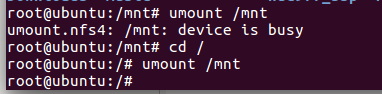
取消挂载
umount /mnt
linux内核配置
[*] Networking support --->
Networking options --->
[*] IP: kernel level autoconfiguration
當然還需要啟動NFS的功能。
File systems --->
[*] Network File Systems --->
<*> NFS client support
[*] Root file system on NFS
5.3.2 網絡功能設置
TCP/IP 設置
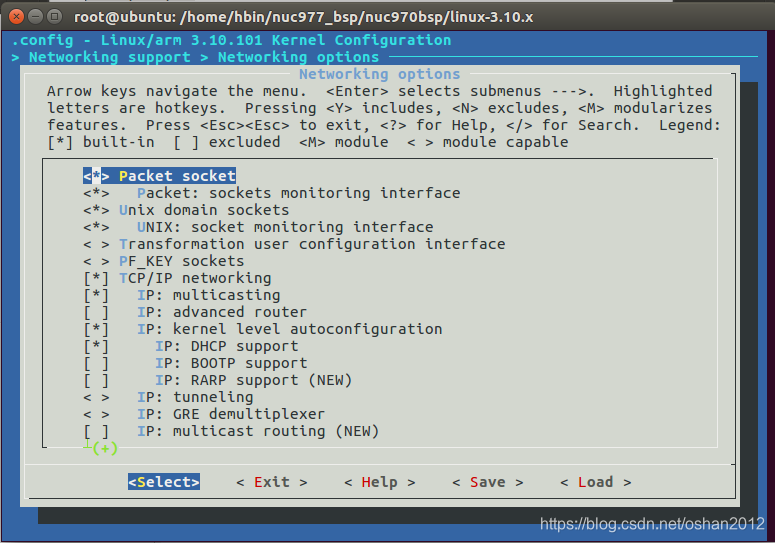
要使能基本的網絡功能, 請依照以下設置即可.
[*] Networking support --->
Networking options --->
<*> Packet socket
<*> Unix domain sockets
[*] TCP/IP networking
[*] IP: multicasting
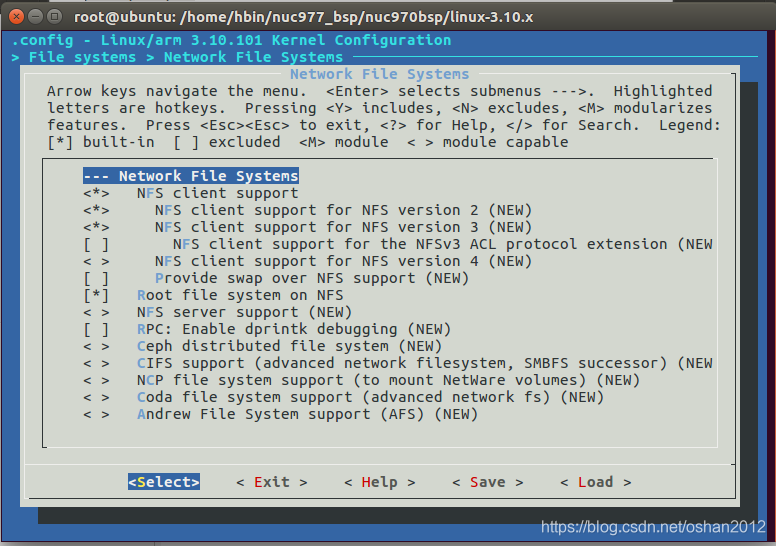
保存->编译->烧录->启动
~ # ifconfig eth0 192.168.0.4 up
nuc970-emac0 nuc970-emac0: eth0 is OPENED
~ # ping 192.168.0.199
PING 192.168.0.199 (192.168.0.199): 56 data bytes
64 bytes from 192.168.0.199: seq=0 ttl=64 time=2.342 ms
64 bytes from 192.168.0.199: seq=1 ttl=64 time=1.092 ms
^C
--- 192.168.0.199 ping statistics ---
2 packets transmitted, 2 packets received, 0% packet loss
round-trip min/avg/max = 1.092/1.717/2.342 ms
挂载出错
~ # mount 192.168.0.199: /tmp
svc: failed to register lockdv1 RPC service (errno 5).
lockd_up: makesock failed, error=-5
mount: mounting 192.168.0.199: on /tmp failed: Input/output error
~ # mount 192.168.0.199:/home/hbin/nfs /tmp
svc: failed to register lockdv1 RPC service (errno 5).
mount: mounting 192.168.0.199:/home/hbin/nfs on /tmp failed: Input/output error
~ #
~ # mount 192.168.0.199:/home /tmp
svc: failed to register lockdv1 RPC service (errno 5).
mount: mounting 192.168.0.199:/home on /tmp failed: Input/output error
挂载成功
~ # mount -t nfs -o nolock 192.168.0.199:/home /tmp
~ # cd tmp
/tmp # cd hbin
/tmp/hbin # ls
Desktop Pictures examples.desktop nuc977_bsp
Documents Public log print kernel.txt
Downloads Templates nfs test.txt
Music Videos nuc
/tmp/hbin # umount /tmp
umount: can't umount /tmp: Device or resource busy
退出tmp目录
mount -t nfs -o nolock 192.168.0.199:/home/hbin/nfs /mnt





 扫一扫
扫一扫


 636
636

 被折叠的 条评论
为什么被折叠?
被折叠的 条评论
为什么被折叠?
 到【灌水乐园】发言





