



解决接收的自动换行
自动换行原因 --> 我们以append发送 会自动换行
换个api 即可 --> 我们换成 insertPlainText
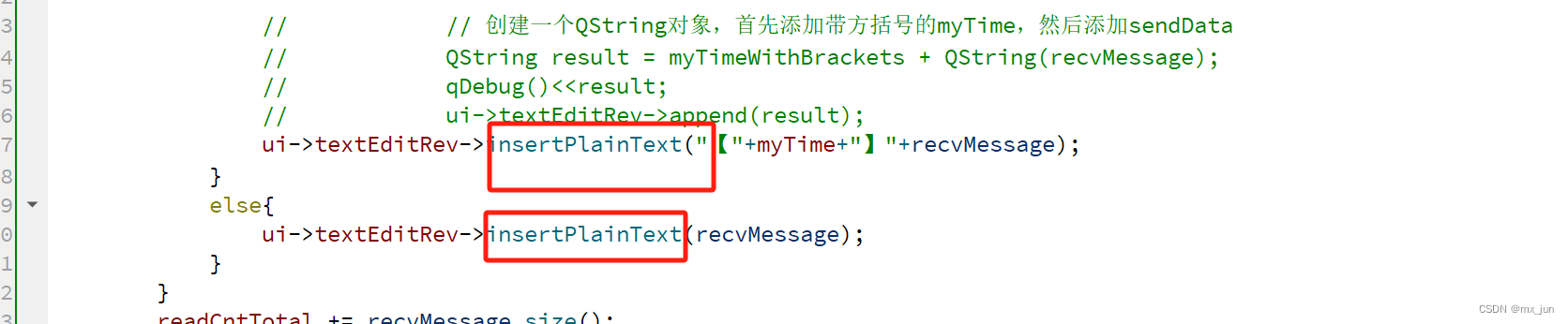
添加自动换行

实现添加新行
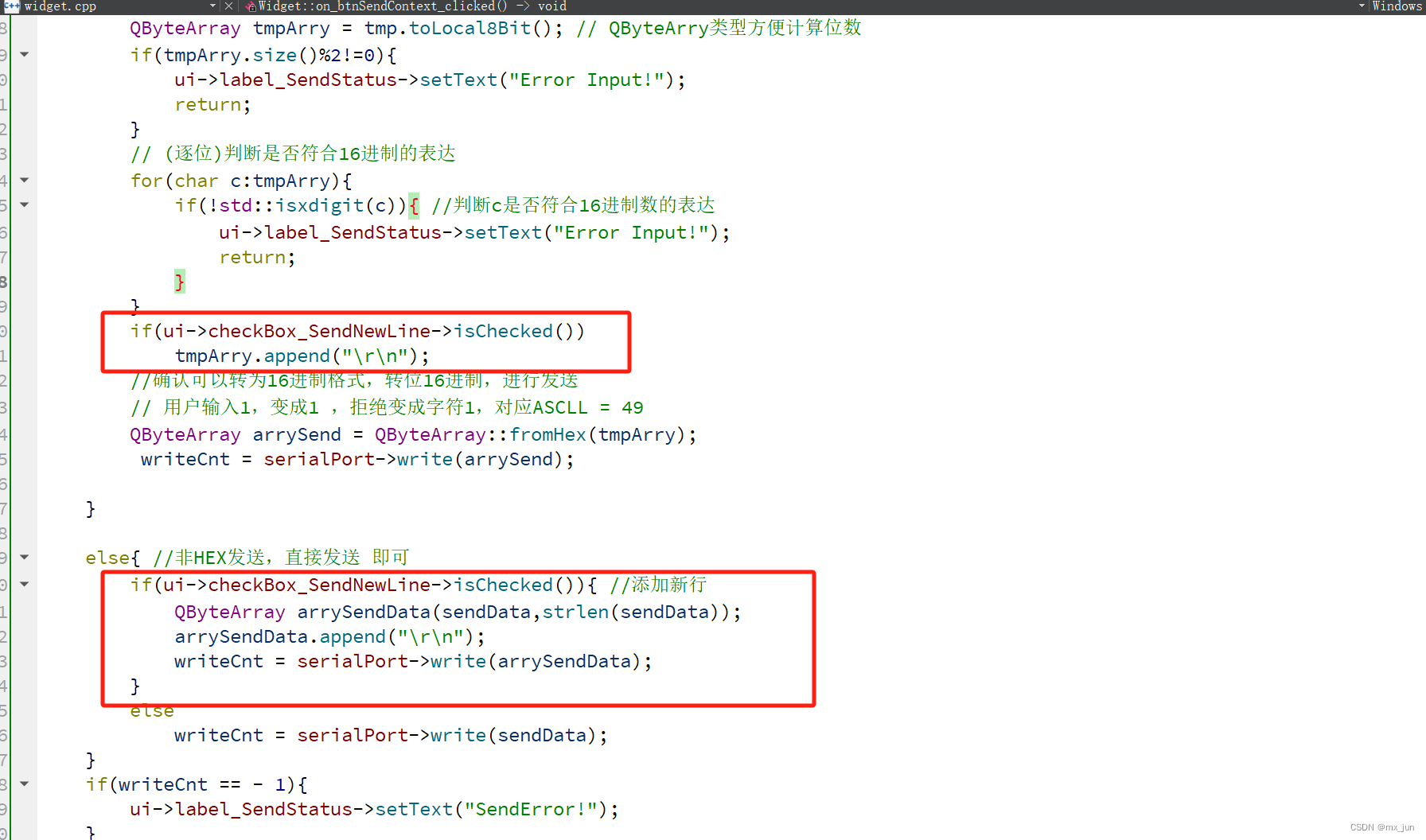
修改的函数代码:
on_btnSendContext_clicked
void Widget::on_btnSendContext_clicked()
{
    // const char * sendData = ui->lineEdit_SendContext->text().toStdString().c_str();//QString->String(C++)->char*0
    const char * sendData = ui->lineEdit_SendContext->text().toLocal8Bit().constData();

    int writeCnt = 0;

    //通过串口发送:

    //HEX发送 实现
    if(ui->checkBox_HexSend->isChecked()){ //if HEX发送被勾选了
        // 获得发送框内的数据
        QString tmp = ui->lineEdit_SendContext->text();
        // 判断是否是偶数位
        QByteArray tmpArry = tmp.toLocal8Bit(); // QByteArry类型方便计算位数
        if(tmpArry.size()%2!=0){
            ui->label_SendStatus->setText("Error Input!");
            return;
        }
        // (逐位)判断是否符合16进制的表达
        for(char c:tmpArry){
            if(!std::isxdigit(c)){ //判断c是否符合16进制数的表达
                ui->label_SendStatus->setText("Error Input!");
                return;
            }
        }
        if(ui->checkBox_SendNewLine->isChecked())
            tmpArry.append("\r\n");
        //确认可以转为16进制格式,转位16进制,进行发送
        // 用户输入1,变成1 ,拒绝变成字符1,对应ASCLL = 49
        QByteArray arrySend = QByteArray::fromHex(tmpArry);
         writeCnt = serialPort->write(arrySend);

    }

    else{ //非HEX发送,直接发送 即可
        if(ui->checkBox_SendNewLine->isChecked()){ //添加新行
            QByteArray arrySendData(sendData,strlen(sendData));
            arrySendData.append("\r\n");
            writeCnt = serialPort->write(arrySendData);
        }
        else
            writeCnt = serialPort->write(sendData);
    }
    if(writeCnt == - 1){
        ui->label_SendStatus->setText("SendError!");
    }
    else {
        writeCntTotal += writeCnt;
        qDebug()<<"Send:"<<sendData;
        qDebug()<<"writeCnt"<<writeCnt;

        ui->label_SendStatus->setText("SendOK!");
        //ui->label_SendCnt->setNum(writeCntTotal);
        ui->label_SendCnt->setText("Send:"+QString::number(writeCntTotal));

        if(strcmp(sendData,sendBak.toStdString().c_str())!=0){ //只有当数据与上一次不相等的时候我们才会追加到我们的历史发生中


            ui->textEditRecord->append(sendData);
            //sendBak = QString(sendData);
            sendBak = QString::fromUtf8(sendData);

        }

    }
}
on_SerialData_readToRead
void Widget::on_SerialData_readToRead()
{
    QString recvMessage = serialPort->readAll();

    if(recvMessage != NULL){
        if(ui->checkBox_Line->isChecked())recvMessage = recvMessage + "\r\n";
        qDebug()<<"get Message: "<<recvMessage;

        if(ui->checkBox_HexDisplay->isChecked()){ // 已经勾选HEX格式
            // 将新收到的数据转为HEX类型
            QByteArray tmpHex = recvMessage.toUtf8().toHex().toUpper();

            // 原来控件上的内容 也转为HEX格式  再拼接
            QString tmpStrOld=ui->textEditRev->toPlainText(); //获得接收框的数据
            tmpHex = tmpStrOld.toUtf8() + tmpHex; // 不能toHex 已经是Hex了
            ui->textEditRev->setText(QString::fromUtf8(tmpHex));
        }
        else{
            if(sendTimeStatus){
                //更新myTime
                getSysTime();

                // 在myTime两边添加方括号
                //            QString myTimeWithBrackets = "【" + myTime + "】";

                //            // 创建一个QString对象,首先添加带方括号的myTime,然后添加sendData
                //            QString result = myTimeWithBrackets + QString(recvMessage);
                //            qDebug()<<result;
                //            ui->textEditRev->append(result);
                ui->textEditRev->insertPlainText("【"+myTime+"】"+recvMessage);
            }
            else{
                ui->textEditRev->insertPlainText(recvMessage);
            }
        }
        readCntTotal += recvMessage.size();
        qDebug()<<"readCnt"<<recvMessage.size();
        //ui->label_RecvCnt->setNum(readCntTotal);
        ui->label_RecvCnt->setText("Receive:"+QString::number(writeCntTotal));
    }
}
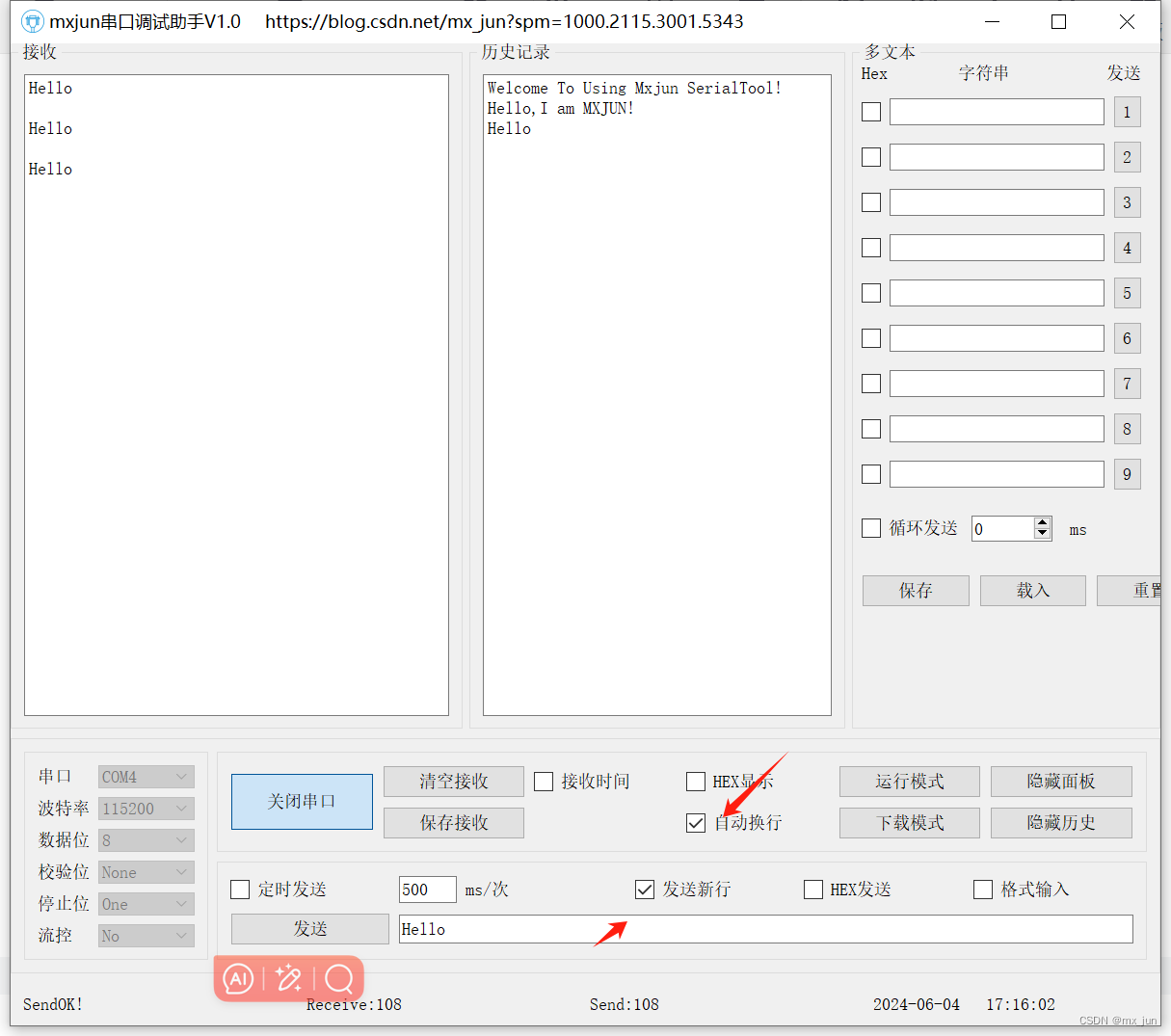
运行效果
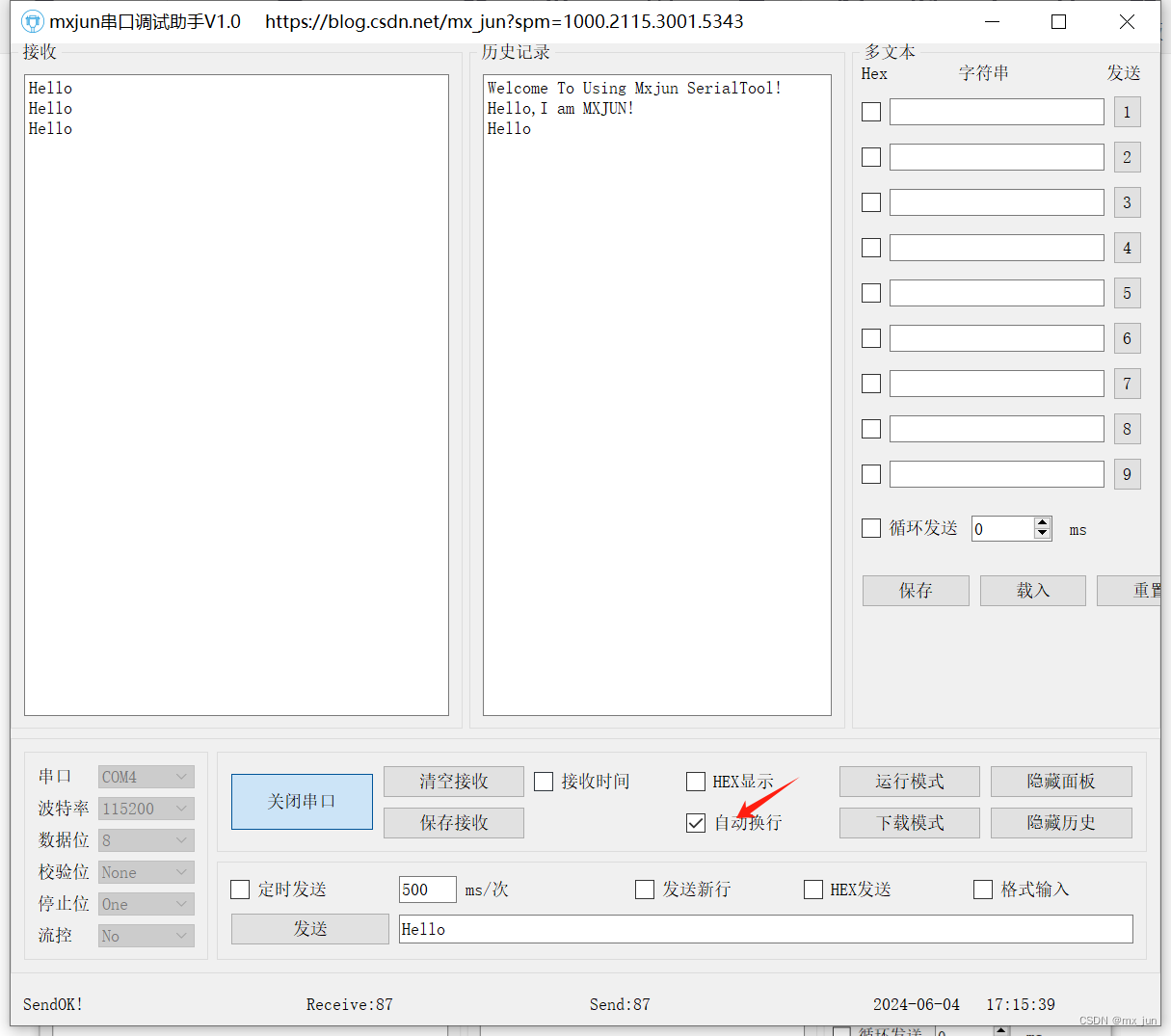
自动换行
发送新行
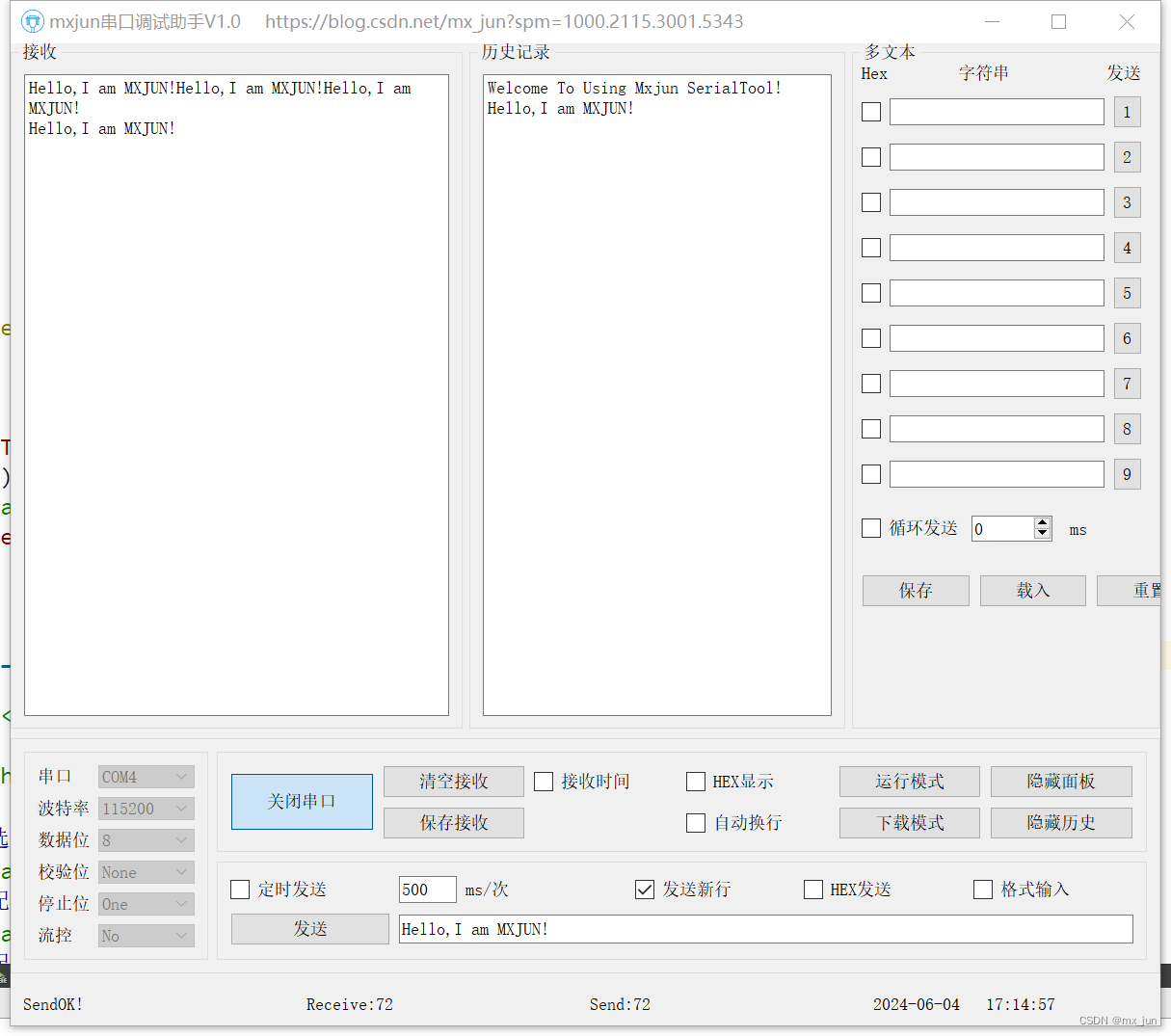
二者都勾选





 扫一扫
扫一扫


 2万+
2万+

 被折叠的 条评论
为什么被折叠?
被折叠的 条评论
为什么被折叠?
 到【灌水乐园】发言





