vue table 循环增加表单

本文介绍如何在Vue.js应用中利用v-for指令动态地在表格中添加和删除表单字段,实现数据的增删操作,结合javascript进行交互处理。
  <table>
            <tr v-for="(items, index) in items" :key="index">
                <td>
                    <input label="名称" placeholder="输入名称" />
                </td>
                <td>
                    <input  label="规格" placeholder="输入规格" />
                </td>
                <td>
                    <input  label="数量" placeholder="输入数量" />
                </td>
                <td>
                    <input  label="价格" placeholder="输入价格" />
                </td>
                <td>
                    <button v-if="index == this.items.length-1" @click="addRow">
                        增加
                    </button>
                    <button v-else @click="delRow(index)">
                        删除
                    </button>
                </td>
            </tr>
        </table>
<script>

export default {
    data() {
        return {
           
            items: [
                {},
                {},
              
            ]
        }
    },
    created() { },
    methods: {
        addRow() {
            this.items.push({})
            
        },
        delRow(index) {
            this.items.splice(index, 1)
        }

    }
};
</script>
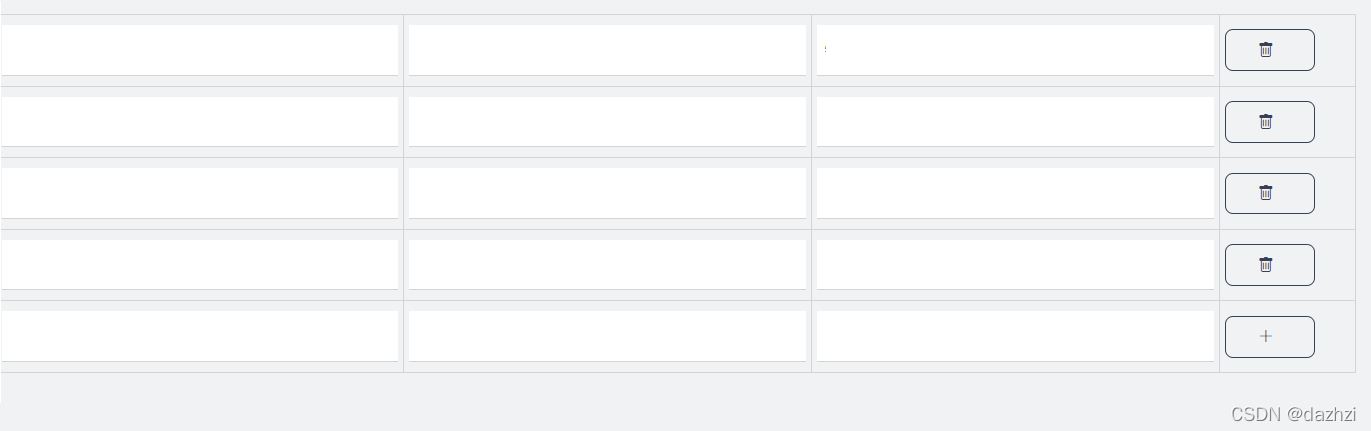
 

### Vue.js 使用 `v-for` 循环渲染表格Vue.js 中,可以利用 `v-for` 指令来循环渲染表格。下面是一个具体的例子展示如何使用 `v-for` 来创建动态表格。 #### HTML 结构与绑定 为了使每一行都能被唯一识别并正确关联表单验证规则,在 `<el-form-item>` 组件中设置属性 `prop` 和 `rules` 是必要的[^1]: ```html <template> <div id="app"> <!-- 定义 form 表单 --> <el-form :model="dynamicValidateForm" ref="dynamicValidateFormRef"> <!-- 动态生成表格 --> <el-table :data="dynamicValidateForm.tableData" border style="width: 100%"> <el-table-column label="日期" width="180"> <template #default="scope"> <el-form-item :prop="'tableData.' + scope.$index + '.date'" :rules="formRules.date" > <el-date-picker v-model="scope.row.date"></el-date-picker> </el-form-item> </template> </el-table-column> <el-table-column prop="name" label="姓名" width="180"> <template #default="scope"> <el-form-item :prop="'tableData.' + scope.$index + '.name'" :rules="formRules.name" > <el-input v-model="scope.row.name"></el-input> </el-form-item> </template> </el-table-column> <el-table-column label="操作"> <template #default="scope"> <el-button @click.prevent="removeRow(scope.$index)">移除</el-button> </template> </el-table-column> </el-table> <el-button type="primary" @click="submitForm">提交</el-button> </el-form> </div> </template> ``` #### JavaScript 数据定义和方法实现 接下来是在脚本部分定义相应的数据模型以及处理逻辑: ```javascript <script setup> import { reactive, ref } from 'vue' import { ElMessage } from 'element-plus' const dynamicValidateFormRef = ref(null) // 初始化表单数据结构 let dynamicValidateForm = reactive({ tableData: [ { date: '', name: '' } ] }) // 添加新行函数 function addRow() { dynamicValidateForm.tableData.push({ date: '', name: '' }) } // 移除某一行函数 function removeRow(index) { if (dynamicValidateForm.tableData.length > 1) { dynamicValidateForm.tableData.splice(index, 1); } else { ElMessage.warning('至少保留一条记录'); } } // 提交表单前的校验规则 const formRules = reactive({ date: [{ required: true, message: '请选择日期', trigger: 'change' }], name: [{ required: true, message: '请输入名字', trigger: 'blur' }] }); // 提交按钮点击事件处理器 async function submitForm() { try { await dynamicValidateFormRef.value.validate((valid) => { if (!valid) return false; console.log(JSON.stringify(dynamicValidateForm)); }); } catch (error) { console.error(error); } } </script> ``` 上述代码展示了完整的基于 Element Plus UI 库构建的一个带有基本字段验证功能的可编辑表格实例。每条记录都绑定了对应的输入框,并且实现了增删改查的功能。
评论
成就一亿技术人!
拼手气红包6.0元
还能输入1000个字符
 
红包 添加红包
表情包 插入表情
 条评论被折叠 查看
添加红包

请填写红包祝福语或标题

红包个数最小为10个

红包金额最低5元

当前余额3.43前往充值 >
需支付:10.00
成就一亿技术人!
领取后你会自动成为博主和红包主的粉丝 规则
hope_wisdom
发出的红包
实付
使用余额支付
点击重新获取
扫码支付
钱包余额 0

抵扣说明:

1.余额是钱包充值的虚拟货币,按照1:1的比例进行支付金额的抵扣。
2.余额无法直接购买下载,可以购买VIP、付费专栏及课程。

余额充值



