



原文链接
https://blog.youkuaiyun.com/weixin_65429391/article/details/141888157
因为担心原文作者撤档,复制一个
Windows11环境部署本地化dify,docker compose up -d 启动后,一直报错,类似:
在windows11下部署dify报错:

db-1  | The files belonging to this database system will be owned by user "postgres".
db-1  | This user must also own the server process.
db-1  |
db-1  | The database cluster will be initialized with locale "en_US.utf8".
db-1  | The default database encoding has accordingly been set to "UTF8".
db-1  | The default text search configuration will be set to "english".
db-1  |
db-1  | Data page checksums are disabled.
db-1  |
db-1  | fixing permissions on existing directory /var/lib/postgresql/data/pgdata ... ok
db-1  | creating subdirectories ... ok
db-1  | selecting dynamic shared memory implementation ... posix
db-1  | selecting default max_connections ... 20
db-1  | selecting default shared_buffers ... 400kB
db-1  | selecting default time zone ... UTC
db-1  | creating configuration files ... ok
db-1  | 2025-02-28 16:06:21.008 UTC [63] FATAL:  data directory "/var/lib/postgresql/data/pgdata" has invalid permissions
db-1  | 2025-02-28 16:06:21.008 UTC [63] DETAIL:  Permissions should be u=rwx (0700) or u=rwx,g=rx (0750).
db-1  | child process exited with exit code 1
db-1  | initdb: removing contents of data directory "/var/lib/postgresql/data/pgdata"
db-1 exited with code 1
重点就是这句:
FATAL: data directory "/var/lib/postgresql/data/pgdata" has invalid permissions
解决办法:
- 进入dify源码的docker目录下,打开docker-compose.yaml:
找到services下的db,修改volumes,将./volumes/db/data改为postgres-data。
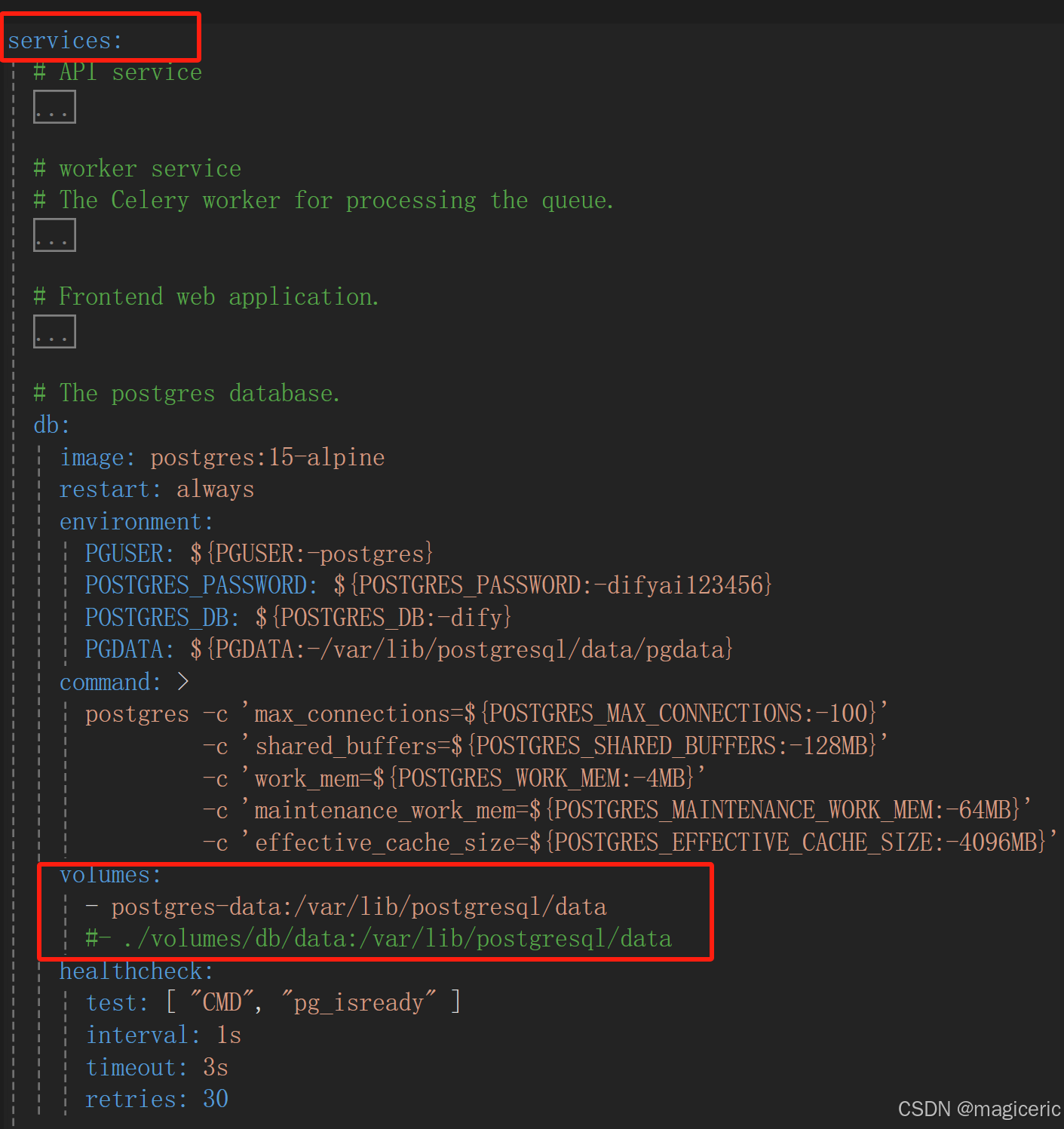
在docker-compose.yaml文件的最末尾的volumes下添加postgres-data:
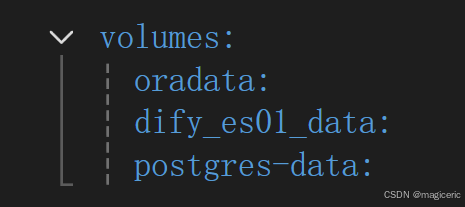
注意,该volumes与services同级。
- 在Docker Desktop运行的情况下,win+r打开cmd,进入dify源码的docker目录下:
执行:
docker-compose down
docker-compose up
搞定。





 扫一扫
扫一扫


 2689
2689

 被折叠的 条评论
为什么被折叠?
被折叠的 条评论
为什么被折叠?
 到【灌水乐园】发言





