


 这篇博客展示了如何在C#环境下,通过Windows Forms应用程序利用Graphics对象和FillPolygon方法,计算并绘制出一个绿色的三角星号。点击按钮触发事件,创建Graphics对象,设置红色实心刷,并定义三角形的坐标点,最终填充出三角形。
using System;
using System.Collections.Generic;
using System.ComponentModel;
using System.Data;
using System.Drawing;
using System.Linq;
using System.Text;
using System.Threading.Tasks;
using System.Windows.Forms;
namespace WindowsFormsApp3
{
public partial class Form1 : Form
{
public Form1()
{
InitializeComponent();
}
private void button1_Click(object sender, EventArgs e)
{
var g = pictureBox1.CreateGraphics();
var brush = new SolidBrush(Color.Red);
brush.Color = Color.Green;
Rectangle[] h = new Rectangle[3];
Point point1 = new Point(120, 200);
Point point2 = new Point(200 , 200);
Point point3 = new Point(160,131);
Point[] i= { point1, point2, point3 };
g.FillPolygon(Brushes.Red, i);
}
}
}
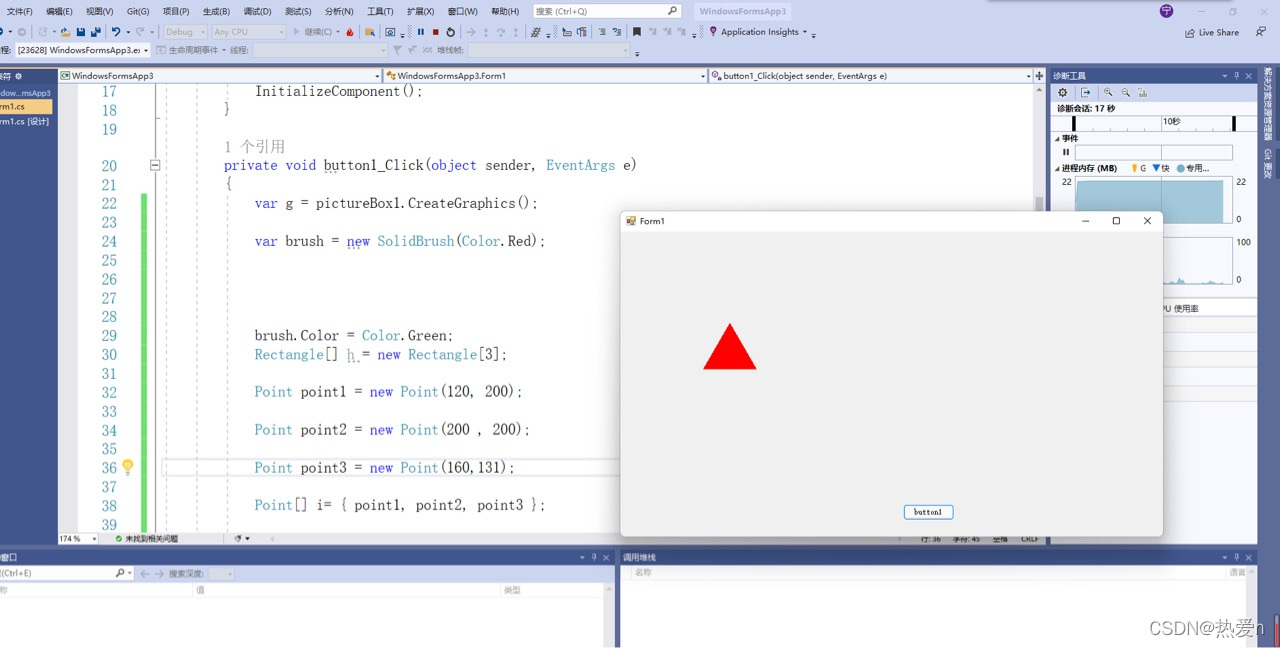
通过计算找到三角形的坐标,通过函数填充画出三角星号。





 扫一扫
扫一扫


 5254
5254

 被折叠的 条评论
为什么被折叠?
被折叠的 条评论
为什么被折叠?
 到【灌水乐园】发言





