


 文章描述了如何在CentOS系统中使用yum命令安装Redis,然后启动并检查其服务状态。接着,通过修改redis.conf文件,将Redis配置为允许任意IP连接,以启用远程访问。最后,提到了在Windows环境下使用RESP连接Redis服务器的方法。
使用yum安装Redis
命令:
[root@KATANA etc]# yum install redis -y启动redis测试
[root@KATANA etc]# systemctl start redis
[root@KATANA etc]# systemctl status redis
● redis.service - Redis persistent key-value database
   Loaded: loaded (/usr/lib/systemd/system/redis.service; enabled; vendor preset: disabled)
  Drop-In: /etc/systemd/system/redis.service.d
           └─limit.conf
   Active: active (running) since Fri 2023-02-17 15:12:52 CST; 3h 36min ago
  Process: 5314 ExecStop=/usr/libexec/redis-shutdown (code=exited, status=1/FAILURE)
 Main PID: 5351 (redis-server)
    Tasks: 4 (limit: 23862)
   Memory: 9.4M
   CGroup: /system.slice/redis.service
           └─5351 /usr/bin/redis-server 0.0.0.0:6379
2月 17 15:12:52 KATANA systemd[1]: Starting Redis persistent key-value database...
2月 17 15:12:52 KATANA systemd[1]: Started Redis persistent key-value database.
[root@KATANA etc]# redis-cli
127.0.0.1:6379>
连接RESP
首先确保自己Windows防火墙和杀毒软件关闭
修改/etc/redis.conf文件
[root@KATANA etc]# vim /etc/redis.conf 修改第69行,将bind后的ip改为0.0.0.0,为允许任意ip连接
8 # ~~~ WARNING ~~~ If the computer running Redis is directly exposed to the
  59 # internet, binding to all the interfaces is dangerous and will expose the
  60 # instance to everybody on the internet. So by default we uncomment the
  61 # following bind directive, that will force Redis to listen only into
  62 # the IPv4 loopback interface address (this means Redis will be able to
  63 # accept connections only from clients running into the same computer it
  64 # is running).
  65 #
  66 # IF YOU ARE SURE YOU WANT YOUR INSTANCE TO LISTEN TO ALL THE INTERFACES
  67 # JUST COMMENT THE FOLLOWING LINE.
  68 # ~~~~~~~~~~~~~~~~~~~~~~~~~~~~~~~~~~~~~~~~~~~~~~~~~~~~~~~~~~~~~~~~~~~~~~~~
  69 bind 0.0.0.0
  70
  71 # Protected mode is a layer of security protection, in order to avoid that
  72 # Redis instances left open on the internet are accessed and exploited.
  73 #
  74 # When protected mode is on and if:
  75 #
  76 # 1) The server is not binding explicitly to a set of addresses using the
  77 #    "bind" directive.
  78 # 2) No password is configured.
  79 #
  80 # The server only accepts connections from clients connecting from the
  81 # IPv4 and IPv6 loopback addresses 127.0.0.1 and ::1, and from Unix domain
  82 # sockets.
  83 #
重启Redis服务
[root@KATANA etc]# systemctl restart redis
[root@KATANA etc]# systemctl status redis
● redis.service - Redis persistent key-value database
   Loaded: loaded (/usr/lib/systemd/system/redis.service; enabled; vendor preset: disabled)
  Drop-In: /etc/systemd/system/redis.service.d
           └─limit.conf
   Active: active (running) since Fri 2023-02-17 18:58:23 CST; 1s ago
  Process: 7785 ExecStop=/usr/libexec/redis-shutdown (code=exited, status=0/SUCCESS)
 Main PID: 7800 (redis-server)
    Tasks: 4 (limit: 23862)
   Memory: 6.7M
   CGroup: /system.slice/redis.service
           └─7800 /usr/bin/redis-server 0.0.0.0:6379

2月 17 18:58:23 KATANA systemd[1]: Starting Redis persistent key-value database...
2月 17 18:58:23 KATANA systemd[1]: Started Redis persistent key-value database.
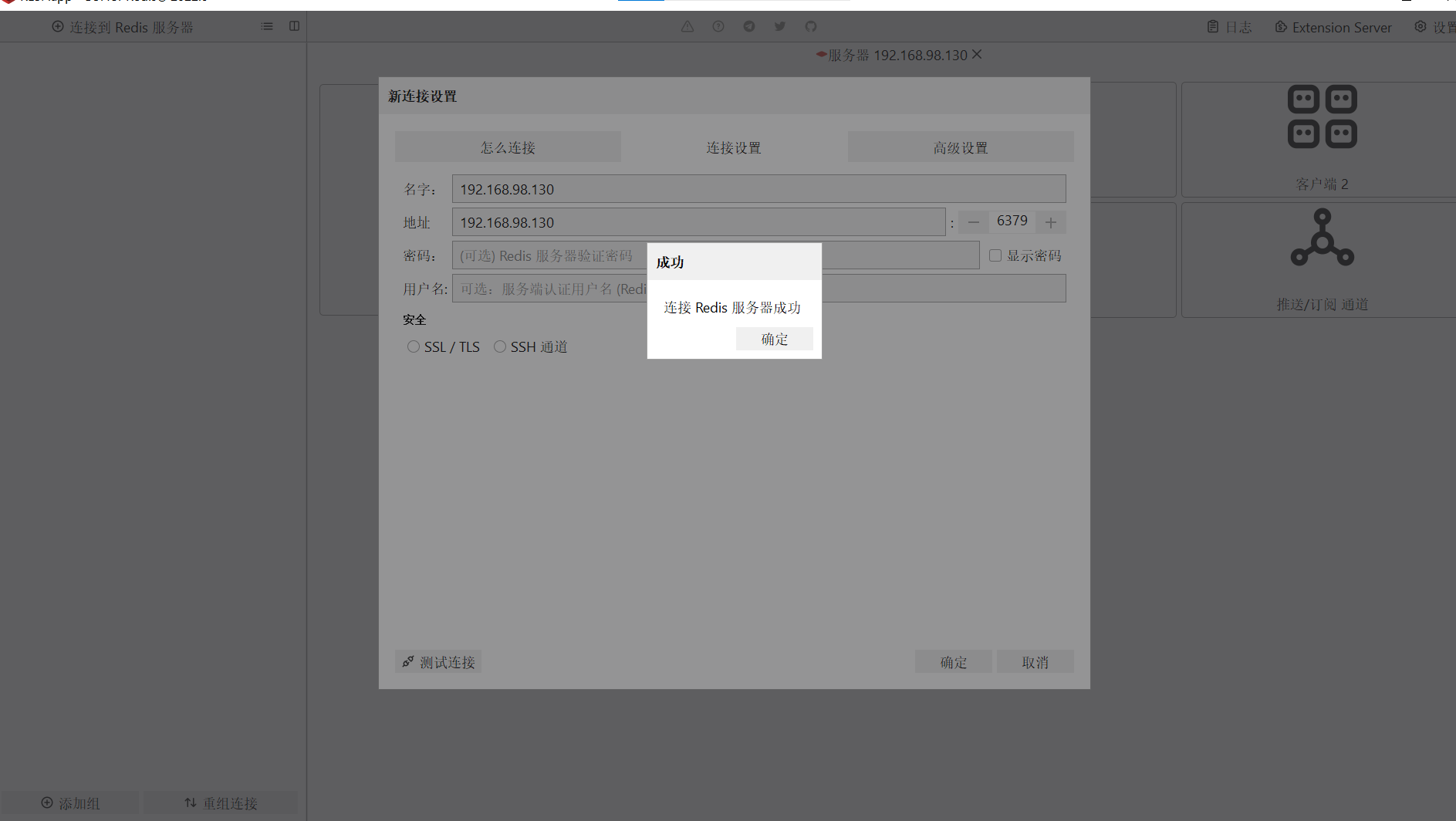
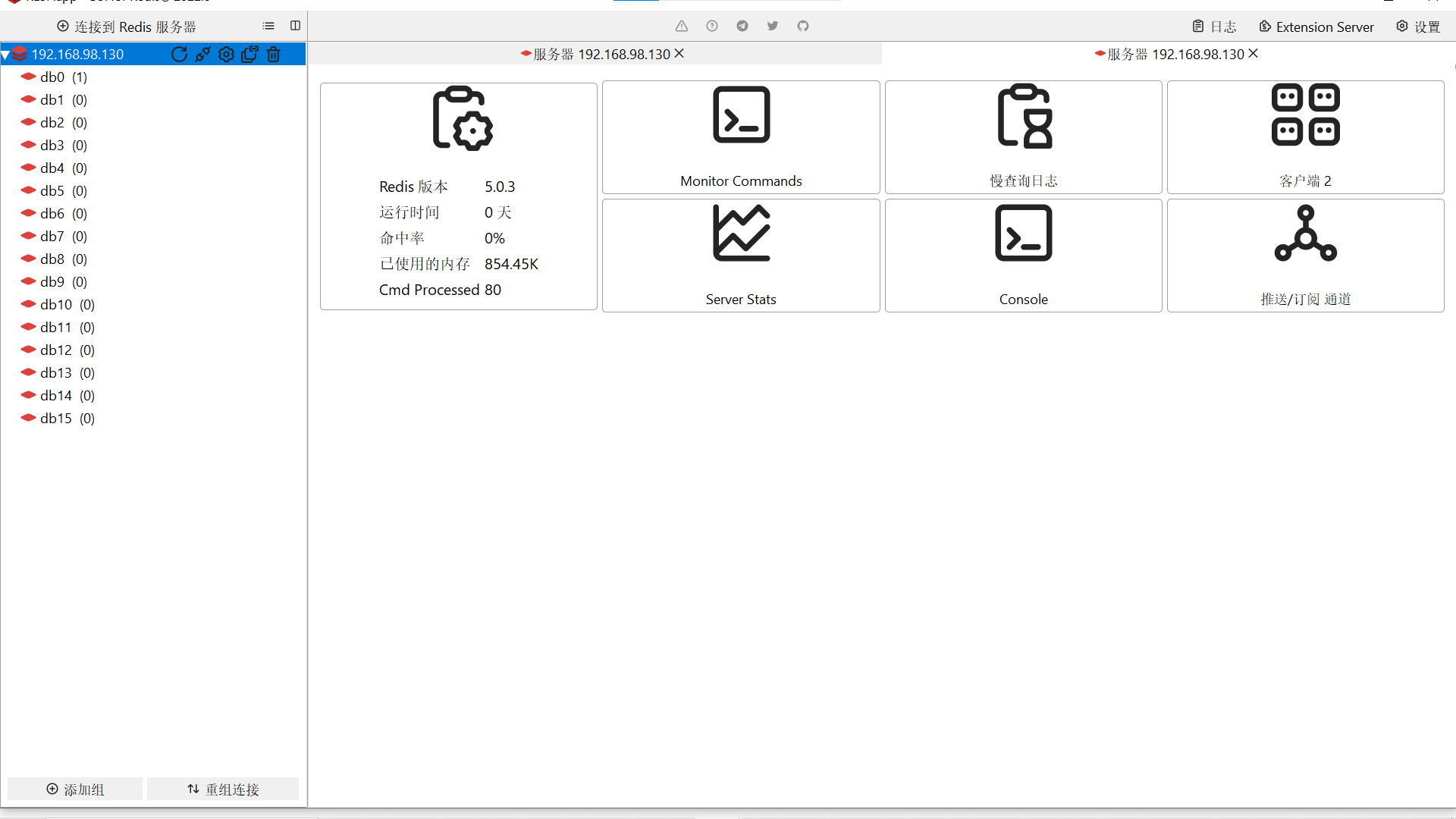
在Windows中使用RESP连接
添加连接,地址为Redis所在机器ip端口默认6379,默认没有设置密码





 扫一扫
扫一扫


 1898
1898

 被折叠的 条评论
为什么被折叠?
被折叠的 条评论
为什么被折叠?
 到【灌水乐园】发言





