


一、Selenium 例子代码
参考:https://blog.youkuaiyun.com/m0_50565821/article/details/130217122?spm=1001.2014.3001.5501
二、Cucumber Test
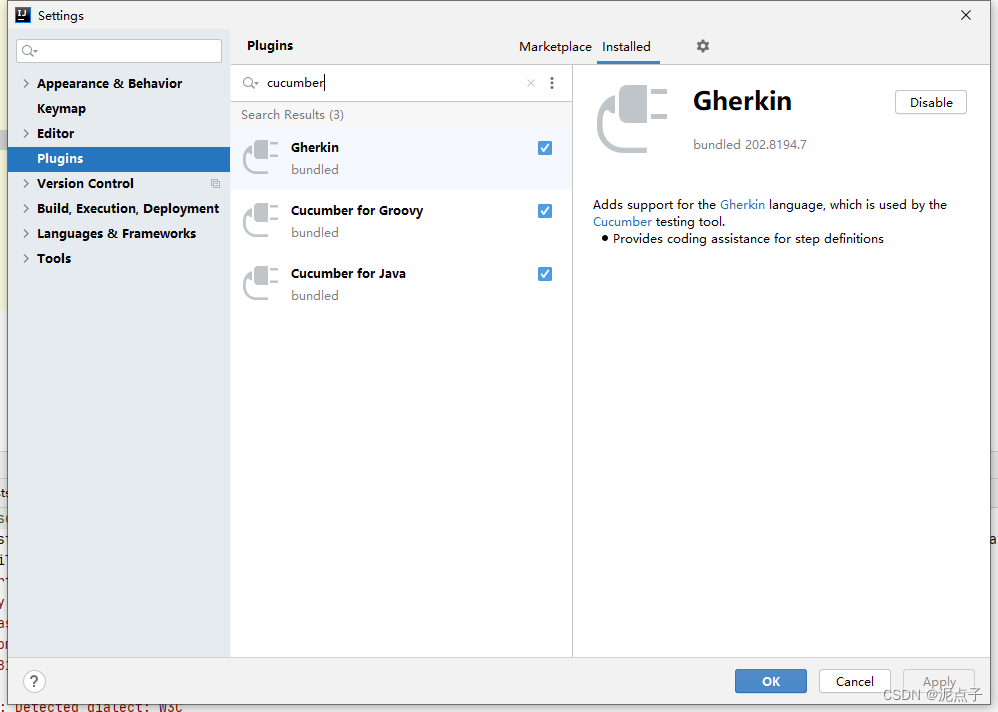
2.1 引入插件,以Idea 为例
2.2
新建feature 文件
#@demoTest
Feature: cucumber demo
  As a tester,need to create a cucumber automation demo to show the cucumber test

  @demoTest
  Scenario: User can open the baidu url and search
    Given the baidu page is show
    When the user send the search keyword in the input box
    And the user click the baiduyixia button
    Then the search result is display
安装提示新建step
public class BaiDuSearchSteps implements En{
    WebDriver driver = BrowserDiverManager.getDiver();
    BaiduSearchPages baiduSearchPages = new BaiduSearchPages(driver);
    public BaiDuSearchSteps(){
        Given("^the baidu page is show$", () -> {
            baiduSearchPages.toUrl("https://www.baidu.com/");
            System.out.println("baudupage show");
        });

        When("^the user send the search keyword in the input box$", () -> {
            baiduSearchPages.inputKey("key");
            System.out.println("=======end the search ke");

        });
        And("^the user click the baiduyixia button$", () -> {
            baiduSearchPages.clickSearchButton();

        });
        Then("^the search result is display$", () -> {
            System.out.println("========the search result is display");
        });


    }
    @AfterStep
    public void teardown(){
        driver.close();
    }
2.3 新建runner
@RunWith(Cucumber.class)
@CucumberOptions(
        features = {"src/test/resources/cucmberTest"},
        glue = {"steps"},
        tags = "@demoTest",
        plugin = {
                "pretty",
//                "com.aventstack.extentreports.cucumber.adapter.ExtentCucumberAdapter:"
                "html:target/cucumber-reports/cucumberExtent.html",
                "json:target/cucumber-reports/cucumberExtent.json"
        }
)
public class runner {
}
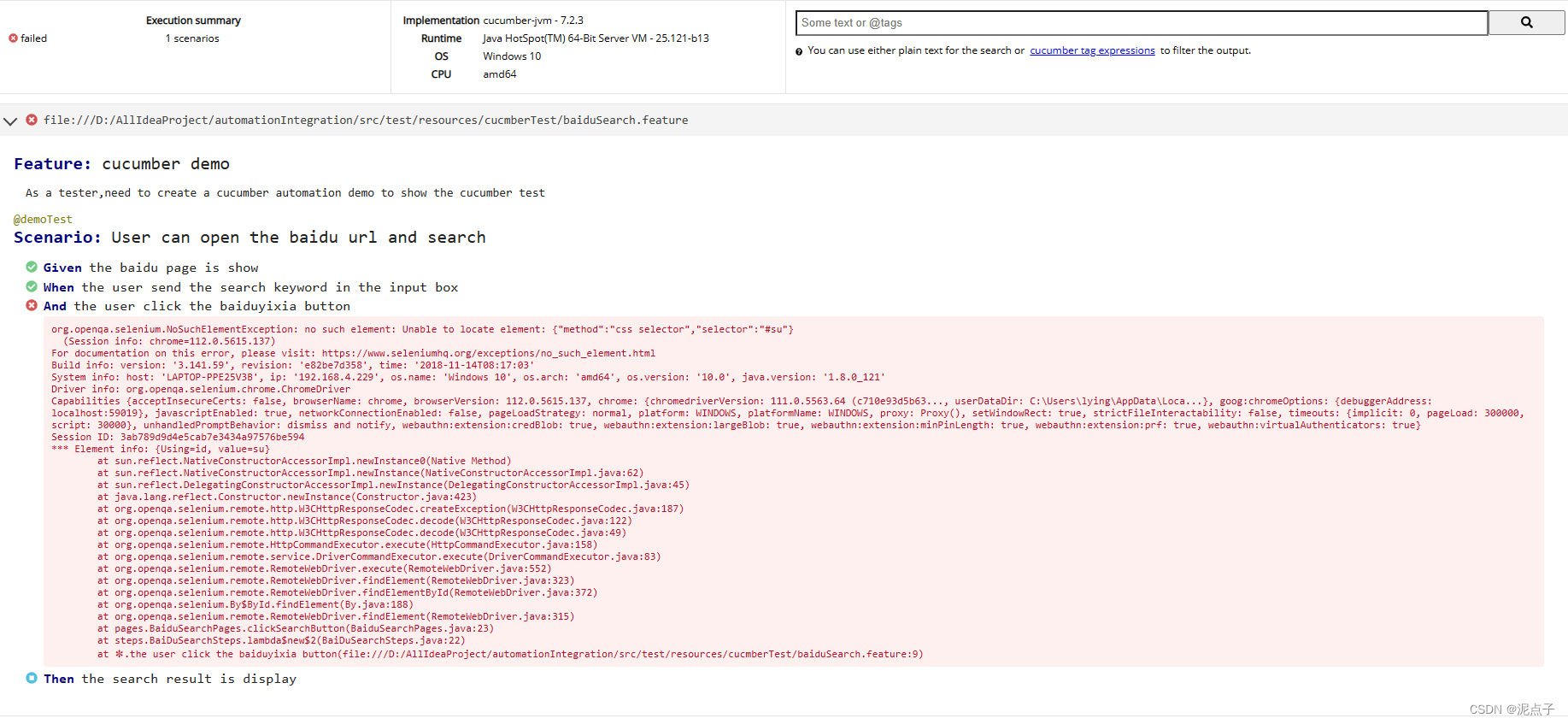
2.4 直接run,会生成报告
三、引入第三方report–extentReport
3.1
3.1.1 runner 加上
        plugin = {
                "pretty",
                "com.aventstack.extentreports.cucumber.adapter.ExtentCucumberAdapter:"
        }
3.1.2 报告生成的配置
新建一个extent.properties
extent.reporter.html.start=true
extent.reporter.html.config = "config/extent-config.xml"
extent.reporter.html.out = "target/cucumber-reports/cucumberExtent.html"
screenshot.dir=screenshots/
screenshot.rel.path=../
新建一个extent-config.xml 文件
<?xml version="1.0" encoding="UTF-8"?>
<extentreports>
    <configuration>
        <!-- report theme -->
        <!-- standard, dark -->
        <theme>dark</theme>

        <!-- document encoding -->
        <!-- defaults to UTF-8 -->
        <encoding>UTF-8</encoding>

        <!-- protocol for script and stylesheets -->
        <!-- defaults to https -->
        <protocol>https</protocol>

        <!-- title of the document -->
        <documentTitle>Baidu Search Automation Report</documentTitle>

        <!-- report name - displayed at top-nav -->
        <reportName>Baidu Search Automation Report</reportName>

        <!-- timestamp format -->
        <timeStampFormat>MMM dd, yyyy HH:mm:ss</timeStampFormat>

        <!-- custom javascript -->
        <scripts>
            <![CDATA[
                $(document).ready(function() {

                });
            ]]>
        </scripts>

        <!-- custom styles -->
        <styles>
            <![CDATA[

            ]]>
        </styles>
    </configuration>
</extentreports>
3.2 run 生成报告


附录:troubleScreen
遇到一个引入extentRepot 报错的问题
PLUGIN can also be a fully qualified class name, allowing registration of 3rd party plugins. The 3rd party plugin must implement io.cucumber.plugin.Plugin
我被这玩意气死了,改了半天原来是版本适配的问题。。。。。。。,所以在确定你引入extentReport 配置都没问题,可以检查一下cucumber 的版本和extentReport adapter 是否适配
更新版本不更新官网说明书实在可恶
 949


 扫一扫


 被折叠的 条评论
为什么被折叠?
 到【灌水乐园】发言


