


一、代码
<!DOCTYPE html>
<html lang="en">
<head>
    <meta charset="UTF-8">
    <meta name="viewport" content="width=device-width, initial-scale=1.0">
    <title>抽奖</title>
    <style>
        .zong{
              width: 95%;
            height:1600px;
             display: flex;
             flex-flow: column nowrap;
             margin: auto;
             border: 1px solid red;
        }
        .A1{
            font-size: 60px;
            font-weight: bolder;
            margin-left: 33%;
        }
        .A21{
            width: 200px;
            height: 100px;
            margin-top: 10px;
            border-radius: 20px;
             margin-left: 45%;
        }
        .A3{
            width: 240px;
            height: 100px;
            font-size: 60px;
            font-weight: bolder;
            border-radius: 20px;
            margin-top: 40px;
            margin-left: 43.5%;
        }
    </style>
</head>
<body>
    <div class="zong">
        <div class="A1" > 点击下方按钮进行抽奖</div>
        <div class="A2">
            <button class="A21" onclick="change()">抽奖</button>
        </div>
        <input type="text" class="A3" value="结果" name="login">
        <div></div>
    </div>
</body>
</html>
<script>
     let i = Math.floor(Math.random() * 100);
    change = () => {
        var login = document.getElementsByName("login")[0];
        let i = Math.floor(Math.random() * 100);
        console.log(i);
        if (i > 0 && i < 40) {
            login.setAttribute("value", "谢谢参与");
        } else if (i > 39 && i < 70) {
            login.setAttribute("value", "三等奖");
        } else if( i> 69 && i < 90){
            login.setAttribute("value", "二等奖");
        }else if( i> 89 && i < 101){
            login.setAttribute("value", "一等奖");
        }
    }
</script>
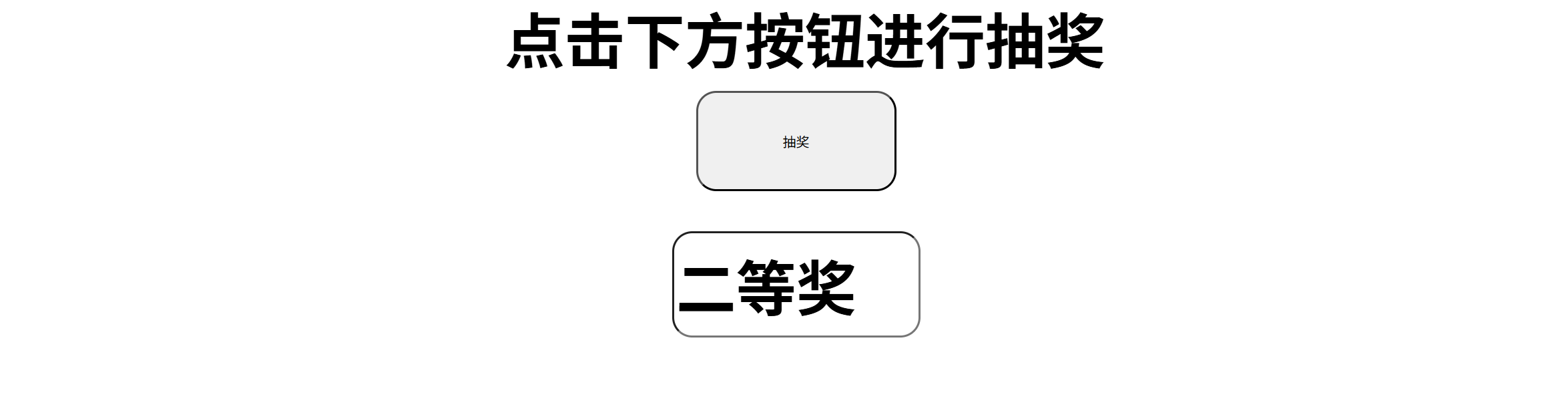
二、运行截图





 扫一扫
扫一扫


 被折叠的 条评论
为什么被折叠?
被折叠的 条评论
为什么被折叠?
 到【灌水乐园】发言





