


 该博客介绍了如何使用VB.NET编程实现列表框中选中项的清除与列表之间的双向转移操作,包括两种清除方法。适用于Windows应用程序开发中用户界面的管理。
protected void Button6_Click(object sender, EventArgs e)
{
//清除列表控件值方法1
for (int i = ListBox2.Items.Count - 1; i >= 0; i--)
{
if (ListBox2.Items[i].Selected)
{
ListBox2.Items.Remove(ListBox2.Items[i]);
}
}
//清除列表控件值方法2
for (int i = ListBox2.Items.Count-1; i >= 0;i-- )
{
if (ListBox2.Items[i].Selected)
{
ListBox2.Items.RemoveAt(i);
}
}
}
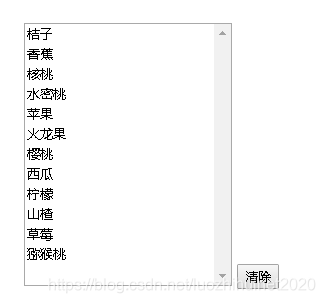
点菜名
protected void Button7_Click(object sender, EventArgs e)
{
for (int i = ListBox1.Items.Count-1; i >= 0;i-- )
{
if (ListBox1.Items[i].Selected)
{
ListBox3.Items.Add(ListBox1.Items[i]);
ListBox1.Items.RemoveAt(i);
}
}
}
protected void Button8_Click(object sender, EventArgs e)
{
for (int i = ListBox3.Items.Count-1; i >= 0;i--)
{
if (ListBox3.Items[i].Selected)
{
ListBox1.Items.Add(ListBox3.Items[i]);
ListBox3.Items.RemoveAt(i);
}
}
}





 扫一扫
扫一扫


 527
527

 被折叠的 条评论
为什么被折叠?
被折叠的 条评论
为什么被折叠?
 到【灌水乐园】发言





