


关于此问题 看了很多解释 处理思路都不完全。不要问为什么,请跟着我的截图 一步步来。先跑起来不报错再说。
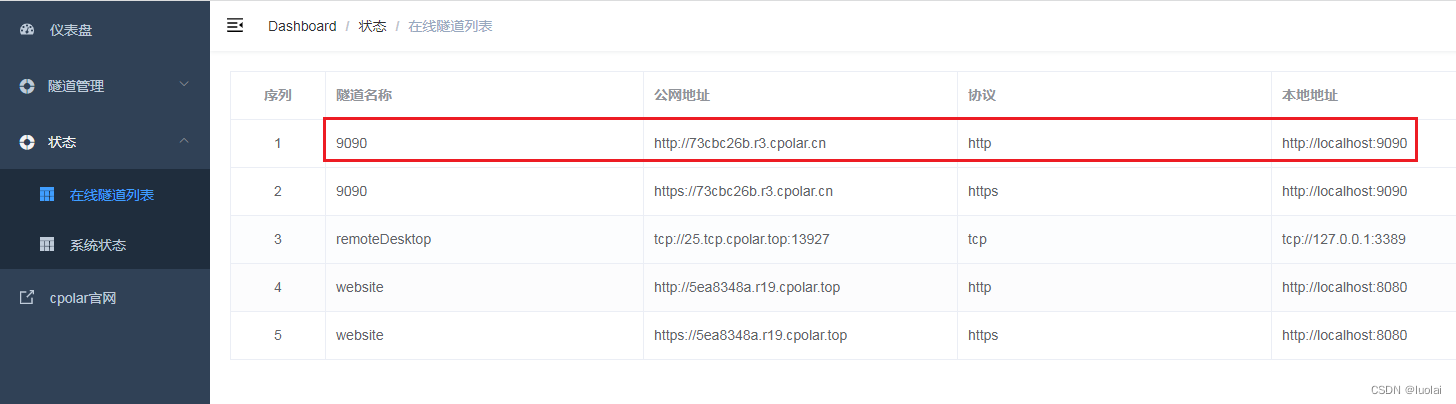
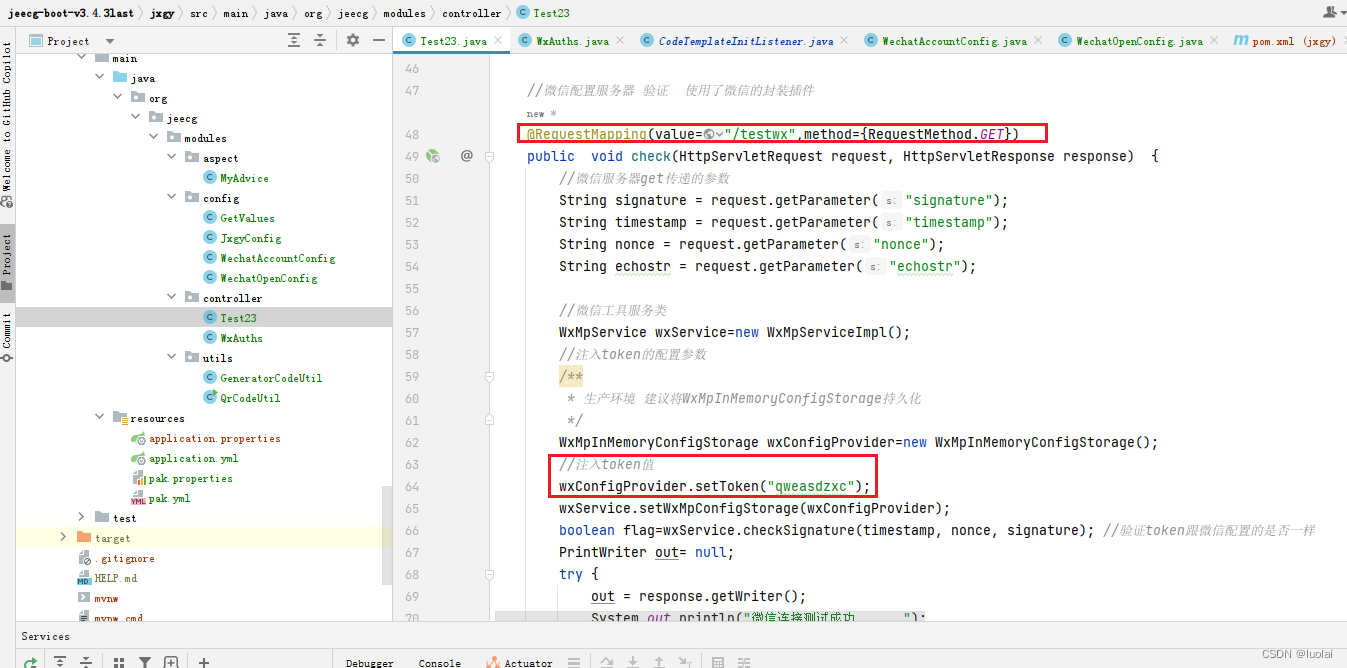
<!--pom.xml里配置 微信开发工具包 -->
<dependency>
    <groupId>me.chanjar</groupId>
    <artifactId>weixin-java-mp</artifactId>
    <version>1.3.3</version>
</dependency>
<dependency>
    <groupId>me.chanjar</groupId>
    <artifactId>weixin-java-common</artifactId>
    <version>1.3.3</version>
</dependency>
//微信配置服务器 验证  使用了微信的封装插件
@RequestMapping(value="/testwx",method={RequestMethod.GET})
public  void check(HttpServletRequest request, HttpServletResponse response)  {
    //微信服务器get传递的参数
    String signature = request.getParameter("signature");
    String timestamp = request.getParameter("timestamp");
    String nonce = request.getParameter("nonce");
    String echostr = request.getParameter("echostr");

    //微信工具服务类
    WxMpService wxService=new WxMpServiceImpl();
    //注入token的配置参数
    /**
     * 生产环境 建议将WxMpInMemoryConfigStorage持久化
     */
    WxMpInMemoryConfigStorage wxConfigProvider=new WxMpInMemoryConfigStorage();
    //注入token值
    wxConfigProvider.setToken("qweasdzxc");
    wxService.setWxMpConfigStorage(wxConfigProvider);
    boolean flag=wxService.checkSignature(timestamp, nonce, signature); //验证token跟微信配置的是否一样
    PrintWriter out= null;
    try {
        out = response.getWriter();
        System.out.println("微信连接测试成功......");
    } catch (IOException e) {
        e.printStackTrace();
    }
    if(flag){
        out.print(echostr);
    }
    out.close();
}
上述验证,请参考:微信公众号开发详细教程-优快云博客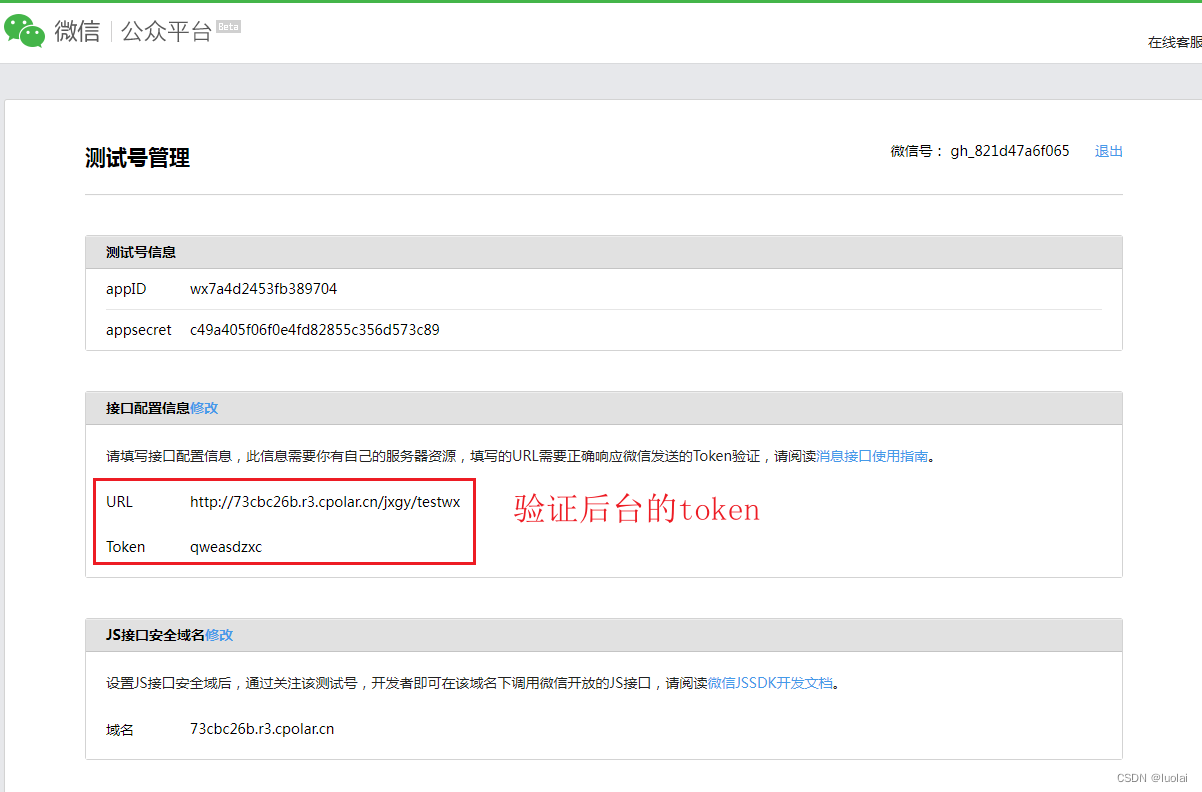
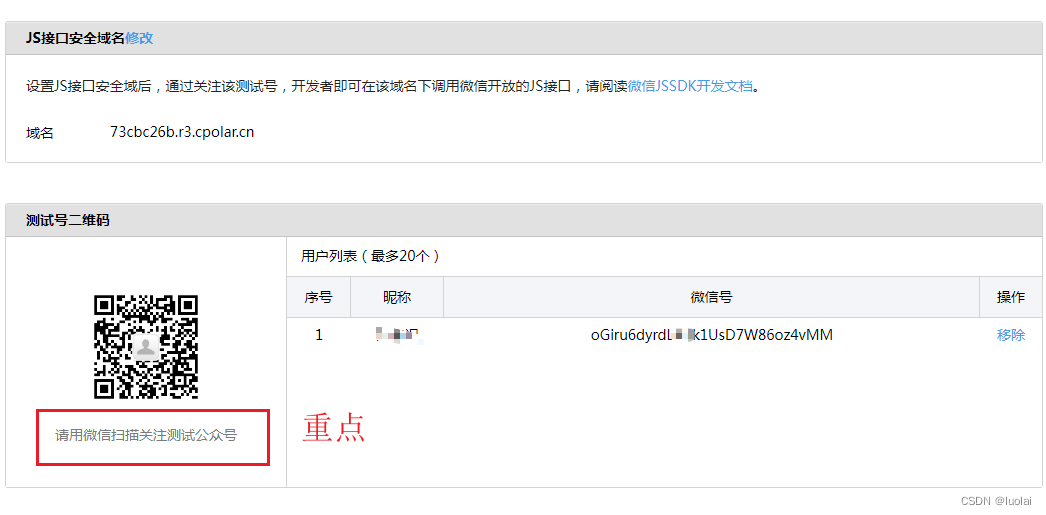
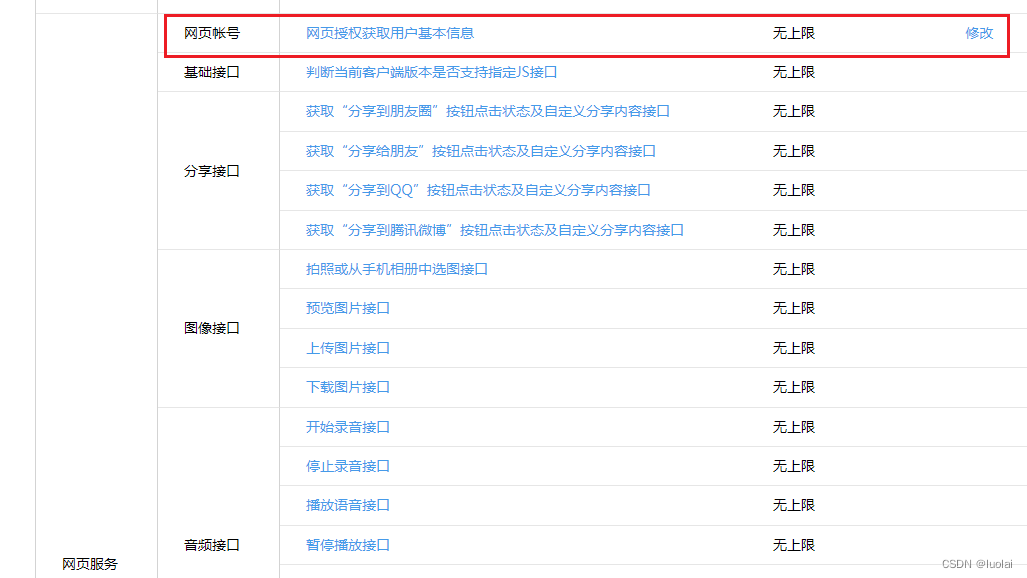
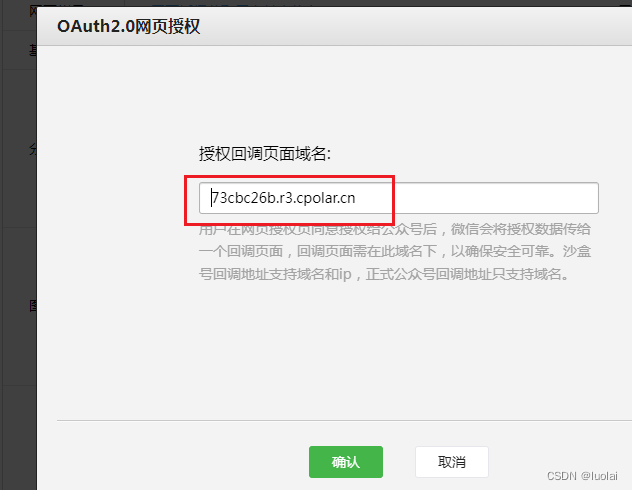
注意:上方JSON接口域名配置 和 网页账号的OAuth2.0授权配置 不要加http://或者 https://开头 否则扫描还是报上面的域名找不到的错误
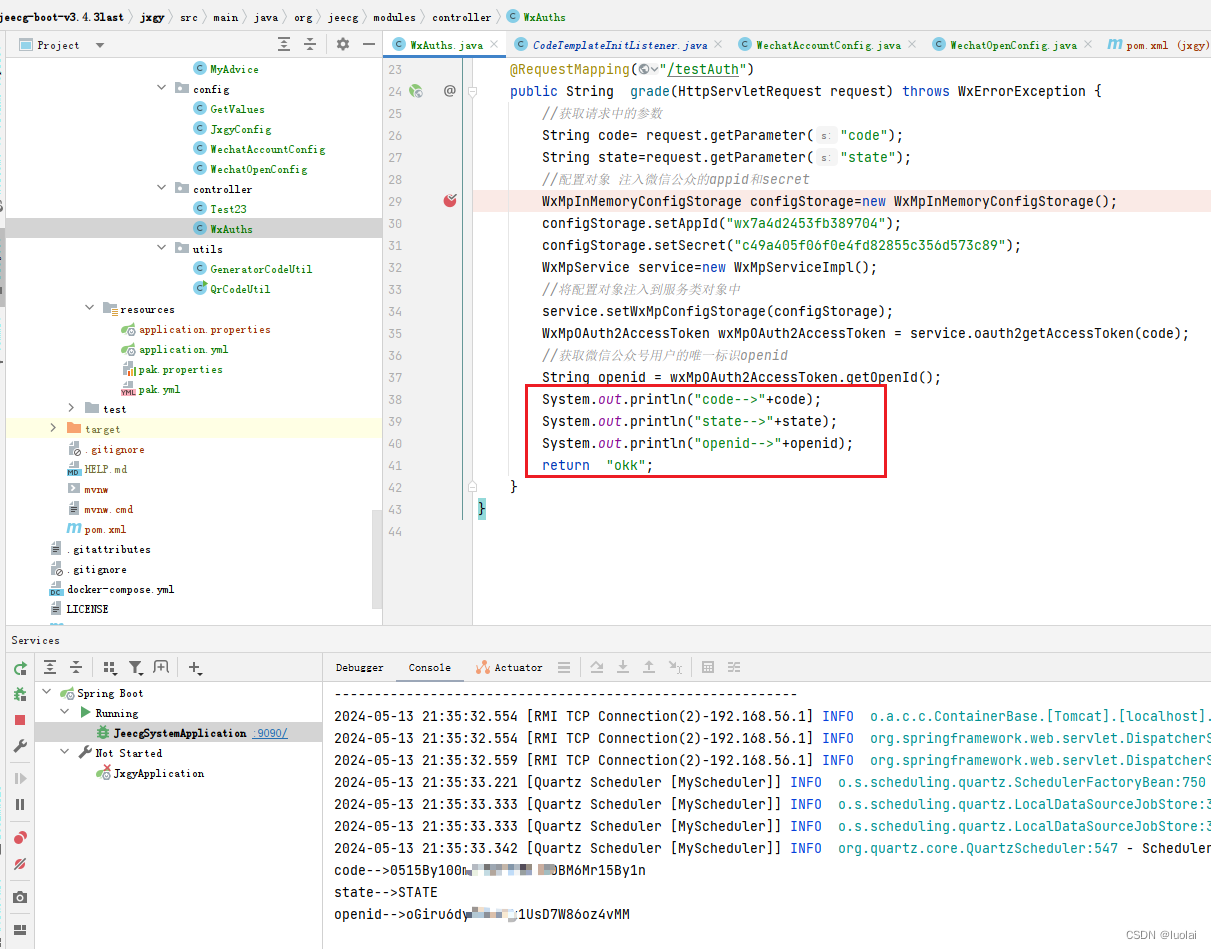
新建一个类,用于获取openid
import lombok.extern.slf4j.Slf4j;
import me.chanjar.weixin.common.exception.WxErrorException;
import me.chanjar.weixin.mp.api.WxMpInMemoryConfigStorage;
import me.chanjar.weixin.mp.api.WxMpService;
import me.chanjar.weixin.mp.api.WxMpServiceImpl;
import me.chanjar.weixin.mp.bean.result.WxMpOAuth2AccessToken;
import org.springframework.web.bind.annotation.RequestMapping;
import org.springframework.web.bind.annotation.RestController;

import javax.servlet.http.HttpServletRequest;

@Slf4j
@RestController
public class WxAuths {
    /**
     * 微信工具入口  微信授权回调路径
     * 网页授权  跳转成绩页面 获取用户openid
     * @param request
     * @return
     */
    @RequestMapping("/testAuth")
    public String  grade(HttpServletRequest request) throws WxErrorException {
        //获取请求中的参数
        String code= request.getParameter("code");
        String state=request.getParameter("state");
        //配置对象 注入微信公众的appid和secret
        WxMpInMemoryConfigStorage configStorage=new WxMpInMemoryConfigStorage();
        configStorage.setAppId("wx7a4d2453f33b389704");
        configStorage.setSecret("c49a405f06f0222e4fd82855c356d573c89");
        WxMpService service=new WxMpServiceImpl();
        //将配置对象注入到服务类对象中
        service.setWxMpConfigStorage(configStorage);
        WxMpOAuth2AccessToken wxMpOAuth2AccessToken = service.oauth2getAccessToken(code);
        //获取微信公众号用户的唯一标识openid
        String openid = wxMpOAuth2AccessToken.getOpenId();
        System.out.println("code-->"+code);
        System.out.println("state-->"+state);
        System.out.println("openid-->"+openid);
        return  "okk";
    }
}
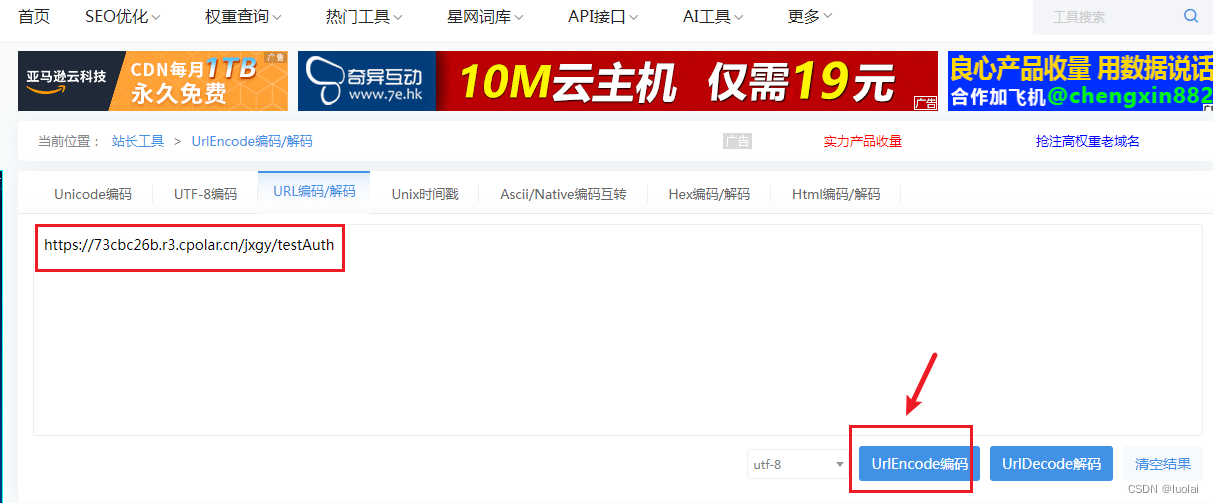
注意了,生成的地址,用于后续生成二维码的回调用:
UrlEncode编码/UrlDecode解码 - 站长工具
关于网页授权的两种scope的区别说明
- 以snsapi_base为scope发起的网页授权,是用来获取进入页面的用户的openid的,并且是静默授权并自动跳转到回调页的。用户感知的就是直接进入了回调页(往往是业务页面)
- 以snsapi_userinfo为scope发起的网页授权,是用来获取用户的基本信息的。但这种授权需要用户手动同意,并且由于用户同意过,所以无须关注,就可在授权后获取该用户的基本信息。
- 用户管理类接口中的“获取用户基本信息接口”,是在用户和公众号产生消息交互或关注后事件推送后,才能根据用户OpenID来获取用户基本信息。这个接口,包括其他微信接口,都是需要该用户(即openid)关注了公众号后,才能调用成功的。
// String url = "https://open.weixin.qq.com/connect/oauth2/authorize?appid=wx7a4d2453fb389704&redirect_uri=http%3A%2F%2F73cbc26b.r3.cpolar.cn%2Fjxgy&response_type=code&scope=snsapi_base&state=STATE#wechat_redirec";

String url = "https://open.weixin.qq.com/connect/oauth2/authorize?appid=wx7a4d2453fb389704&redirect_uri=https%3A%2F%2F73cbc26b.r3.cpolar.cn%2Fjxgy%2FtestAuth&response_type=code&scope=snsapi_userinfo&state=STATE#wechat_redirec";

注意:标红的地址,就是上面你要回调的地址,转码了。什么 http https的不用加,加了也没事。
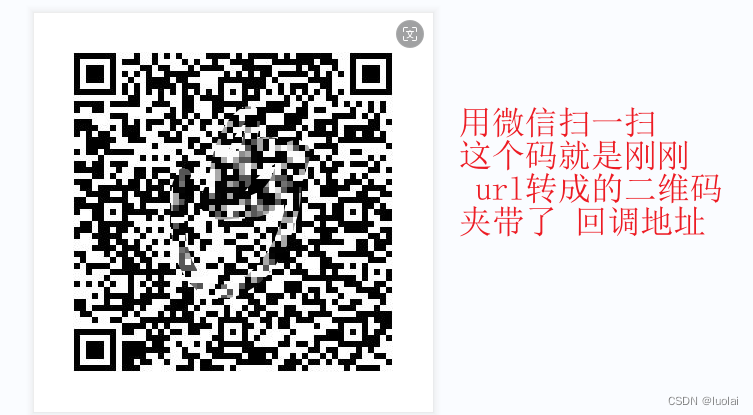
把上面的地址写个方法转成 二维码,最后用 微信扫一扫 打开即可。后台可以断点获取到openid





 扫一扫
扫一扫


 3万+
3万+

 被折叠的 条评论
为什么被折叠?
被折叠的 条评论
为什么被折叠?
 到【灌水乐园】发言





