



🍅选题推荐——以防找不到我们,点击上方订阅专栏✌✌\
一、项目介绍
1.2 开发目的和意义
小康时代的到来,使得人们满意度上升,生活各个方面都产生了许多变化,比如办公都有相应软件,很多工作都要求员工会操作计算机,可以说现在的时代基本被软件覆盖得差不多了,软件行业的特征就是大家都在使用软件代替传统手工记载操作,软件的出现让我们的生活还有工作又向前翻了新篇章。”求职鸟”企业招聘信息管理系统是一个利用软件形式管理职位招聘信息的平台。管理员管理租车信息也不再需要用纸张进行信息记录及查询管理操作,所有的操作都是利用电脑进行办公,用户需要使用密码还有用户名进行系统登录操作,按照系统主页界面的各个功能展示进行相关操作,无论添加或者是删除,拟或是修改查询等操作,时间上不需要太多,短短几分钟就会搞定。况且软件是不限制办公地点以及办公时间的,只要有操作需要,随时随地登录系统就可以完成任务。办公效率提高这个不再是难题。
1.3 论文研究内容
本次开发的”求职鸟”企业招聘信息管理系统的论文从下面几个部分进行编写:
第一章:本章介绍了程序开发背景和目的意义,罗列出了论文写作内容信息,让我们知道论文编写是如何进展的。
第二章:本章主要讲解了系统开发用到的相关技术方面的知识,比如SSM技术,MySQL数据库知识等内容。帮助人们更好的理解系统技术上面的相关知识。
第三章:文章第3章主要介绍了系统开发的可行性问题,从经济,时间,操作等内容上面进行了大致介绍,确定系统开发确实可行,然后分析了系统的开发流程,确定系统需要具备的大概的功能,保障系统能够稳定使用和运行。
第四章:这个章节主要绘制出了系统功能架构,让我们更直观了解”求职鸟”企业招聘信息管理系统的功能,对后台数据库表进行了设计,还画出了对应的E-R图。
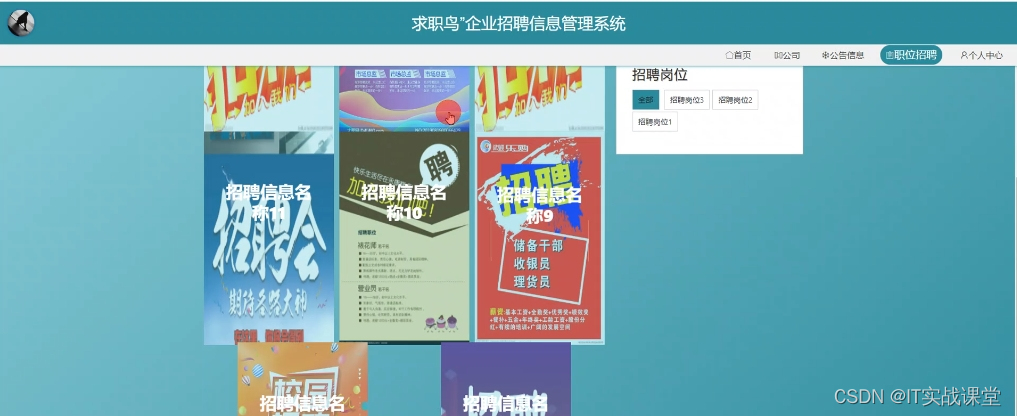
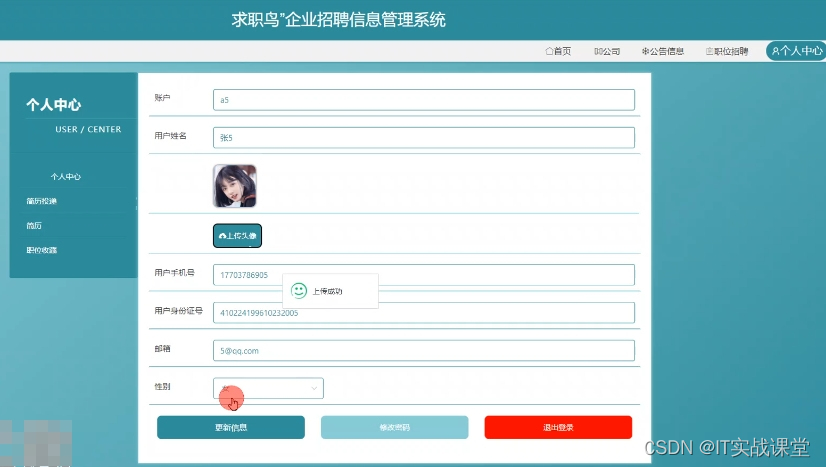
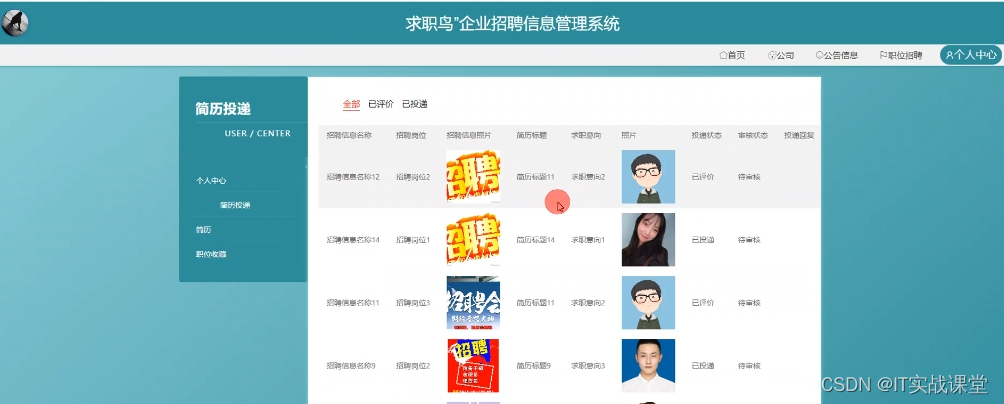
第五章:这个章节主要介绍系统各个部分功能具体实现的界面效果。让我们了解到各个部分的功能详细情况。
第六章:这个部分主要就是对”求职鸟”企业招聘信息管理系统进行整体测试,看看程序是否能够达到用户使用要求,程序能否进行验收上交操作。
二、功能介绍
4.2 系统模块设计
”求职鸟”企业招聘信息管理系统系统在进行系统中功能模块的划分时,采用层次图来进行表示。层次图具有树形结构,它能使用矩形框来描绘数据信息。顶层代表的数据结构很完整,顶层下面的矩形框表示的数据就是子集数据,当然处于最下面的矩形框就是不能再进行细分的数据元素了,使用层次方框图描述系统功能能让用户一目了然,能够明白系统的功能,以及对应功能板块下面的子功能都可以清楚领会。”求职鸟”企业招聘信息管理系统分为管理员和用户两部分操作角色,下面将对他们的功能进行阐述。
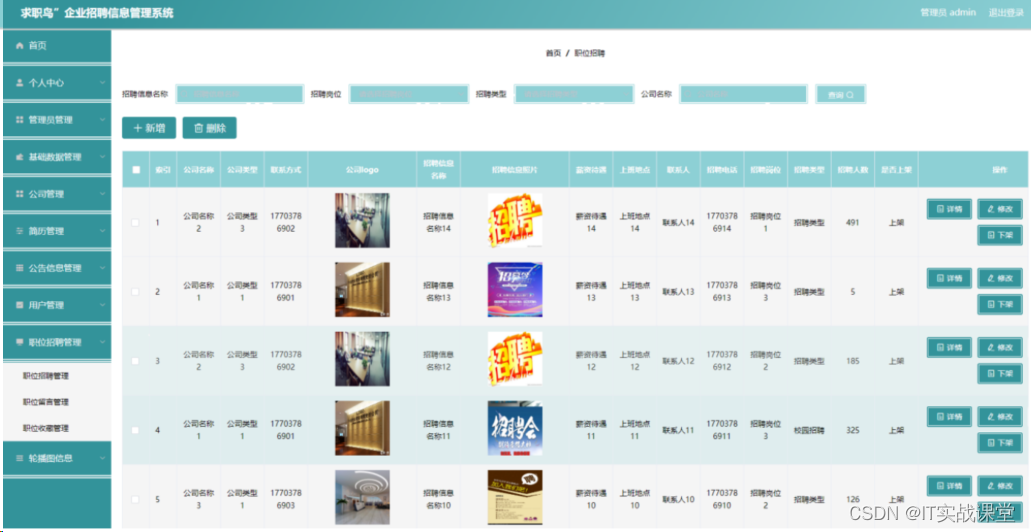
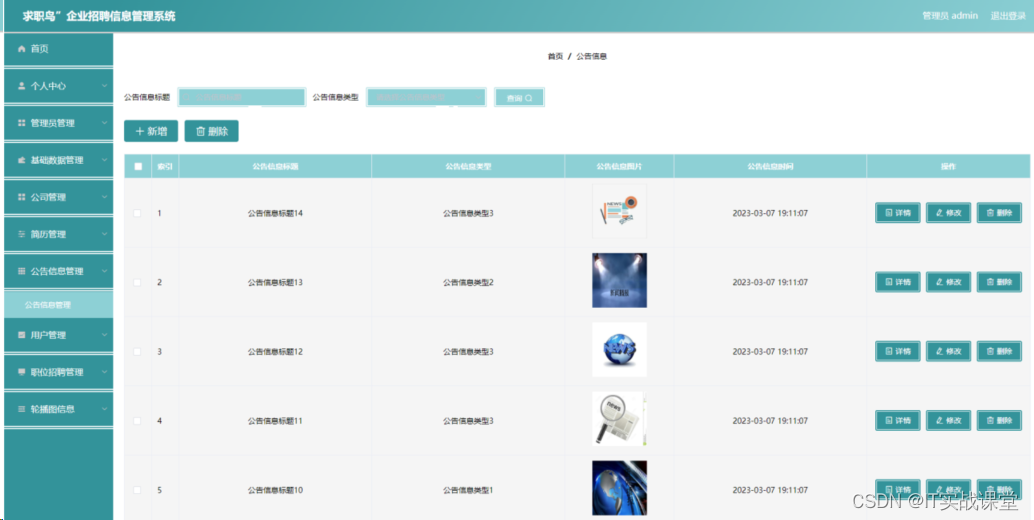
管理员可以管理用户的基本信息,可以管理等功能。管理员功能结构图如下: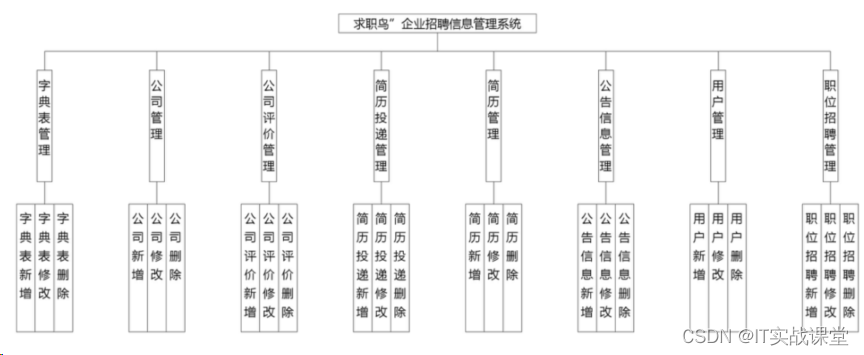
三、拦截器代码
package com.config;

import org.springframework.context.annotation.Bean;
import org.springframework.context.annotation.Configuration;
import org.springframework.web.servlet.config.annotation.InterceptorRegistry;
import org.springframework.web.servlet.config.annotation.ResourceHandlerRegistry;
import org.springframework.web.servlet.config.annotation.WebMvcConfigurationSupport;

import com.interceptor.AuthorizationInterceptor;

@Configuration
public class InterceptorConfig extends WebMvcConfigurationSupport{

	@Bean
    public AuthorizationInterceptor getAuthorizationInterceptor() {
        return new AuthorizationInterceptor();
    }

	@Override
    public void addInterceptors(InterceptorRegistry registry) {
        registry.addInterceptor(getAuthorizationInterceptor()).addPathPatterns("/**").excludePathPatterns("/static/**");
        super.addInterceptors(registry);
	}

	/**
	 * springboot 2.0配置WebMvcConfigurationSupport之后,会导致默认配置被覆盖,要访问静态资源需要重写addResourceHandlers方法
	 */
	@Override
    public void addResourceHandlers(ResourceHandlerRegistry registry) {
		registry.addResourceHandler("/**")
        .addResourceLocations("classpath:/resources/")
        .addResourceLocations("classpath:/static/")
        .addResourceLocations("classpath:/admin/")
        .addResourceLocations("classpath:/front/")
        .addResourceLocations("classpath:/public/");
		super.addResourceHandlers(registry);
    }
}
个人中心代码
<template>
  <div>
    <el-form
      class="detail-form-content"
      ref="ruleForm"
      :model="ruleForm"
      label-width="80px"
    >
     <el-row>
                    <el-col :span="12">
           <el-form-item v-if="flag=='yonghu'"  label='用户姓名' prop="yonghuName">
               <el-input v-model="ruleForm.yonghuName"  placeholder='用户姓名' clearable></el-input>
           </el-form-item>
         </el-col>

         <el-col :span="12">
           <el-form-item v-if="flag=='yonghu'"  label='用户手机号' prop="yonghuPhone">
               <el-input v-model="ruleForm.yonghuPhone"  placeholder='用户手机号' clearable></el-input>
           </el-form-item>
         </el-col>

         <el-col :span="12">
           <el-form-item v-if="flag=='yonghu'"  label='用户身份证号' prop="yonghuIdNumber">
               <el-input v-model="ruleForm.yonghuIdNumber"  placeholder='用户身份证号' clearable></el-input>
           </el-form-item>
         </el-col>

         <el-col :span="12">
             <el-form-item v-if="flag=='yonghu'" label='用户头像' prop="yonghuPhoto">
                 <file-upload
                         tip="点击上传照片"
                         action="file/upload"
                         :limit="3"
                         :multiple="true"
                         :fileUrls="ruleForm.yonghuPhoto?$base.url+ruleForm.yonghuPhoto:''"
                         @change="yonghuPhotoUploadChange"
                 ></file-upload>
             </el-form-item>
         </el-col>
         <el-col :span="12">
           <el-form-item v-if="flag=='yonghu'"  label='电子邮箱' prop="yonghuEmail">
               <el-input v-model="ruleForm.yonghuEmail"  placeholder='电子邮箱' clearable></el-input>
           </el-form-item>
         </el-col>

         <el-col :span="12">
             <el-form-item v-if="flag=='yonghu'"  label='积分' prop="newMoney">
                 <el-input v-model="ruleForm.newMoney"  placeholder='积分' disabled style="width: 100px"></el-input>
                 <!--<a id="btn-recharge" @click="chongzhi" href="javascript:void(0)">点我充值</a>-->
             </el-form-item>
         </el-col>
         <el-form-item v-if="flag=='users'" label="用户名" prop="username">
             <el-input v-model="ruleForm.username"
                       placeholder="用户名"></el-input>
         </el-form-item>
         <el-col :span="12">
             <el-form-item v-if="flag!='users'"  label="性别" prop="sexTypes">
                 <el-select v-model="ruleForm.sexTypes" placeholder="请选择性别">
                     <el-option
                             v-for="(item,index) in sexTypesOptions"
                             v-bind:key="item.codeIndex"
                             :label="item.indexName"
                             :value="item.codeIndex">
                     </el-option>
                 </el-select>
             </el-form-item>
         </el-col>
         <el-col :span="24">
             <el-form-item>
                 <el-button type="primary" @click="onUpdateHandler">修 改</el-button>
             </el-form-item>
         </el-col>
     </el-row>
    </el-form>
  </div>
</template>
<script>
// 数字,邮件,手机,url,身份证校验
import { isNumber,isIntNumer,isEmail,isMobile,isPhone,isURL,checkIdCard } from "@/utils/validate";

export default {
  data() {
    return {
        ruleForm: {},
        flag: '',
        usersFlag: false,
        // sexTypesOptions : [],
// 注册表 用户
    // 注册的类型字段 用户
        // 性别
        sexTypesOptions : [],
    };
  },
  mounted() {
    //获取当前登录用户的信息
    var table = this.$storage.get("sessionTable");
    this.sessionTable = this.$storage.get("sessionTable");
    this.role = this.$storage.get("role");
    if (this.role != "管理员"){
    }

    this.flag = table;
    this.$http({
      url: `${this.$storage.get("sessionTable")}/session`,
      method: "get"
    }).then(({ data }) => {
      if (data && data.code === 0) {
        this.ruleForm = data.data;
// 注册表 用户
      } else {
        this.$message.error(data.msg);
      }
    });

// 注册表 用户 的级联表

      this.$http({
          url: `dictionary/page?page=1&limit=100&sort=&order=&dicCode=sex_types`,
          method: "get"
      }).then(({ data }) => {
          if (data && data.code === 0) {
              this.sexTypesOptions = data.data.list;
          } else {
              this.$message.error(data.msg);
          }
      });
  },
  methods: {
    chongzhi() {
      this.$router.replace({ path: "/pay" });
    },
    yonghuPhotoUploadChange(fileUrls) {
        this.ruleForm.yonghuPhoto = fileUrls;
    },


    onUpdateHandler() {
                         if((!this.ruleForm.yonghuName)&& 'yonghu'==this.flag){
                             this.$message.error('用户姓名不能为空');
                             return
                         }

                             if( 'yonghu' ==this.flag && this.ruleForm.yonghuPhone&&(!isMobile(this.ruleForm.yonghuPhone))){
                                 this.$message.error(`手机应输入手机格式`);
                                 return
                             }
                         if((!this.ruleForm.yonghuIdNumber)&& 'yonghu'==this.flag){
                             this.$message.error('用户身份证号不能为空');
                             return
                         }

                         if((!this.ruleForm.yonghuPhoto)&& 'yonghu'==this.flag){
                             this.$message.error('用户头像不能为空');
                             return
                         }

                             if( 'yonghu' ==this.flag && this.ruleForm.yonghuEmail&&(!isEmail(this.ruleForm.yonghuEmail))){
                                 this.$message.error(`邮箱应输入邮箱格式`);
                                 return
                             }
        if((!this.ruleForm.sexTypes) && this.flag!='users'){
            this.$message.error('性别不能为空');
            return
        }
      if('users'==this.flag && this.ruleForm.username.trim().length<1) {
        this.$message.error(`用户名不能为空`);
        return
      }
      this.$http({
        url: `${this.$storage.get("sessionTable")}/update`,
        method: "post",
        data: this.ruleForm
      }).then(({ data }) => {
        if (data && data.code === 0) {
          this.$message({
            message: "修改信息成功",
            type: "success",
            duration: 1500,
            onClose: () => {
            }
          });
        } else {
          this.$message.error(data.msg);
        }
      });
    }
  }
};
</script>
<style lang="scss" scoped>
</style>
四、相关案例








 扫一扫
扫一扫


 1999
1999

 被折叠的 条评论
为什么被折叠?
被折叠的 条评论
为什么被折叠?
 到【灌水乐园】发言





