



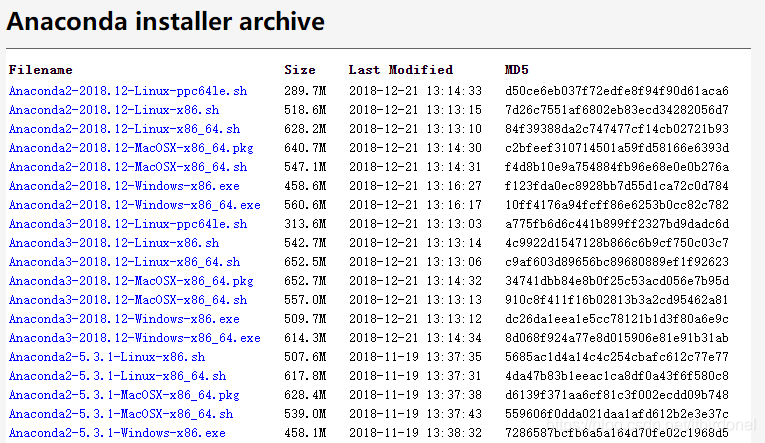
1.下载Anaconda
地址:https://repo.continuum.io/archive/index.html
2.安装
- 打开安装包
bash Anaconda3-5.1.0-Linux-x86_64.sh
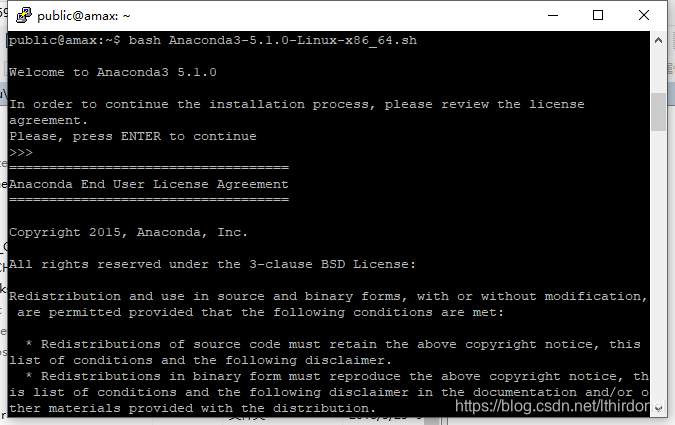
-
一路按提示确定,就把Anaconda安装在当前目录下的Anaconda目录了
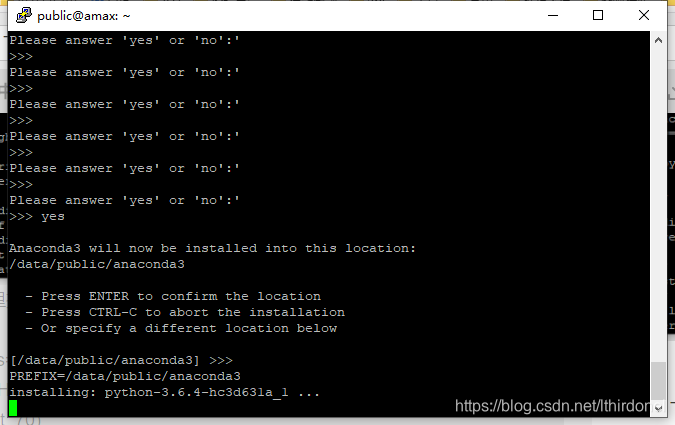
-
安装完成之后要重启终端,anaconda才能生效
关掉窗口,重新连接。 -
建立一个tensorflow的运行环境
conda create -n tensorflow python=3.5
- pip方式需要首先激活conda环境
source activate tensorflow
- 然后根据要安装的不同tensorflow版本选择对应的一条环境变量设置export语句
一定要选择对应的版本,我第一次就选择错误了
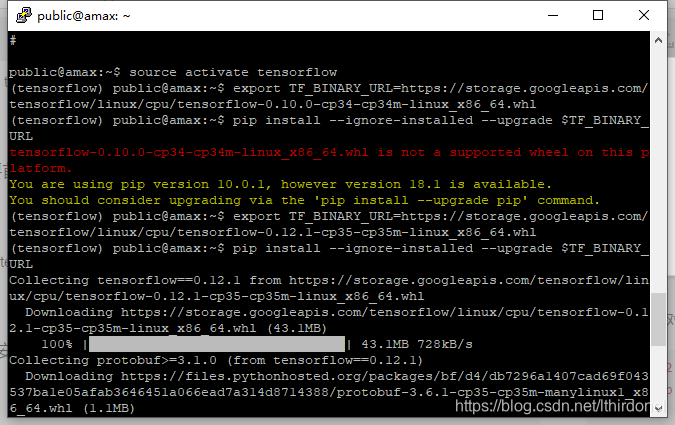
(tensorflow)$export TF_BINARY_URL=https://storage.googleapis.com/tensorflow/linux/cpu/tensorflow-0.12.1-cp35-cp35m-linux_x86_64.whl
# Python 2
$ sudo pip install --upgrade $TF_BINARY_URL

# Python 3
$ sudo pip3 install --upgrade $TF_BINARY_URL

其中环境变量 TF_BINARY_URL 根据你的环境进行设置,典型选项如下:

# Ubuntu/Linux 64-bit, CPU only, Python 2.7
$ export TF_BINARY_URL=https://storage.googleapis.com/tensorflow/linux/cpu/tensorflow-0.12.1-cp27-none-linux_x86_64.whl

# Ubuntu/Linux 64-bit, GPU enabled, Python 2.7
# 需要 CUDA toolkit 8.0 和 CuDNN v5. 其他版本只能用源码方式安装
$ export TF_BINARY_URL=https://storage.googleapis.com/tensorflow/linux/gpu/tensorflow_gpu-0.12.1-cp27-none-linux_x86_64.whl

# Mac OS X, CPU only, Python 2.7:
$ export TF_BINARY_URL=https://storage.googleapis.com/tensorflow/mac/cpu/tensorflow-0.12.1-py2-none-any.whl

# Mac OS X, GPU enabled, Python 2.7:
$ export TF_BINARY_URL=https://storage.googleapis.com/tensorflow/mac/gpu/tensorflow_gpu-0.12.1-py2-none-any.whl

# Ubuntu/Linux 64-bit, CPU only, Python 3.4
$ export TF_BINARY_URL=https://storage.googleapis.com/tensorflow/linux/cpu/tensorflow-0.12.1-cp34-cp34m-linux_x86_64.whl

# Ubuntu/Linux 64-bit, GPU enabled, Python 3.4
# 需要 CUDA toolkit 8.0 和 CuDNN v5. 其他版本只能用源码方式安装
$ export TF_BINARY_URL=https://storage.googleapis.com/tensorflow/linux/gpu/tensorflow_gpu-0.12.1-cp34-cp34m-linux_x86_64.whl

# Ubuntu/Linux 64-bit, CPU only, Python 3.5
$ export TF_BINARY_URL=https://storage.googleapis.com/tensorflow/linux/cpu/tensorflow-0.12.1-cp35-cp35m-linux_x86_64.whl

# Ubuntu/Linux 64-bit, GPU enabled, Python 3.5
# Requires CUDA toolkit 8.0 and CuDNN v5. For other versions, see "Installing from sources" below.
$ export TF_BINARY_URL=https://storage.googleapis.com/tensorflow/linux/gpu/tensorflow_gpu-0.12.1-cp35-cp35m-linux_x86_64.whl

# Mac OS X, CPU only, Python 3.4 or 3.5:
$ export TF_BINARY_URL=https://storage.googleapis.com/tensorflow/mac/cpu/tensorflow-0.12.1-py3-none-any.whl

# Mac OS X, GPU enabled, Python 3.4 or 3.5:
$ export TF_BINARY_URL=https://storage.googleapis.com/tensorflow/mac/gpu/tensorflow_gpu-0.12.1-py3-none-any.whl
- 进行安装
(tensorflow)$ pip install --ignore-installed --upgrade $TF_BINARY_URL
- 安装完成,测试
python
import tensorflow
import后不报错,表示安装成功
Ubuntu 18 下CUDA9环境安装
- 降级GCC下载并安装
https://blog.youkuaiyun.com/CAU_Ayao/article/details/83627342 - 升级GCC重装Nvidia驱动
https://blog.youkuaiyun.com/qq_41481731/article/details/86658523
https://blog.youkuaiyun.com/qq_41481731/article/details/86640170






 扫一扫
扫一扫


 1333
1333

 被折叠的 条评论
为什么被折叠?
被折叠的 条评论
为什么被折叠?
 到【灌水乐园】发言





