你提供的代码是一个典型的基于 Vue 3 + Element Plus 的前端项目入口文件(`main.js` 或 `main.ts`),它完成了以下几件事:
- 使用 `createApp` 创建 Vue 应用;
- 引入并使用了路由(`router`)和 UI 框架 Element Plus;
- 动态注册了所有 Element Plus 图标组件;
- 在应用启动时初始化本地存储(`localStorage`)中的模拟数据,包括用户、班级、作业和提交记录;
- 最后挂载到 DOM。
下面我将**逐段解释代码功能**,并对可能的优化点提出建议,并给出改进后的完整代码示例。
---
### ✅ 原始代码详解与说明
```js
import { createApp } from 'vue'
import App from './App.vue'
import router from './router'
import ElementPlus from 'element-plus'
import 'element-plus/dist/index.css'
import * as ElementPlusIconsVue from '@element-plus/icons-vue'
```
> **解释:**
> - 导入 Vue 核心函数 `createApp`。
> - 导入根组件 `App.vue`。
> > - 导入配置好的路由实例(通常在 `router/index.js` 中定义)。
> - 导入 Element Plus 组件库及其全局样式。
> - 导入所有图标组件(如 `<el-icon><Edit /></el-icon>` 中的 `Edit` 等)。
---
```js
const initLocalData = () => {
// 1. 用户数据(教师+学生)
if (!localStorage.getItem('users')) {
const users = [
{ id: 1, username: 'teacher01', password: '123456', name: '张老师', role: 'teacher' },
{ id: 2, username: 'student01', password: '123456', name: '李同学', role: 'student' },
{ id: 3, username: 'student02', password: '123456', name: '王同学', role: 'student' }
]
localStorage.setItem('users', JSON.stringify(users))
}
// 2. 班级数据
if (!localStorage.getItem('classes')) {
const classes = [
{ id: 1, className: '计算机2101班', teacherId: 1 },
{ id: 2, className: '计算机2102班', teacherId: 1 }
]
localStorage.setItem('classes', JSON.stringify(classes))
}
// 3. 作业数据
if (!localStorage.getItem('homeworks')) {
const homeworks = [
{
id: 1,
homeworkName: 'Vue 期末作业',
classId: 1,
className: '计算机2101班',
deadline: '2024-12-31 23:59:59',
description: '完成一个 Vue 3 小项目,包含路由和组件',
teacherId: 1,
createTime: '2024-11-01 10:00:00'
}
]
localStorage.setItem('homeworks', JSON.stringify(homeworks))
}
// 4. 作业提交数据
if (!localStorage.getItem('submissions')) {
const submissions = [
{
submitId: 1,
homeworkId: 1,
studentId: 2,
submitTime: '2024-11-05 14:30:00',
filename: 'Vue期末作业_李同学.zip'
}
]
localStorage.setItem('submissions', JSON.stringify(submissions))
}
}
initLocalData()
```
> **解释:**
> - `initLocalData()` 函数用于首次加载时填充一些“假数据”到浏览器的 `localStorage` 中,避免每次刷新页面都丢失数据。
> - 判断每个 key 是否已存在,不存在才写入,保证只初始化一次。
> - 所有数据以 JSON 字符串形式保存。
✅ 这种方式适合开发阶段或演示原型中快速搭建后端数据模型,但不适合生产环境(应由真实后端 API 提供)。
---
```js
const app = createApp(App)
for (const [key, component] of Object.entries(ElementPlusIconsVue)) {
app.component(key, component)
}
app.use(router).use(ElementPlus)
app.mount('#app')
```
> **解释:**
> - 创建 Vue 实例;
> - 遍历所有图标组件并全局注册(这样可以在任意组件中直接使用 `<Edit />` 而无需单独导入);
> - 安装插件:`router` 和 `ElementPlus`;
> - 挂载到 HTML 的 `#app` 元素上。
---
### 🔧 可能的优化建议
1. **错误处理增强**
如果 `localStorage` 被禁用(比如无痕模式限制),直接调用会报错。应包裹 try-catch。
2. **时间戳生成动态化**
当前硬编码时间不合理。可以用 `new Date().toISOString()` 自动生成当前时间。
3. **ID 自增逻辑预留**
后续新增数据需要 ID 不冲突,可以预先计算最大 ID。
4. **模块化封装初始化函数**
将数据初始化抽离为独立模块便于维护。
---
### ✅ 改进版代码(带容错 & 动态时间)
```js
import { createApp } from 'vue'
import App from './App.vue'
import router from './router'
import ElementPlus from 'element-plus'
import 'element-plus/dist/index.css'
import * as ElementPlusIconsVue from '@element-plus/icons-vue'
// 更安全的数据初始化函数
const initLocalData = () => {
// 包裹在 try-catch 中防止 localStorage 不可用时报错导致应用崩溃
try {
const setIfNotExists = (key, dataFn) => {
if (!localStorage.getItem(key)) {
const data = dataFn()
localStorage.setItem(key, JSON.stringify(data))
}
}
// 工具:获取下一个 ID
const getNextId = (key) => {
const items = JSON.parse(localStorage.getItem(key) || '[]')
return items.length ? Math.max(...items.map(i => i.id || i.submitId)) + 1 : 1
}
// 1. 用户数据
setIfNotExists('users', () => [
{ id: 1, username: 'teacher01', password: '123456', name: '张老师', role: 'teacher' },
{ id: 2, username: 'student01', password: '123456', name: '李同学', role: 'student' },
{ id: 3, username: 'student02', password: '123456', name: '王同学', role: 'student' }
])
// 2. 班级数据
setIfNotExists('classes', () => [
{ id: 1, className: '计算机2101班', teacherId: 1 },
{ id: 2, className: '计算机2102班', teacherId: 1 }
])
// 3. 作业数据(使用动态创建时间)
setIfNotExists('homeworks', () => [
{
id: 1,
homeworkName: 'Vue 期末作业',
classId: 1,
className: '计算机2101班',
deadline: '2024-12-31 23:59:59',
description: '完成一个 Vue 3 小项目,包含路由和组件',
teacherId: 1,
createTime: new Date().toLocaleString('zh-CN', { hour12: false }).replace(/\//g, '-') + ':00'
}
])
// 4. 提交数据(支持 submitId 自增)
setIfNotExists('submissions', () => {
const nextId = getNextId('submissions')
return [
{
submitId: nextId,
homeworkId: 1,
studentId: 2,
submitTime: new Date().toLocaleString('zh-CN', { hour12: false }).replace(/\//g, '-'),
filename: 'Vue期末作业_李同学.zip'
}
]
})
} catch (error) {
console.warn('无法访问 localStorage,跳过本地数据初始化:', error.message)
}
}
initLocalData()
// 创建应用
const app = createApp(App)
// 全局注册所有 Element Plus 图标
for (const [key, component] of Object.entries(ElementPlusIconsVue)) {
app.component(key, component)
}
// 使用插件
app.use(router)
app.use(ElementPlus)
// 挂载
app.mount('#app')
```
---
### ✅ 解释改进点
| 改进项 | 说明 |
|-------|------|
| `try-catch` 包裹 | 防止因隐私设置导致 `localStorage` 报错而阻塞整个应用 |
| `setIfNotExists` 工具函数 | 避免重复逻辑,提高可读性 |
| 动态时间生成 | 使用 `new Date().toLocaleString()` 生成更真实的当前时间 |
| `getNextId()` 函数 | 为未来添加数据做准备,确保 ID 不重复 |
| 时间格式标准化 | 替换 `/` 为 `-` 以兼容 ISO 格式需求 |
---
### ❗注意事项
- `localStorage` 是同步、非持久化、单页受限的存储方式,仅适用于:
- DEMO / 教学项目
- 原型验证
- 临时缓存
- 生产环境中请替换为:
- 后端 RESTful / GraphQL 接口
- 数据库(MySQL、MongoDB 等)
- JWT 认证 + Session 管理
---
###


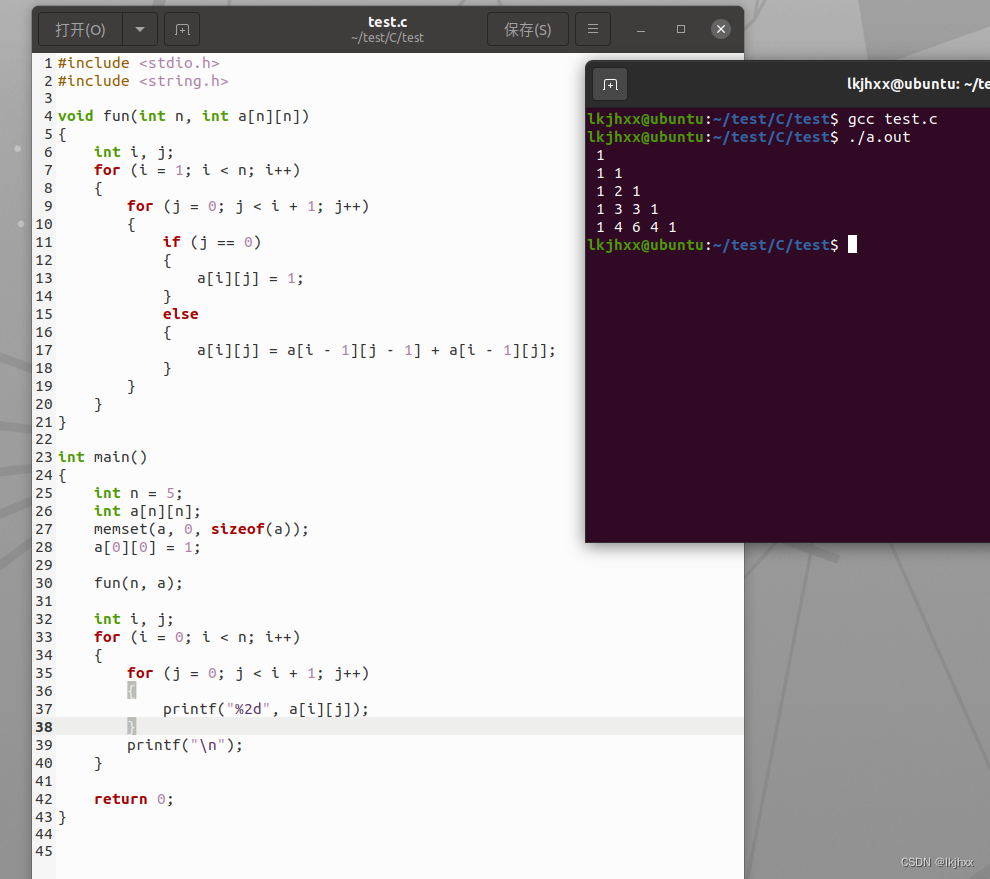
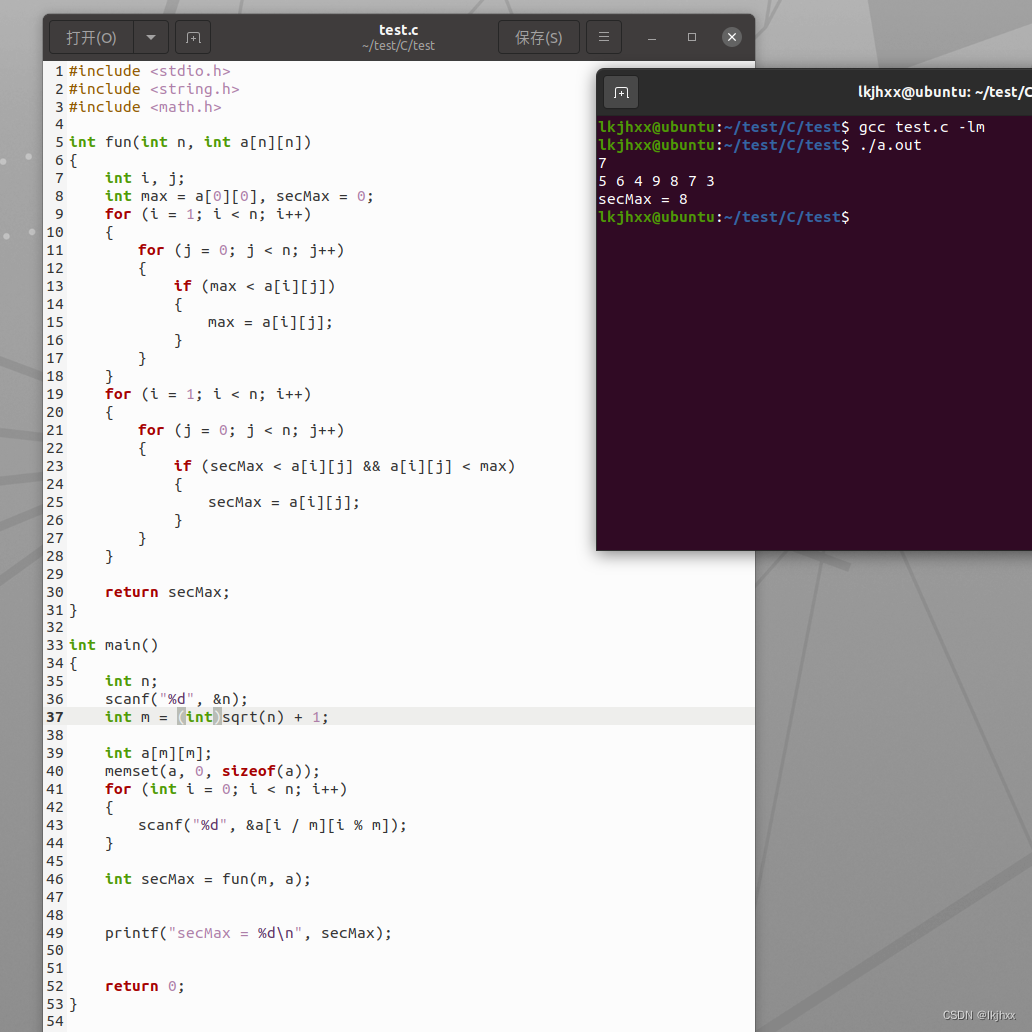
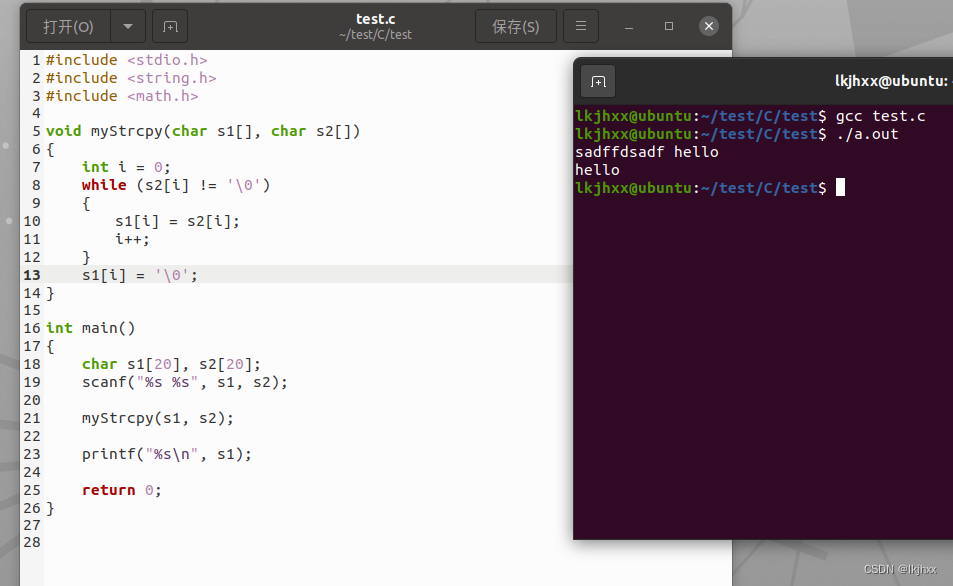
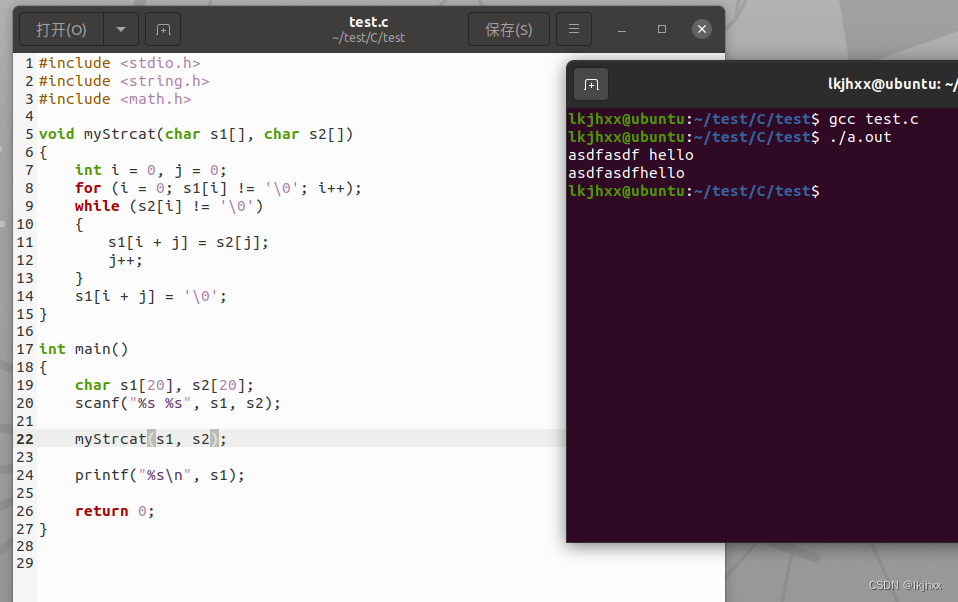
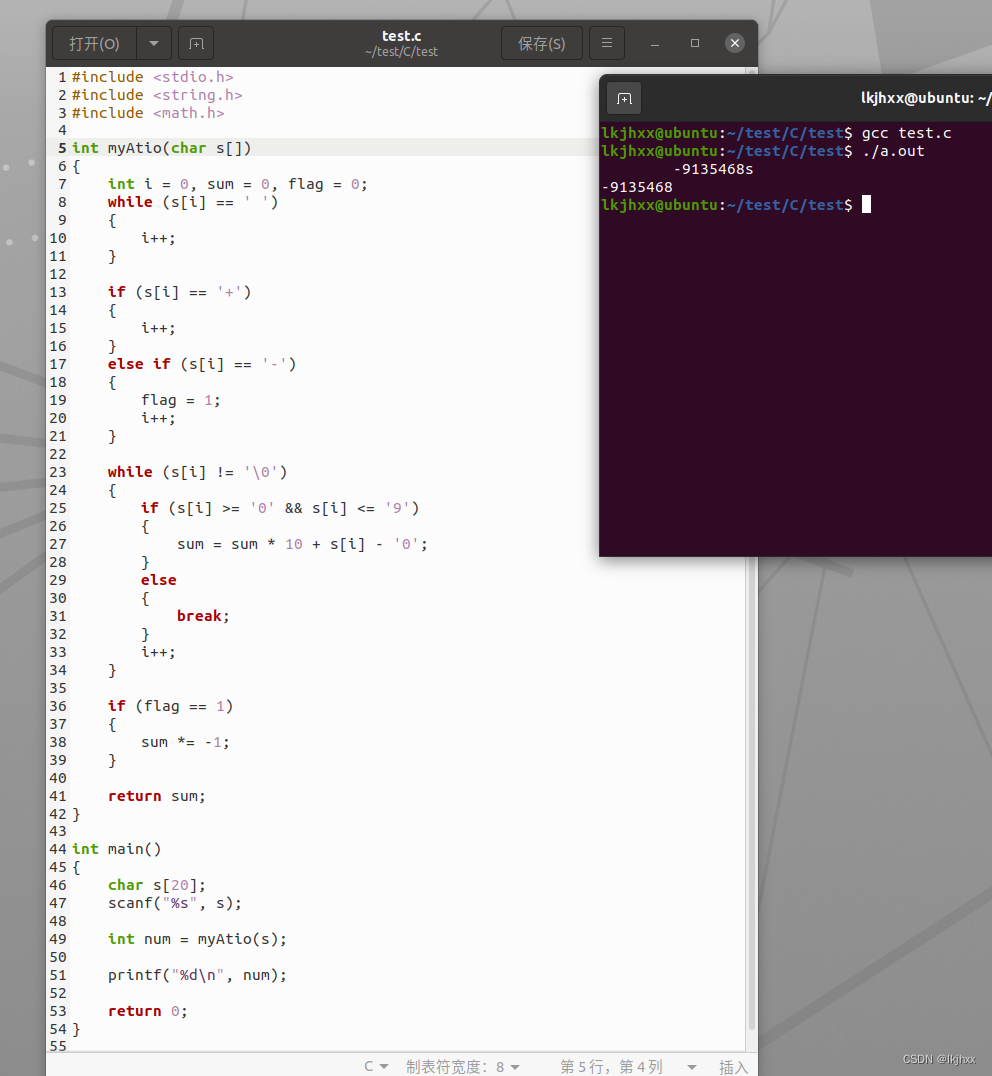
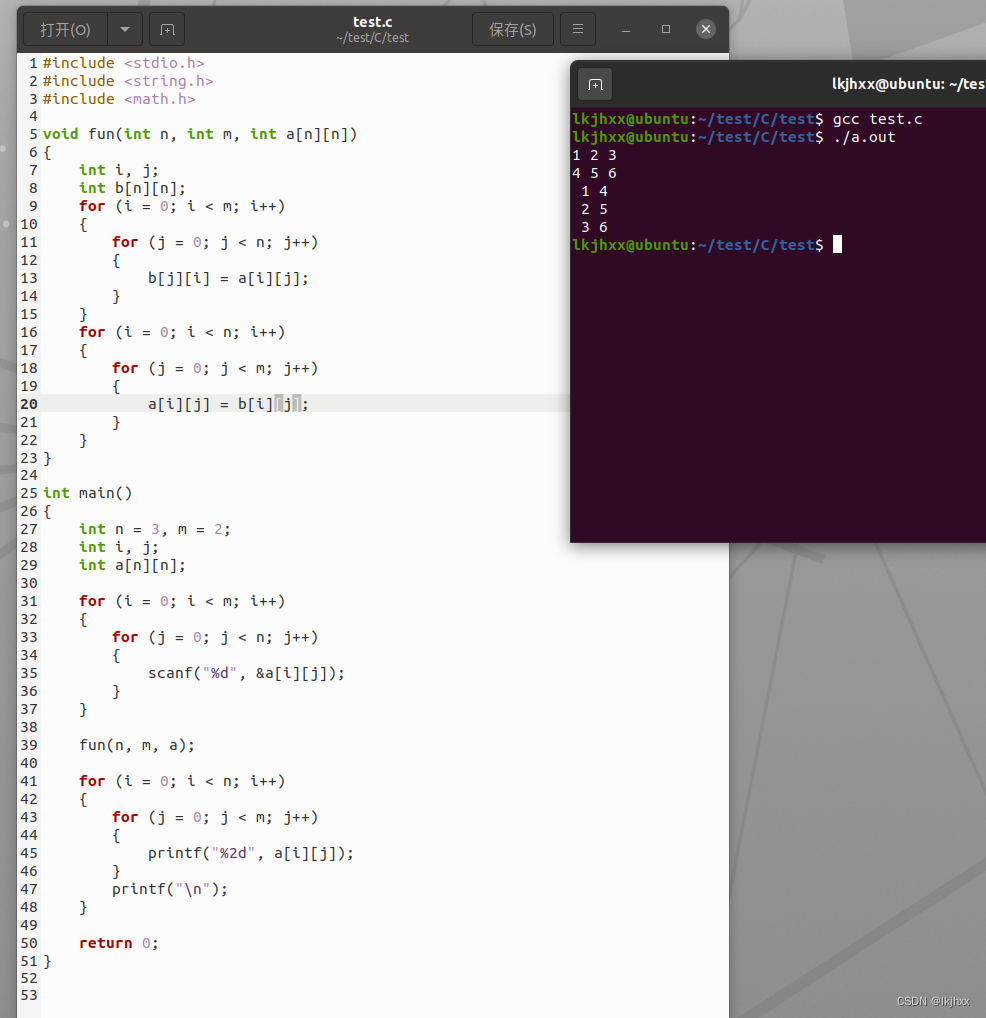
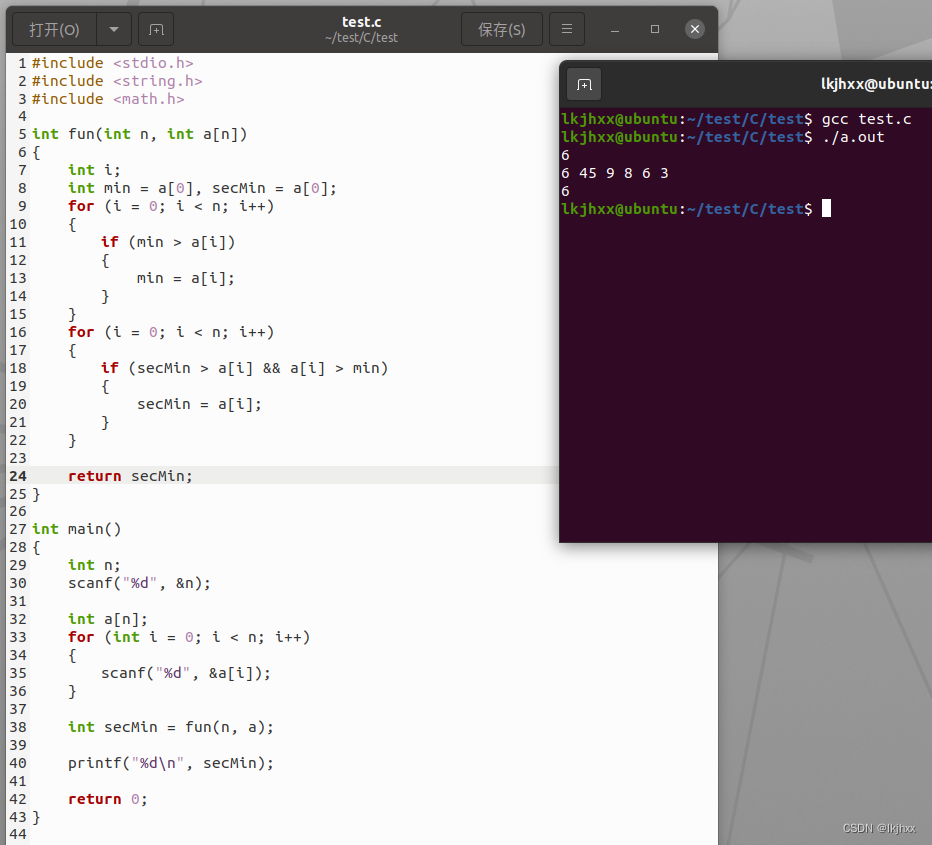
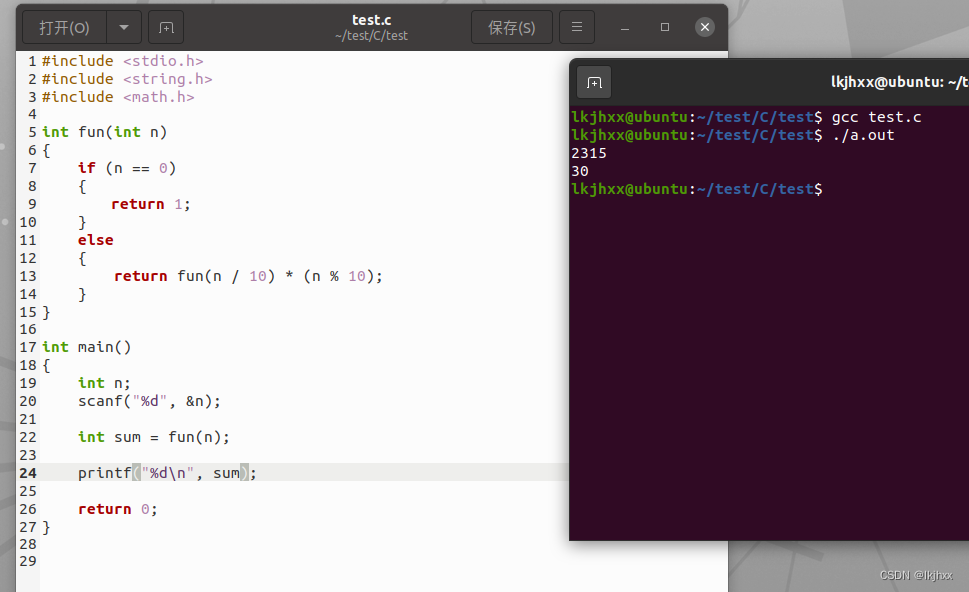
 本文介绍了如何在C++中使用主函数定义和操作二维数组,包括计算杨辉三角、转置数组,以及处理字符串的复制、连接和计算一维数组的第二大值和第二小值。还涉及了递归计算各个位数字的乘积。





 扫一扫
扫一扫


 720
720


 到【灌水乐园】发言



