


命令行配置
配置文件 vim ./examples/cli/src/main/resources/application.properties
Catalog 管理
列出 Catalogs
./bin/uc catalog list

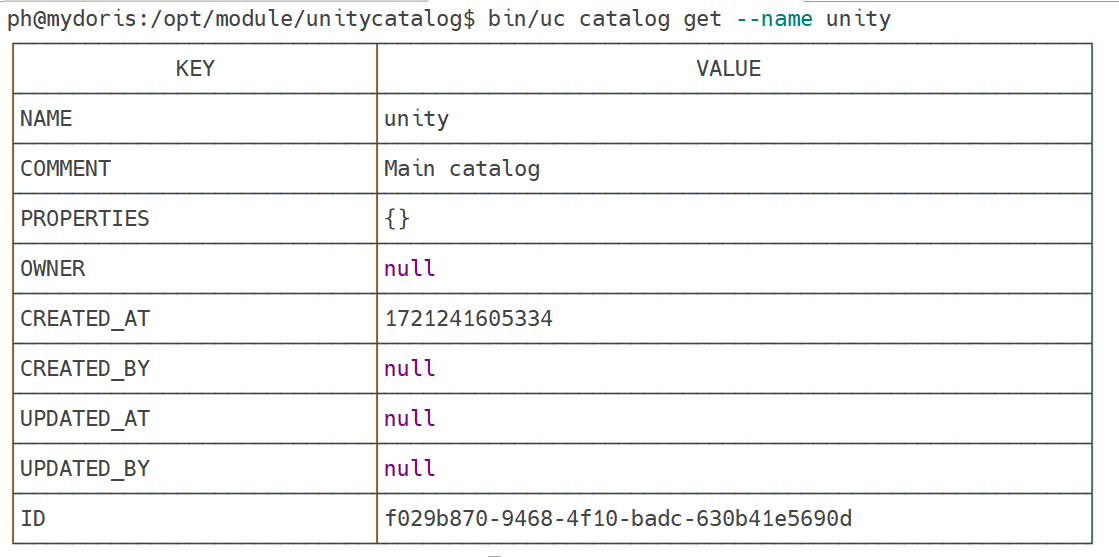
显示 Catalog
./bin/uc catalog get --name unity
创建 Catalog
# 语法
./bin/uc catalog create \
  --name <name> \ #
  [--comment <comment>] \ #
  [--properties <properties>] #

# 示例
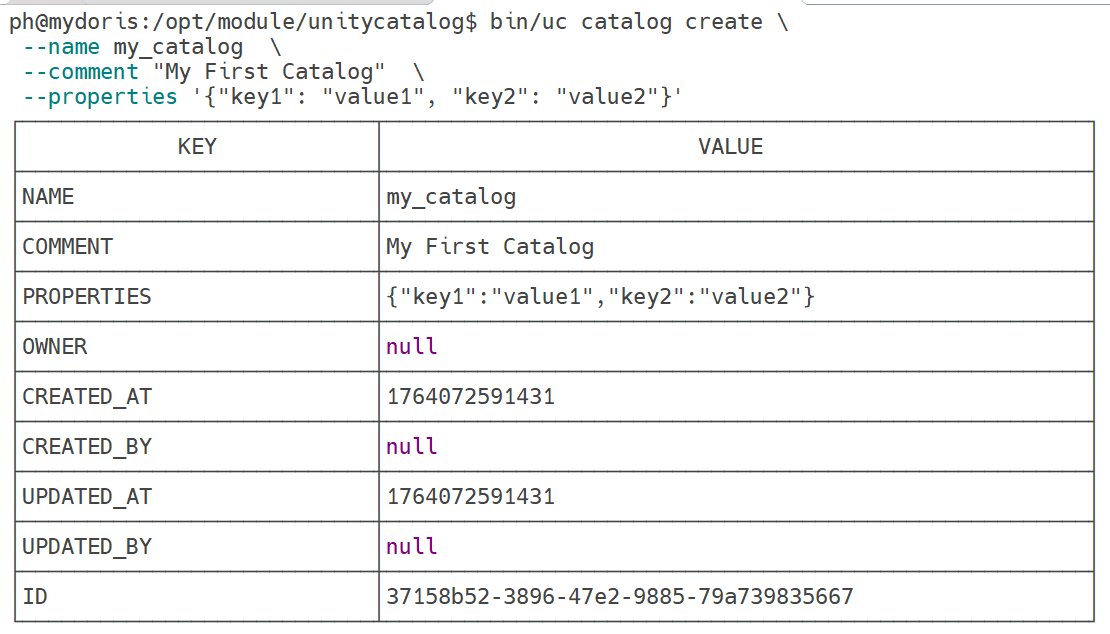
./bin/uc catalog create \
 --name my_catalog  \
 --comment "My First Catalog"  \
 --properties '{"key1": "value1", "key2": "value2"}'
更新 Catalog
# 语法
./bin/uc catalog update \
--name <name> \ #
[--new_name <new_name>] \ #
[--comment <comment>] \ #
[--properties <properties>] #

# 示例
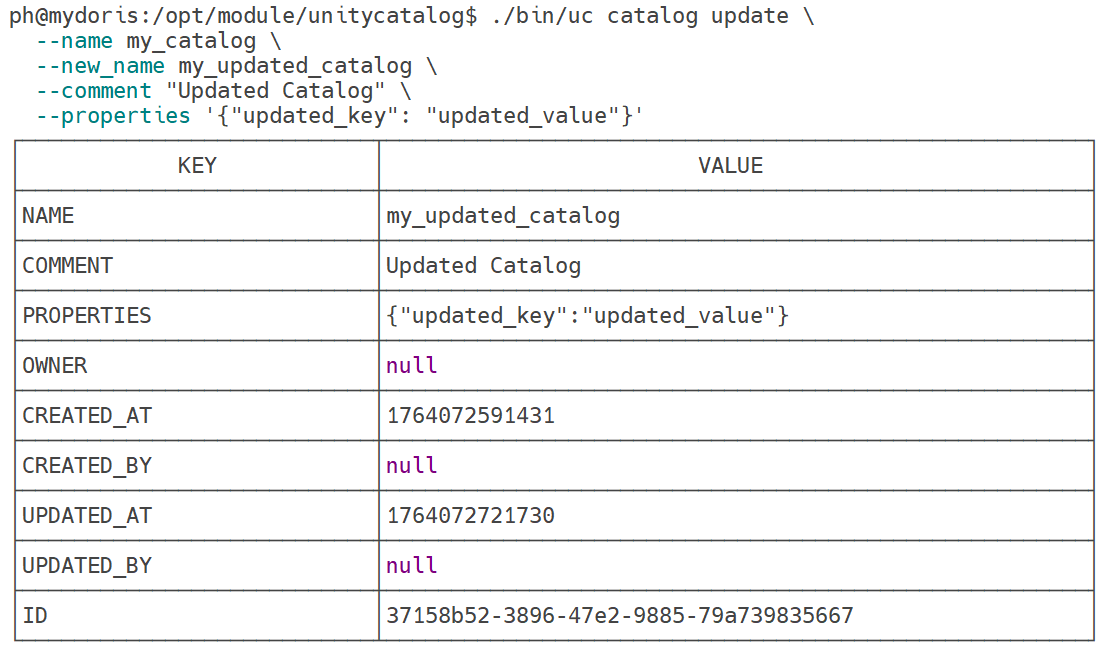
./bin/uc catalog update \
  --name my_catalog \
  --new_name my_updated_catalog \
  --comment "Updated Catalog" \
  --properties '{"updated_key": "updated_value"}'
删除 Catalog
# 语法
./bin/uc catalog delete \
  --name <name> #

# 示例
./bin/uc catalog delete \
  --name my_updated_catalog

Schema 管理
列出 Schemas
# 语法
./bin/uc schema list \
  --catalog <catalog> \ #
  [--max_results <max_results>] #

# 示例
./bin/uc schema list \
	--catalog unity

显示 Schema
# 语法
./bin/uc schema get \
  --full_name <full_name> #

# 示例
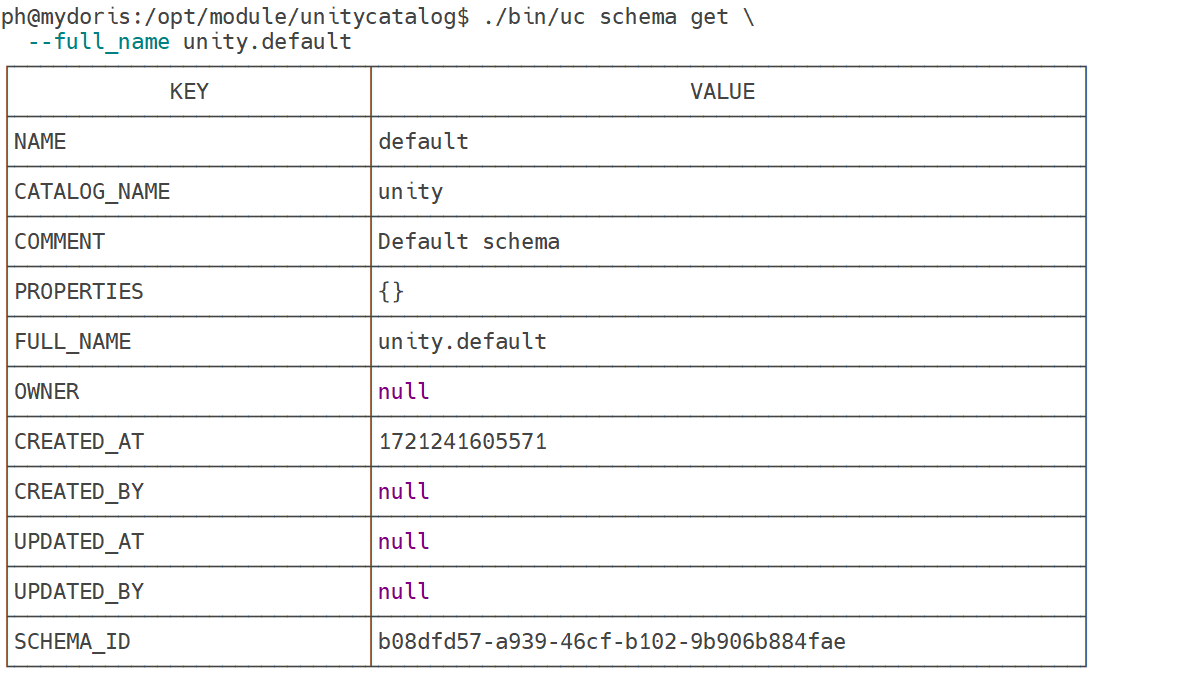
./bin/uc schema get \
  --full_name unity.default
创建 Schema
# 语法
./bin/uc schema create \
  --catalog <catalog> \ #
  --name <name> \ #
  [--comment <comment>] \ #
  [--properties <properties>] #

# 示例( catalog必须存在)
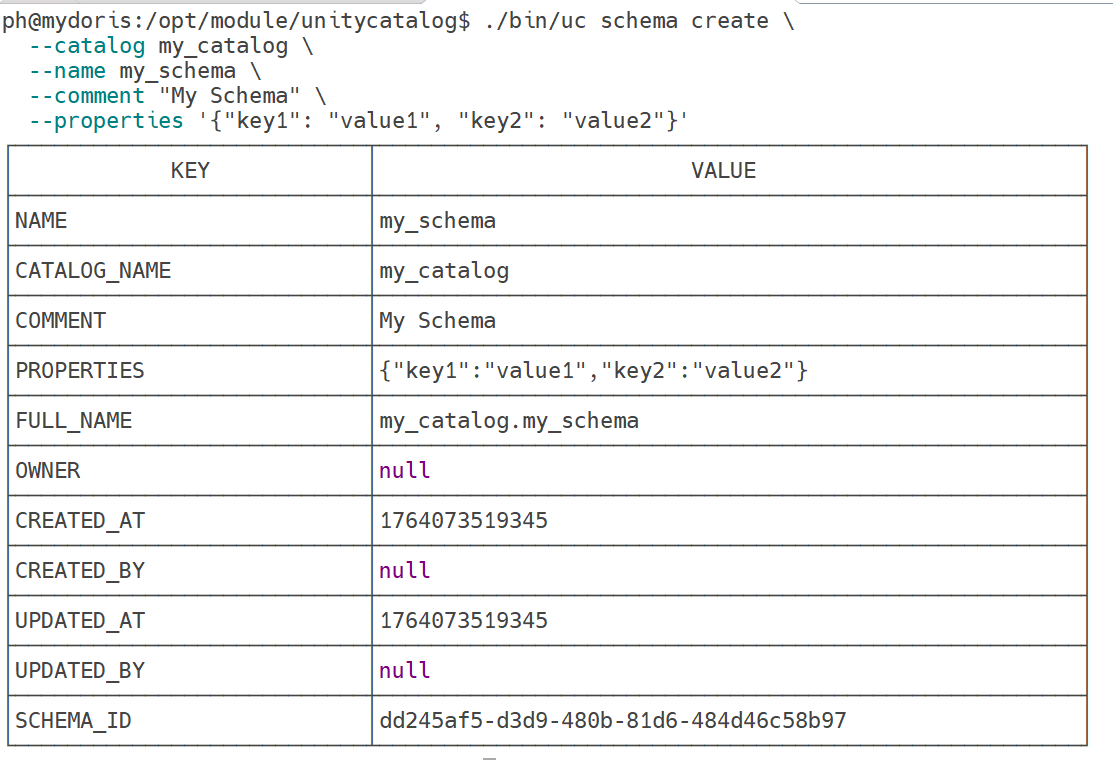
./bin/uc schema create \
  --catalog my_catalog \
  --name my_schema \
  --comment "My Schema" \
  --properties '{"key1": "value1", "key2": "value2"}'
更新 Schema
# 语法
./bin/uc schema update \
  --full_name <full_name> \ #
  [--new_name <new_name>] \ #
  [--comment <comment>] \ #
  [--properties <properties>] #

# 示例

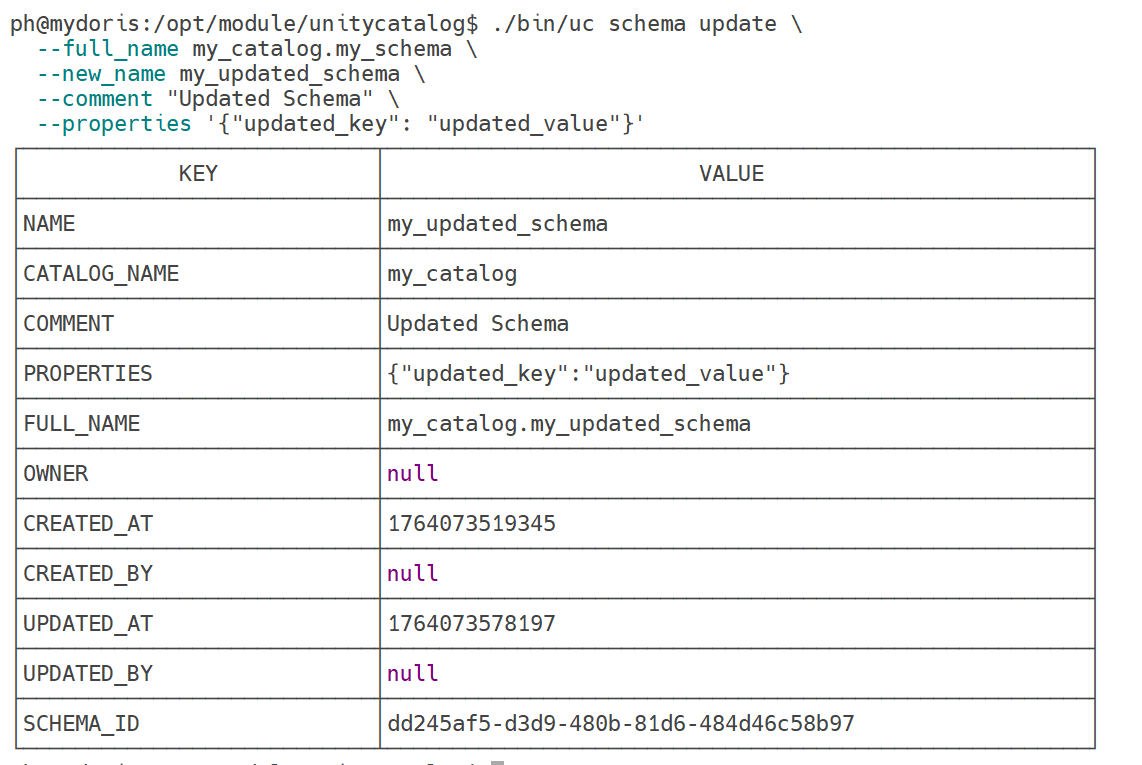
./bin/uc schema update \
  --full_name my_catalog.my_schema \
  --new_name my_updated_schema \
  --comment "Updated Schema" \
  --properties '{"updated_key": "updated_value"}'
删除 Schema
# 语法
./bin/uc schema delete \
  --full_name <full_name> #

# 示例

./bin/uc schema delete \
  --full_name my_catalog.my_updated_schema

表管理
列出 Tables
# 语法
./bin/uc table list \
  --catalog <catalog> \ #
  --schema <schema> \ #
  [--max_results <max_results>] #

# 示例
./bin/uc table list \
  --catalog unity \
  --schema default \

显示 Table
# 语法
./bin/uc table get \
  --full_name <full_name> #

# 示例
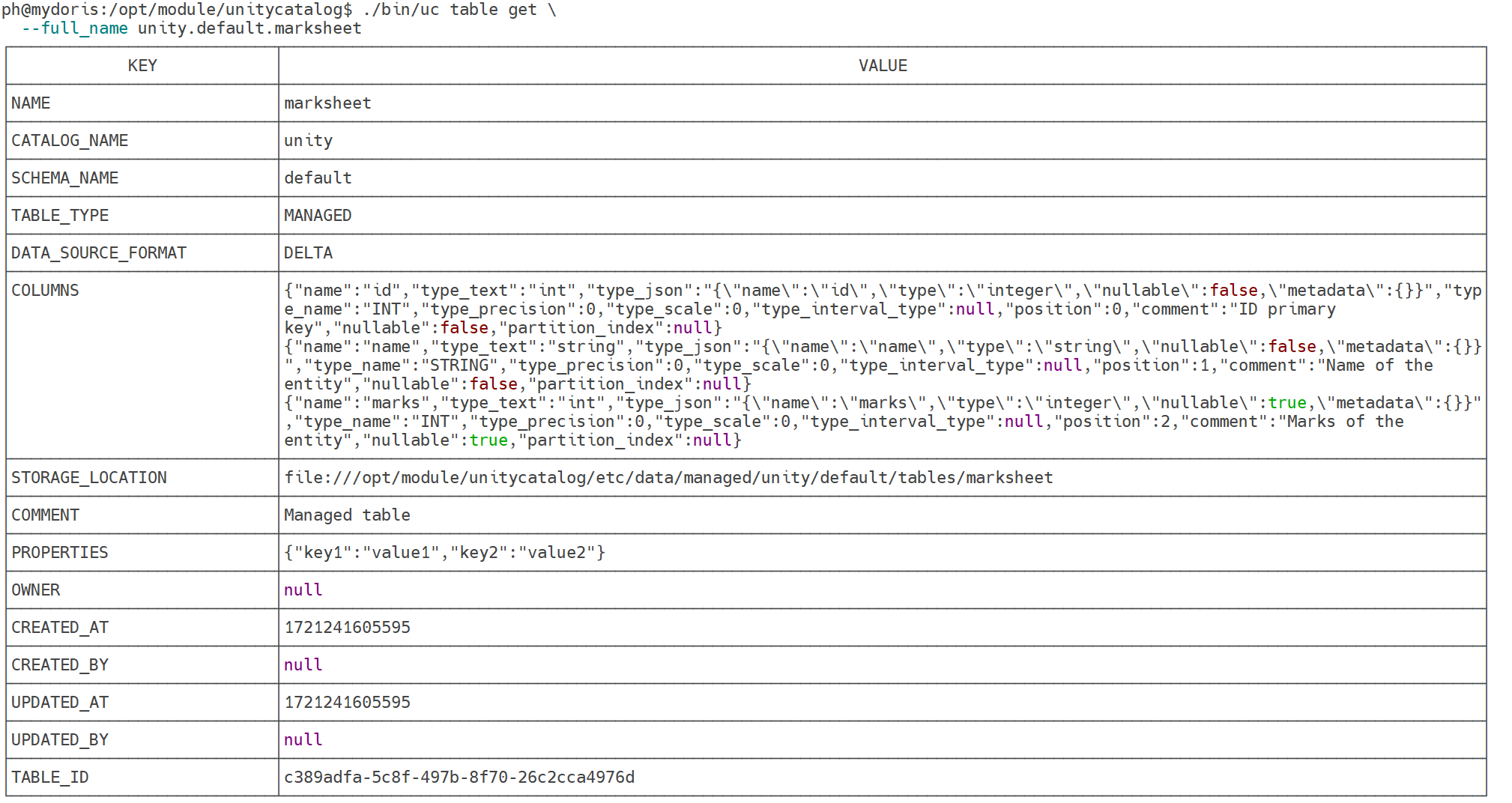
./bin/uc table get \
  --full_name unity.default.marksheet
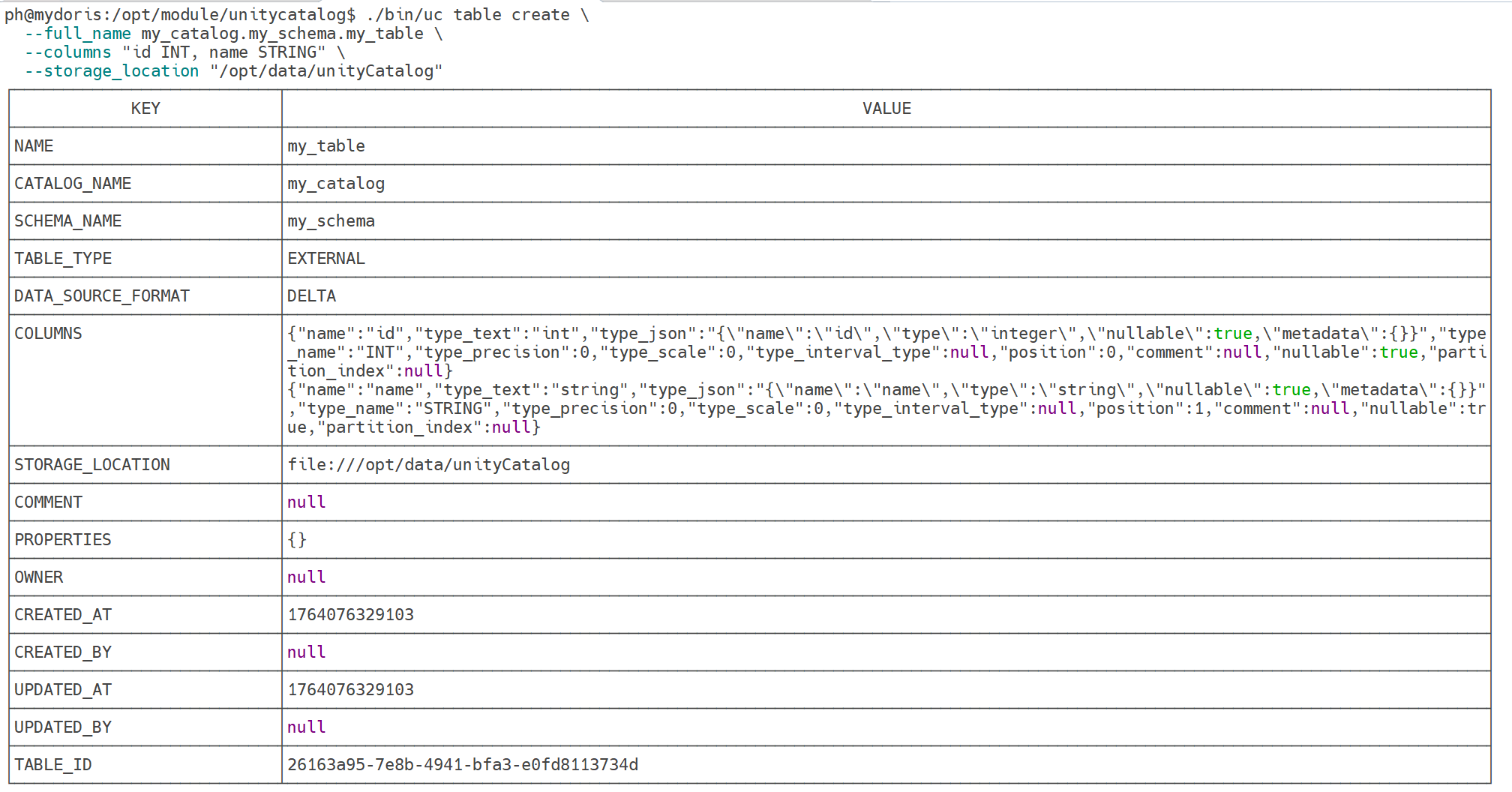
创建 Table
./bin/uc table create \
  --full_name my_catalog.my_schema.my_table \
  --columns "id INT, name STRING" \
  --storage_location "/opt/data/unityCatalog"
写入 Table
# 语法:写入示例数据
./bin/uc table write \
  --full_name <catalog>.<schema>.<table> #

# 示例
./bin/uc table write \
  --full_name my_catalog.my_schema.my_table

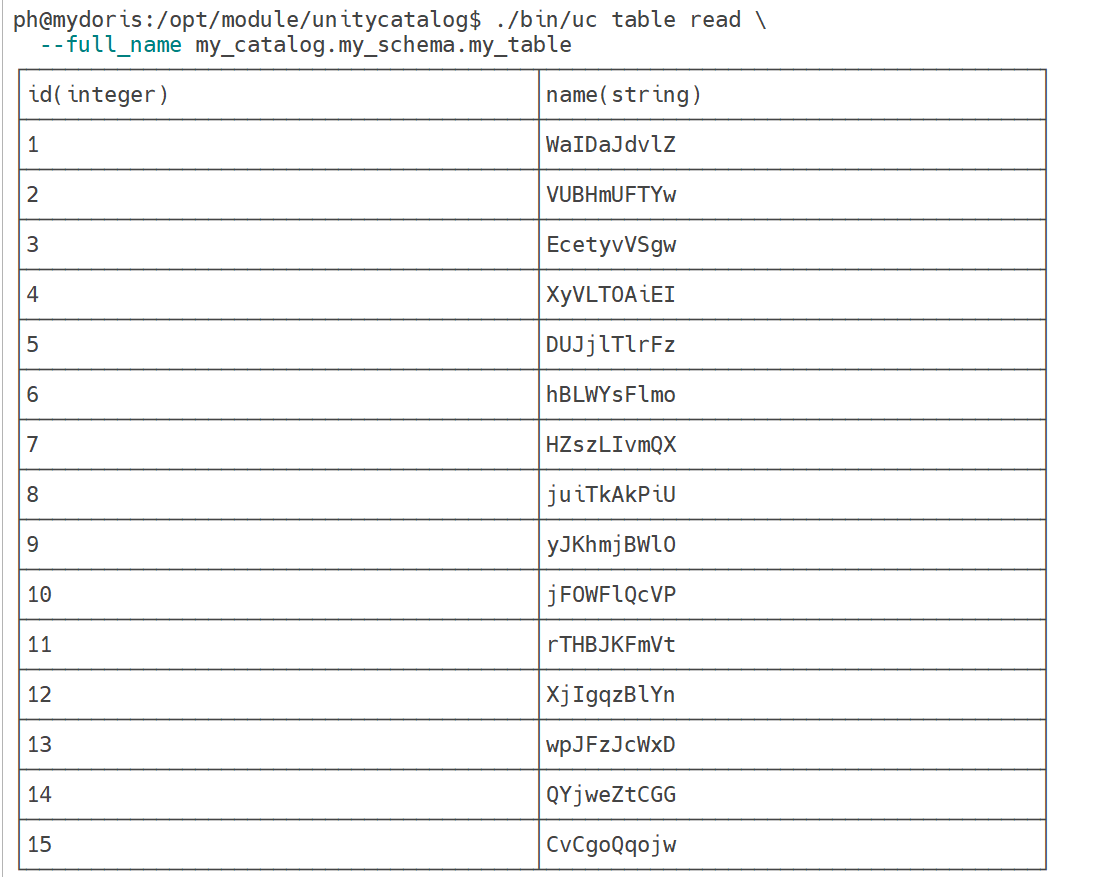
读取 Table
# 语法
./bin/uc table read \
  --full_name <full_name> \ #
  [--max_results <max_results>] #

# 示例
./bin/uc table read \
  --full_name my_catalog.my_schema.my_table
删除 Table
# 语法
./bin/uc table delete \
  --full_name <full_name> #

# 示例
./bin/uc table delete \
  --full_name my_catalog.my_schema.my_table

卷管理
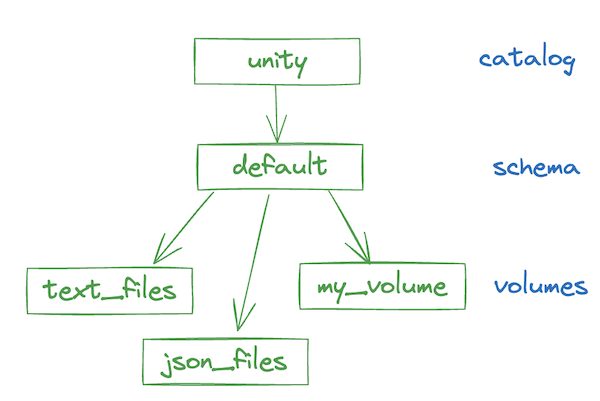
列出 Volumes
# 语法
./bin/uc volume list \
  --catalog <catalog> \ #
  --schema <schema> \ #
  [--max_results <max_results>] #

# 示例
./bin/uc volume list \
  --catalog unity \
  --schema default

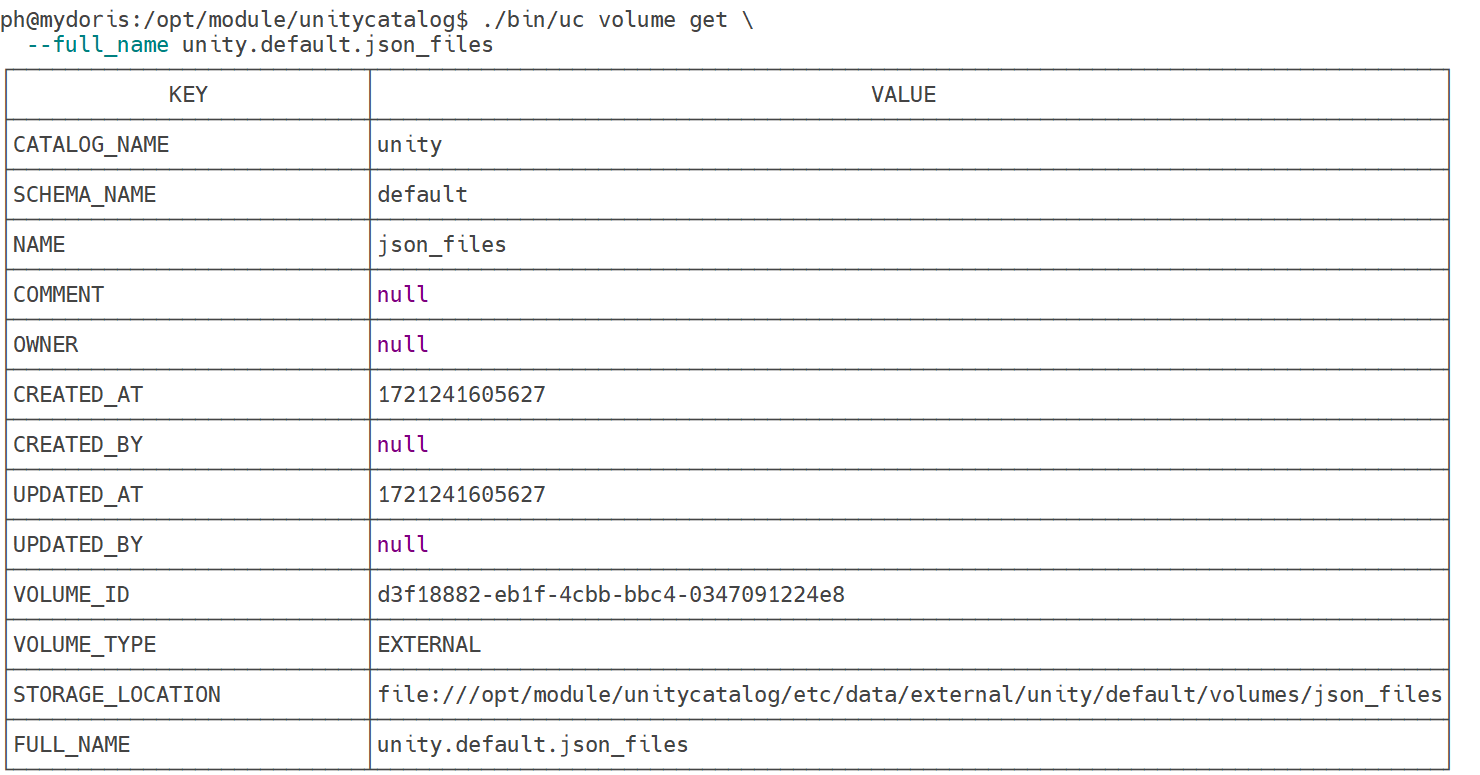
显示 Volume
# 语法
./bin/uc volume get \
  --full_name <full_name> #

# 示例
./bin/uc volume get \
  --full_name unity.default.json_files
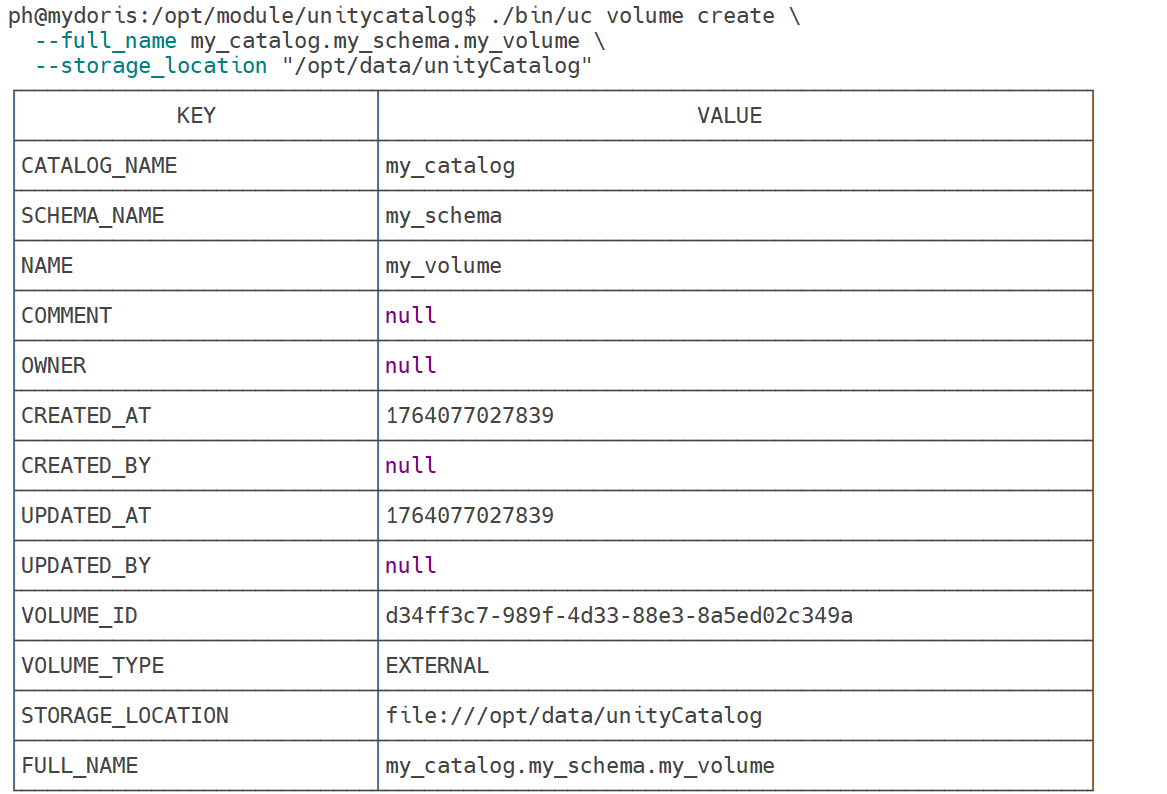
创建 Volume
# 语法
./bin/uc volume create \
  --full_name <full_name> \ #
  --storage_location <storage_location> \ #
  [--comment <comment>] #

# 示例
./bin/uc volume create \
  --full_name my_catalog.my_schema.my_volume \
  --storage_location "/opt/data/unityCatalog"
更新 Volume
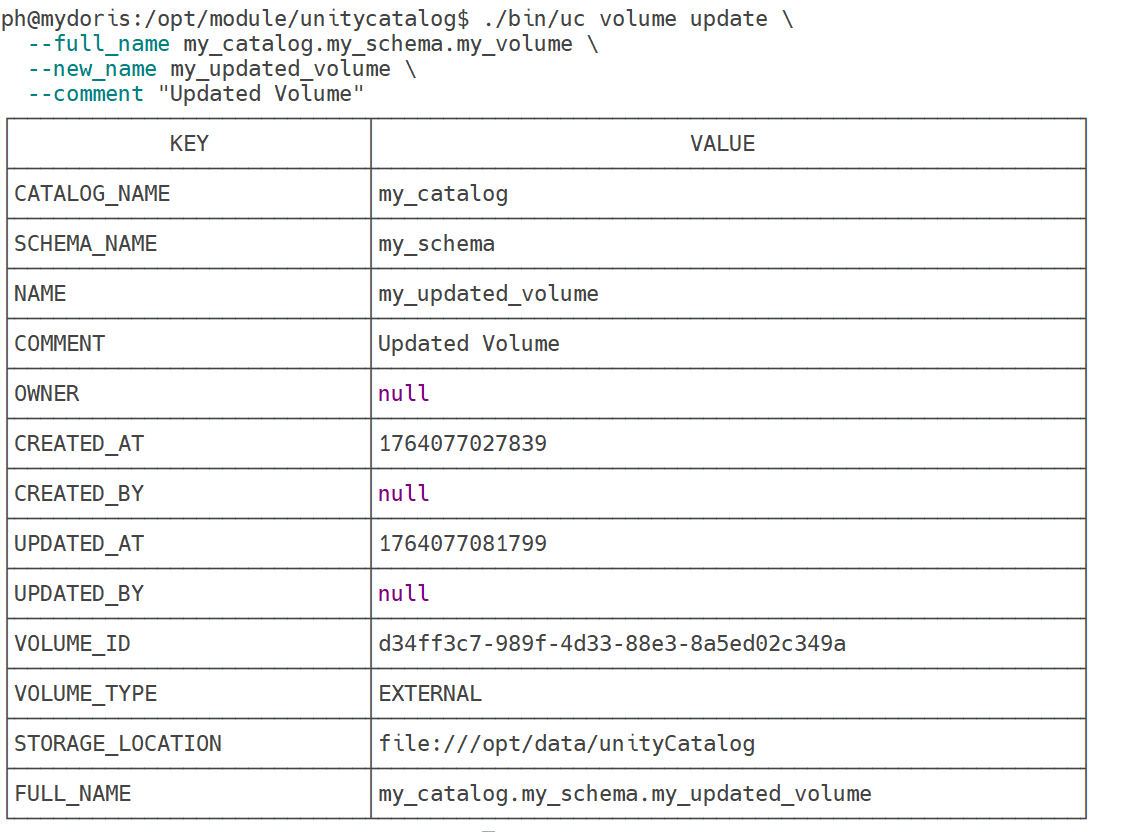
# 语法
./bin/uc volume update \
  --full_name <catalog>.<schema>.<volume> \ #
  --new_name <new_name> \ #
  [--comment <comment>] #

# 示例
./bin/uc volume update \
  --full_name my_catalog.my_schema.my_volume \
  --new_name my_updated_volume \
  --comment "Updated Volume"
 写入 Volume
# 语法
./bin/uc volume write \
  --full_name <full_name> #

# 写入示例数据
./bin/uc volume write \
  --full_name my_catalog.my_schema.my_volume

读取 Volume
# 语法
./bin/uc volume read \
  --full_name <catalog>.<schema>.<volume> \ #
  [--path <path>] #

删除 Volume
# 语法
./bin/uc volume delete \
  --full_name <full_name> #

# 写入示例数据
./bin/uc volume delete \
  --full_name my_catalog.my_schema.my_updated_volume

Function 管理
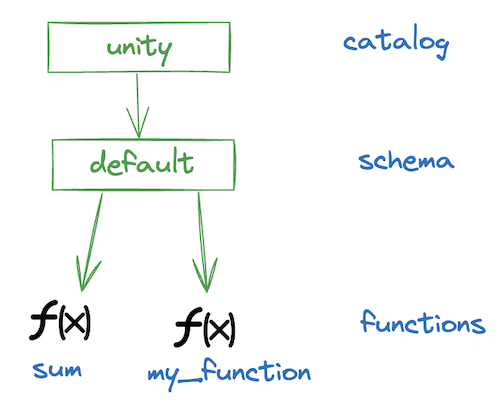
列出 Functions
bin/uc function list \
  --catalog <catalog> \ #
  --schema <schema> \ #
  [--max_results <max_results>] #
显示 Function
bin/uc function get \
  --full_name <full_name> #
创建 Function
bin/uc function create \
  --full_name <full_name> \ #
  --input_params <input_params> \ #
  --data_type <data_type> \ #
  --def <definition> \ #
  [--comment <comment>] \ #
  [--language <language>] # 6)
调用 Function
bin/uc function call \
  --full_name <catalog>.<schema>.<function_name> \ #
  --input_params <input_params> #
删除 Function
bin/uc function delete \
  --full_name <full_name> #
AI 模型注册
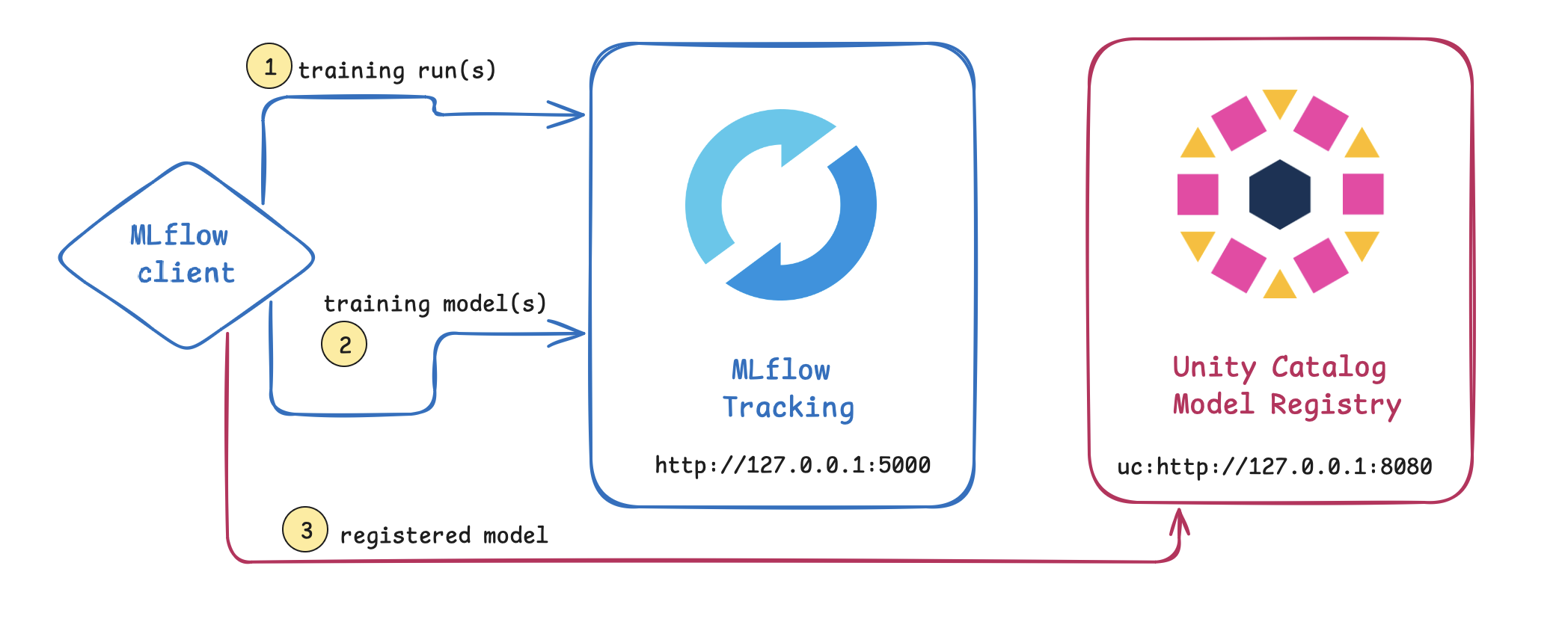
列出 已注册模型
bin/uc registered_model list \
  --catalog <catalog_name> \ #
  --schema <schema_name> #
显示 已注册模型版本
bin/uc model_version list \
  --full_name <full_name> #
显示 已注册模型元数据
bin/uc registered_model get \
  --full_name <full_name> #
更新 已注册模型名称及注释
bin/uc registered_model update \
  --full_name <full_name> \ #
  --new_name <new_name> \ #
  [--comment <comment>] #





 扫一扫
扫一扫


 被折叠的 条评论
为什么被折叠?
被折叠的 条评论
为什么被折叠?
 到【灌水乐园】发言





