


 本文详细介绍了如何在PowerShell 7.2.2升级后解决启动SQL Server Management Studio时遇到的模块缺失问题,包括下载最新版本PowerShell、安装SqlServer模块、管理员权限运行及模块路径调整等步骤。
https://github.com/PowerShell/PowerShell/releases/tag/v7.2.2SQL Server Management Studio 18 启动触发器报错
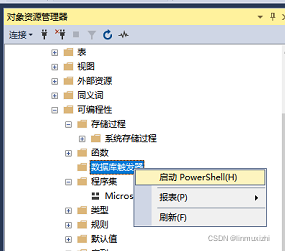
标题: 找不到“SqlServer”模块 --------------- 在此计算机上找不到任何 SQL Server cmdlet。
在 https://powershellgallery.com/packages/SqlServer 上获取“SqlServer”模块
不使用 SQL Server cmdlet 启动 PowerShell?
有关帮助信息,
请单击: https://go.microsoft.com/fwlink/?linkid=842573
------------------------------ 按钮: 是(&Y) 否(&N) 打开 PowerShell 库(&G) ------------------------------
1、解决方法:下载最新版本 PowerShell
 https://github.com/PowerShell/PowerShell/releases/tag/v7.2.2
在 Windows 上安装 PowerShell - PowerShell | Microsoft Docs如何安装参照
 https://docs.microsoft.com/zh-cn/powershell/scripting/install/installing-powershell-on-windows?view=powershell-7.2
在 Windows 上安装 PowerShell - PowerShell | Microsoft Docs
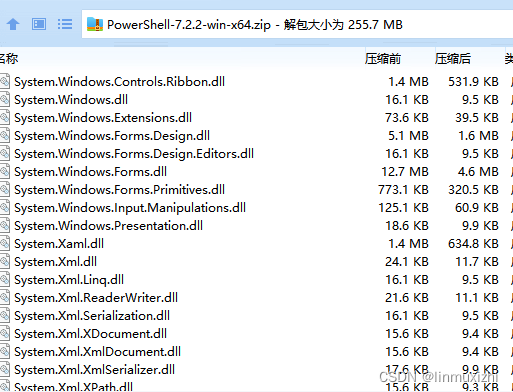
2.解压 管理员运行pwsh.exe
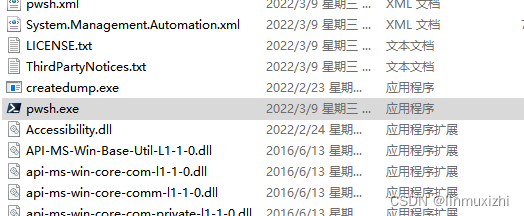
3.输入安装 命令
Install-Module -Name SqlServer -RequiredVersion 21.1.18256成功之后会在文档目录下生成该文件
'C:\Users\Administrator\Documents\PowerShell\Modules\SqlServer\21.1.18256
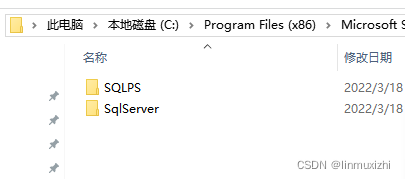
4.将文件拷贝到sql目录下
C:\Program Files (x86)\Microsoft SQL Server\150\Tools\PowerShell\Modules
5.启动数据库触发器 PowerShell
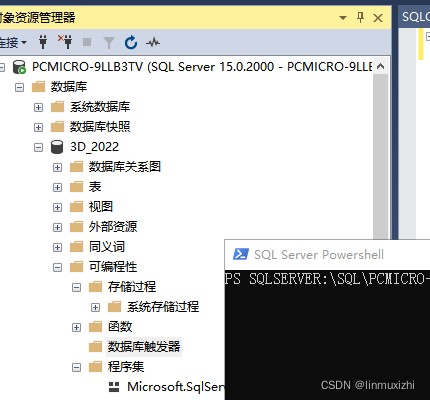
6.输入代码运行
Install-Module -Name SqlServer -AllowPrerelease选择【A】

成功安装





 扫一扫
扫一扫


 1万+
1万+

 被折叠的 条评论
为什么被折叠?
被折叠的 条评论
为什么被折叠?
 到【灌水乐园】发言





