


- 创建线程
方法一:继承Threa类
class MyThread extends Thread {
@Override
public void run() {
System.out.println("这⾥是线程运⾏的代码");
}
}
创建 MyThread 类的实例
MyThread t = new MyThread();
调⽤ start ⽅法启动线程
t.start(); // 线程开始运⾏
方法二: 实现 Runnable 接⼝
class MyRunnable implements Runnable {
@Override
public void run() {
System.out.println("这⾥是线程运⾏的代码");
}
}
2. 创建 Thread 类实例, 调⽤ Thread 的构造⽅法时将 Runnable 对象作为 target 参数.
1 Thread t = new Thread(new MyRunnable());
3. 调⽤ start ⽅法
1 t.start(); // 线程开始运⾏
// 使⽤匿名类创建 Runnable ⼦类对象
Thread t2 = new Thread(new Runnable() {
 @Override
 public void run() {
 System.out.println("使⽤匿名类创建 Runnable ⼦类对象");
 }
});

• lambda 表达式创建 Runnable ⼦类对象
// 使⽤ lambda 表达式创建 Runnable ⼦类对象
Thread t3 = new Thread(() -> System.out.println("使⽤匿名类创建 Thread ⼦类对
象"));
Thread t4 = new Thread(() -> {
 System.out.println("使⽤匿名类创建 Thread ⼦类对象");
});
2.线程中断
⽬前常⻅的有以下两种⽅式:
1. 通过共享的标记来进⾏沟通(使用自定义的变量作为标志位)
需要给标志位加上voliatile关键字
voliatile能保证内存可见性
代码⽰例
在这个代码中
• 创建两个线程 t1 和 t2
• t1 中包含⼀个循环, 这个循环以 flag == 0 为循环条件.
• t2 中从键盘读⼊⼀个整数, 并把这个整数赋值给 flag.
• 预期当⽤⼾输⼊⾮ 0 的值的时候, t1 线程结束.
static class Counter {
 public int flag = 0;
}
public static void main(String[] args) {
 Counter counter = new Counter();
 Thread t1 = new Thread(() -> {
 while (counter.flag == 0) {
 // do nothing
 }
 System.out.println("循环结束!");
 });
 Thread t2 = new Thread(() -> {
 Scanner scanner = new Scanner(System.in);
 System.out.println("输⼊⼀个整数:");
 counter.flag = scanner.nextInt();
 });
 t1.start();
 t2.start();
}
// 执⾏效果
// 当⽤⼾输⼊⾮0值时, t1 线程循环不会结束. (这显然是⼀个 bug)


t1 读的是⾃⼰⼯作内存中的内容.
当 t2 对 flag 变量进⾏修改, 此时 t1 感知不到 flag 的变化.
如果给 flag 加上 volatile
static class Counter {
 public volatile int flag = 0;
}
// 执⾏效果
// 当⽤⼾输⼊⾮0值时, t1 线程循环能够⽴即结束.
2. 调⽤ interrupt() ⽅法来通知( ⽤Thread.interrupted() 或Thread.currentThread().isInterrupted() 代替⾃定义标志位.)
public void interrupt() 中断线程,如果阻塞,以异常通知,设置标志位
public static bollean interrupted() 判断是否有中断标志位,调用后清除标志位
public bollean isInterrupted() 判断对象关联的线程的标志位是否设置,调用后不清除标志位
使⽤ thread 对象的 interrupted() ⽅法通知线程结束.
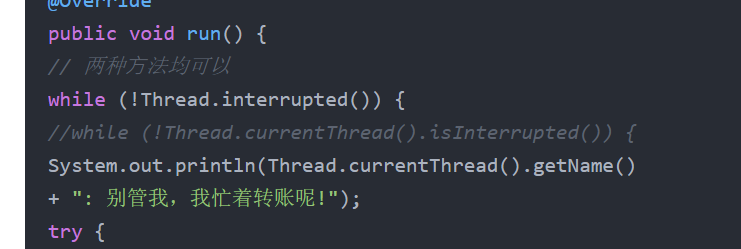
public class ThreadDemo {
 private static class MyRunnable implements Runnable {
 @Override
 public void run() {
 // 两种⽅法均可以
 while (!Thread.interrupted()) {
 //while (!Thread.currentThread().isInterrupted()) {
 System.out.println(Thread.currentThread().getName()
 + ": 别管我,我忙着转账呢!");
 try {
 Thread.sleep(1000);
 } catch (InterruptedException e) {
 e.printStackTrace();
 System.out.println(Thread.currentThread().getName()
 + ": 有内⻤,终⽌交易!");
 // 注意此处的 break
 break;
 }
 }
 System.out.println(Thread.currentThread().getName()
 + ": 啊!险些误了⼤事");

 }
 }
 public static void main(String[] args) throws InterruptedException {
 MyRunnable target = new MyRunnable();
 Thread thread = new Thread(target, "李四");
 System.out.println(Thread.currentThread().getName()
 + ": 让李四开始转账。");
 thread.start();
 Thread.sleep(10 * 1000);
 System.out.println(Thread.currentThread().getName()
 + ": ⽼板来电话了,得赶紧通知李四对⽅是个骗⼦!");
 thread.interrupt();
 }
}
3.线程等待
-join()
public void join() --------等待线程结束
public void join(long millis)--------等待线程结束,最多等millis毫秒
publi void join(long millis,int nanos)-------更高的精度
         Thread thread1 = new Thread(target, "李四");
         Thread thread2 = new Thread(target, "王五");
         System.out.println("先让李四开始⼯作");
         thread1.start();
         thread1.join();
         System.out.println("李四⼯作结束了,让王五开始⼯作");
         thread2.start();
         thread2.join();
         System.out.println("王五⼯作结束了");
4.线程休眠
public static void sleep(long millis)throws InterruptedException \休眠当前线程millis毫秒
public static void sleep(long millis,int nanos) throws InterruptedException 可以更高精度的休眠。
    public class ThreadDemo {
        public static void main(String[] args) throws InterruptedException {
            System.out.println(System.currentTimeMillis());
            Thread.sleep(3 * 1000);
            System.out.println(System.currentTimeMillis());
    }
}





 扫一扫
扫一扫


 962
962

 被折叠的 条评论
为什么被折叠?
被折叠的 条评论
为什么被折叠?
 到【灌水乐园】发言





