




背景
目前各个厂商的手机已经开始慢慢变成aosp14即android 14进行发货了,在2024将全部变成是android 14的天下。马哥这边也是一直密切关注着lineageos这边是否有及时升级到最新的android 14,今天去官网一看已经确实升级了,马哥这边也第一时间进行环境搭建编译,但是期间也发现了有一些差异相比原来的版本,这里就需要进行一些记录补充方便各位学员们参考,不至于无法搭建成功,有马哥在前面给大家采坑搭建就可以节省很多时间。
这里只讲解差异部分,详细参考如下链接:
https://blog.youkuaiyun.com/learnframework/article/details/128438325
相关差异分享:
1 breakfast nx563j
直接报错无法从GitHub进行fetch
Failed to fetch data from GitHub
出现该报错可以去看相关源码:
vendor/lineage/build/tools/roomservice.py
githubreq = urllib.request.Request("https://raw.githubusercontent.com/LineageOS/mirror/main/default.xml")
其实就是这个路径无法网络访问,所以导致没办法fetch,归根到底还是我们网络问题导致,那么如何有效解决呢?
这里我记得aosp13时候lineage是不会有问题的,查看老版本的这个文件,发现其代码如下:
githubreq = urllib.request.Request("https://api.github.com/search/repositories?q=%s+user:LineageOS+in:name+fork:true" % device)
访问的地址还是有比较大差别,那么这里尝试用老版本的vendor/lineage/build/tools/roomservice.py
直接覆盖方式
cp ~/nx563j_xiaomi/vendor/lineage/build/tools/roomservice.py vendor/lineage/build/tools/roomservice.py
没有的就直接拷贝这里吧:
vendor/lineage/build/tools/roomservice.py
#!/usr/bin/env python
# Copyright (C) 2012-2013, The CyanogenMod Project
#           (C) 2017-2018,2020-2021, The LineageOS Project
#
# Licensed under the Apache License, Version 2.0 (the "License");
# you may not use this file except in compliance with the License.
# You may obtain a copy of the License at
#
#      http://www.apache.org/licenses/LICENSE-2.0
#
# Unless required by applicable law or agreed to in writing, software
# distributed under the License is distributed on an "AS IS" BASIS,
# WITHOUT WARRANTIES OR CONDITIONS OF ANY KIND, either express or implied.
# See the License for the specific language governing permissions and
# limitations under the License.

from __future__ import print_function

import base64
import json
import netrc
import os
import re
import sys
try:
  # For python3
  import urllib.error
  import urllib.parse
  import urllib.request
except ImportError:
  # For python2
  import imp
  import urllib2
  import urlparse
  urllib = imp.new_module('urllib')
  urllib.error = urllib2
  urllib.parse = urlparse
  urllib.request = urllib2

from xml.etree import ElementTree

product = sys.argv[1]

if len(sys.argv) > 2:
    depsonly = sys.argv[2]
else:
    depsonly = None

try:
    device = product[product.index("_") + 1:]
except:
    device = product

if not depsonly:
    print("Device %s not found. Attempting to retrieve device repository from LineageOS Github (http://github.com/LineageOS)." % device)

repositories = []

try:
    authtuple = netrc.netrc().authenticators("api.github.com")

    if authtuple:
        auth_string = ('%s:%s' % (authtuple[0], authtuple[2])).encode()
        githubauth = base64.encodestring(auth_string).decode().replace('\n', '')
    else:
        githubauth = None
except:
    githubauth = None

def add_auth(githubreq):
    if githubauth:
        githubreq.add_header("Authorization","Basic %s" % githubauth)

if not depsonly:
    githubreq = urllib.request.Request("https://api.github.com/search/repositories?q=%s+user:LineageOS+in:name+fork:true" % device)
    add_auth(githubreq)
    try:
        result = json.loads(urllib.request.urlopen(githubreq).read().decode())
    except urllib.error.URLError:
        print("Failed to search GitHub")
        sys.exit(1)
    except ValueError:
        print("Failed to parse return data from GitHub")
        sys.exit(1)
    for res in result.get('items', []):
        repositories.append(res)

local_manifests = r'.repo/local_manifests'
if not os.path.exists(local_manifests): os.makedirs(local_manifests)

def exists_in_tree(lm, path):
    for child in lm.getchildren():
        if child.attrib['path'] == path:
            return True
    return False

# in-place prettyprint formatter
def indent(elem, level=0):
    i = "\n" + level*"  "
    if len(elem):
        if not elem.text or not elem.text.strip():
            elem.text = i + "  "
        if not elem.tail or not elem.tail.strip():
            elem.tail = i
        for elem in elem:
            indent(elem, level+1)
        if not elem.tail or not elem.tail.strip():
            elem.tail = i
    else:
        if level and (not elem.tail or not elem.tail.strip()):
            elem.tail = i

def get_manifest_path():
    '''Find the current manifest path
    In old versions of repo this is at .repo/manifest.xml
    In new versions, .repo/manifest.xml includes an include
    to some arbitrary file in .repo/manifests'''

    m = ElementTree.parse(".repo/manifest.xml")
    try:
        m.findall('default')[0]
        return '.repo/manifest.xml'
    except IndexError:
        return ".repo/manifests/{}".format(m.find("include").get("name"))

def get_default_revision():
    m = ElementTree.parse(get_manifest_path())
    d = m.findall('default')[0]
    r = d.get('revision')
    return r.replace('refs/heads/', '').replace('refs/tags/', '')

def get_from_manifest(devicename):
    try:
        lm = ElementTree.parse(".repo/local_manifests/roomservice.xml")
        lm = lm.getroot()
    except:
        lm = ElementTree.Element("manifest")

    for localpath in lm.findall("project"):
        if re.search("android_device_.*_%s$" % device, localpath.get("name")):
            return localpath.get("path")

    return None

def is_in_manifest(projectpath):
    try:
        lm = ElementTree.parse(".repo/local_manifests/roomservice.xml")
        lm = lm.getroot()
    except:
        lm = ElementTree.Element("manifest")

    for localpath in lm.findall("project"):
        if localpath.get("path") == projectpath:
            return True

    # Search in main manifest, too
    try:
        lm = ElementTree.parse(get_manifest_path())
        lm = lm.getroot()
    except:
        lm = ElementTree.Element("manifest")

    for localpath in lm.findall("project"):
        if localpath.get("path") == projectpath:
            return True

    # ... and don't forget the lineage snippet
    try:
        lm = ElementTree.parse(".repo/manifests/snippets/lineage.xml")
        lm = lm.getroot()
    except:
        lm = ElementTree.Element("manifest")

    for localpath in lm.findall("project"):
        if localpath.get("path") == projectpath:
            return True

    return False

def add_to_manifest(repositories):
    try:
        lm = ElementTree.parse(".repo/local_manifests/roomservice.xml")
        lm = lm.getroot()
    except:
        lm = ElementTree.Element("manifest")

    for repository in repositories:
        repo_name = repository['repository']
        repo_target = repository['target_path']
        repo_revision = repository['branch']
        print('Checking if %s is fetched from %s' % (repo_target, repo_name))
        if is_in_manifest(repo_target):
            print('LineageOS/%s already fetched to %s' % (repo_name, repo_target))
            continue

        print('Adding dependency: LineageOS/%s -> %s' % (repo_name, repo_target))
        project = ElementTree.Element("project", attrib = {
            "path": repo_target,
            "remote": "github",
            "name": "LineageOS/%s" % repo_name,
            "revision": repo_revision })
        lm.append(project)

    indent(lm, 0)
    raw_xml = ElementTree.tostring(lm).decode()
    raw_xml = '<?xml version="1.0" encoding="UTF-8"?>\n' + raw_xml

    f = open('.repo/local_manifests/roomservice.xml', 'w')
    f.write(raw_xml)
    f.close()

def fetch_dependencies(repo_path):
    print('Looking for dependencies in %s' % repo_path)
    dependencies_path = repo_path + '/lineage.dependencies'
    syncable_repos = []
    verify_repos = []

    if os.path.exists(dependencies_path):
        dependencies_file = open(dependencies_path, 'r')
        dependencies = json.loads(dependencies_file.read())
        fetch_list = []

        for dependency in dependencies:
            if not is_in_manifest(dependency['target_path']):
                fetch_list.append(dependency)
                syncable_repos.append(dependency['target_path'])
                if 'branch' not in dependency:
                    dependency['branch'] = get_default_or_fallback_revision(dependency['repository'])
            verify_repos.append(dependency['target_path'])

            if not os.path.isdir(dependency['target_path']):
                syncable_repos.append(dependency['target_path'])

        dependencies_file.close()

        if len(fetch_list) > 0:
            print('Adding dependencies to manifest')
            add_to_manifest(fetch_list)
    else:
        print('%s has no additional dependencies.' % repo_path)

    if len(syncable_repos) > 0:
        print('Syncing dependencies')
        os.system('repo sync --force-sync %s' % ' '.join(syncable_repos))

    for deprepo in verify_repos:
        fetch_dependencies(deprepo)

def has_branch(branches, revision):
    return revision in [branch['name'] for branch in branches]

def get_default_revision_no_minor():
    return get_default_revision().rsplit('.', 1)[0]

def get_default_or_fallback_revision(repo_name):
    default_revision = get_default_revision()
    print("Default revision: %s" % default_revision)
    print("Checking branch info")

    githubreq = urllib.request.Request("https://api.github.com/repos/LineageOS/" + repo_name + "/branches")
    add_auth(githubreq)
    result = json.loads(urllib.request.urlopen(githubreq).read().decode())
    if has_branch(result, default_revision):
        return default_revision

    fallbacks = [ get_default_revision_no_minor() ]
    if os.getenv('ROOMSERVICE_BRANCHES'):
        fallbacks += list(filter(bool, os.getenv('ROOMSERVICE_BRANCHES').split(' ')))

    for fallback in fallbacks:
        if has_branch(result, fallback):
            print("Using fallback branch: %s" % fallback)
            return fallback

    print("Default revision %s not found in %s. Bailing." % (default_revision, repo_name))
    print("Branches found:")
    for branch in [branch['name'] for branch in result]:
        print(branch)
    print("Use the ROOMSERVICE_BRANCHES environment variable to specify a list of fallback branches.")
    sys.exit()

if depsonly:
    repo_path = get_from_manifest(device)
    if repo_path:
        fetch_dependencies(repo_path)
    else:
        print("Trying dependencies-only mode on a non-existing device tree?")

    sys.exit()

else:
    for repository in repositories:
        repo_name = repository['name']
        if re.match(r"^android_device_[^_]*_" + device + "$", repo_name):
            print("Found repository: %s" % repository['name'])

            manufacturer = repo_name.replace("android_device_", "").replace("_" + device, "")
            repo_path = "device/%s/%s" % (manufacturer, device)
            revision = get_default_or_fallback_revision(repo_name)

            device_repository = {'repository':repo_name,'target_path':repo_path,'branch':revision}
            add_to_manifest([device_repository])

            print("Syncing repository to retrieve project.")
            os.system('repo sync --force-sync %s' % repo_path)
            print("Repository synced!")

            fetch_dependencies(repo_path)
            print("Done")
            sys.exit()

print("Repository for %s not found in the LineageOS Github repository list. If this is in error, you may need to manually add it to your local_manifests/roomservice.xml." % device)
2 ./extract-files.sh 有少量报错
这个解决方法就是把手机刷成lineage的最新版本
版本下载地址:
https://download.lineageos.org/devices/nx563j/builds
刷成最新版本后再进行./extract-files.sh的执行就没有错误
3 编译过程中webview.apk有报错
解决方法:
1、可以从刷机手机上寻找webview.apk,然后拷贝到报错apk的路径
2、从上一套编译通过的代码吧webview.apk拷贝
如下处理:
cp ~/nx563j_xiaomi/external/chromium-webview/prebuilt/arm64/webview.apk external/chromium-webview/prebuilt/arm64/webview.apk
最后成功能如下:
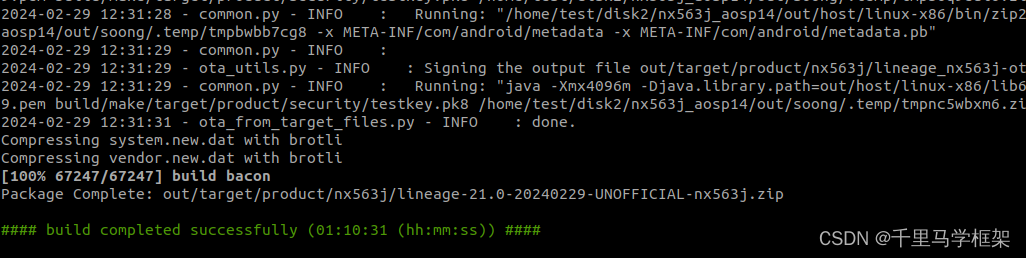
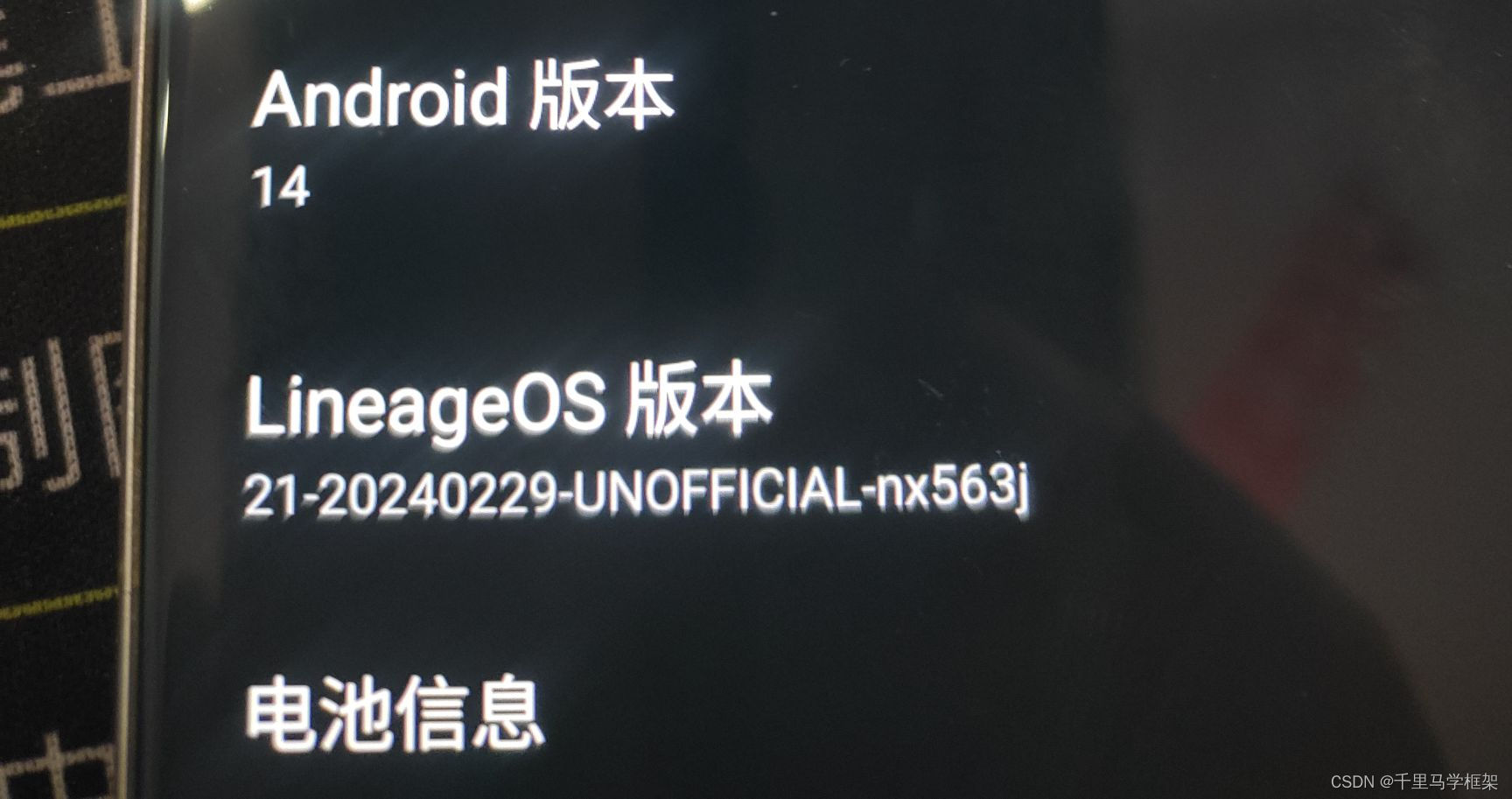
更多framework干货请关注“千里马学框架”
 1775


 扫一扫


 被折叠的 条评论
为什么被折叠?
 到【灌水乐园】发言


