


 作者在写logView项目时发现GitHub提供类似Maven仓库的packages,支持上传Maven Jar包。文中详细介绍了上传步骤,包括生成Personal access tokens、配置maven setting.xml、修改项目对应POM,最后到对应目录执行Maven命令,最终发布成功。
近期写logView项目发现gitHub也提供了类似maven仓库的packages,支持上传自己的maven jar 包,于是测试了一下。
1. 第一步生成自己的 Personal access tokens
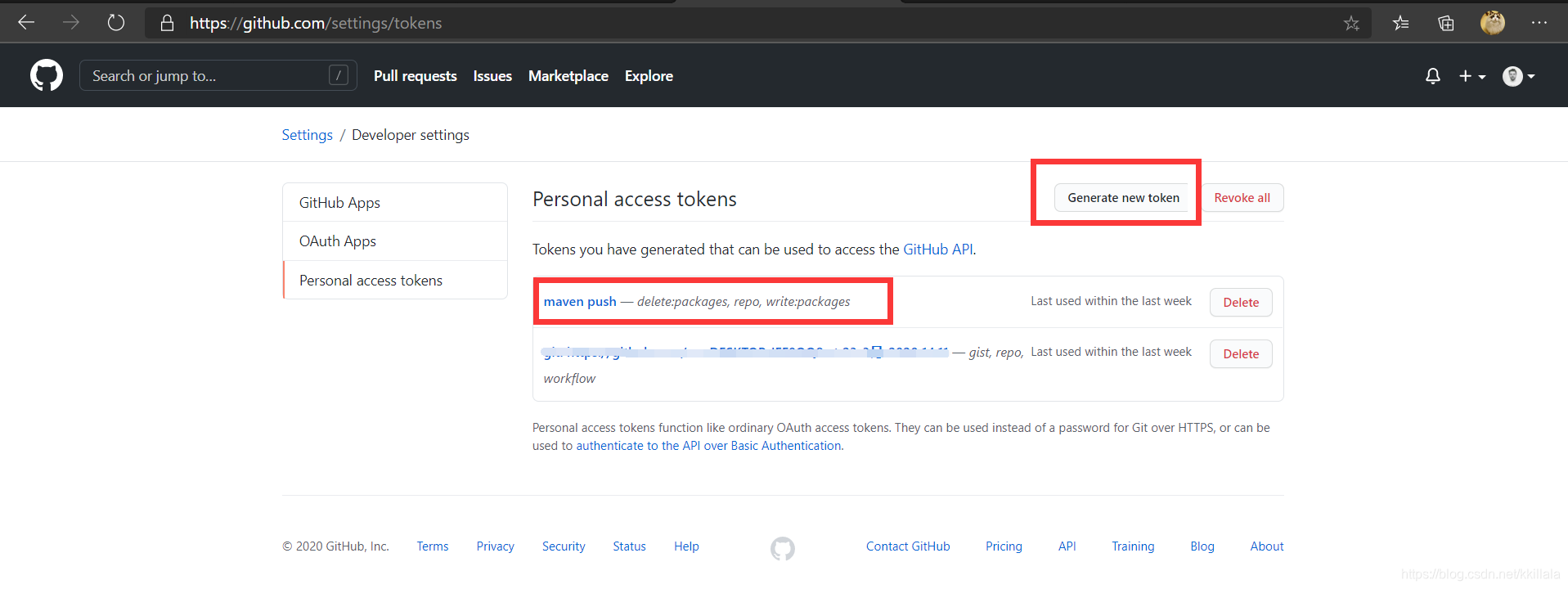
上传maven包都需要用户名密码来验证身份信息,这里github使用的是Personal access tokens而不是登录密码。具体生成方式如下:
- 点击gitHub头像 ,Settings / Developer settings / Personal access tokens / Generate new token 勾选对应的 packages edit & delete权限,其他权限看着勾。
然后记录下来生成的token 下面要用。
2. 配置maven setting.xml
<servers>
		<!-- github -->
		<server>
		  <id>github</id>
		  <username>github用户名</username>
		  <password>第一步生成的token</password>
		</server>
</servers>
<profiles>
		<profile>
		  <id>github</id>
		  <repositories>
			<repository>
			  <id>central</id>
			  <url>https://repo1.maven.org/maven2</url>
			  <releases><enabled>true</enabled></releases>
			  <snapshots><enabled>true</enabled></snapshots>
			</repository>
			<repository>
			  <!-- id需要与上面的server对应的id匹配 -->
			  <id>github</id>
			  <name>GitHub OWNER Apache Maven Packages</name>
			  <url>https://maven.pkg.github.com/github用户名/github项目名</url>
			</repository>
		  </repositories>
		</profile>
</profiles>
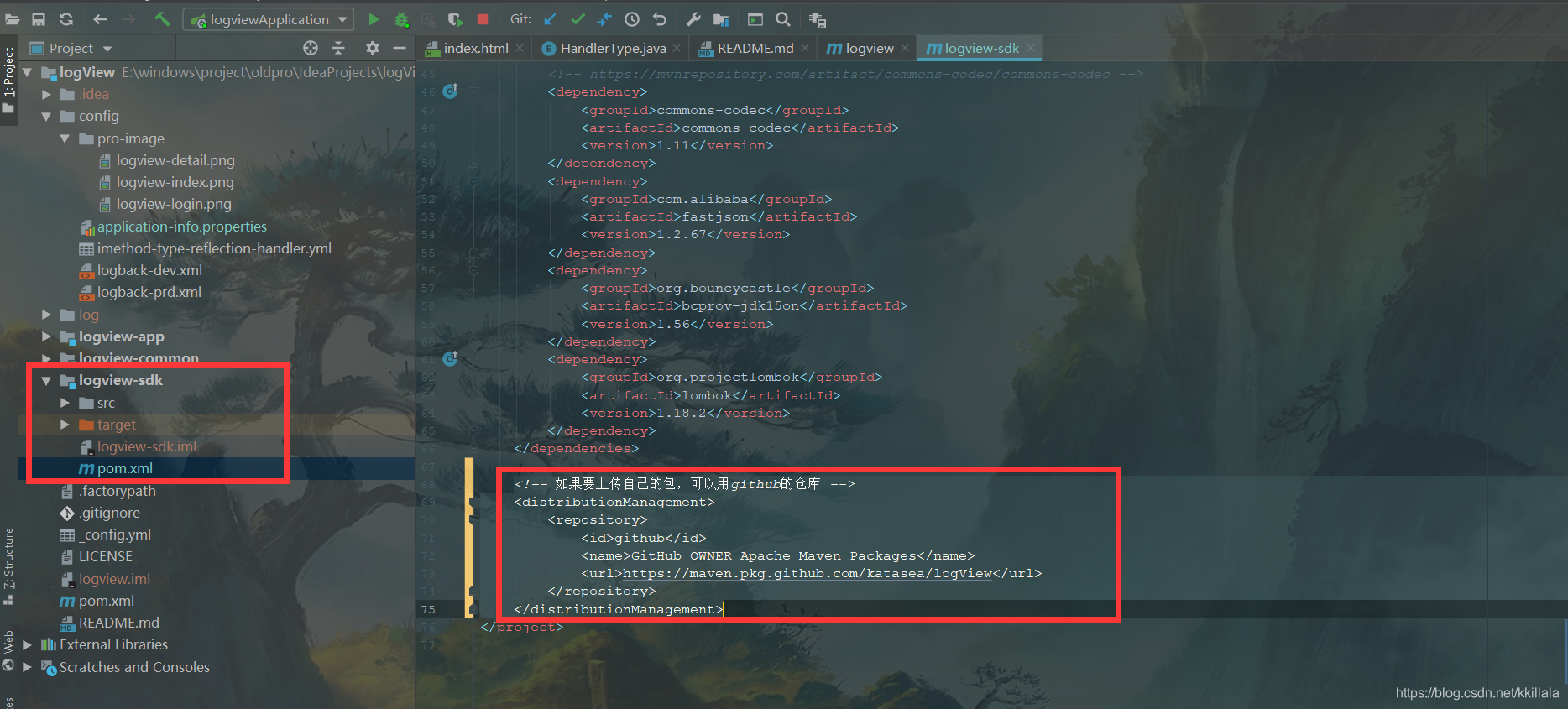
3. 修改项目对应POM
需要发布的module 对应的pom新增以下代码
<!-- 如果要上传自己的包,可以用github的仓库 -->
    <distributionManagement>
        <repository>
         <!-- id需要与上面的server对应的id匹配 -->
            <id>github</id>
            <name>GitHub OWNER Apache Maven Packages</name>
            <url>https://maven.pkg.github.com/github用户名/github项目名</url>
        </repository>
    </distributionManagement>
4. 到对应目录下执行maven命令
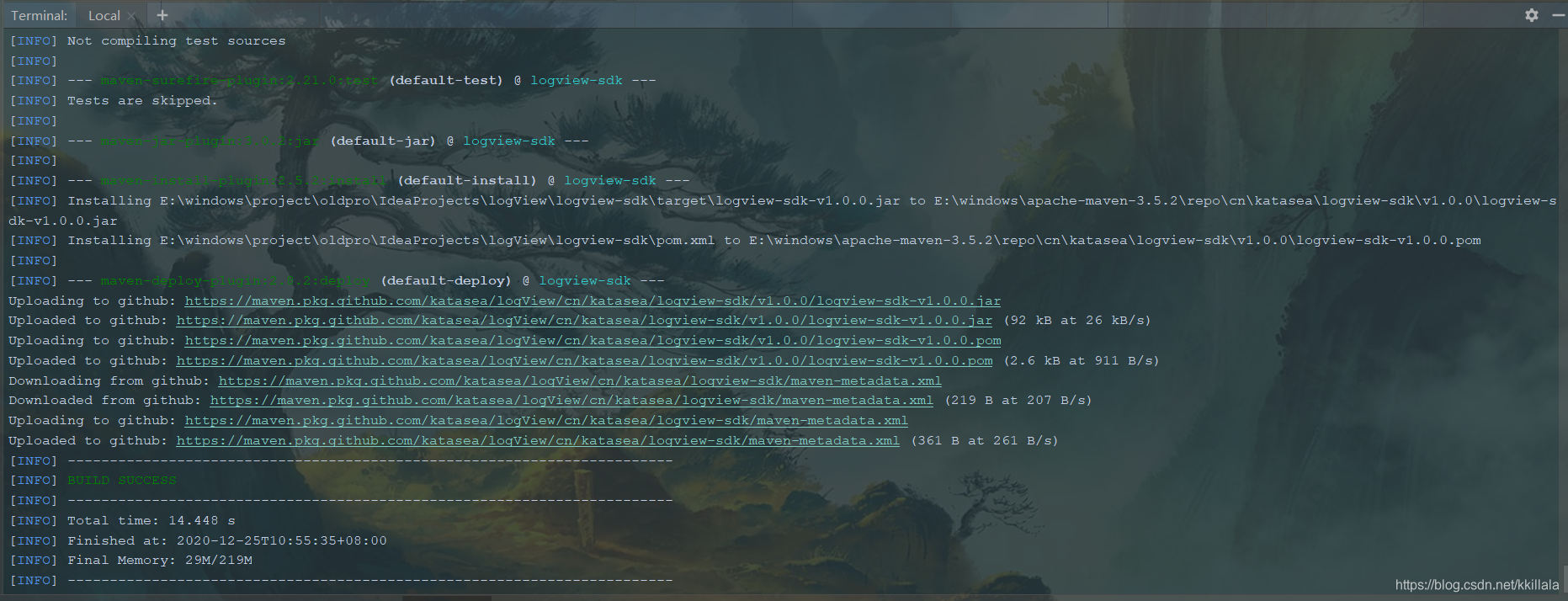
mvn deploy -Dmaven.test.skip=true
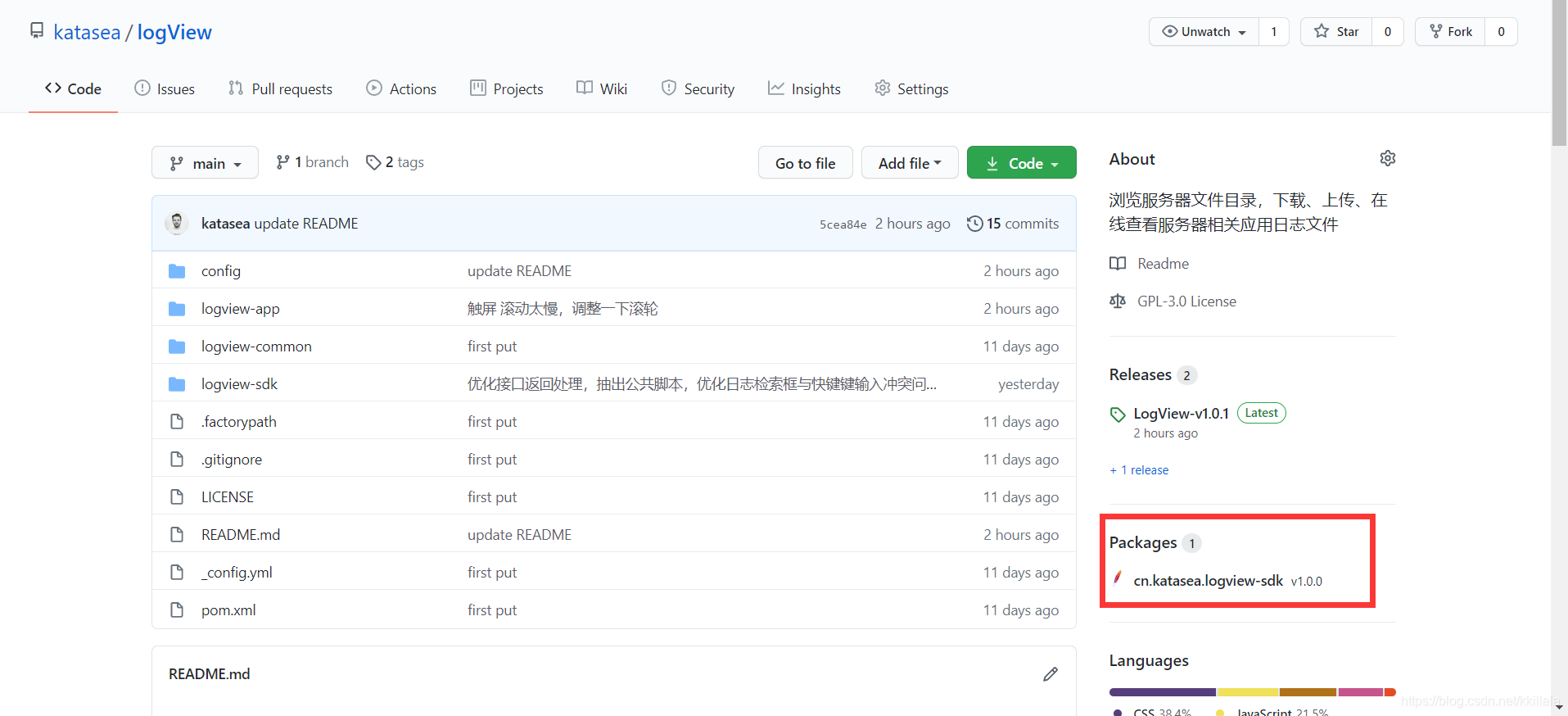
查看结果,发现发布成功!





 扫一扫
扫一扫


 206
206

 被折叠的 条评论
为什么被折叠?
被折叠的 条评论
为什么被折叠?
 到【灌水乐园】发言





