



 本文介绍了使用CSS3动画创建遮罩弹窗效果,包括弹窗从上方渐快落下、渐慢升起的动画,并在特定高度显示小球。通过animation-timing-function模拟物理效果,但仍有优化空间,如简化代码和增强小球的视觉效果。目前遇到的问题是如何用JavaScript精确控制动画和小球的变化。
思路
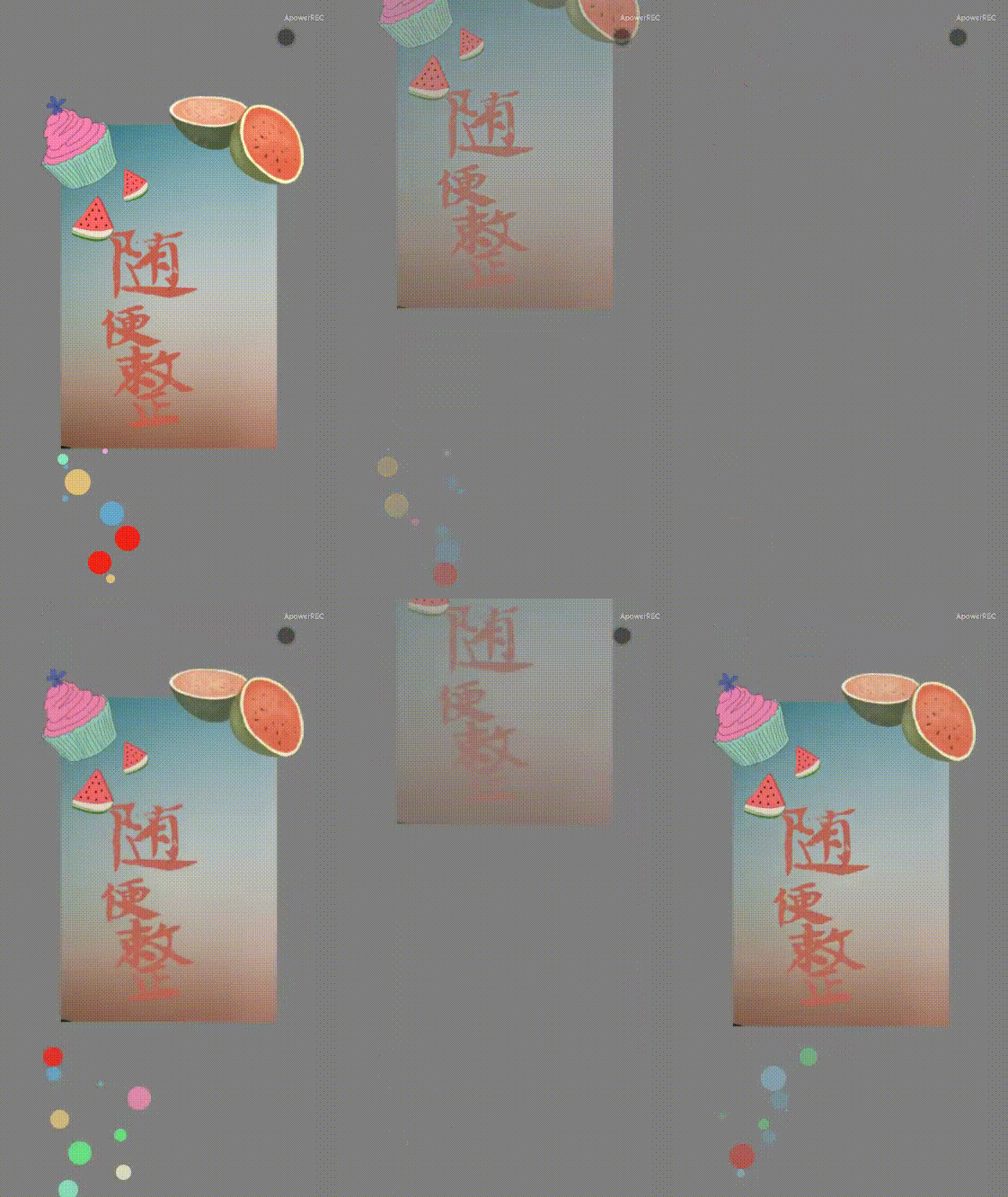
动画描述:
- 点击灰色背景弹出遮罩与弹窗
- 弹窗渐快落下,渐慢升起,来回四个回合,同时升起距离模仿能量流失慢慢减少
- 每次弹窗落至同样的高度时小球渐显,弹窗上升时小球渐隐
效果
代码
<template>
    <div class="container" @click="triggerAnimation">
        <img
        v-show="topStepInFlag"
        :class="['content', `content--${originDirection}`]" src="../assets/shu.png" alt="">
        <div style="margin-left: 12vw;">
            <div v-for="(item, index) in circleList" :key="index">
                <div
                :class="['circle', 'circle--show']"
                :style="{'position': 'relative',
                'background-color': item.color,
                top: '10.6vh',
                left: item.left,
                width: item.size,
                height: item.size,
                opacity: item.opacity,
                'border-radius': '50%'}"></div>
            </div>
        </div>
    </div>
</template>
备注:
originDirection这个变量有外部传入可以控制弹窗出现方向,这里用默认的从上面划出
<script>
export default {
    name: "circleDown",
    props: {
        originDirection: {
            type: String,
            default: 'topStepIn'
            // topStepIn rightStepIn leftStepIn bottomStepIn
        }
    },
    data() {
        return {
            // 背景
            topStepInFlag: false,
            // 圆圈
            currentColor: '',
            colorsList: ['#ebe8c5', '#88e9bd','#66a8cc', '#8dcef1','#f1a1e0', '#f32319','#6ca8bf','#e2bf79', '#62ed80','#ef87b2', '#eb7036'],
            circleList: []
        }
    },
    methods: {
        triggerAnimation() {
            this.topStepInFlag = !this.topStepInFlag
            this.circleList = []
            // 10个球10个颜色10个位置
            if (this.topStepInFlag) {
                for(let i=0; i<10; i++) {
                    let obj = {}
                    obj.color = this.colorsList[Math.floor(Math.random()*10)]
                    obj.size = Math.floor(Math.random()*10*3)+'px'
                    obj.top = Math.floor(Math.random()*10)+'px'
                    obj.left = Math.floor(Math.random()*10*10)+'px'
                    obj.opacity = Math.random()
                    this.circleList.push(obj)
                }
            }
        }
    }
};
</script>
备注:
要做出逼真的效果还是需要依赖一些物理公式的,比如弹窗下落弹起的距离时间,这里没有用物理公式,直接粗略地使用了动画的 animation-timing-function 属性模仿上升过程速度减小,下落过程速度增大的效果。
<style scoped>
/* 圆圈 */
.circle--show {
    /* 下 上 下 上 下 上 下 */
    animation: topCircle1 0.9s ease-in 0s 1 normal forwards,
    topCircle2 0.7s ease-out 0.9s 1 normal forwards,
    topCircle3 0.6s ease-in 1.7s 1 normal forwards,
    topCircle4 0.4s ease-out 2.3s 1 normal forwards,
    topCircle5 0.3s ease-in 2.7s 1 normal forwards,
    topCircle6 0.2s ease-out 3s 1 normal forwards,
    topCircle7 0.1s ease-in 3.2s 1 normal forwards;
}
@keyframes topCircle1 {
    0% { opacity: 0; }
    100% { opacity: 0; }
}
@keyframes topCircle2 {
    0% { opacity: 1; }
    100% { opacity: 0; }
}
@keyframes topCircle3 {
    0% { opacity: 0; }
    100% { opacity: 1; }
}
@keyframes topCircle4 {
    0% { opacity: 1; }
    100% { opacity: 0; }
}
@keyframes topCircle5 {
    0% { opacity: 0; }
    100% { opacity: 1; }
}
@keyframes topCircle6 {
    0% { opacity: 1; }
    100% { opacity: 0; }
}
@keyframes topCircle7 {
    0% { opacity: 0; }
    100% { opacity: 1; }
}
/* 背景 */
.container {
    height: 100vh;
    background-color: rgba(0, 0, 0, 0.1);
    text-align: center;
    animation: topStepInBac 0.9s linear 0s 1 normal forwards;
    overflow: hidden;
}
@keyframes topStepInBac {
    0% { background-color: rgba(0, 0, 0, 0.1); }
    100% { background-color: rgba(0, 0, 0, 0.5); }
}
.content {
    position:relative;
    width: 80vw;
}
.content--topStepIn {
    animation: topStepIn1 0.9s ease-in 0s 1 normal forwards,
    topStepIn2 0.7s ease-out 0.9s 1 normal forwards,
    topStepIn3 0.6s ease-in 1.7s 1 normal forwards,
    topStepIn4 0.4s ease-out 2.3s 1 normal forwards,
    topStepIn5 0.3s ease-in 2.7s 1 normal forwards,
    topStepIn6 0.2s ease-out 3s 1 normal forwards,
    topStepIn7 0.1s ease-in 3.2s 1 normal forwards;
}
@keyframes topStepIn1 {
    0% { opacity: 0.1; top: -40vh; }
    100% { opacity: 1; top: 16vh; }
}
@keyframes topStepIn2 {
    0% { opacity: 1; top: 16vh; }
    100% { opacity: 0.3; top: -16vh; }
}
@keyframes topStepIn3 {
    0% { opacity: 0.3; top: -16h; }
    100% { opacity: 1; top: 16vh; }
}
@keyframes topStepIn4 {
    0% { opacity: 1; top: 16vh; }
    100% { opacity: 0.5; top: -2vh; }
}
@keyframes topStepIn5 {
    0% { opacity: 0.5; top: -2vh; }
    100% { opacity: 1; top: 16vh; }
}
@keyframes topStepIn6 {
    0% { opacity: 1; top: 16vh; }
    100% { opacity: 0.7; top: 10vh; }
}
@keyframes topStepIn7 {
    0% { opacity: 0.7; top: 10vh; }
    100% { opacity: 1; top: 16vh; }
}
</style>
问题
- 可以明显地看到还是有很多应该可以缩减的代码的,但是试了一下js控制animation的样式,没有起作用
- 小球的效果还是有点突兀,可以换成飞溅的火星或者将小球的样式调整地规范一些,比如有弹窗触地,小球飞出,同时大小变小,透明度变小,等下一次弹窗触地,在有小球溅出这样
- 还得研究一下js控制animation,拿到小球变化的初始参数






 扫一扫
扫一扫


 1101
1101

 被折叠的 条评论
为什么被折叠?
被折叠的 条评论
为什么被折叠?
 到【灌水乐园】发言





