



1、下载poky源代码
git clone git://git.yoctoproject.org/poky
cd poky/
git checkout -t origin/scarthgap -b scarthgap
Yocto的origin/scarthgap分支是Yocto Project 5.0 LTS(长期支持)版本的核心分支,其功能聚焦于嵌入式Linux系统的定制化构建与长期稳定性,主要特性包括内核升级、安全加固、开发工具链优化及对现代硬件平台的支持。
2、初始化OpenEmbedded构建环境
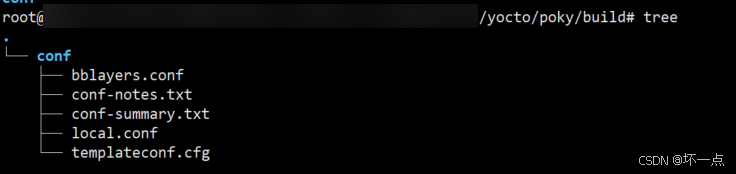
yocto/poky# source oe-init-build-env
You had no conf/local.conf file. This configuration file has therefore been
created for you from /srv/git/learn/yocto/poky/meta-poky/conf/templates/default/local.conf.sample
You may wish to edit it to, for example, select a different MACHINE (target
hardware).

You had no conf/bblayers.conf file. This configuration file has therefore been
created for you from /srv/git/learn/yocto/poky/meta-poky/conf/templates/default/bblayers.conf.sample
To add additional metadata layers into your configuration please add entries
to conf/bblayers.conf.

The Yocto Project has extensive documentation about OE including a reference
manual which can be found at:
    https://docs.yoctoproject.org

For more information about OpenEmbedded see the website:
    https://www.openembedded.org/

This is the default build configuration for the Poky reference distribution.

### Shell environment set up for builds. ###

You can now run 'bitbake <target>'

Common targets are:
    core-image-minimal
    core-image-full-cmdline
    core-image-sato
    core-image-weston
    meta-toolchain
    meta-ide-support

You can also run generated qemu images with a command like 'runqemu qemux86-64'.

Other commonly useful commands are:
 - 'devtool' and 'recipetool' handle common recipe tasks
 - 'bitbake-layers' handles common layer tasks
 - 'oe-pkgdata-util' handles common target package tasks
3、构建镜像
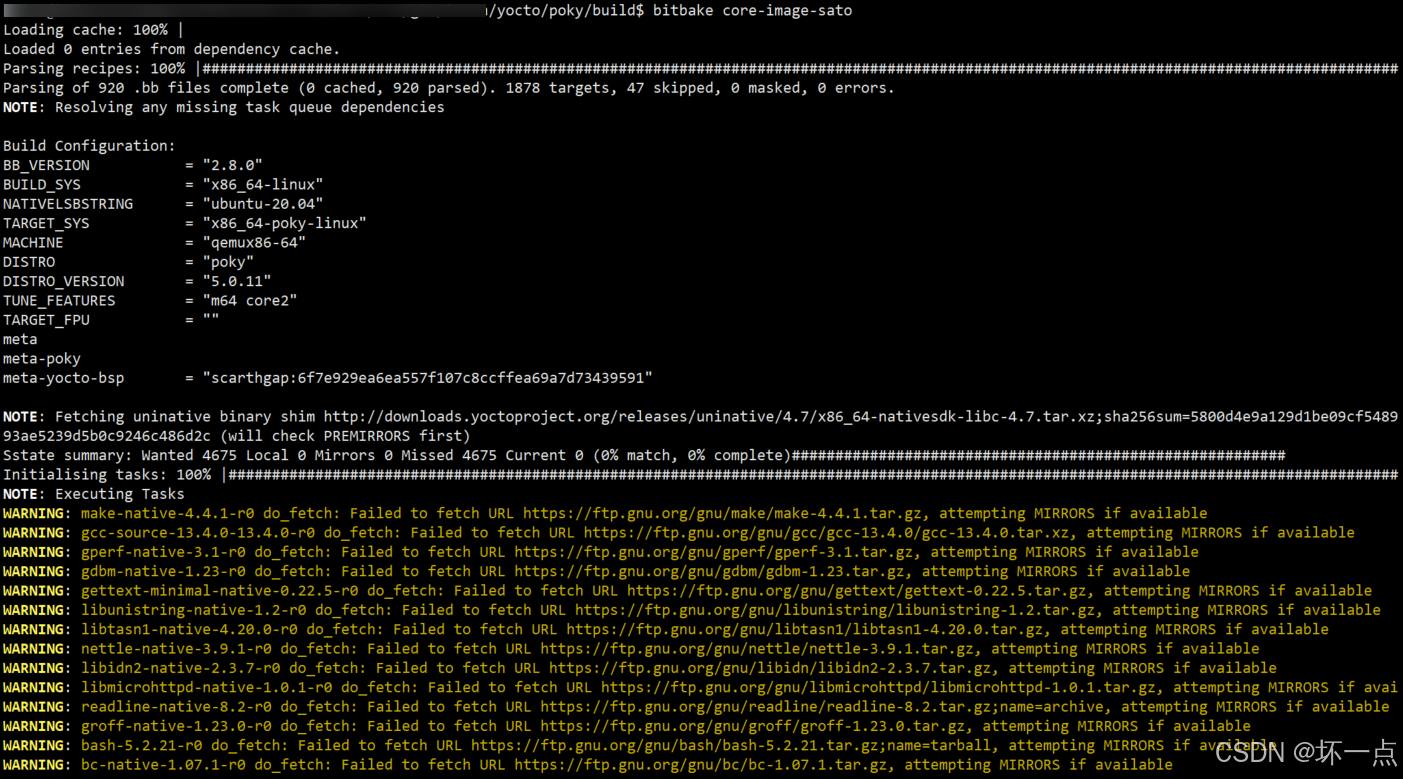
bitbake core-image-sato
报错:
ERROR: OE-core's config sanity checker detected a potential misconfiguration.
Either fix the cause of this error or at your own risk disable the checker (see sanity.conf).
Following is the list of potential problems / advisories:Do not use Bitbake as root.
Summary: There was 1 ERROR message, returning a non-zero exit code.
这个错误信息表明你在使用 BitBake(Yocto 的构建工具)时以 root 用户身份运行,而 Yocto 的配置检查器(sanity checker)检测到这一潜在问题,并拒绝继续构建。执行:
sudo chown -R 普通用户名:普通用户名 yocto/poky/
重新执行:source oe-init-build-en
重新执行:bitbake core-image-sato
解决
4、QEMU启动镜像
build$ runqemu qemux86-64
runqemu - INFO - Running MACHINE=qemux86-64 bitbake -e ...
runqemu - INFO - Continuing with the following parameters:
KERNEL: [/yocto/poky/build/tmp/deploy/images/qemux86-64/bzImage]
MACHINE: [qemux86-64]
FSTYPE: [ext4]
ROOTFS: [/yocto/poky/build/tmp/deploy/images/qemux86-64/core-image-sato-qemux86-64.rootfs-20250819131243.ext4]
CONFFILE: [/yocto/poky/build/tmp/deploy/images/qemux86-64/core-image-sato-qemux86-64.rootfs-20250819131243.qemuboot.conf]runqemu - INFO - Setting up tap interface under sudo
runqemu - INFO - Network configuration: ip=192.168.7.2::192.168.7.1:255.255.255.0::eth0:off:8.8.8.8 net.ifnames=0
runqemu - INFO - Running /yocto/poky/build/tmp/work/x86_64-linux/qemu-helper-native/1.0/recipe-sysroot-native/usr/bin/qemu-system-x86_64 -device virtio-net-pci,netdev=net0,mac=52:54:00:12:34:02 -netdev tap,id=net0,ifname=tap0,script=no,downscript=no -object rng-random,filename=/dev/urandom,id=rng0 -device virtio-rng-pci,rng=rng0 -drive file=/yocto/poky/build/tmp/deploy/images/qemux86-64/core-image-sato-qemux86-64.rootfs-20250819131243.ext4,if=virtio,format=raw -usb -device usb-tablet -usb -device usb-kbd -cpu IvyBridge -machine q35,i8042=off -smp 4 -m 512 -serial mon:vc -serial null -device virtio-vga -display sdl,show-cursor=on -kernel /yocto/poky/build/tmp/deploy/images/qemux86-64/bzImage -append 'root=/dev/vda rw ip=192.168.7.2::192.168.7.1:255.255.255.0::eth0:off:8.8.8.8 net.ifnames=0 oprofile.timer=1 tsc=reliable no_timer_check rcupdate.rcu_expedited=1 swiotlb=0 'runqemu - INFO - Host uptime: 1452038.43
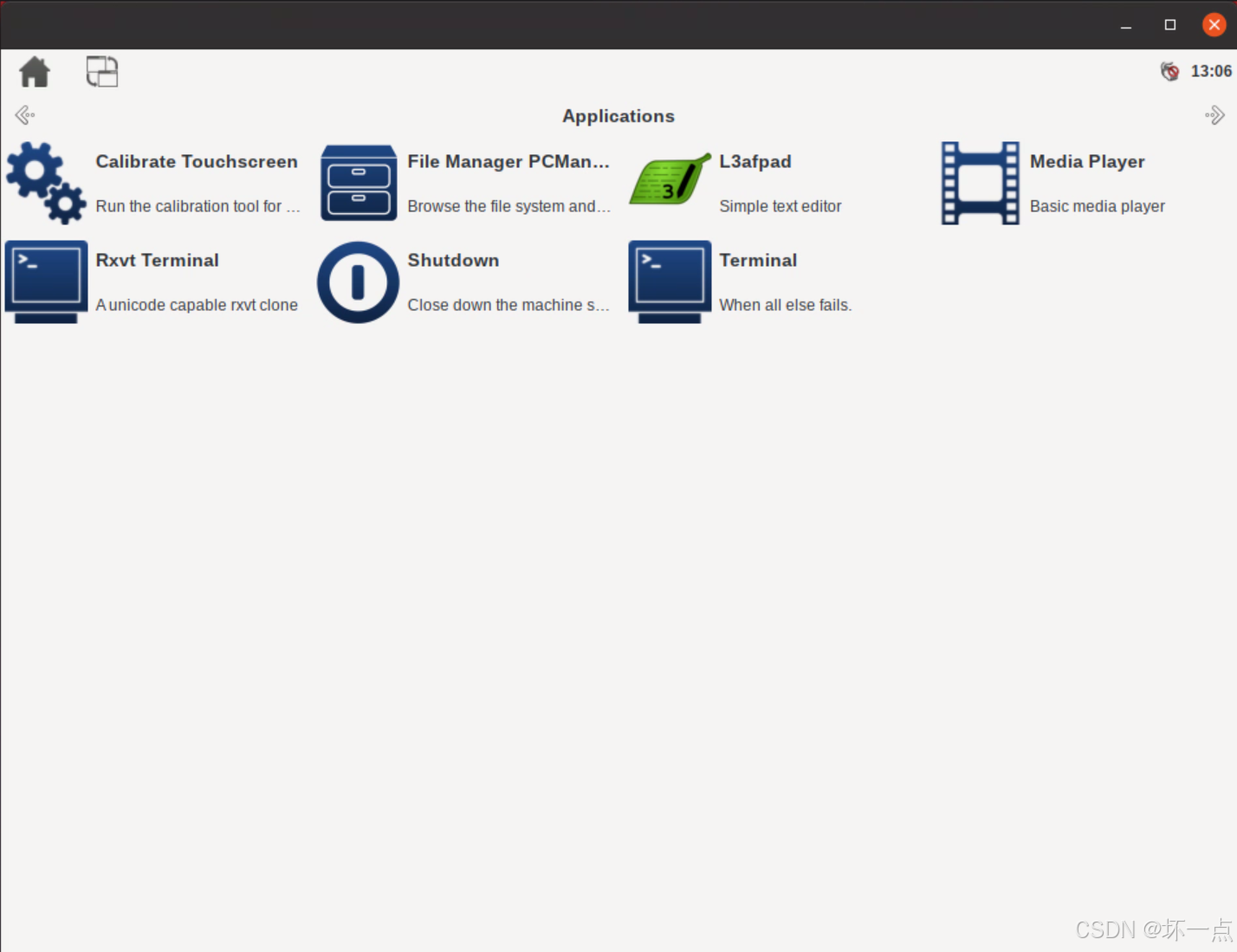
输出图形界面:






 扫一扫
扫一扫


 659
659

 被折叠的 条评论
为什么被折叠?
被折叠的 条评论
为什么被折叠?
 到【灌水乐园】发言





