


今天我们来分享一个专门用来给 Flux.1 模型增强胶片质感的 Lora,使用以后,人像更真实,光影更细腻,也对亚洲人脸更友好。
好了,话不多说,我们直接开整。
直接来看效果,模型听雨会放在文末的网盘里,需要的小伙伴自取。
提示词:A simple and unforgettable portrait depicts a lonely girl captured in intimate moments. The focus is on this theme: a young woman with expressive eyes who can tell a thousand stories. This photo highlights the complex details of her facial features and clothing, including the soft curves on her face, delicate facial expressions, and subtle textures of her clothes. This portrait conveys a feeling of fragility, curiosity, and even melancholy, depending on how the artist chooses to depict the girl's emotions. Although this photo is simple, it invites viewers to delve into the depths of the subject's soul, establish connections, and explore their own feelings. Film, film grain, and reverse photography
左边是不使用 Lora 的效果,默认就是欧美人的形象,右边是使用了 Lora 的效果,默认是偏向亚洲人脸的。
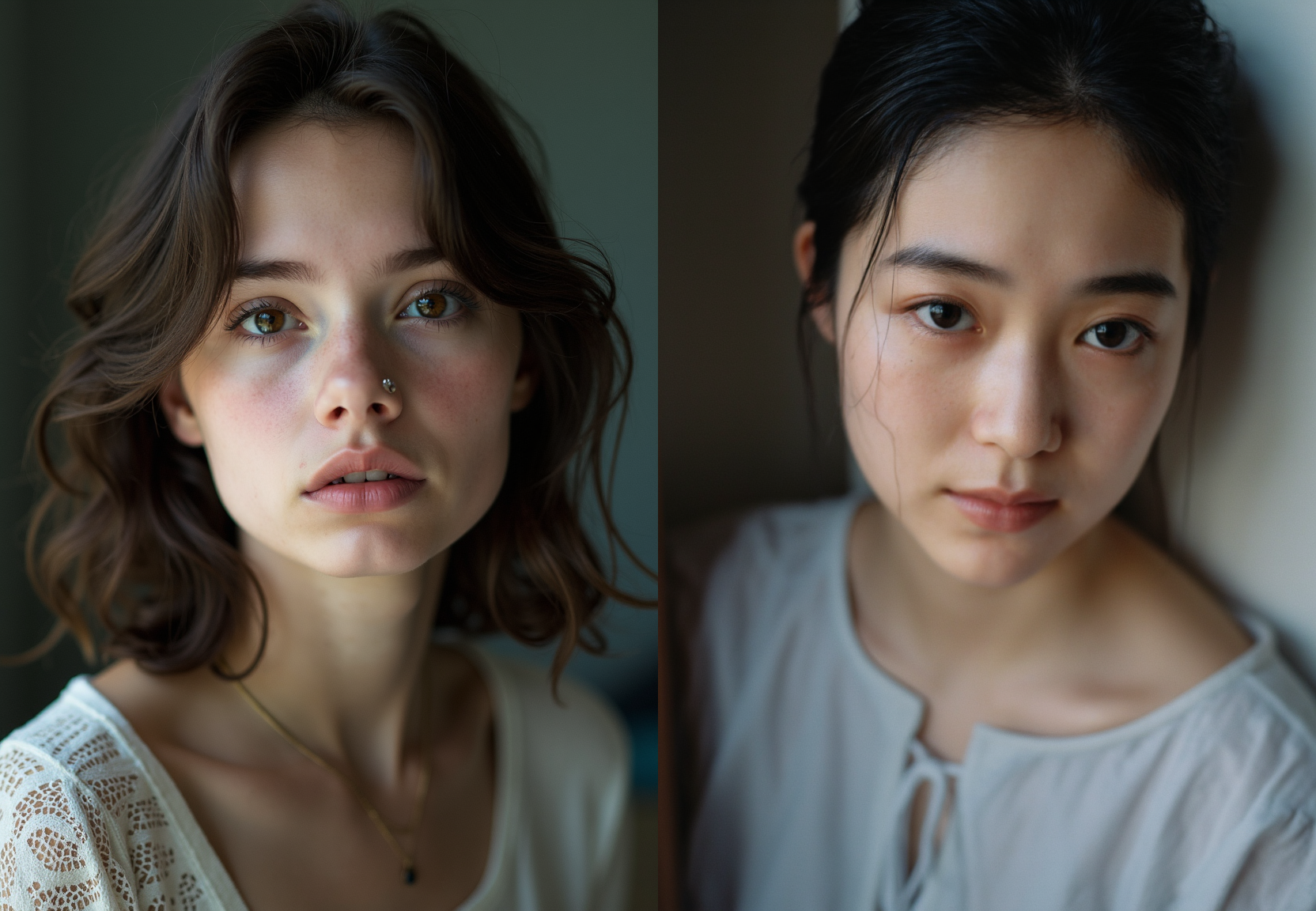
提示词:A memorable movie photo taken by Antoine Verney Carron captures a young Asian woman with charming curves, making her a masterpiece. Shot on Fujicolor C200 film using side lighting and a 50mm lens, the image showcases ultra fine quality shadows and stunning realistic details, taking
 最低0.47元/天 解锁文章






 扫一扫
扫一扫


 1818
1818

 被折叠的 条评论
为什么被折叠?
被折叠的 条评论
为什么被折叠?
 到【灌水乐园】发言





