 Eclipse部署Tomcat超时解决方案


 本文介绍了解决在Eclipse中部署Tomcat时遇到的超时问题,通过调整服务器启动时间设置,轻松解决Apache Tomcat v7.0在本地无法在45秒内启动的问题。
有时候在eclipse部署工程的时候,会出现
Server Apache Tomcat v7.0 at localhost was unable to start within 45 seconds. If the server requires more time, try increasing the timeout in the server editor.
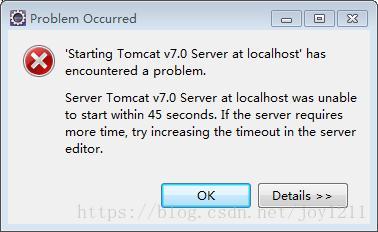
也就是服务器Apache Tomcat v7.0在本地无法在45秒内启动。如果服务器需要更多的时间,请尝试在服务器编辑器中增加超时.
就是提醒你可以自定义服务器启动时间来解决这个问题

双击tomcat,
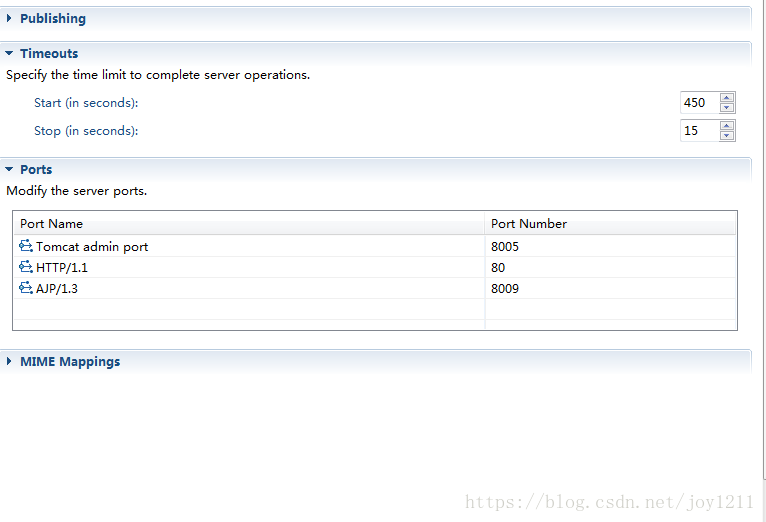
点击timeouts,将start(in seconds)改成>45即可。so easy!!





 扫一扫
扫一扫


 被折叠的 条评论
为什么被折叠?
被折叠的 条评论
为什么被折叠?
 到【灌水乐园】发言





