



 这篇文章指导用户如何操作IntelliJIDEA,通过选择文件菜单,然后无效化缓存并重启,以更新项目状态。在执行此操作前,用户应确保已保存所有更改,以免丢失未保存的工作。
1. Open IntelliJ IDEA
2. Select the File menu
3. Select the Invalidate Caches / Restart... menu.
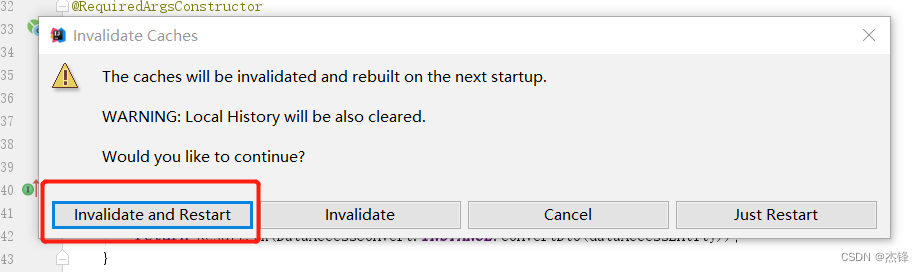
4. Once selected you get a pop-up with a bunch of options.Select Invalidate and Restartand before doing that make sure you saved all your changes else it might delete some unsaved changes.





 扫一扫
扫一扫


 2万+
2万+

 被折叠的 条评论
为什么被折叠?
被折叠的 条评论
为什么被折叠?
 到【灌水乐园】发言





