


 这是一个使用JavaFX编写的工具类,具备空间数据处理、文件处理、网络测试等功能。包括EsriJson转GeoJson、PostGIS数据导入导出、Shp文件投影转换、文件分割与合并、文件转PDF、Redis及数据库连接测试等操作。用户界面通过FXML布局,实现了文件选择、参数输入等交互,并提供了相应的处理按钮。
使用JavaFX写的一个简单的工具类,可以处理一些简单的文件切割、合并、PDF转换;redis、数据库连接测试。shp文件投影、shp文件入库及导入导出操作。如涉及矢量数据操作,需要安装gdal环境。工具包已上转,资源地址https://download.youkuaiyun.com/download/jackspring2010/12926646
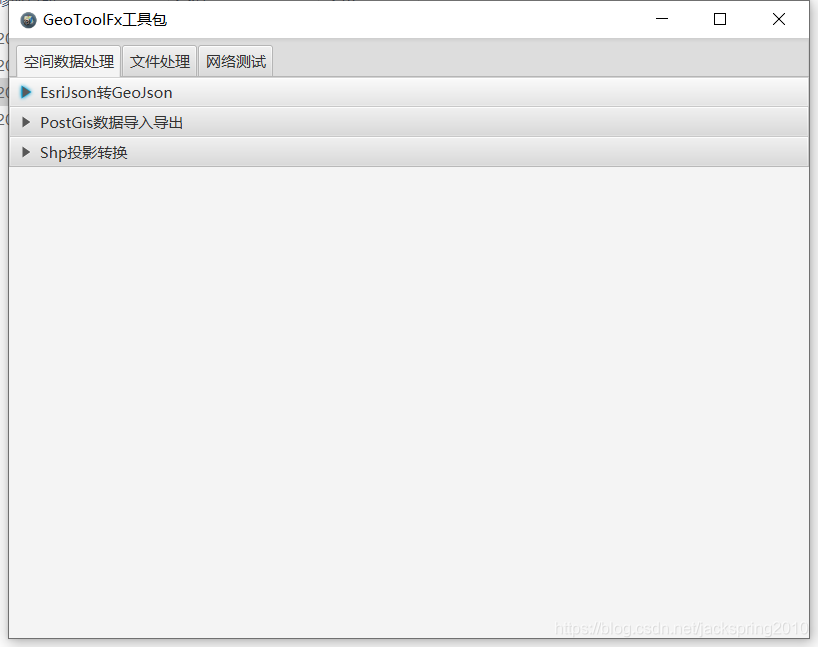
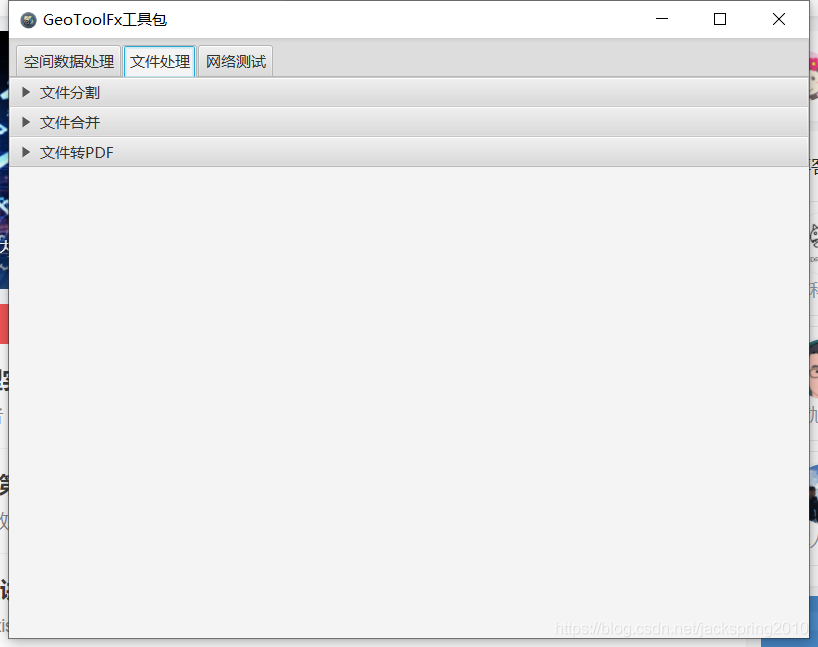
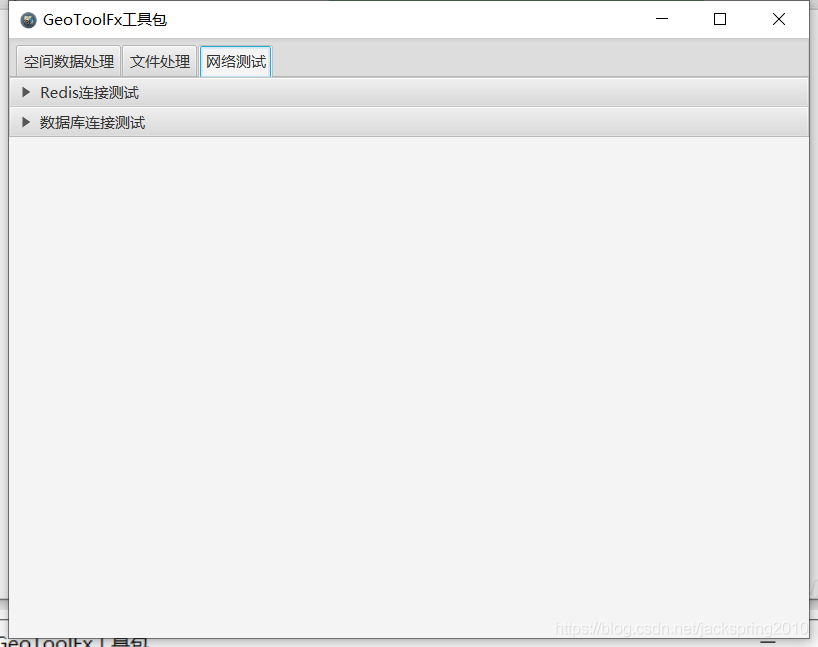
主要代码如下:
一、 FXML文件
<?xml version="1.0" encoding="UTF-8"?>

<?import java.lang.*?>
<?import javafx.collections.*?>
<?import javafx.scene.text.*?>
<?import javafx.scene.layout.*?>
<?import javafx.scene.control.*?>
<?import javafx.collections.FXCollections?>
<?import java.lang.String?>

<TabPane maxHeight="-Infinity" maxWidth="-Infinity" minHeight="-Infinity" minWidth="-Infinity" prefHeight="600.0" prefWidth="800.0" tabClosingPolicy="UNAVAILABLE" xmlns="http://javafx.com/javafx/8" xmlns:fx="http://javafx.com/fxml/1" fx:controller="cn.piesat.java.AppController">
    <tabs>
        <Tab text="空间数据处理">
            <content>
                <Accordion>
                    <panes>
                        <TitledPane animated="false" text="EsriJson转GeoJson">
                            <content>
                                <AnchorPane minHeight="0.0" minWidth="0.0" prefHeight="180.0" prefWidth="200.0">
                                    <children>
                                        <Label layoutX="28.0" layoutY="31.0" text="请选择json文件" />
                                        <TextField fx:id="jsonFile" disable="true" editable="false" layoutX="163.0" layoutY="26.0" prefHeight="30.0" prefWidth="487.0" promptText="请选择Json文件路径" />
                                        <Button layoutX="661.0" layoutY="26.0" mnemonicParsing="false" onAction="#handleGeoJSONSelectAction" text="选择" />
                                        <Button layoutX="726.0" layoutY="26.0" mnemonicParsing="false" onAction="#handleGeoJSONTransformAction" text="转换" />
                                    </children>
                                </AnchorPane>
                            </content>
                        </TitledPane>
                        <TitledPane animated="false" text="PostGis数据导入导出">
                            <content>
                                <AnchorPane minHeight="0.0" minWidth="0.0" prefHeight="180.0" prefWidth="200.0">
                                    <children>
                                        <Label layoutX="546.0" layoutY="45.0" text="PostGreSQL参数配置">
                                            <font><Font size="18.0" /></font>
                                        </Label>
                                        <Label layoutX="494.0" layoutY="117.0" text="地址" />
                                        <TextField fx:id="postIp" layoutX="560.0" layoutY="112.0" promptText="请输入数据库地址" text="127.0.0.1" />
                                        <Label layoutX="494.0" layoutY="167.0" text="端口" />
                                        <TextField fx:id="postPort" layoutX="560.0" layoutY="162.0" promptText="请输入数据库端口" text="5432" />
                                        <Label layoutX="494.0" layoutY="217.0" text="用户名" />
                                        <TextField fx:id="postUsername" layoutX="560.0" layoutY="214.0" promptText="请输入数据库用户名" text="postgres" />
                                        <Label layoutX="494.0" layoutY="267.0" text="密码" />
                                        <TextField fx:id="postPassword" layoutX="560.0" layoutY="267.0" promptText="请输入数据库用密码" />
                                        <Label layoutX="494.0" layoutY="317.0" text="数据库" />
                                        <TextField fx:id="postDatabase" layoutX="560.0" layoutY="317.0" promptText="请输入数据库名称" />
                                        <Separator layoutX="472.0" orientation="VERTICAL" prefHeight="452.0" prefWidth="0.0" />
                                        <Label layoutX="30.0" layoutY="76.0" text="请选择Shp文件" />
                                        <TextField fx:id="postShpFile" disable="true" editable="false" layoutX="157.0" layoutY="71.0" />
                                        <Button layoutX="386.0" layoutY="71.0" mnemonicParsing="false" onAction="#handleShpFileSelect" text="选择" />
                                        <Label layoutX="30.0" layoutY="115.0" text="请输入新建表名称" />
                                        <TextField fx:id="postImportTable" layoutX="157.0" layoutY="110.0" />
                                        <Label layoutX="30.0" layoutY="158.0" text="请选择EPSG编号" />
                                        <ChoiceBox fx:id="postImportShpEpsg" layoutX="157.0" layoutY="153.0" prefWidth="200.0">
                                            <items>
                                                <FXCollections fx:factory="observableArrayList">
                                                    <String fx:value="4326" />
                                                    <String fx:value="3857" />
                                                    <String fx:value="4490" />
                                                    <String fx:value="4524" />
                                                </FXCollections>
                                            </items>
                                        </ChoiceBox>
                                        <Label layoutX="14.0" layoutY="21.0" text="数据导入" wrapText="true">
                                            <font><Font size="18.0" /></font>
                                        </Label>
                                        <Button layoutX="215.0" layoutY="199.0" mnemonicParsing="false" onAction="#handleShpFileImport" text="导入" />
                                        <Label layoutX="14.0" layoutY="240.0" text="数据导出" wrapText="true">
                                            <font><Font size="18.0" /></font>
                                        </Label>
                                        <Label layoutX="30.0" layoutY="280.0" text="请输入导出表名称" />
                                        <TextField fx:id="postExportTable" layoutX="164.0" layoutY="280.0" />
                                        <Label layoutX="30.0" layoutY="320.0" text="请选择EPSG编号" />
                                        <ChoiceBox fx:id="postExportShpEpsg" layoutX="164.0" layoutY="320.0" prefWidth="200.0">
                                            <items>
                                                <FXCollections fx:factory="observableArrayList">
                                                    <String fx:value="4326" />
                                                    <String fx:value="3857" />
                                                    <String fx:value="4490" />
                                                    <String fx:value="4524" />
                                                </FXCollections>
                                            </items>
                                        </ChoiceBox>
                                        <Label layoutX="30.0" layoutY="360.0" text="请选择Shp文件" />
                                        <TextField fx:id="postShpDir" disable="true" editable="false" layoutX="163.0" layoutY="360.0" />
                                        <Button layoutX="386.0" layoutY="360.0" mnemonicParsing="false" onAction="#handleShpExportDirSelect" text="选择" />
                                        <Button layoutX="215.0" layoutY="400.0" mnemonicParsing="false" onAction="#handleShpFileExport" t
 最低0.47元/天 解锁文章






 扫一扫
扫一扫


 2392
2392

 被折叠的 条评论
为什么被折叠?
被折叠的 条评论
为什么被折叠?
 到【灌水乐园】发言





