iphone5s拆机方法图解-多图
独家:iphone5s拆机方法图解--共37图
Step 1 — iPhone 5s Teardown
•
[size=1em]An iPhone release means a trip to the future—the iFixit teardown crew has traveled 17 hours forward in time to get the iPhone 5s early.
•
[size=1em]We want to send out a big thanks to our good friends at MacFixit Australia for letting us use their office in Melbourne for the teardown. They stock Mac and iPhone upgrades/accessories, and also carry ouriFixit toolkits.
o
[size=1em]To cover all our bases, we confirmed with our best linguists that the 5s upside-down is still the 5s.
•
[size=1em]Speaking of toolkits, for this teardown, we'll be using iFixit's brand-new Pro Tech Screwdriver Set.
Step 2
•
[size=1em]As we ready ourselves to delve into the delightful innards of the 5s, let's check out some of its tech specs:
o
[size=1em]Apple A7 processor with 64-bit architecture
o
[size=1em]M7 motion co-processor
o
[size=1em]16, 32, or 64 GB Storage
o
[size=1em]4-inch retina display with 326 ppi
o
[size=1em]8 MP iSight camera (with larger 1.5μ pixels) and a 1.2MP FaceTime camera.
o
[size=1em]Fingerprint identity sensor built into the home button
o
[size=1em]Available in three different colors: space gray, silver, and gooooooold (or as we call them, Not-at-all-the-Color-of-Space, Second Place Medal, and Bling!).
Step 3
•
[size=1em]Apple continues the everlasting trend of locking users out with pentalobular screws. Luckily, we came prepared. We whip out our trusty iPhone 5 Liberation Kit, and to our pleasant surprise, it works!
•
[size=1em]Unfortunately, we are ill-equipped in the color department, as we only have silver and black replacement Phillips screws.
o
[size=1em]We are currently involved in heavy lobbying to our product designers to create 14k gold replacement screws. They'll be $50 each and strip the first time you try to unscrew them, so they will be perfect for the iPhone. Stay posted.
•
[size=1em]With our iPhone 5s sufficiently liberated, it reminds us of another polka-dotted iPhone teardown coming in the near future…
Step 4
•
[size=1em]We're done screwing around; it's time to get this baby open! Just like last year, we enlist the help of a suction cup to free the display assembly from the rear casing.
•
[size=1em]Unlike last year, we make use of some gentle spudgering, just in case…
Step 5
•
[size=1em]Our careful spudgering paid off. At the bottom of the phone, a cable connects the Touch ID sensor in the home button to the Lightning port assembly.
o
[size=1em]This adds a small element of danger to disassembly, as pulling too hard on the suction cup could cause accidental damage to the cable.
•
[size=1em]We survive this first booby trap and swiftly disconnect the Touch ID cable connector with the help of a spudger.
•
[size=1em]Alas, our first peek at the internal layout of the 5s. Comparing it to the iPhone 5, we spot very few differences, the main one being the lack of a battery removal pull-tab.
Step 6
•
[size=1em]With our favorite screwdriver set, we remove a few metal connector covers and embark on the epic battle of battery removal.
•
[size=1em]The missing battery pull-tab, though seemingly innocuous, indicates a bigger problem for battery repair: glue.
•
[size=1em]Perhaps the "s" in 5s stands for "stuck," as in "this battery is stuck in with a lot of glue," or "I hope you didn't want to replace your battery—you're going to be stuck with this one."
•
[size=1em]While we'd love a tool-less battery removal as we've seen in other phones, we settle for thermal battery removal via an iOpener.
•
[size=1em]Holy adhesive! It appears Apple ditched the minimal adhesive in the iPhone 5 in favor of those two huge white runways of adhesive holding the 5s(tuck) battery in place.
Step 7
•
[size=1em]The 5s has a claimed 10 hours of talk time on 3G, but there are rumbles that iOS 7 isn't doing you any favors.
•
[size=1em]The gold unit from Desay Battery Co., Ltd in Huizhou, China sports a 3.8V - 5.92Wh - 1560mAh battery. Comparatively:
o
[size=1em]iPhone 5: 3.8 V - 1440 mAh - 5.45 Wh. Talk time: Up to 8 hours on 3G. Standby time: Up to 225 hours.
o
[size=1em]Samsung Galaxy S4: 3.8 V - 2600 mAh - 9.88 Wh. Talk time: up to 7 hours. Standby time: Up to 300 hours.
o
[size=1em]Motorola Moto X: 3.8 V - 2200 mAh - 8.4 Wh. 24 hours of "mixed usage."
•
[size=1em]It appears different units sport different battery manufacturers; our "space-gray" spare (right) comes to us from Simplo Technology Inc.
Step 8
•
[size=1em]With the battery safely removed, we turn to the next step in our disassembly journey: removing the(unchanged) 326 ppi Retina display assembly.
•
[size=1em]A few flicks of a spudger to disconnect the FaceTime camera, digitizer, and LCD cables, and the display is free.
o
[size=1em]Looking for some tech specs on the display? Well look no further! In fact, just look backwards…to the iPhone 5. Despite the trend in almost every other smartphone release, the iPhone 5s display is no bigger, better, or badder than the 5.
Step 9
•
[size=1em]We quickly extract the home button and Touch ID, Apple's new fingerprint scanner. Time to dust for prints!
o
[size=1em]A CMOS chip, the Touch ID is essentially a bunch of very small capacitors that creates an "image" of the ridges on your finger.
•
[size=1em]The sensor technology, developed by AuthenTecand bought by Apple a year ago, reportedly stores your fingerprints locally, so giving your iPhone the finger will not make it all the way back to Cupertino.
•
[size=1em]We worry about how well the sapphire crystal covering the sensor can protect it from degrading over time like most CMOS fingerprint sensors. If not, it could become a ticking time bomb, just like that super-glued battery.
Step 10
•
[size=1em]We uncover the iSight camera.
•
[size=1em]The back of the iSight camera is labeled DNL333 41WGRF 4W61W.
•
[size=1em]According to our good friend Jim Morrison, Vice President of the Technology Analysis Group atChipworks, "the DNL markings are consistent with the markings on the camera modules housing the Sony IMX145 we saw in the iPhone 4s and on the iPhone 5. The marks on the side of the module are different, but our industry insiders tell us this is Sony's again"
•
[size=1em]As Apple has stated the pixel pitch on this camera is 1.5 μ, this sensor should not be the IMX145, but a newer variant.
•
[size=1em]The bottom of the camera is labeled AW32 65BD 4511 b763.
Step 11
•
[size=1em]For those of us counting steps and comparing with last year, we're unsurprisingly right on par.
•
[size=1em]A great example of Apple's iterative design, the 5s shows some streamlining and optimization in its internal construction.
•
[size=1em]Gone are those silly antenna interconnect cables, leaving one less thing to break or get accidentally disconnected.
o
[size=1em]If only they had decided to move that antenna connector from the bottom of the logic board to the top...
Step 12
•
[size=1em]Looks like we found a Murata 339S0205 Wi-Fi module (based on the Broadcom BCM4334, according to Chipworks).
•
[size=1em]Again comparing our 16 and 64 GB models:
o
[size=1em]It seems that the Murata IC is the same between both iPhone 5s'.
o
[size=1em]The design of both logic boards may be identical, but slight differences in markings (e.g. 94V-0 on the rightmost, nonexistent on the leftmost) may indicate that Apple is manufacturing the 5s logic boards at multiple locations.
Step 13 
•
[size=1em]Open ses-EMI! Behold, IC treasures identified:
o
[size=1em]SK Hynix H2JTDG8UD3MBR 128 Gb (16 GB) NAND Flash
o
[size=1em]Qualcomm PM8018 RF power management IC
o
[size=1em]TriQuint TQM6M6224
o
[size=1em]Apple 338S1216
o
[size=1em]Broadcom BCM5976 touchscreen controller
o
[size=1em]Texas Instruments 37C64G1
o
[size=1em]Skyworks 77810
Step 14
•
[size=1em]More ICs!
o
[size=1em]Skyworks 77355
o
[size=1em]Avago A790720
o
[size=1em]Avago A7900
o
[size=1em]Apple 338S120L
•
[size=1em]A super-awesome thanks to the Chipworks team for helping us decode and discern these delightful devices!
Step 15
•
[size=1em]Turning our attention to the backside of the logic board:
o
[size=1em]Apple A7 APL0698 SoC (based on thisMacRumors post, the markings F8164A1PD indicate the RAM is likely 1GB)
o
[size=1em]Qualcomm MDM9615M LTE Modem
o
[size=1em]Qualcomm WTR1605LLTE/HSPA+/CDMA2K/TDSCDMA/EDGE/GPS transceiver.
•
[size=1em]As we search for a much-anticipated M7 coprocessor, we begin to wonder if it actually is a separate IC, or if it is additional functionality built into the A7.
o
[size=1em]Maybe the "M" stands for "magical," the M7 is invisible, and Apple does use pixie dust to hold the device together. Or perhaps the "M" stands for "marketing"…
o
[size=1em]Update: the M7 has been found!
•
[size=1em]Our A7 was fabbed in July.
Step 16
•
[size=1em]It's time to investigate the new kid on the block, and it's fly like an A7. Along with the fingerprint sensor, the A7 is a major enticement for consumers to pick the 5s over the 5c.
•
[size=1em]The A7 is advertised as providing twice the performance of the 5 (and 5c)'s A6 processor.
o
[size=1em]The switch to the A7 marks the first use of a 64-bit processor in a smartphone. Based on AnandTech's review, it seems that the bulk of the A7's performance gains do not come from any advantages inherent to a 64-bit architecture, but rather from the switch from the outdated ARMv7 instruction set to the newly-designed ARMv8.
o
[size=1em]The modern ARMv8 instruction set was designed for a 64-bit architecture. It does away with the legacy support of the last 20 years, which increases efficiency, improving performance without sacrificing battery life.
•
[size=1em]We'll have to wait until we get inside the chip to find out who manufactured it.
Step 17
•
[size=1em]Time for your close-up, selfie cam!
•
[size=1em]A few screws hold the 1.2MP FaceTime camera in place.
•
[size=1em]While the updated pixel size in the iSight camera may get a lot of attention, DIY paparazzi is what bling iPhones are all about.
Step 18
•
[size=1em]The lower peripherals on the 5s look very similar to those in the 5, though the speaker assembly comes out with slightly more ease in this iteration.
•
[size=1em]With the speaker assembly out, the headphone jack/microphone/Lightning connector assembly comes out easily.
o
[size=1em]As with previous generations, you will have to replace multiple components at once, since the design is not modular.
Step 19
•
[size=1em]We find another hardware update: the new dual flash.
•
[size=1em]White and amber LEDs sit by the camera to balance the flash-induced ghostly tones of night-life photography.
Step 20
•
[size=1em]iPhone 5s Repairability: 6 out of 10 (10 is easiest to repair)
•
[size=1em]Just like in the iPhone 5, the display assembly is the first component out of the phone, simplifying screen replacements.
•
[size=1em]The battery is still fairly easy to access, even though it's not technically "user replaceable."
•
[size=1em]The battery has lost the 5's convenient pull tab, and gained more resilient adhesive—it now requires heat and prying to remove.
•
[size=1em]The fingerprint sensor cable could be easily ripped out of its socket if a user is not careful while opening the phone.
•
[size=1em]The iPhone 5s still uses Pentalobe screws on the exterior, making the 5s difficult to open.
•
[size=1em]The front glass, digitizer, and LCD are all one component, thereby increasing cost of repair.


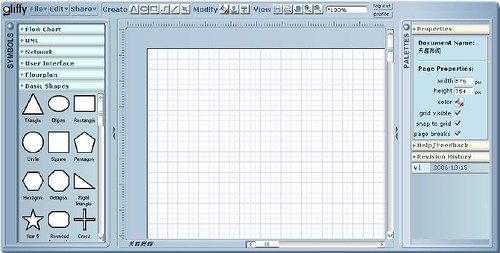
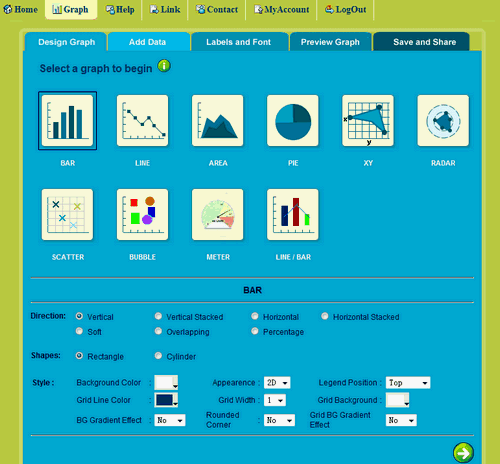
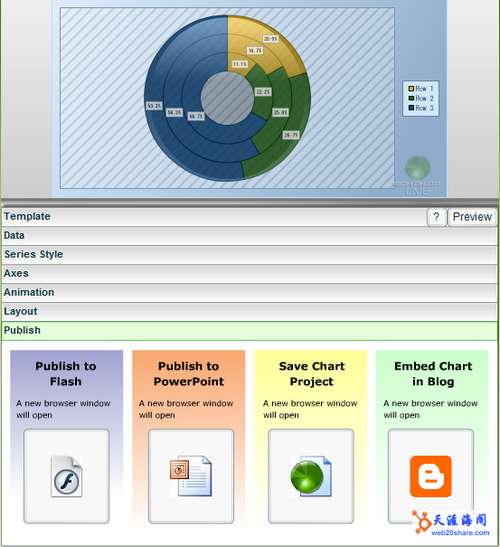
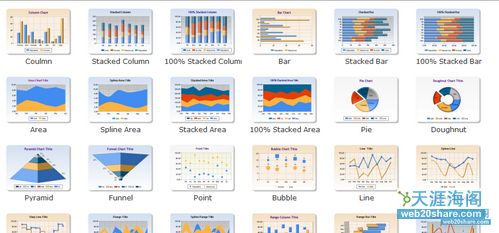
 本文精选了多个在线图表制作工具,如Gliffy、Onlinecharttool等,它们不仅能满足基本的图表制作需求,还能实现个性化定制及动态效果展示,非常适合需要快速创建高质量图表的用户。











 扫一扫
扫一扫


 4026
4026

 被折叠的 条评论
为什么被折叠?
被折叠的 条评论
为什么被折叠?
 到【灌水乐园】发言





