



 本文介绍如何搭建适用于Erlang的开发环境,包括使用Putty终端进行颜色设置、Emacs扩展如显示行号、erlang+distel、eflymake检测错误、autocomplete、yanippet、etags等工具,实现编辑、自动补全、调试等功能。
一个好的开发环境对软件开发有很好的帮助,使用java的时候基本用eclipes,感觉还可以,不过
erlang好像没有特别好的开发集成环境,只能自己动手打造一个了。
- 终端(putty)
终端颜色设置:(有颜色差异编译erlang代码看起来比较舒服)settings->windows->colours-use system colours
2. emacs扩展
wb-line (显示行号)
下载和配置 :http://homepage1.nifty.com/blankspace/emacs/elisp.html
2.2 erlang+distel
详细见:http://bc.tech.coop/blog/070528.html
设置断点有点问题,需要注释掉 distel /elisp/edb.el中的两行代码,下面两行
;;  (unless (edb-module-interpreted-p module)
;;    (error "Module is not interpreted, can't set breakpoints."))
原因未知
2.3 eflymake(检测错误)
详细见: http://www.emacswiki.org/emacs/FlymakeErlang
2.4 autocomplete+yanippet+etags
详细见:http://cx4a.org/software/auto-complete/manual.html#ac-dictionary- directories
需要在autocomplete.el--> defcustom ac-modes 方法中加入 erlang-mode
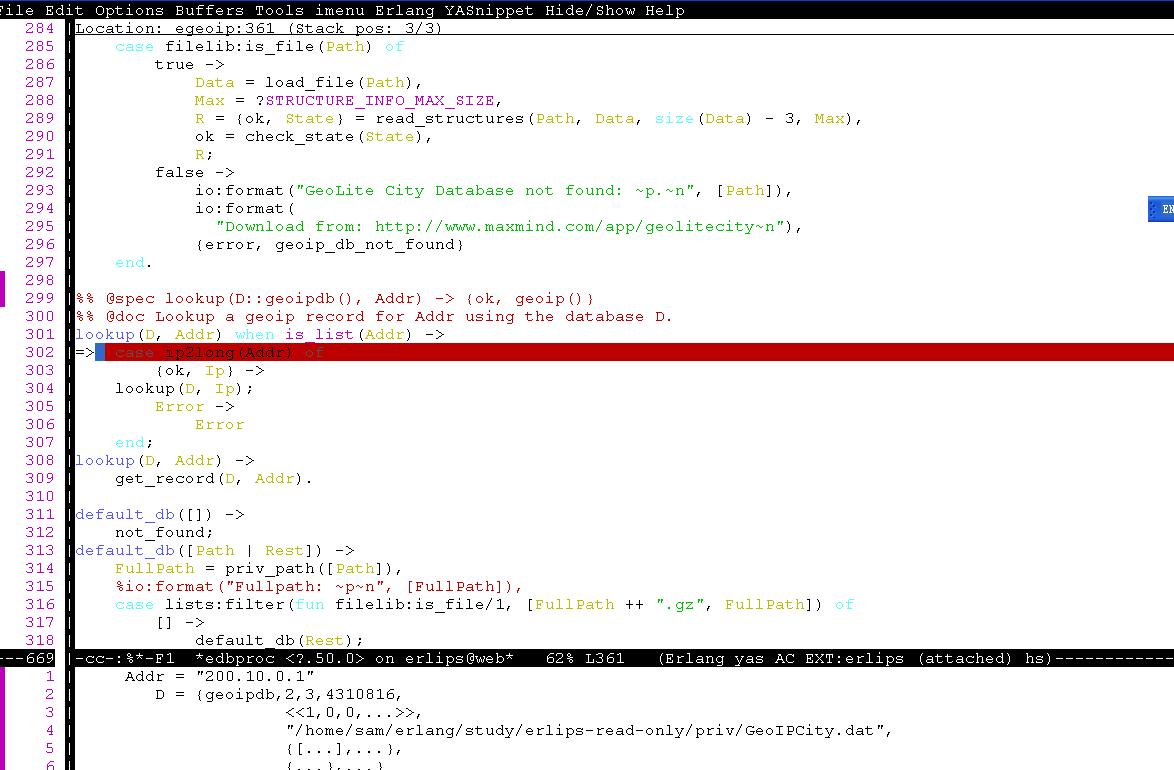
一个基本的erlang开发环境就差不多了,编辑,自动补全,debug功能都有了,上个图,





 扫一扫
扫一扫


 718
718

 被折叠的 条评论
为什么被折叠?
被折叠的 条评论
为什么被折叠?
 到【灌水乐园】发言





