


1,获取滑块的基本信息
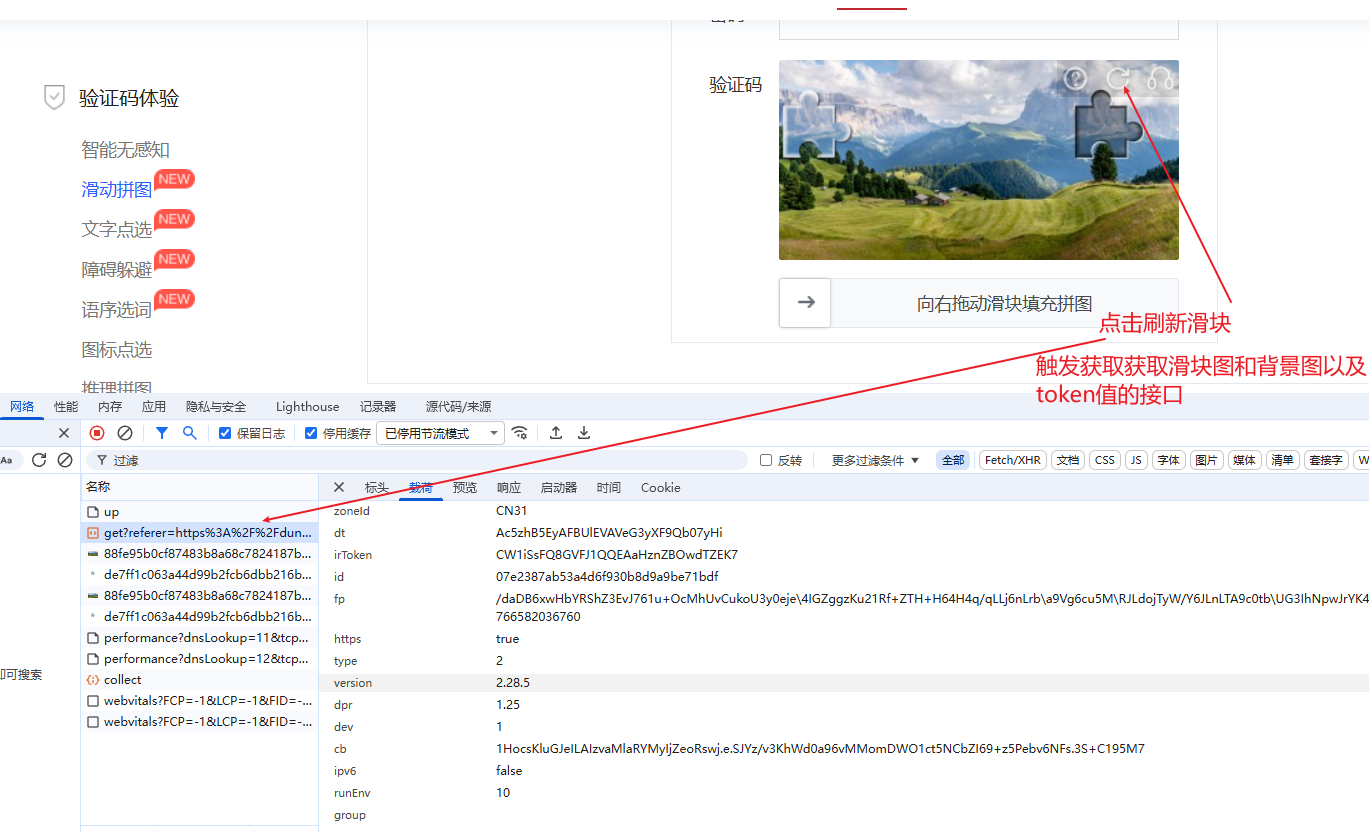
2,查看预览信息
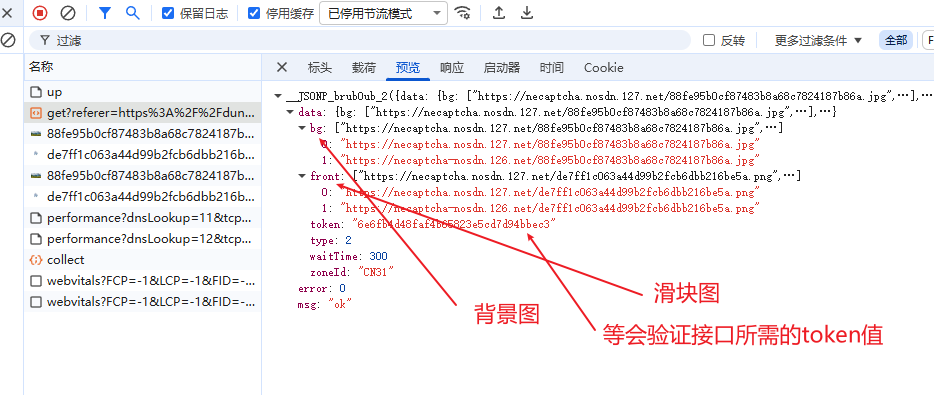
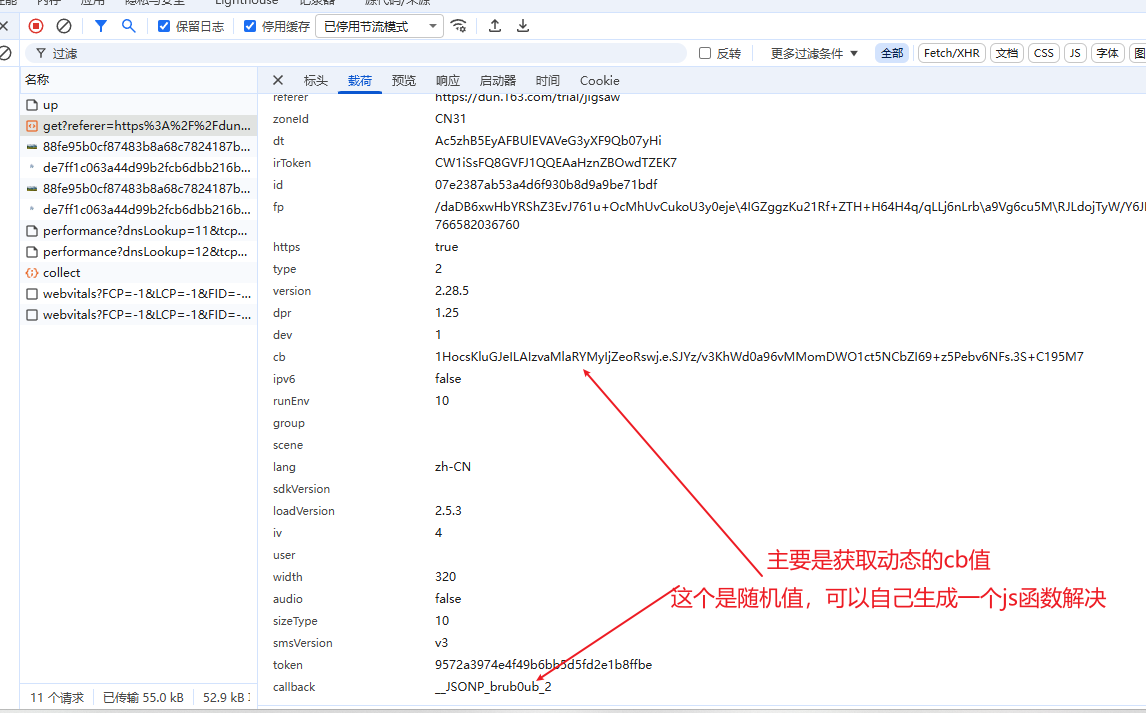
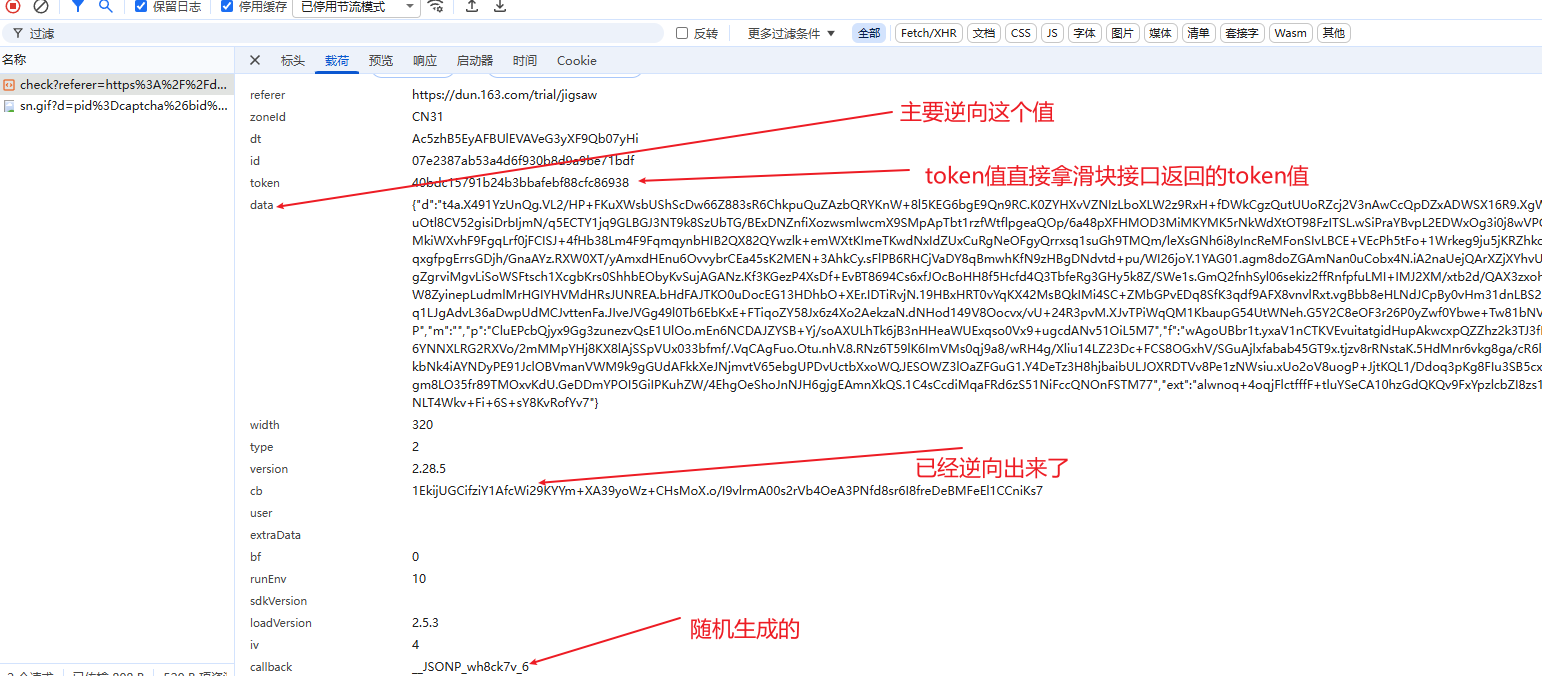
3,分析需要逆向的参数值
4,通过启动器来定位
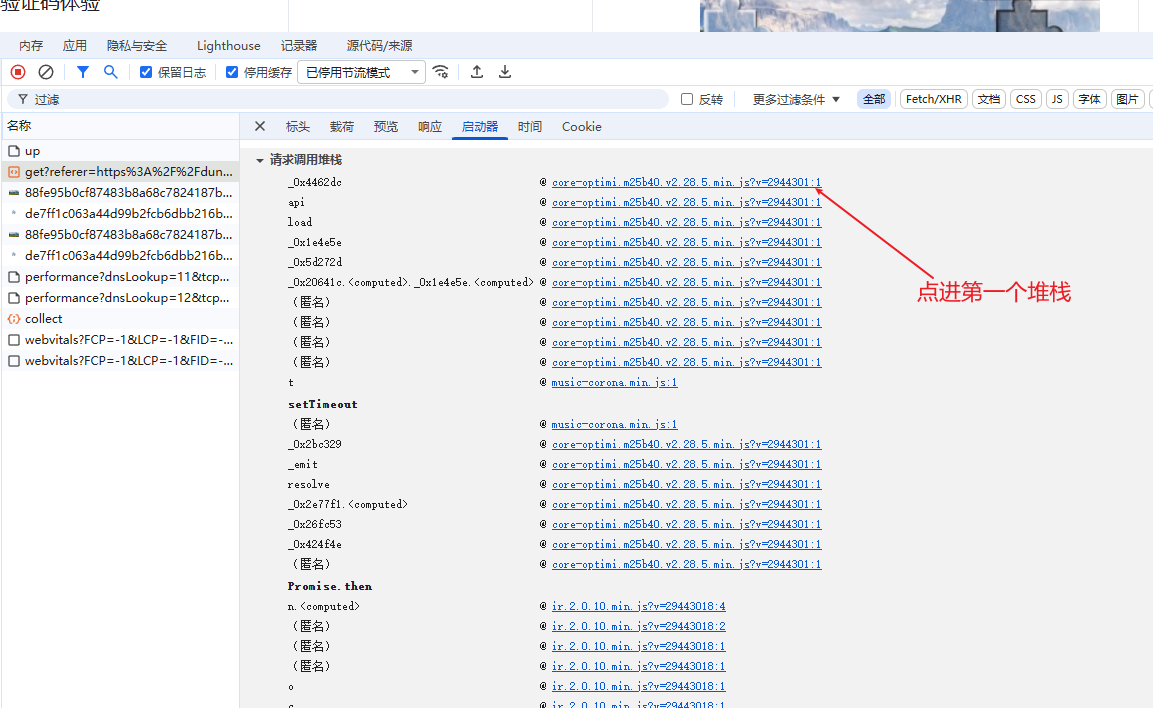
5,触发请求
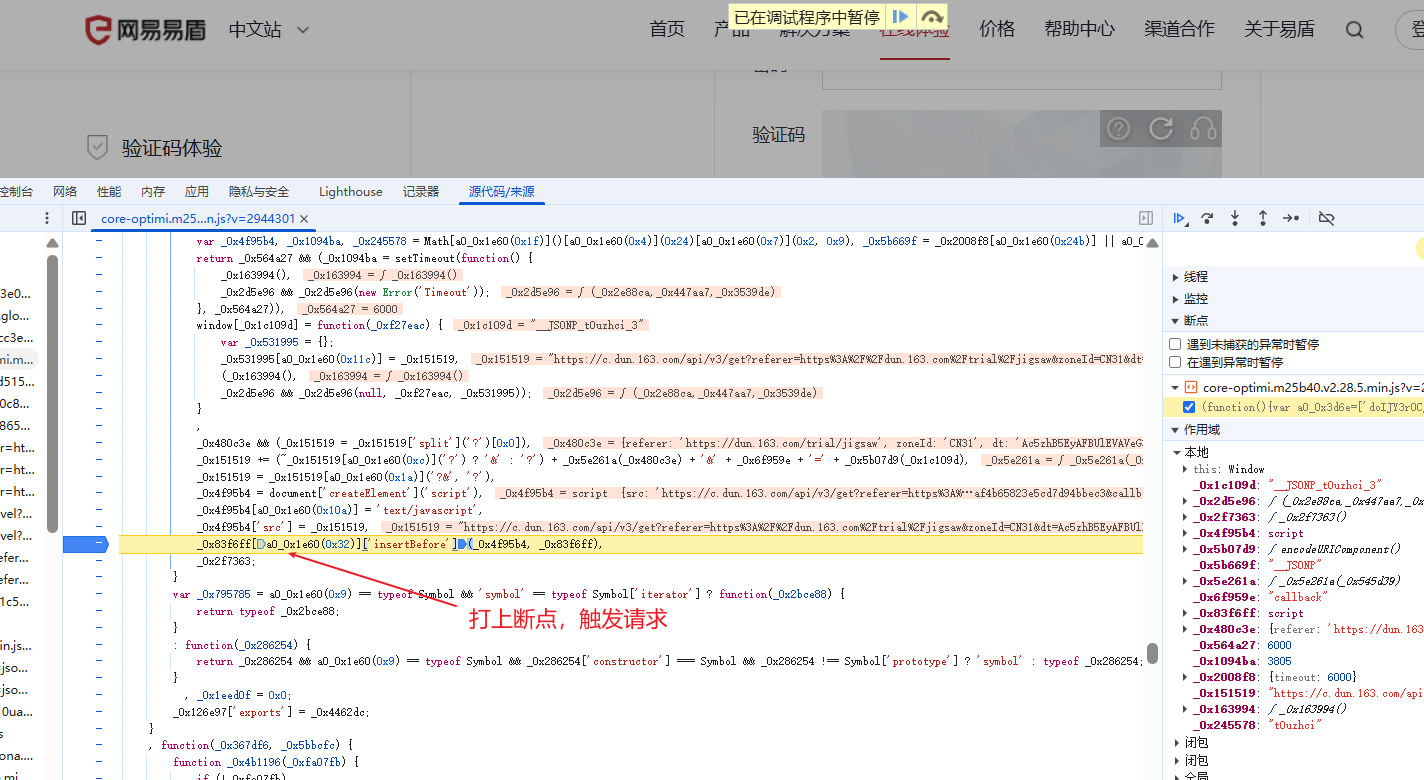
6,寻找cb值的接口
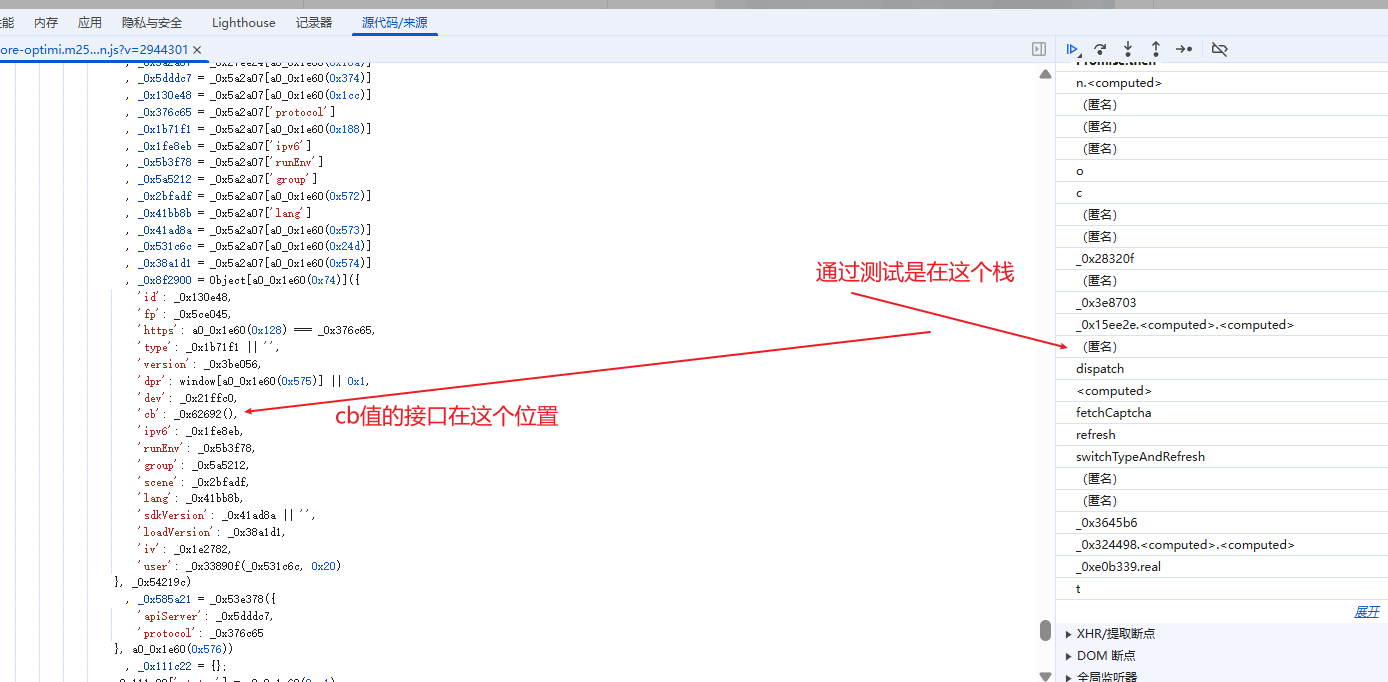
7,点进cb值接口后,生成cb值的函数在这里,这时候有两种方式,第一,单扣,第二,我往上滑,发现这是一个webpack结构
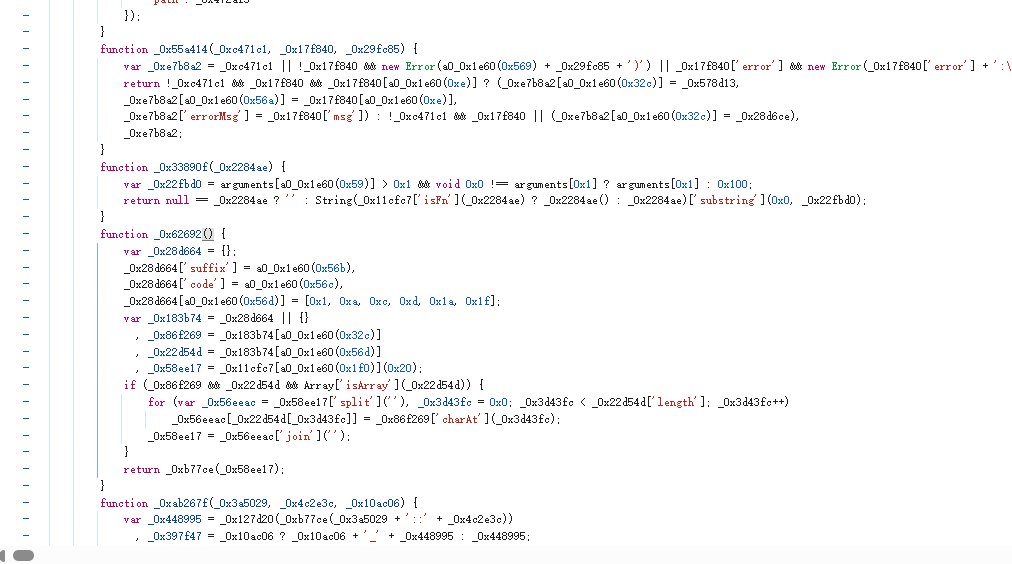
8,滑到最上面就可以观察出,不过对于新手而言一眼是看不出的,经过多年实战的老手是能看出的
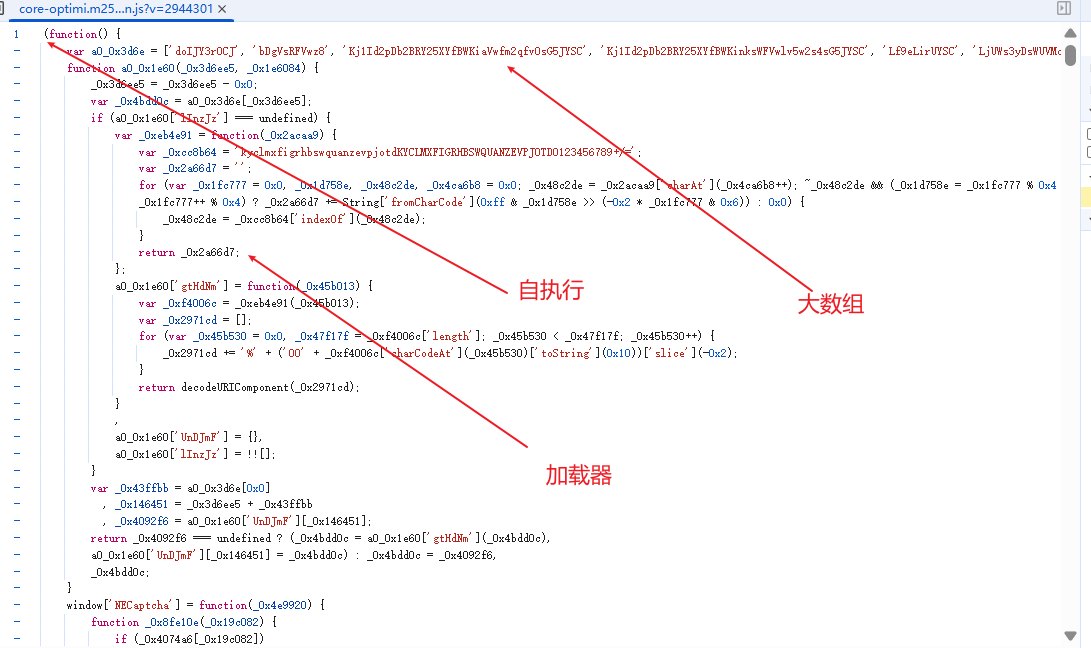
9,相比于单扣,直接全拿然后补环境会快一点,然后在pycharm里面搭建一下结构
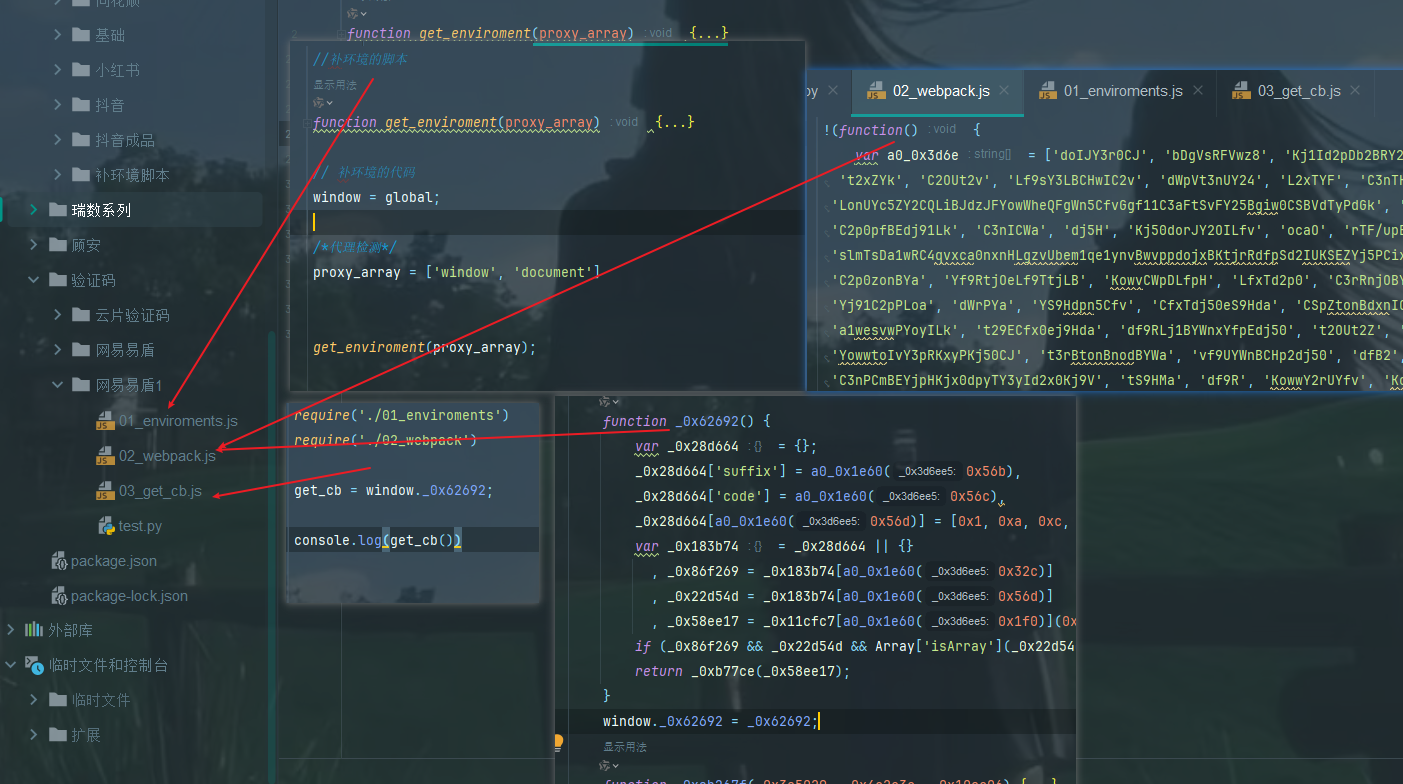
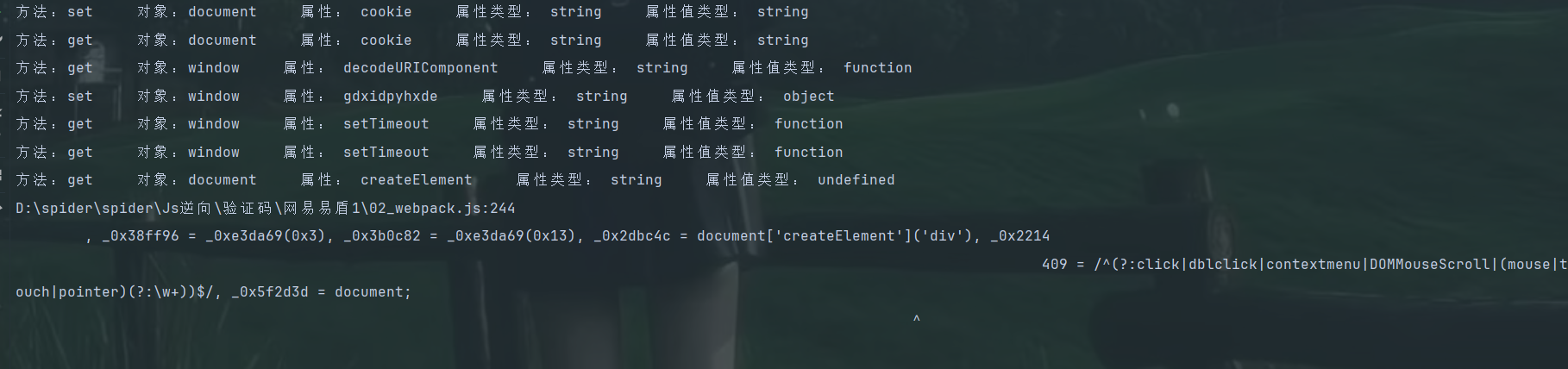
10,接下来就是补环境了,根据打印信息来补就行
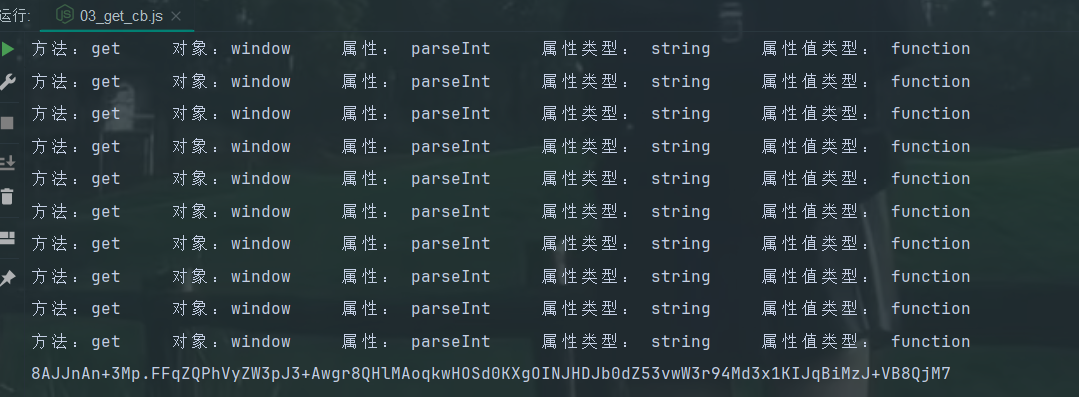
11,cb值出来了
补环境的代码在这
//补环境的脚本
function get_enviroment(proxy_array) {
    for (let i = 0; i < proxy_array.length; i++) {
        handler = `{
            get: function(target, property, receiver) {
                   console.log('方法:get','    对象:${proxy_array[i]}','    属性:',property,'    属性类型:',typeof property,'    属性值类型:',typeof target[property]);
                   return target[property];
            },
            set: function(target, property, value, receiver){
                    console.log('方法:set','    对象:${proxy_array[i]}','    属性:',property,'    属性类型:',typeof property,'    属性值类型:',typeof target[property]);
                    return Reflect.set(...arguments);
            }
        }`;
        eval(`
            try {
                ${proxy_array[i]};
                ${proxy_array[i]} = new Proxy(${proxy_array[i]}, ${handler});
            } catch (e) {
                ${proxy_array[i]} = {};
                ${proxy_array[i]} = new Proxy(${proxy_array[i]}, ${handler});
            }
        `);
    }
}

// 补环境的代码
window = global;
navigator = {
    userAgent:'Mozilla/5.0 (Windows NT 10.0; Win64; x64) AppleWebKit/537.36 (KHTML, like Gecko) Chrome/143.0.0.0 Safari/537.36'
}
location = {
    "ancestorOrigins": {},
    "href": "https://dun.163.com/trial/jigsaw",
    "origin": "https://dun.163.com",
    "protocol": "https:",
    "host": "dun.163.com",
    "hostname": "dun.163.com",
    "port": "",
    "pathname": "/trial/jigsaw",
    "search": "",
    "hash": ""
}
div = {
    className:'div',
    addEventListener:function(){},
    getAttribute:function(attr){
        console.log("div getAttribute ->", attr)
    }

}
document = {
    body:{},
    createElement: function(tag_name) {
        console.log("document createElement ->",tag_name)
        if(tag_name === 'div'){
            return div;
        }
    },
    getElementById:function(ele_id){
        console.log("document getElementById ->",ele_id)
    }

}
setTimeout = function(){};
setInterval = function(){};
/*代理检测*/
proxy_array = ['window', 'document','location','navigator','div']


get_enviroment(proxy_array);
12,调用py代码,也能拿到值
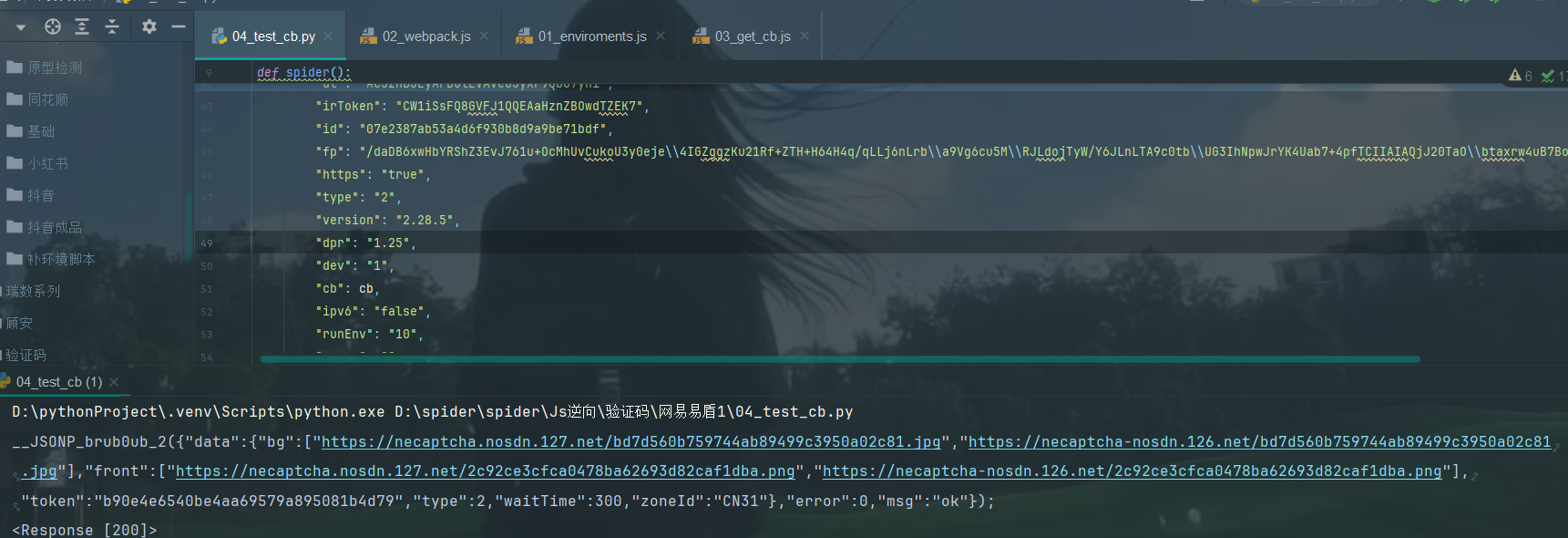
13,接下来就是验证接口了
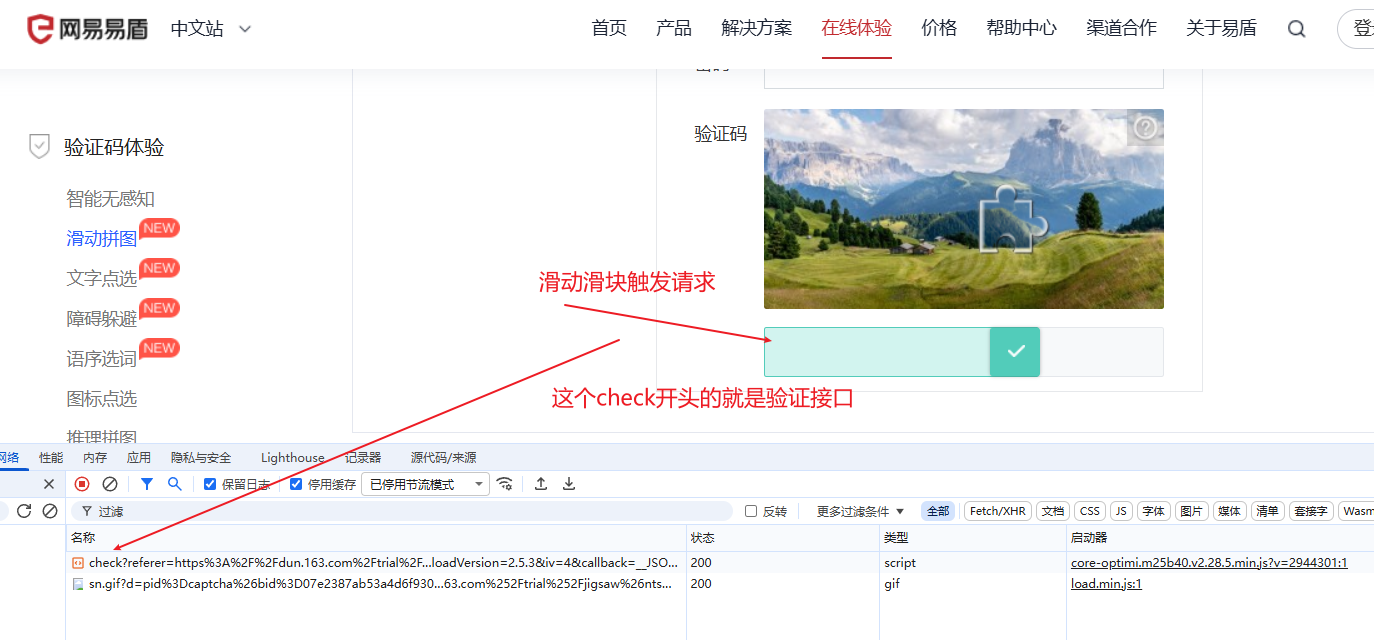
14,分析逆向的参数
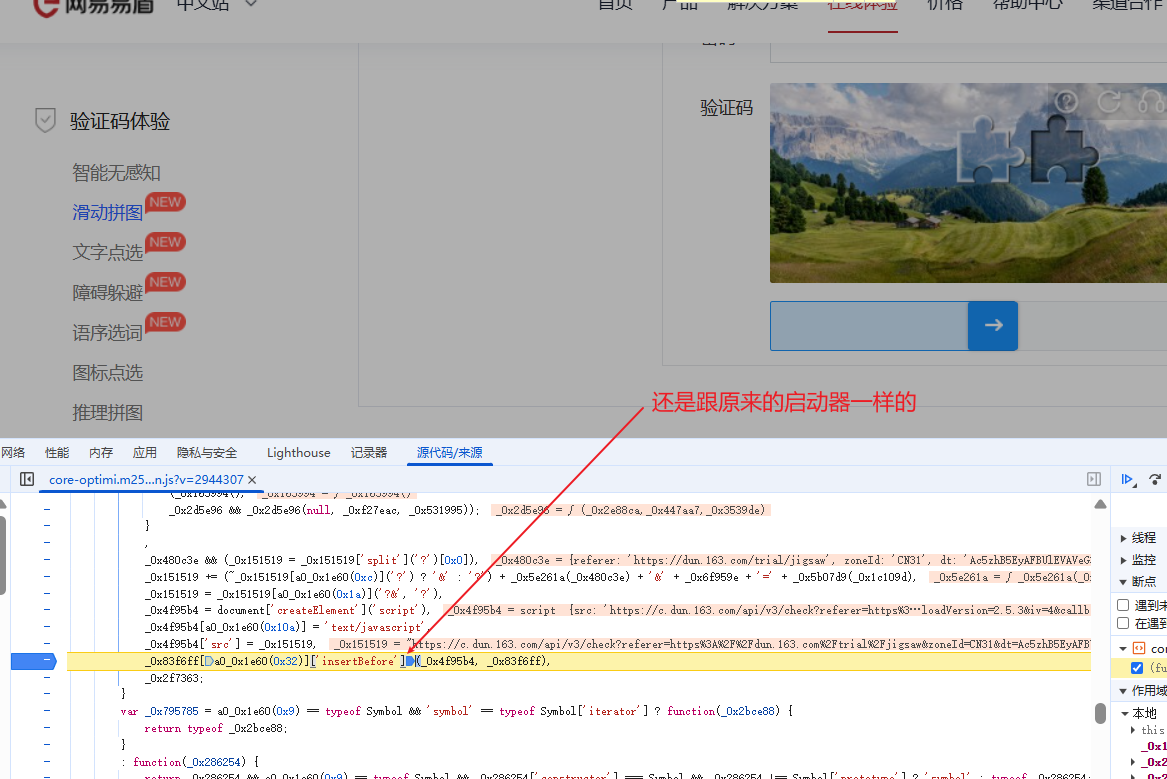
15,滑动滑块触发请求依旧是原来的触发接口
16,经过测试,在这个名为onMouseUp栈里面,而且这个名字也很像
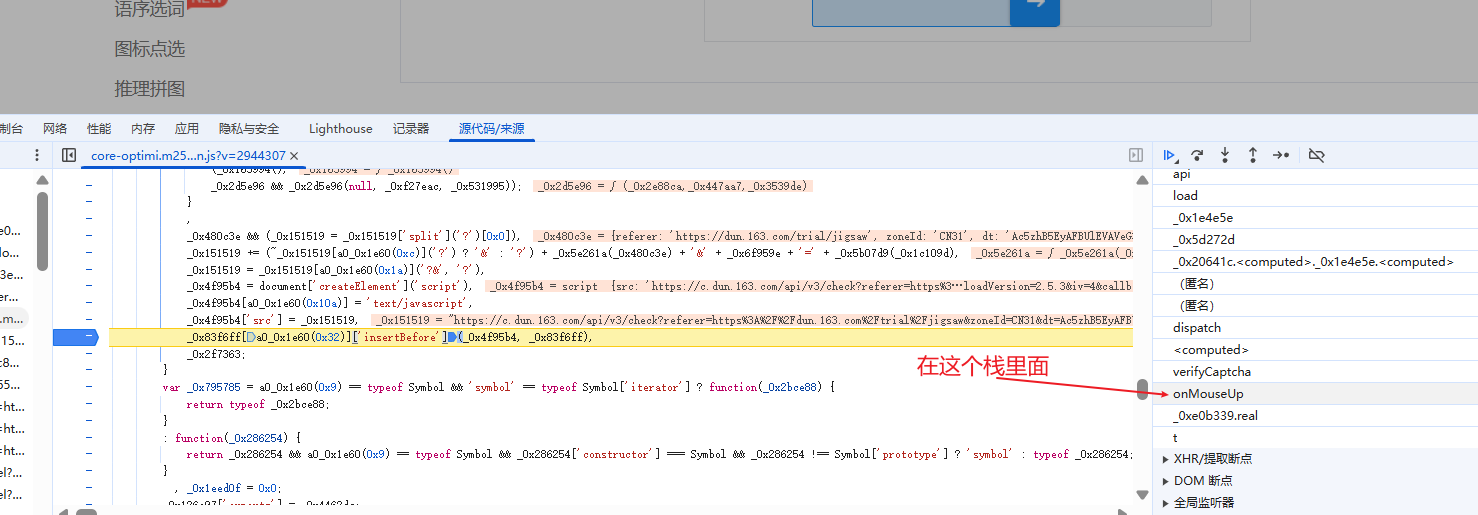
17,点进这个栈
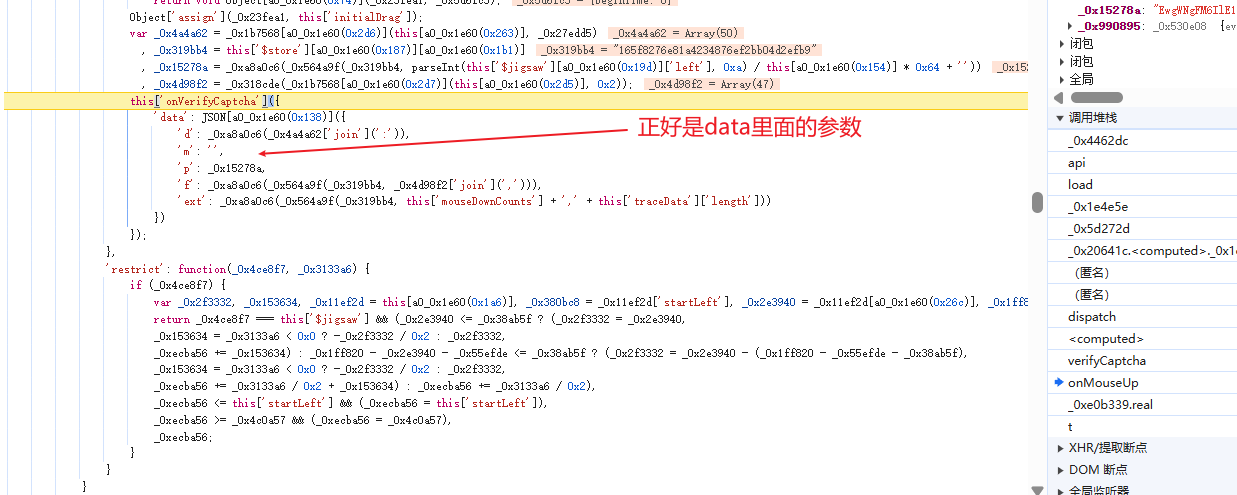
18,将核心代码扣下来,然后根据打印信息,补全代码
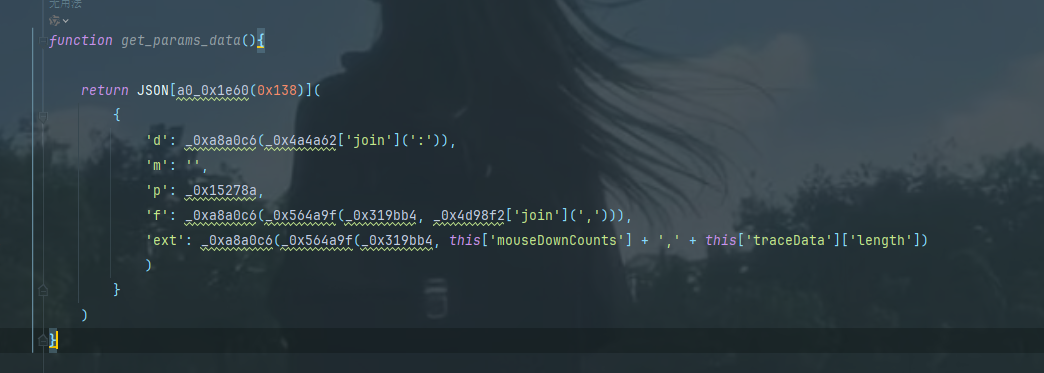
19,进过一番努力,值也是出来了
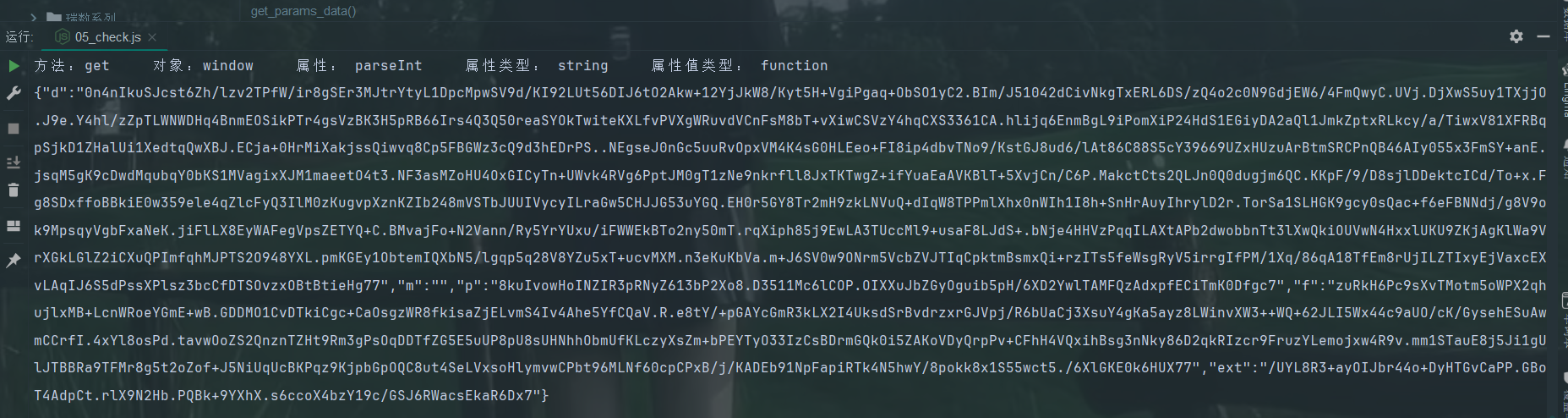
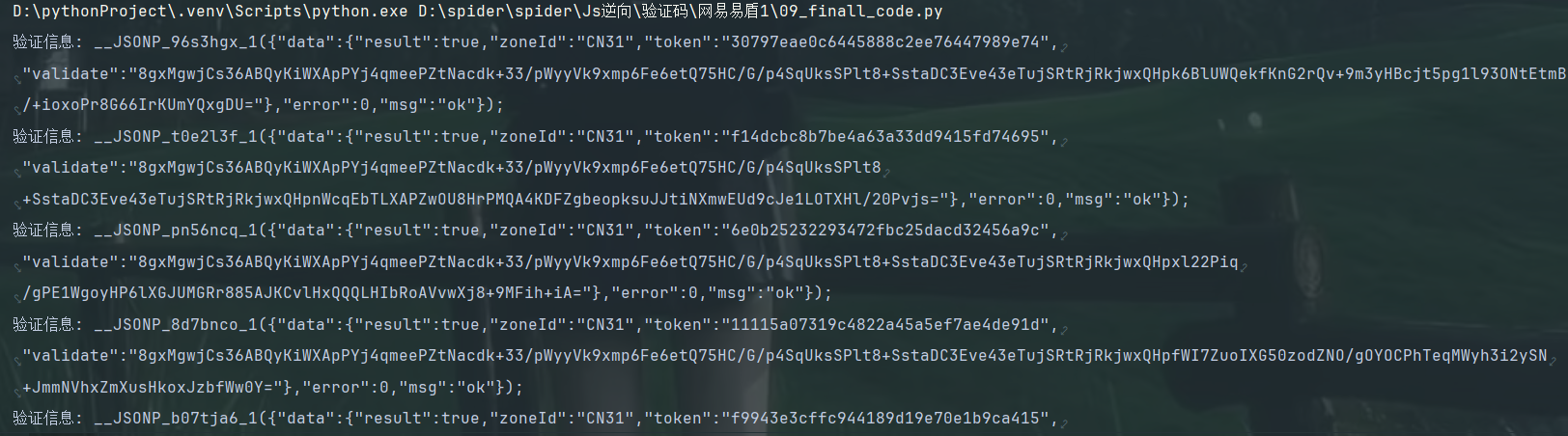
23,最终的py代码
打印的结果





 扫一扫
扫一扫


 1978
1978

 被折叠的 条评论
为什么被折叠?
被折叠的 条评论
为什么被折叠?
 到【灌水乐园】发言





