



else
{
for(int i = 0; i < wantPayCount; i++)
{
if(customerPayQ[i+b] != 0)
g.drawString(“C”+customerPayQ[i+b], xpos+430, ypos+100);
ypos += 20;
}
}
/**********************************/
/* Draw standing room on canvas */
/**********************************/
g.setFont(new Font(“TimesRoman”, Font.BOLD, 12));
ypos = 10;
g.drawString(“Standing Room Area”, xpos-100, ypos+160);
b = customerBottom;
for(int i = 0; i < customerStandCount; i++)
{
g.drawString(“C”+(i+b), xpos+80-25*i, ypos+120);
}
g.setColor(Color.green);
g.drawString(“Entrance”, xpos-110, ypos+100);
g.drawString(“--------->”, xpos-110, ypos+105);
g.setColor(Color.red);
System.out.println("outTop is: " + outTop);
for(int i = outBottom; i <= outTop; i++)
{
if(customerOut[i] > 0)
g.drawString("C "+customerOut[i], xpos-80, ypos+80-20*i);
}
g.setColor(Color.red);
g.drawString(“Exit”, xpos+530, ypos+10);
for(int i = 0; i < exitTop; i++)
{
if(exitArray[i] != 0)
g.drawString(“C” + exitArray[i], xpos+530, ypos+25+15*i);
}
/**********************************/
/* Draw waiting Sofa on canvas */
/**********************************/
xpos = 100;
ypos = 10;
g.setColor(Color.blue);
g.drawString(“Sofa”, xpos+225, ypos+185);
for(int i = 0; i < sofaSize; i++)
{
g.draw3DRect(xpos+180+28*(i), ypos+140, 28, 28, true);
}
g.setColor(Color.red);
int k = sofaBottom;
for(int j=0; j < customerOnSofa; j++)
{
g.drawString(Integer.toString(customerSofaQ[k]), xpos + (190+283) -28(j), ypos+155);
g.draw3DRect(xpos+180+283 - 28(j), ypos+140, 28, 28, true);
k = (k+1)%sofaSize;
}
}
}
(3)BarberShopApplet.java
/* File: BarberShopApplet.java
-
This is a Java applet file for Barbershop problem animation. The GUI
-
of this applet contains three parts: animation canvas, message canvas
-
and a button panel.
-
The animation canvas is where the Barbershop animation is displayed.
-
The message canvas is where the statues of barbers and customers are displayed.
-
The button panel has 6 basic buttons: START, STOP, PAUSE, CONTINUE, FASTER,
-
SLOWER.
-
This applet will allow user to choose from a fair barbershop or unfair barbershop.
-
In the fair barbershop, unless the user choose the number of customers, default
-
number of the customers is 4.
-
The number of customers in the unfair barbershop is also 4. And there are two
-
unfair situations that the user can choose from.
*/
import java.awt.*;
import java.awt.event.*;
import java.util.*;
import java.applet.Applet;
import java.lang.*;
public class BarberShopApplet extends Applet
{
private BarberShopApplet applet = this;
private BarberShop myShop;
private Button fastButton, slowButton, stopButton, startButton,pauseButton, continueButton;
private Panel buttonPanel, namePanel, namePanel2;
private Checkbox haltResource, requestResource;
private Choice customer;
private int customerN = 4; //default number of customer and barber
private int barberN = 3;
private Thread at;
MessageCanvas mc;
Customer[] c;
Barber[] b;
int haltFlag = 0;
int requestFlag = 0;
synchronized void startPushed() {notify();}
synchronized void stopPushed() {notify();}
public void init() {
resize(800, 600);
setLayout(new GridLayout(3, 1));
myShop = new BarberShop();
mc = new MessageCanvas();
add(myShop); //add BarberShop canvas at the top
add(mc); //add message box canvas in the middle
buttonPanel = new Panel();
Panel namePanel = new Panel();
Panel bPanel = new Panel(); // to hold all buttons and the labels
bPanel.setFont(new Font(“TimesRoman”, Font.BOLD, 14));
bPanel.setLayout(new GridLayout(3, 1));
buttonPanel.add(startButton = new Button(“START”));
buttonPanel.add(stopButton = new Button(“STOP”));
buttonPanel.add(pauseButton = new Button(“PAUSE”));
buttonPanel.add(continueButton = new Button(“CONTINUE”));
buttonPanel.add(fastButton = new Button(“FAST”));
buttonPanel.add(slowButton = new Button(“SLOW”));
Label titleLabel = new Label(“Fair Barbershop”, Label.CENTER);
titleLabel.setFont(new Font(“TimesRoman”, Font.BOLD, 16));
titleLabel.setForeground(Color.blue);
Label textLabel = new Label(“Maximum Shop Capacity is 8 Customers”, Label.CENTER);
Label titleLabel2 = new Label("Unfair Barbershop ", Label.CENTER);
Label textLabel2 = new Label(“4 Customers In The Shop”, Label.CENTER);
titleLabel2.setFont(new Font(“TimesRoman”, Font.BOLD, 16));
titleLabel2.setForeground(Color.blue);
namePanel.setLayout(new GridLayout(2,1));
namePanel.add(titleLabel);
namePanel.add(textLabel);
namePanel2 = new Panel();
namePanel2.setLayout(new GridLayout(2,1));
namePanel2.add(titleLabel2);
namePanel2.add(textLabel2);
Panel titlePanel = new Panel();
titlePanel.setLayout(new GridLayout(1,2));
titlePanel.add(namePanel);
titlePanel.add(namePanel2);
Panel choicePanel = new Panel(); //to hold all the choice boxes
choicePanel.setLayout(new GridLayout(1,2));
customer = new Choice();
for(int i = 1; i <=10; i++)
{
customer.addItem(Integer.toString(i));
}
customer.select(“4”);
Label customerLabel = new Label(“Number of Customers”, 2);
customerLabel.setBackground(Color.lightGray);
Panel customerPanel = new Panel();
customerPanel.add(customerLabel);
customerPanel.add(customer);
Panel unfairPanel = new Panel();
unfairPanel.setLayout(new GridLayout(2,1));
CheckboxGroup g = new CheckboxGroup();
unfairPanel.add(haltResource = new Checkbox(“Request finished, but resources are held unnecessarily”, g, false));
unfairPanel.add(requestResource = new Checkbox(“Request not finished, but resources are released”, g, false));
choicePanel.add(customerPanel);
choicePanel.add(unfairPanel);
bPanel.add(titlePanel);
bPanel.add(choicePanel);
bPanel.add(buttonPanel);
add(bPanel);
}
public boolean action(Event evt, Object arg)
{
if(evt.target == customer)
{
customerN = Integer.parseInt(arg.toString());
haltResource.setEnabled(false);
requestResource.setEnabled(false);
return true;
}
else if(evt.target == haltResource)
{
startButton.setEnabled(false);
customer.setEnabled(false);
stopButton.setEnabled(true);
haltResource.setEnabled(false);
requestResource.setEnabled(false);
haltFlag = 1;
System.out.println(“HaltResource”);
customerN = 4;
myShop.setSize(customerN);
c = new Customer[customerN+1]; //Customer[0] is a dummy slot
b = new Barber[barberN+1];
mc.setMessage(barberN, customerN);
for(int i = 1; i <= customerN; i++)
{
c[i] = new Customer(applet, myShop, i);
}
for(int i = 1; i <= barberN; i++)
{
b[i] = new Barber(applet, myShop, i);
}
for(int i = 1; i <= barberN; i++)
{
b[i].start();
}
for(int i = 1; i <= customerN; i++)
{
c[i].start();
}
return true;
}
else if(evt.target == requestResource)
{
startButton.setEnabled(false);
stopButton.setEnabled(true);
customer.setEnabled(false);
haltResource.setEnabled(false);
requestResource.setEnabled(false);
System.out.println(“RequestResource”);
requestFlag = 1;
customerN = 4;
myShop.setSize(customerN);
c = new Customer[customerN+1]; //Customer[0] is a dummy slot
b = new Barber[barberN+1];
mc.setMessage(barberN, customerN);
for(int i = 1; i <= customerN; i++)
{
c[i] = new Customer(applet, myShop, i);
}
for(int i = 1; i <= barberN; i++)
{
b[i] = new Barber(applet, myShop, i);
}
for(int i = 1; i <= barberN; i++)
{
b[i].start();
}
for(int i = 1; i <= customerN; i++)
{
c[i].start();
}
return true;
}
else if(arg.equals(“PAUSE”))
{ for(int i = 1; i <= customerN; i++)
{
if(c[i].isAlive()) c[i].suspend();
}
for(int i = 1; i <= barberN; i++)
{
if(b[i].isAlive()) b[i].suspend();
}
fastButton.setEnabled(false);
slowButton.setEnabled(false);
return true;
}
else if(arg.equals(“CONTINUE”))
{
for(int i = 1; i <= customerN; i++)
{
if(c[i].isAlive()) c[i].resume();
}
for(int i = 1; i <= barberN; i++)
{
if(b[i].isAlive()) b[i].resume();
}
fastButton.setEnabled(true);
slowButton.setEnabled(true);
return true;
}
else if(arg.equals(“FASTER”))
{
int newDelay = b[1].delay;
newDelay /= 2;
newDelay = newDelay < 100 ? 100: newDelay;
for(int i = 1; i <= customerN; i++)
{
c[i].delay = newDelay;
}
for(int i = 1; i <= barberN; i++)
{
b[i].delay = newDelay;
}
return true;
}
else if(arg.equals(“SLOWER”))
{
int newDelay = b[1].delay;
newDelay *= 2;
for(int i = 1; i <= customerN; i++)
{
c[i].delay = newDelay;
}
for(int i = 1; i <= barberN; i++)
{
b[i].delay = newDelay;
}
return true;
}
else if(arg.equals(“START”))
{
myShop.setSize(customerN);
c = new Customer[customerN+1]; //Customer[0] is a dummy slot
b = new Barber[barberN+1];
mc.setMessage(barberN, customerN);
for(int i = 1; i <= customerN; i++)
{
c[i] = new Customer(applet, myShop, i);
}
for(int i = 1; i <= barberN; i++)
{
b[i] = new Barber(applet, myShop, i);
}
for(int i = 1; i <= barberN; i++)
{
b[i].start();
}
for(int i = 1; i <= customerN; i++)
{
c[i].start();
}
applet.startPushed();
stopButton.setEnabled(true);
startButton.setEnabled(false);
fastButton.setEnabled(true);
slowButton.setEnabled(true);
customer.setEnabled(false);
haltResource.setEnabled(false);
requestResource.setEnabled(false);
return true;
}
else if(arg.equals(“STOP”))
{
try{
for(int i = 1; i <= customerN; i++)
{
if(c[i].isAlive()) c[i].stop();
c[i] = null;
}
for(int i = 1; i <= barberN; i++)
{
if(b[i].isAlive()) b[i].stop();
b[i] = null;
}
}catch(Exception e) {}
myShop.clear();
applet.stopPushed();
haltFlag = 0;
requestFlag = 0;
startButton.setEnabled(true);
customer.setEnabled(true);
haltResource.setEnabled(true);
requestResource.setEnabled(true);
fastButton.setEnabled(true);
slowButton.setEnabled(true);
if(at != null) at.stop();
at = null;
return true;
}
else{ return false;}
}
}
(4)Cusomer.java
/* Customer.java
-
The Customer Thread’s main activities are call the methods in Barbershop class.
*/
public class Customer extends Thread{
private BarberShopApplet tapplet;
private BarberShop shop;
private int cid;
int delay = 2500;
int status = 0;
int cutFinish = 0;
int barberID = 0;
int paid = 0;
public Customer(BarberShopApplet applet, BarberShop iq, int id){
shop = iq;
tapplet = applet;
cid = id;
}
public void run(){
try{
status = 0;
tapplet.mc.println(status, “c”, cid);
shop.sitSofa(tapplet, cid);
sleep(delay);
shop.sitBarberChair(tapplet, cid);
shop.waitPay(tapplet, cid);
} catch(InterruptedException e){
System.err.println("Customer Exception " + e.toString());
}
}
}
(5)MessageCanvas.java
/* File: MessageCanvas.java
-
This class provides message canvas for the applet GUI.
-
It will print the statuses of customers and barbers on the GUI.
*/
import java.awt.*;
class MessageCanvas extends Canvas
{
private Font font;
private FontMetrics fm;
private int[] barberStatus;
private int[] customerStatus;
private int[] serviceStatus; //store the customer id that is cutting hair for each barber
//serviceStatus[i]=j, Barber i is cutting hair for customer j
private int msgHeight;
private int msgWidth;
private int bn, cn;
private int frameDelay = 256;
public MessageCanvas( )
{
resize(size().width, 50);
setBackground(Color.green);
font = new Font(“TimesRoman”, 1, 18);
fm = getFontMetrics(font);
msgHeight = fm.getHeight();
}
public void setMessage(int barberN, int customerN)
{
bn = barberN;
cn = customerN;
barberStatus = new int[bn+1];
customerStatus = new int[cn+1];
serviceStatus = new int[bn+1];
repaint();
}
void println(String s)
{
msgWidth = fm.stringWidth(s);
repaint();
}
void println(int s, String st, int id)
{
if(st.equals(“b”))
barberStatus[id] = s;
else
customerStatus[id] = s;
repaint();
}
void println(int s, String st, int id, int cid)
{
if(st.equals(“b”))
{ barberStatus[id] = s;
serviceStatus[id] = cid;
}
else
customerStatus[id] = s;
repaint();
}
public void paint(Graphics g)
{
g.setFont(font);
int xpos = 40;
int ypos = 30;
g.drawString("Status of Customers: ", 60, 20);
g.drawString("Status of Barbers: ", 380, 20);
g.setFont(new Font(“TimesRoman”, 1, 12));
for(int i=1; i<=cn;i++)
{
g.setColor(Color.black);
g.drawString(“C” + i, xpos, ypos+(12i+5(i-1)));
if(customerStatus[i] == 0)
{
g.setColor(Color.yellow);
g.fillOval(xpos+40, ypos+(2i+15(i-1)), 14, 14);
g.drawString(“Standing …”, xpos+80, ypos+(12i + 5(i-1)));
}
else if (customerStatus[i] == 1)
{
g.setColor(Color.gray);
g.fillOval(xpos+40, ypos+(2i+15(i-1)), 14, 14);
g.drawString(“Cutting Hair…”, xpos+80, ypos+(12i + 5(i-1)));
}
else if (customerStatus[i] == 2)
{
g.setColor(Color.blue);
g.fillOval(xpos+40, ypos+(2i+15(i-1)), 14, 14);
g.drawString(“Waiting for Cashier”, xpos+80, ypos+(12i + 5(i-1)));
}
else if (customerStatus[i] == 3)
{
g.setColor(Color.red);
g.fillOval(xpos+40,ypos+(2i+15(i-1)), 14, 14);
g.drawString(“Finished the Hair Cut”, xpos+80, ypos+(12i + 5(i-1)));
}
else if (customerStatus[i] == 4)
{
g.setColor(Color.red);
g.fillOval(xpos+40, ypos+(2i+15(i-1)), 14, 14);
g.drawString(“Waiting to pay”, xpos+80, ypos+(12i + 5(i-1)));
}
else if (customerStatus[i] == 5)
{
g.setColor(Color.blue);
g.fillOval(xpos+40, ypos+(2i+15(i-1)), 14, 14);
g.drawString(“Sitting on the Sofa”, xpos+80, ypos+(12i + 5(i-1)));
}else if (customerStatus[i] == 6)
{
g.setColor(Color.red);
g.fillOval(xpos+40, ypos+(2i+15(i-1)), 14, 14);
g.drawString(“Sitting on the BarberChair”, xpos+80, ypos+(12i + 5(i-1)));
}else if (customerStatus[i] == 7)
{
g.setColor(Color.red);
g.fillOval(xpos+40, ypos+(2i+15(i-1)), 14, 14);
g.drawString(“Waiting to pay”, xpos+80, ypos+(12i + 5(i-1)));
}else if (customerStatus[i] == 9)
{
g.setColor(Color.green);
g.fillOval(xpos+40, ypos+(2i+15(i-1)), 14, 14);
g.drawString("Left ", xpos+80, ypos+(12i + 5(i-1)));
}else if (customerStatus[i] == 10)
{
g.setColor(Color.gray);
g.fillOval(xpos+40, ypos+(2i+15(i-1)), 14, 14);
g.drawString(“Finished, but hold the resources unnecessarily”, xpos+80, ypos+(12i + 5(i-1)));
}else if (customerStatus[i] == 11)
{
g.setColor(Color.gray);
g.fillOval(xpos+40, ypos+(2i+15(i-1)), 14, 14);
g.drawString(“C1 hasn’t finished but has to leave”, xpos+80, ypos+(12i + 5(i-1)));
}
}
xpos = 380;
ypos = 40;
for(int i=1; i<=bn; i++)
{
g.setColor(Color.black);
g.drawString(“B” + i, xpos, ypos+(15i+10(i-1)));
if(barberStatus[i] == 0)
{
g.setColor(Color.yellow);
g.fillOval(xpos+60, ypos+(2i+22(i-1)), 18, 18);
g.drawString(“Sleeping …”, xpos+120, ypos+(15i + 10(i-1)));
}
else if (barberStatus[i] == 1)
{
g.setColor(Color.gray);
g.fillOval(xpos+60, ypos+(2i+22(i-1)), 18, 18);
g.drawString(“Cutting Hair for C”+serviceStatus[i], xpos+120, ypos+(15i + 10(i-1)));
}
else if (barberStatus[i] == 2)
{
g.setColor(Color.blue);
小编13年上海交大毕业,曾经在小公司待过,也去过华为、OPPO等大厂,18年进入阿里一直到现在。
深知大多数初中级Java工程师,想要提升技能,往往是自己摸索成长,但自己不成体系的自学效果低效又漫长,而且极易碰到天花板技术停滞不前!
因此收集整理了一份《2024年最新Java开发全套学习资料》送给大家,初衷也很简单,就是希望能够帮助到想自学提升又不知道该从何学起的朋友,同时减轻大家的负担。
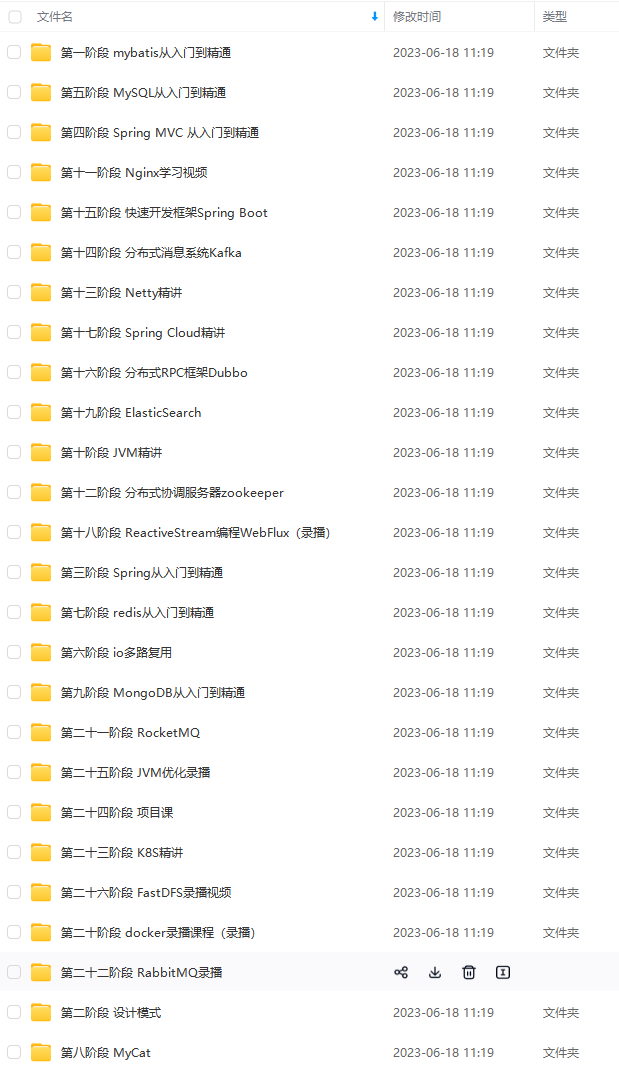
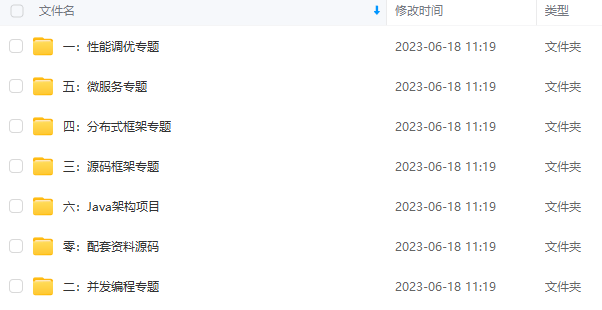
由于文件比较大,这里只是将部分目录截图出来,每个节点里面都包含大厂面经、学习笔记、源码讲义、实战项目、讲解视频
如果你觉得这些内容对你有帮助,可以添加下面V无偿领取!(备注Java)

总结:心得体会
既然选择这个行业,选择了做一个程序员,也就明白只有不断学习,积累实战经验才有资格往上走,拿高薪,为自己,为父母,为以后的家能有一定的经济保障。
学习时间都是自己挤出来的,短时间或许很难看到效果,一旦坚持下来了,必然会有所改变。不如好好想想自己为什么想进入这个行业,给自己内心一个答案。
面试大厂,最重要的就是夯实的基础,不然面试官随便一问你就凉了;其次会问一些技术原理,还会看你对知识掌握的广度,最重要的还是你的思路,这是面试官比较看重的。
最后,上面这些大厂面试真题都是非常好的学习资料,通过这些面试真题能够看看自己对技术知识掌握的大概情况,从而能够给自己定一个学习方向。包括上面分享到的学习指南,你都可以从学习指南里理顺学习路线,避免低效学习。
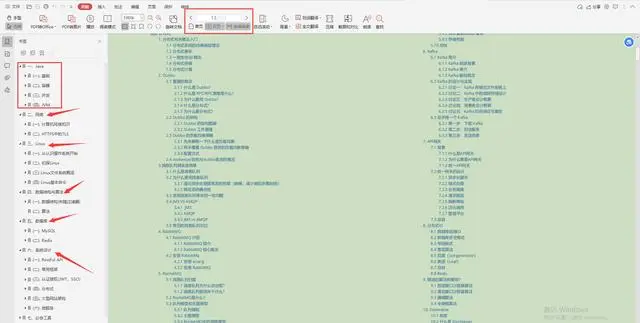
大厂Java架构核心笔记(适合中高级程序员阅读):
i-1)), 18, 18);
g.drawString(“Sleeping …”, xpos+120, ypos+(15i + 10(i-1)));
}
else if (barberStatus[i] == 1)
{
g.setColor(Color.gray);
g.fillOval(xpos+60, ypos+(2i+22(i-1)), 18, 18);
g.drawString(“Cutting Hair for C”+serviceStatus[i], xpos+120, ypos+(15i + 10(i-1)));
}
else if (barberStatus[i] == 2)
{
g.setColor(Color.blue);
小编13年上海交大毕业,曾经在小公司待过,也去过华为、OPPO等大厂,18年进入阿里一直到现在。
深知大多数初中级Java工程师,想要提升技能,往往是自己摸索成长,但自己不成体系的自学效果低效又漫长,而且极易碰到天花板技术停滞不前!
因此收集整理了一份《2024年最新Java开发全套学习资料》送给大家,初衷也很简单,就是希望能够帮助到想自学提升又不知道该从何学起的朋友,同时减轻大家的负担。
[外链图片转存中…(img-OqDFO1lb-1711090240513)]
[外链图片转存中…(img-cSMAYYwQ-1711090240514)]
[外链图片转存中…(img-fSuRi17b-1711090240514)]
由于文件比较大,这里只是将部分目录截图出来,每个节点里面都包含大厂面经、学习笔记、源码讲义、实战项目、讲解视频
如果你觉得这些内容对你有帮助,可以添加下面V无偿领取!(备注Java)
[外链图片转存中…(img-Pwps7rJ5-1711090240514)]
总结:心得体会
既然选择这个行业,选择了做一个程序员,也就明白只有不断学习,积累实战经验才有资格往上走,拿高薪,为自己,为父母,为以后的家能有一定的经济保障。
学习时间都是自己挤出来的,短时间或许很难看到效果,一旦坚持下来了,必然会有所改变。不如好好想想自己为什么想进入这个行业,给自己内心一个答案。
面试大厂,最重要的就是夯实的基础,不然面试官随便一问你就凉了;其次会问一些技术原理,还会看你对知识掌握的广度,最重要的还是你的思路,这是面试官比较看重的。
最后,上面这些大厂面试真题都是非常好的学习资料,通过这些面试真题能够看看自己对技术知识掌握的大概情况,从而能够给自己定一个学习方向。包括上面分享到的学习指南,你都可以从学习指南里理顺学习路线,避免低效学习。
大厂Java架构核心笔记(适合中高级程序员阅读):
[外链图片转存中…(img-99aSKqCr-1711090240515)]





 扫一扫
扫一扫


 271
271

 被折叠的 条评论
为什么被折叠?
被折叠的 条评论
为什么被折叠?
 到【灌水乐园】发言





