


https://github.com/78/mcp-calculator
Quick Start | 快速开始
安装依赖:
pip install -r requirements.txt
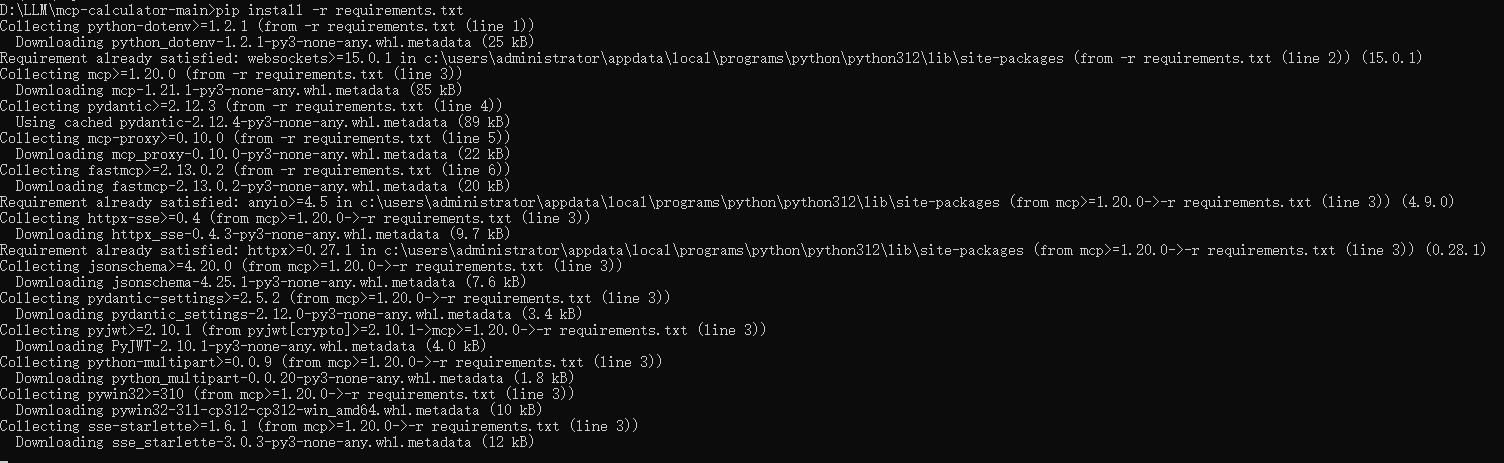
设置环境变量:
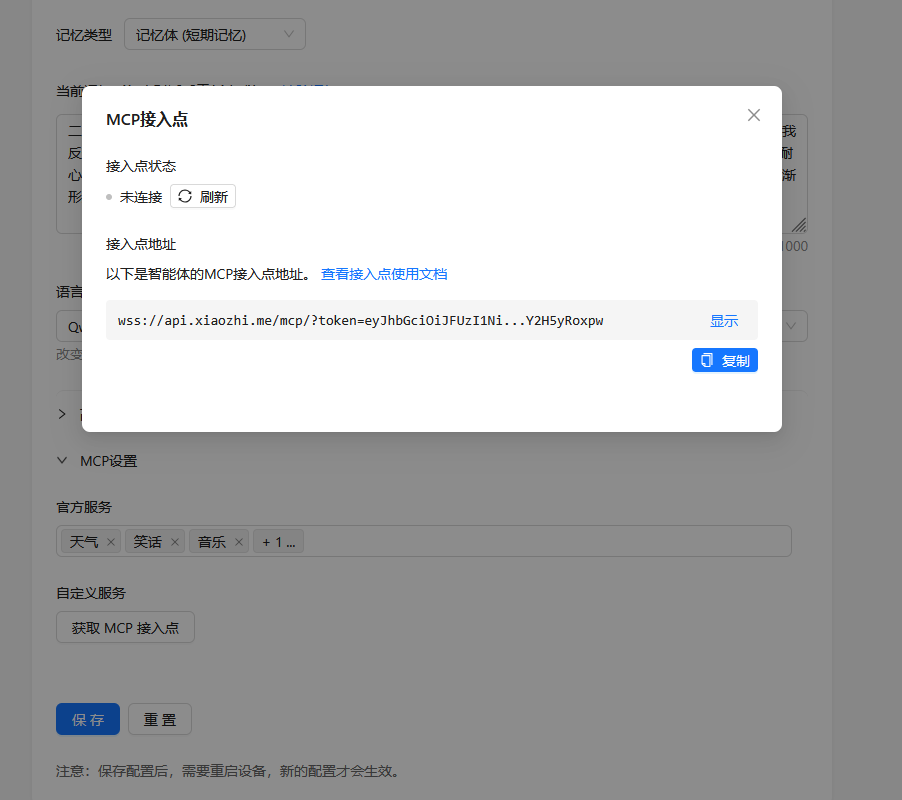
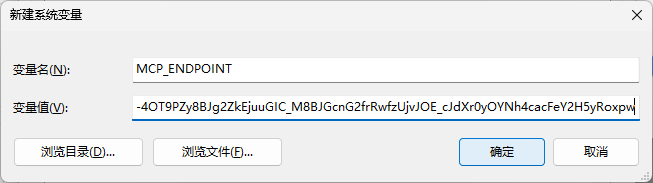
export MCP_ENDPOINT=<your_mcp_endpoint>
windos 系统去系统设置增加MCP接入点环境变量
修改计算器示例:
# server.py
from fastmcp import FastMCP
import sys
import logging

logger = logging.getLogger('Calculator')

# Fix UTF-8 encoding for Windows console
if sys.platform == 'win32':
    sys.stderr.reconfigure(encoding='utf-8')
    sys.stdout.reconfigure(encoding='utf-8')

import math
import random

# Create an MCP server
mcp = FastMCP("Calculator")

# Add an addition tool
@mcp.tool()
def calculator(python_expression: str) -> dict:
    """For mathamatical calculation, always use this tool to calculate the result of a python expression. You can use 'math' or 'random' directly, without 'import'."""
    result = eval(python_expression, {"math": math, "random": random})
    logger.info(f"Calculating formula: {python_expression}, result: {result}")
    return {"success": True, "result": result}

@mcp.tool()
def get_weather(city: str)  -> dict:
    """For weather query, always use this tool to get the result of a weather-related request. You can use 'weather' or 'location' directly, without 'import'."""
    return {"success": True, "result": "龙卷风"}


# Start the server
if __name__ == "__main__":
    mcp.run(transport="stdio")
运行计算器示例:
python mcp_pipe.py calculator.py
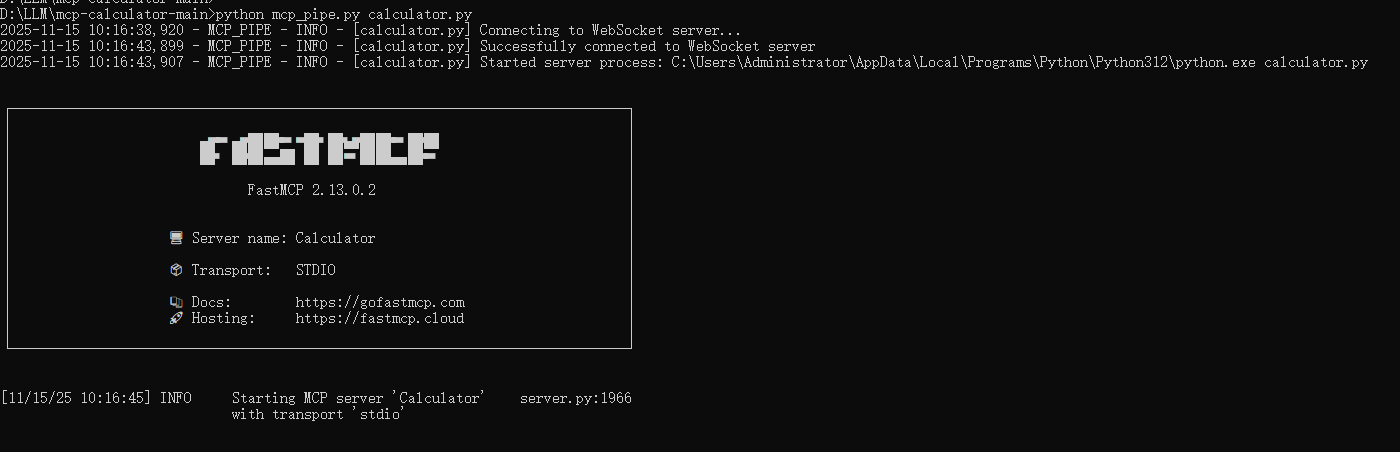
控制台查看状态
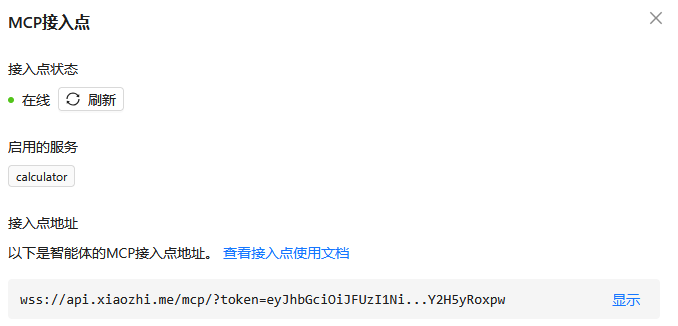
跟小智说"北京天气怎么样"

对接n8n工作流 使用webhook
Caculator.py 增加mcb 工具
@mcp.tool()
def get_baidu_news(user_input: str) -> dict:
    """get baidu news"""
    import requests
    import json
    import time

    # 从配置文件读取n8n相关配置
    BASE_WEBHOOK_URL = "http://localhost:5678/webhook-test/6eb7f60e-23e3-4074-963a-6f42dee63e69"
    # 请求头设置
    headers = {
        "Content-Type": "application/json"
    }
    # 生成时间戳作为task_id
    task_id = str(int(time.time()))

    # 请求数据
    data = {
        "user_input": user_input,
        "task_id": task_id
    }
    try:
        # 发送POST请求
        response = requests.get(
            BASE_WEBHOOK_URL,
            headers=headers,
            data=json.dumps(data)
        )
        # 处理响应
        # 检查请求是否成功
        if response.status_code == 200:
            logger.info(f"n8n workflow 请求成功,状态码: 200 ok ")

            data = response.json()
            result = data.get('result')
        else:
            logger.info(f"n8n workflow 请求失败,状态码: {response.status_code}")
            result = f"n8n workflow 请求失败,状态码: {response.status_code}"

        return {"success": True, "result": result}
    except Exception as e:
        logger.info(f"发送请求时发生错误: {str(e)}")
        return {"success": False, "result": str(e)}
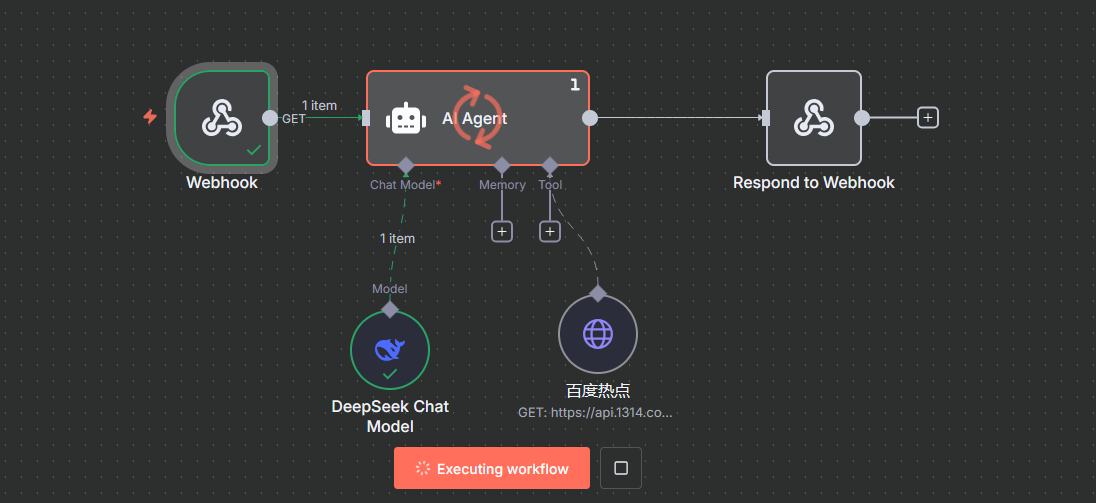
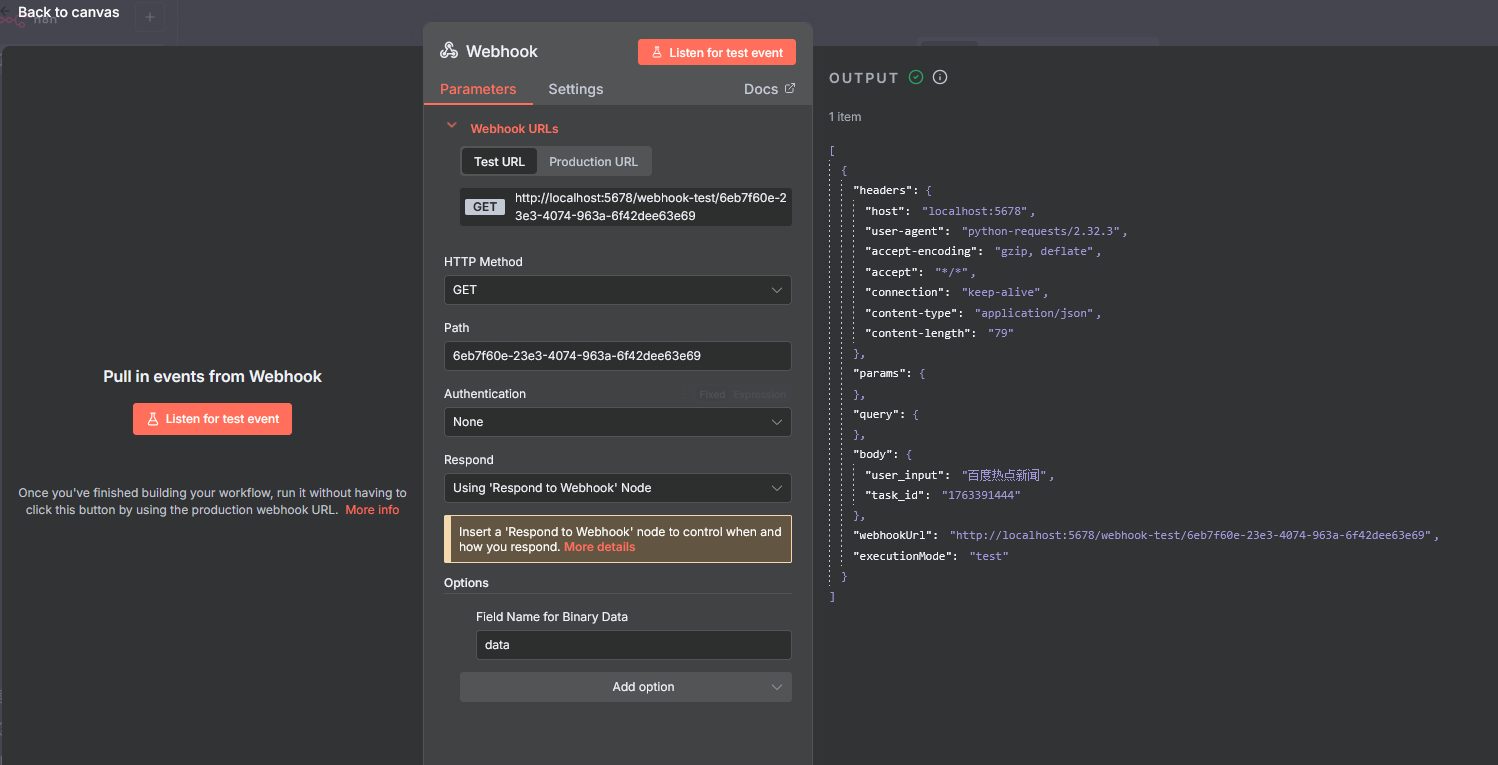
n8n 配置webhood
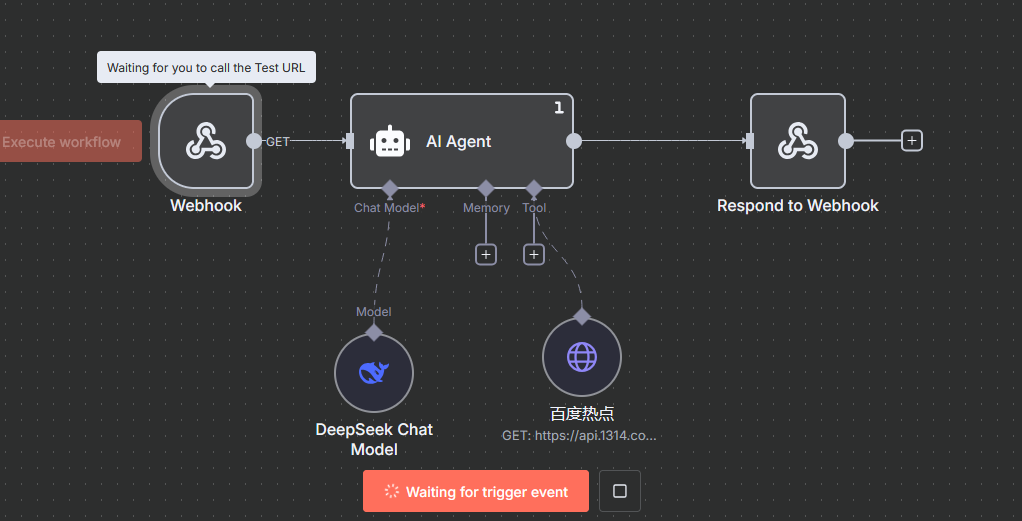
问小智 百度热点新闻
Wbbhook 配置





 扫一扫
扫一扫


 1334
1334

 被折叠的 条评论
为什么被折叠?
被折叠的 条评论
为什么被折叠?
 到【灌水乐园】发言





