


1. 目标效果
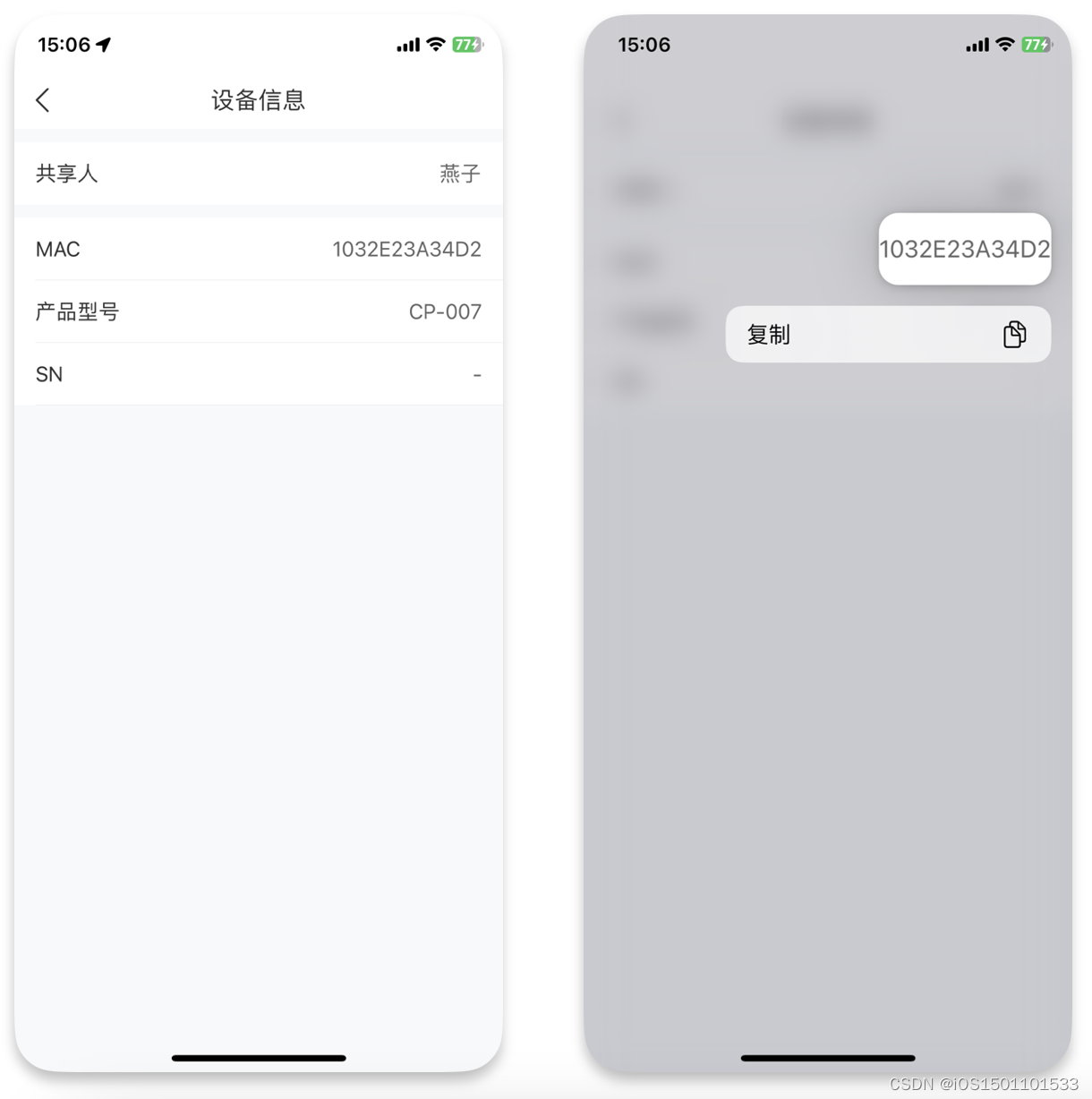
左侧的图片为长按操作前界面的显示效果,右侧的图片为长按“MAC”项右侧的1032E23A34D2(UILabel) 后,弹出复制选项菜单的显示效果。
2. 实现代码
1. 给要实现长按复制功能的UILabel添加上下文菜单交互对象:UIContextMenuInteraction
提示:
UIContextMenuInteraction在iOS 13.0及更新版本中可用。
#import "DeviceInfoViewController.h"

@interface DeviceInfoViewController () <UIContextMenuInteractionDelegate>

@property (nonatomic, weak) IBOutlet UILabel *macLabel;

@property (nonatomic, weak) IBOutlet UILabel *modelLabel;

@end

@implementation DeviceInfoViewController

- (void)viewDidLoad {


    [super viewDidLoad];

    [self setupUI];
}

- (void)setupUI {


    self.title = NSLocalizedString(@"设备信息", nil);

    // MAC
    [self prepareLongPressCopyInView:self

 2万+


 扫一扫


 被折叠的 条评论
为什么被折叠?
 到【灌水乐园】发言


