



解决方案:
在网上查了方法并做了整理。
1.进到C:\Windows\System32\drivers\etc\hosts文件,打开后加上下图中几行:
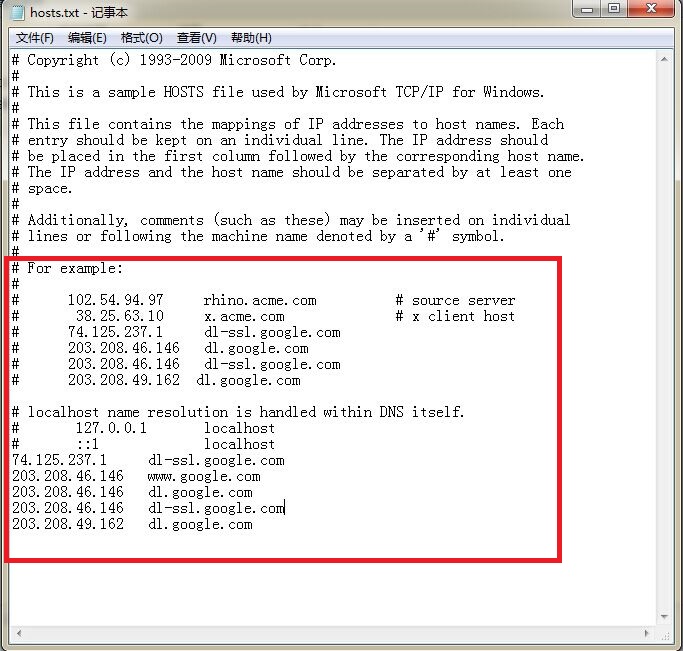
2.在eclipse的help菜单中选择install new software,
点击add (http://dl.google.com/android/eclipse/ )如果不行,
增加http://dl-ssl.google.com/android/eclipse/试试。
android http://dl-ssl.google.com/android/eclipse/无法访问
于 2015-07-15 10:11:14 首次发布
 本文指导如何解决在Android开发中使用Eclipse时遇到的安装问题,通过检查hosts文件配置和尝试不同Eclipse安装源,确保开发环境顺利搭建。





 扫一扫
扫一扫


 4372
4372

 被折叠的 条评论
为什么被折叠?
被折叠的 条评论
为什么被折叠?
 到【灌水乐园】发言





