



 本文介绍如何通过修改配置文件永久激活SAPGUI脚本功能。需将apgui/user_scripting参数设置为TRUE,并保存到应用服务器上的配置文件中。
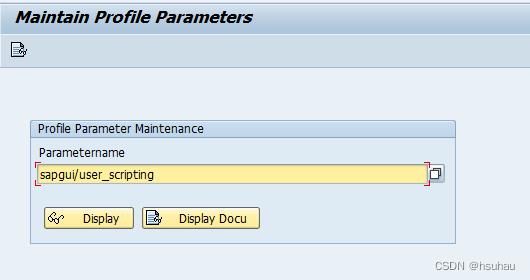
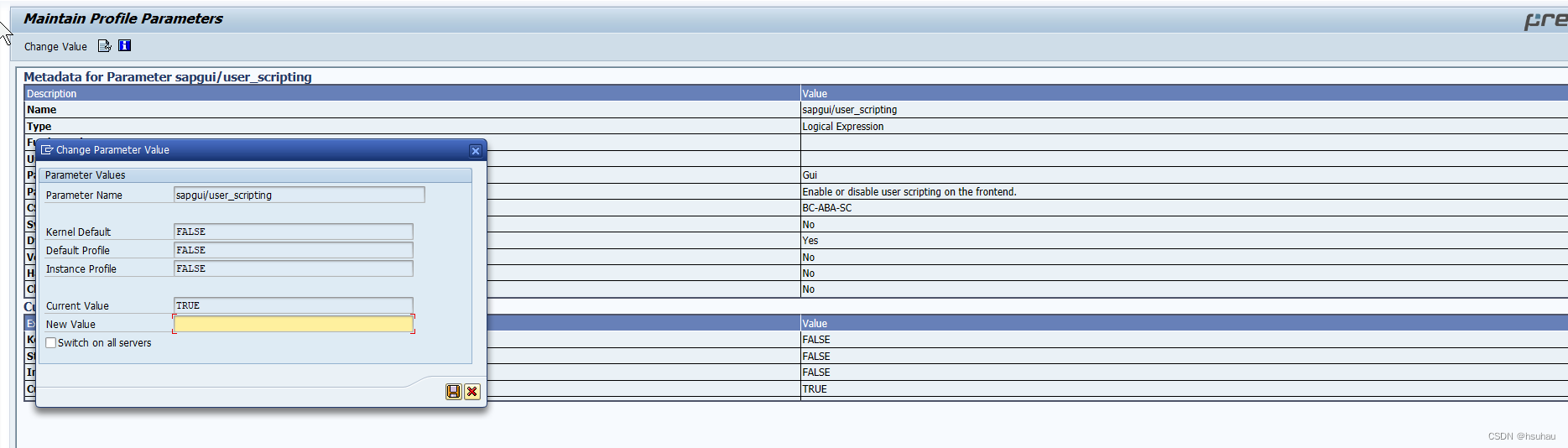
To use the SAP GUI Scripting it is necessary to set via transaction code RZ11 the profile parameter sapgui/user_scripting with the value TRUE, in standard it is set to FALSE.
To set this profile parameter permanent, change to the path usr/sap/<SID>/sys/profile on the application server and open the file <SID>_<INSTANCE>_<HOST> e.g. NSP_DVEBMGS00_ABAP. Now it is necessary to append the line sapgui/user_scripting = TRUE at the end of the file and save the file.
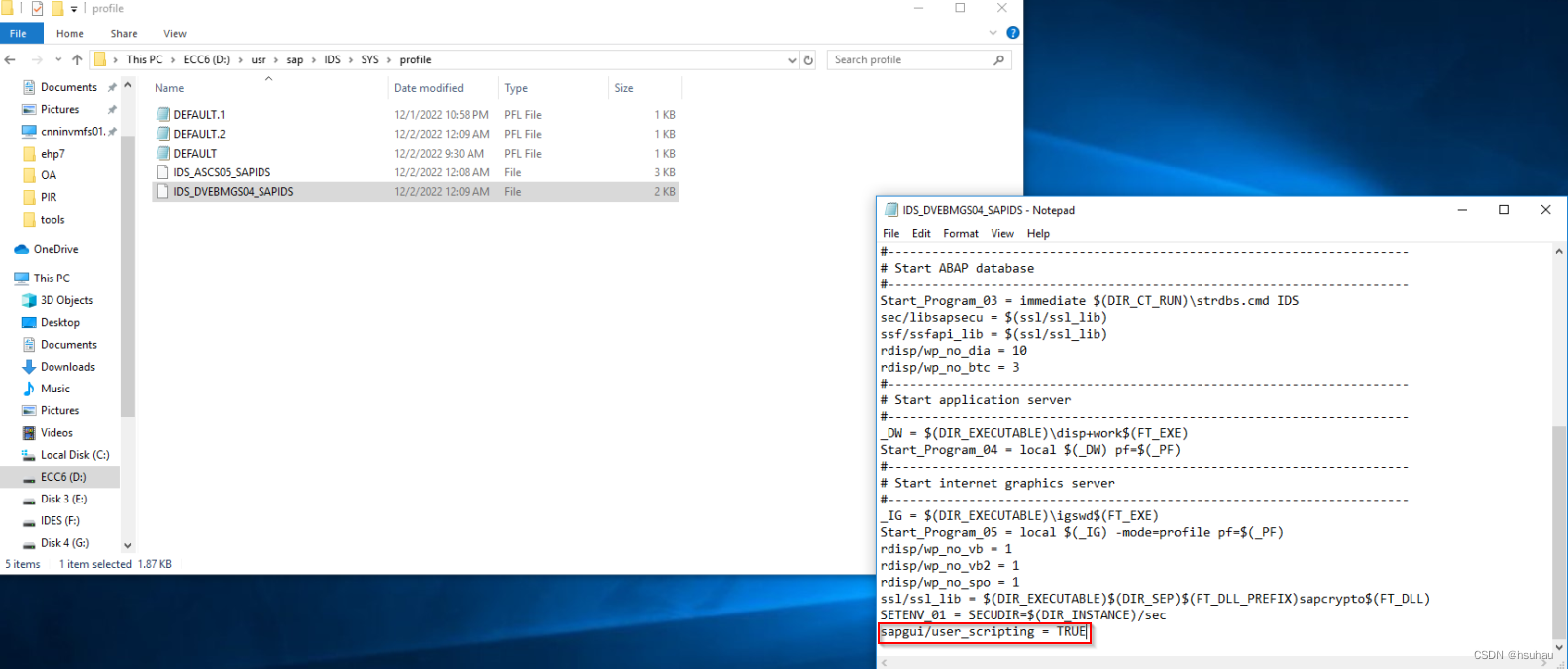
With these steps the SAP GUI Scripting is permanent activated on the application server. Now it is not necessary to activate this parameter via RZ11 again e.g. after a restart of the application server.





 扫一扫
扫一扫


 4817
4817

 被折叠的 条评论
为什么被折叠?
被折叠的 条评论
为什么被折叠?
 到【灌水乐园】发言





