


 本文详细介绍了如何使用BurpSuite进行安全测试的过程,包括远程桌面登录、配置代理、运行安全测试、使用专业扫描器及获取报告的具体步骤。
简单整理–How to do security testing with burp suit
Burp Suite
We can set a Remote desktop: xxx, then login to the remote.
Need the license to added for the burp suite.
License: …\burp_suite\License\
Steps:
- Remote desktop: login to remote desktop
- Open a cmd dialog and input the command.
Here is how full command looks like with current location of the Burp Suite:
C:\Users\jenkins>java -jar -Xmx1024m C:\Users\jenkins\Desktop\burp_suite\burpsuite_pro_v1.6.39.jar (replace your current version) - Configure proxy on Burp Suite as per official documentation.
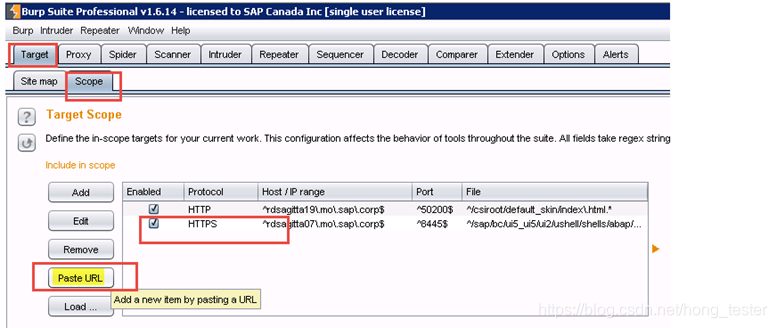
#1. To add new environment, just paste URL into the Burp Suite settings (tab Target > Scope)
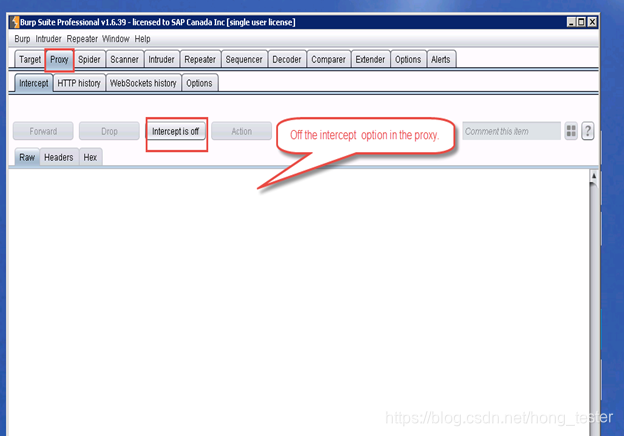
#2. Off the intercept option in the proxy.
#3. In the configured browser to run the security test.
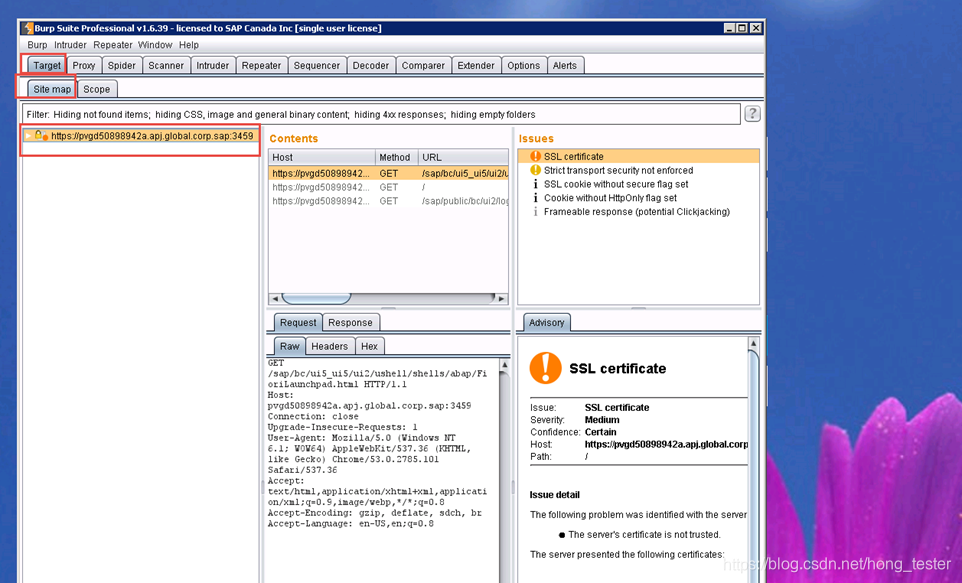
#4. Completed the case and navi to Target- Site Map tab.
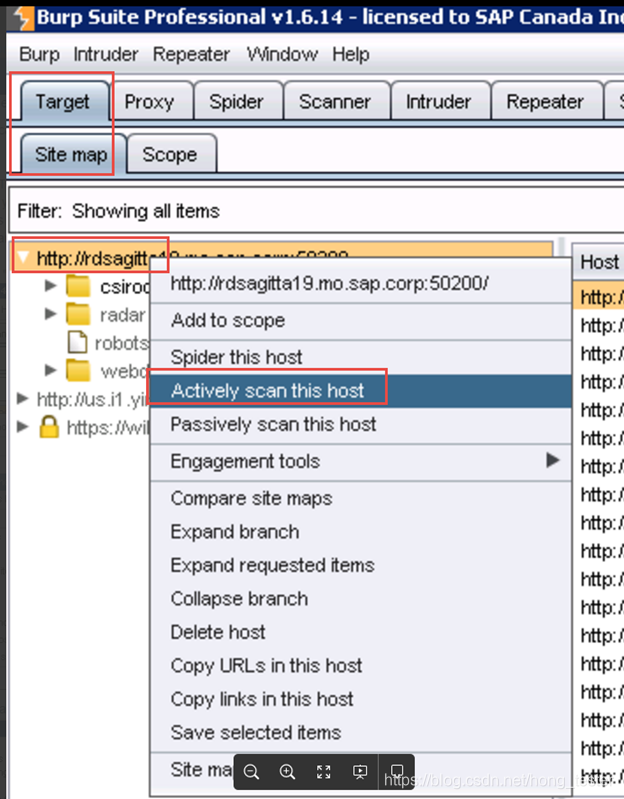
#5. Using Burp Suite Pro Scanner
Right-click on host and select “Actively scan this host”
#6. Select/unselect options in wizard
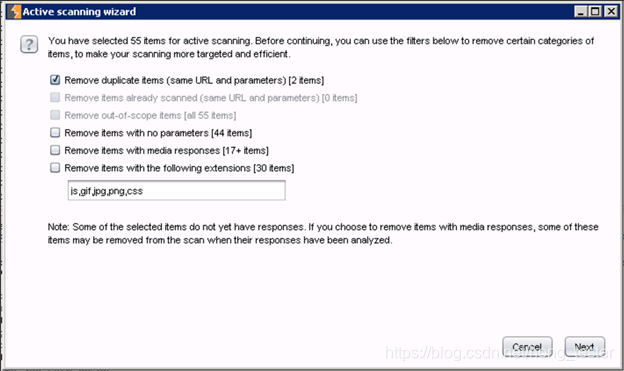
#6. Steps to get the Reports from BurpSuite Scanner
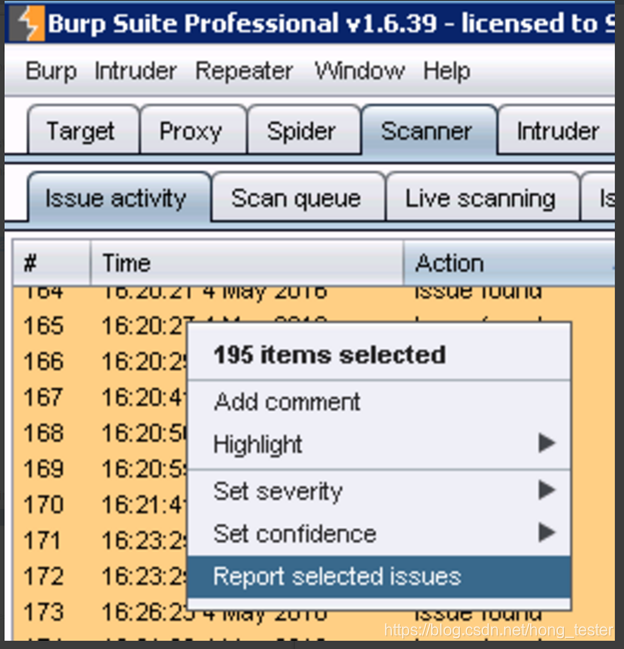
6.1 Go to tab Scanner > Issue activity
6.2 Select all; then right-click on any issue and select “Report selected issues”
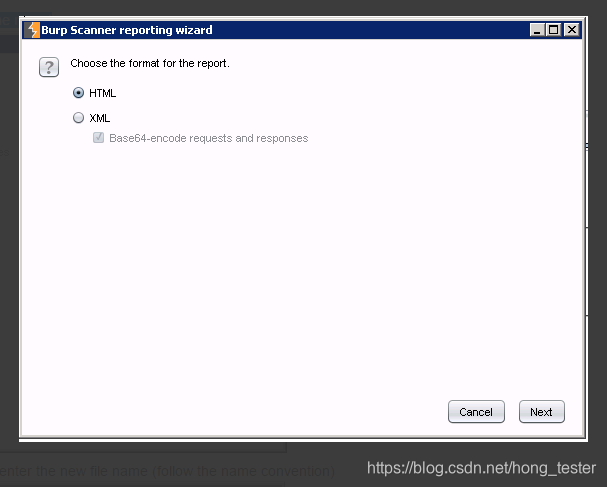
6.3 Select HTML option; include all details into the report
6.4 Select folder where report will be saved and enter the new file name (follow the name convention)
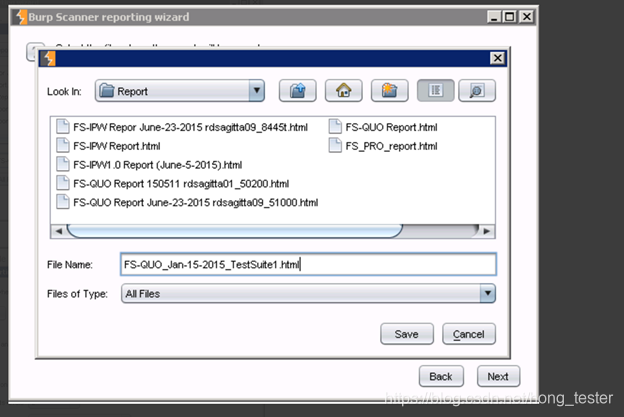
6.5 Enter same title as file name for consistency (this is what will appear on Report’s heading)
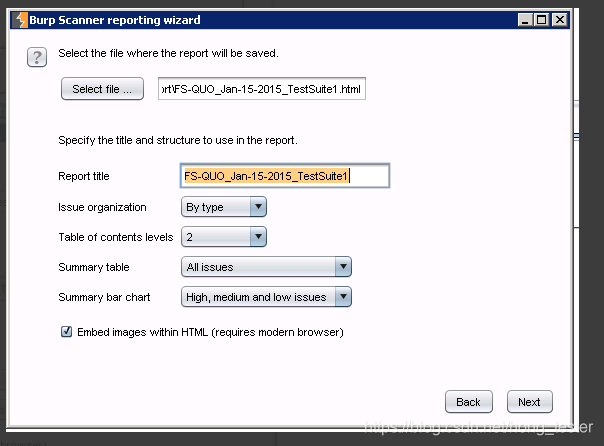
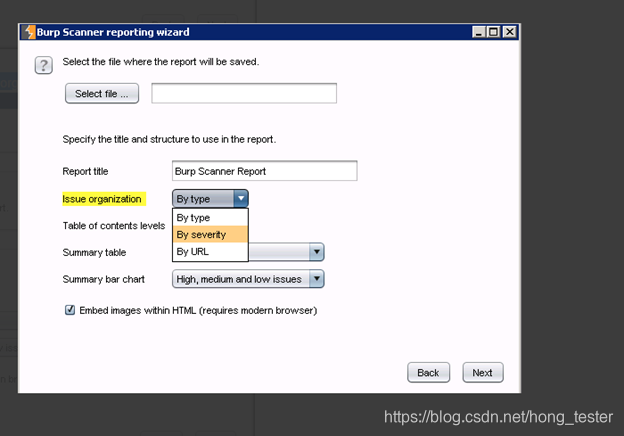
6.6 You have an option to select how issues are organized. You may sort them by violation type (“By type”) or severity (“By severity”).
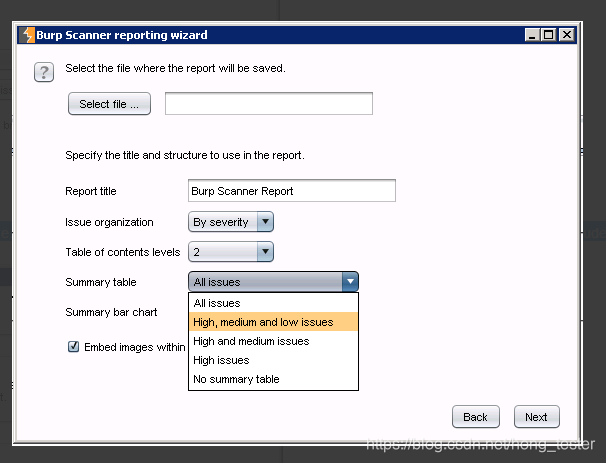
6.7 You may also include/exclude other options: i.e. Summary table = All issues option will include all severity types, incl. “Information”. To exclude “Information” type, select next option on the list.





 扫一扫
扫一扫


 5824
5824

 被折叠的 条评论
为什么被折叠?
被折叠的 条评论
为什么被折叠?
 到【灌水乐园】发言





