


音乐播放器
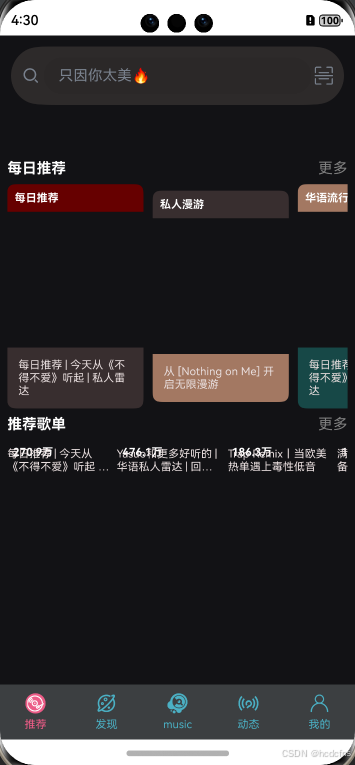
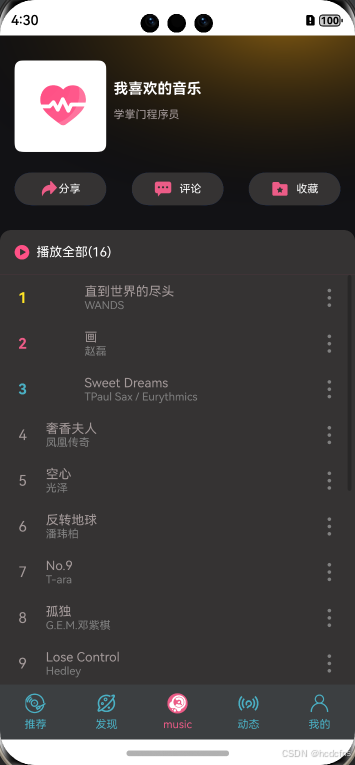
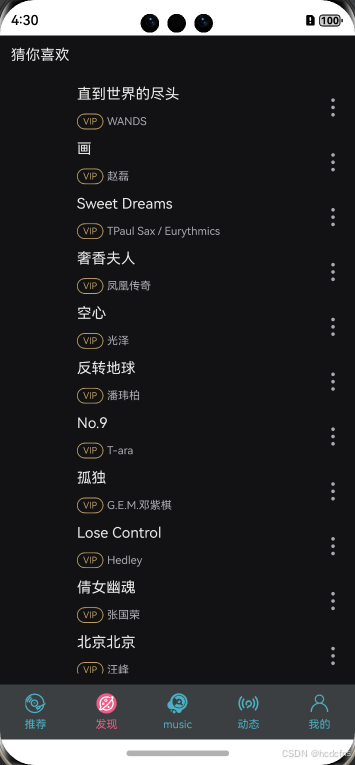
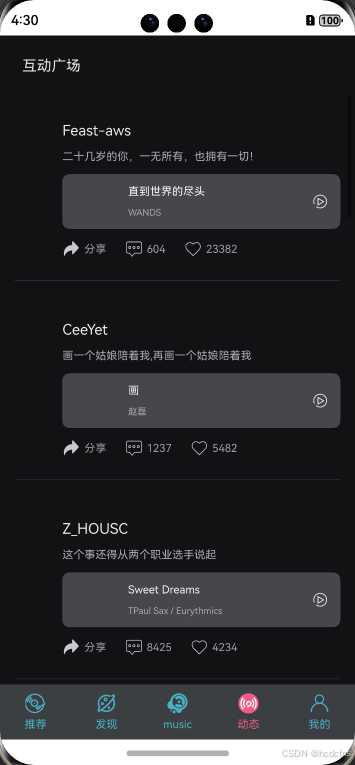
本示例先使用数据模型导入接口和类,模型包括歌曲信息、推荐歌单、每日推荐、喜欢列表和动态列表并用PlayerNav组件显示当前播放的歌曲信息,并提供上一首、播放/暂停、下一首的控制按钮以及定义各种组件实现gong'nen。
效果预览
具体实现介绍
PlayerNav 的组件
import { PlayStateType, songItemType } from '../models'
import AVPlayerClass from '../utils/AVPlayerClass'

@Preview
@Component
struct PlayerNav {
  @Link @Watch("updateEnable") playState: PlayStateType
  @State song: songItemType | null = null
  @State btnEnable: boolean = true

  updateEnable() {
    this.btnEnable = true
  }

  build() {
    Row() {
      Row({ space: 10 }) {
        Image(this.playState.img).width(40).aspectRatio(1)
        Column() {
          Text(this.playState.name).fontColor("#fff")
          Text(this.playState.author).fontSize(12).fontColor("#ccc")
        }.alignItems(HorizontalAlign.Start)
      }.height('100%')
      .alignItems(VerticalAlign.Center)

      // 上一首
      Row({ space: 16 }) {
        Image($r("app.media.ic_prev"))
          .width(20).aspectRatio(1)
          .fillColor("#4cafc6")
          .onClick(() => {
            AVPlayerClass.previous()
          })

        // 播放&暂停
        Image(this.playState.isPlay ? $r('app.media.ic_paused') : $r('app.media.ic_play'))
          .fillColor('#4cafc6')
          .width(20)
          .onClick(() => {
            if (!this.btnEnable) {
              return
            }
            this.btnEnable = false
            this.playState.isPlay ? AVPlayerClass.pausePlay() :
            AVPlayerClass.singlePlay(this.playState.playList[this.playState.playIndex])
          })

        // 下一首
        Image($r('app.media.ic_next'))
          .width(20)
          .aspectRatio(1)
          .fillColor('#4cafc6')
          .onClick(() => {
            AVPlayerClass.next()
          })
      }.height('100%')
    }
    .width('100%')
    .height(60)
    .backgroundColor("#ff1c1c21")
    .justifyContent(FlexAlign.SpaceBetween)
    .padding({ left: 20, right: 20 })
  }
}

export { PlayerNav }
这段代码定义了一个名为 PlayerNav 的组件,它是一个音乐播放器的控制面板,用于显示当前播放的歌曲信息并提供播放控制功能。
导入依赖
PlayStateType和songItemType:从../models路径导入的类型,分别代表播放状态和歌曲项的数据结构。AVPlayerClass:从../utils/AVPlayerClass导入的类,用于控制音乐播放。
组件属性
playState:一个PlayStateType类型的链接属性,用于存储播放状态,包括歌曲名称、作者、图片等信息,以及是否正在播放。song:一个songItemType类型的State属性,用于存储当前播放的歌曲信息。btnEnable:一个State属性,用于控制播放/暂停按钮是否可用。
方法
updateEnable:一个方法,用于将btnEnable状态设置为true,表示按钮可用。
构建方法 build
build方法定义了组件的 UI 布局和交互逻辑。- 使用
Row和Column创建了一个水平布局,包含歌曲信息和控制按钮。 - 歌曲信息包括一个图片和两行文字,显示歌曲名称和作者。
- 控制按钮包括上一首、播放/暂停、下一首,每个按钮都有点击事件处理逻辑。
交互逻辑
- 上一首按钮:点击时调用
AVPlayerClass.previous()方法,播放上一首歌。 - 播放/暂停按钮:点击时检查
btnEnable状态,如果为true,则根据当前的播放状态调用AVPlayerClass.pausePlay()(暂停或播放)或AVPlayerClass.singlePlay()(播放指定歌曲)。 - 下一首按钮:点击时调用
AVPlayerClass.next()方法,播放下一首歌。
样式
- 设置了组件的宽度、高度、背景颜色和内边距。
- 使用
justifyContent属性将内容分散对齐。
接口和类
import { songItemType, recommendListType, recommendDailyType, favoriteListType, momentListType } from '../models'
import { TabClass } from '../models'

// TabBar数据
export const tabsData: TabClass[] = [
  {
    title: '推荐',
    name: 'recommend',
    icon: $r("app.media.ic_recommend")
  }, {
  title: '发现',
  name: 'find',
  icon: $r("app.media.ic_find")
}, {
  title: 'music',
  name: 'home',
  icon: $r("app.media.ic_logo")
}, {
  title: '动态',
  name: 'moment',
  icon: $r("app.media.ic_moment")
}, {
  title: '我的',
  name: 'mine',
  icon: $r("app.media.ic_mine")
}]
// 轮播图数据
export const swiperList: string[] = [
  "https://atstudy-1253850831.cos.ap-shanghai.myqcloud.com/lab-d3/harmonyOS/music/banner1.png",
  "https://atstudy-1253850831.cos.ap-shanghai.myqcloud.com/lab-d3/harmonyOS/music/banner2.png",
  "https://atstudy-1253850831.cos.ap-shanghai.myqcloud.com/lab-d3/harmonyOS/music/banner3.png",
  "https://atstudy-1253850831.cos.ap-shanghai.myqcloud.com/lab-d3/harmonyOS/music/banner4.png",
  "https://atstudy-1253850831.cos.ap-shanghai.myqcloud.com/lab-d3/harmonyOS/music/banner5.png"
]
// 每日推荐数据
export const dailyRecommend: recommendDailyType[] = [
  {
    img: 'https://atstudy-1253850831.cos.ap-shanghai.myqcloud.com/lab-d3/harmonyOS/music/recommend1.png',
    title: '每日推荐 | 今天从《不得不爱》听起 | 私人雷达',
    type: '每日推荐',
    top: '#660000',
    bottom: '#382e2f'
  },
  {
    img: 'https://atstudy-1253850831.cos.ap-shanghai.myqcloud.com/lab-d3/harmonyOS/music/recommend2.png',
    title: '从 [Nothing on Me] 开启无限漫游',
    type: '私人漫游',
    top: '#382e2f',
    bottom: '#a37862'
  },
  {
    img: 'https://atstudy-1253850831.cos.ap-shanghai.myqcloud.com/lab-d3/harmonyOS/music/recommend3.png',
    title: '每日推荐 | 今天从《不得不爱》听起 | 私人雷达',
    type: '华语流行',
    top: '#a37862',
    bottom: '#174847'
  },
  {
    img: 'https://atstudy-1253850831.cos.ap-shanghai.myqcloud.com/lab-d3/harmonyOS/music/recommend4.png',
    title: '每日推荐 | 今天从《不得不爱》听起 | 私人雷达',
    type: '私人雷达',
    top: '#174847',
    bottom: '#174847'
  }
]
// 推荐歌单数据
export const recommendList: recommendListType[] = [
  {
    img: 'https://atstudy-1253850831.cos.ap-shanghai.myqcloud.com/lab-d3/harmonyOS/music/list1.jpg',
    title: '每日推荐 | 今天从《不得不爱》听起 | 私人雷达',
    count: '270.9万'
  },
  {
    img: 'https://atstudy-1253850831.cos.ap-shanghai.myqcloud.com/lab-d3/harmonyOS/music/list2.jpg',
    title: 'Yasuo和更多好听的 | 华语私人雷达 | 回忆8090',
    count: '476.1万'
  },
  {
    img: 'https://atstudy-1253850831.cos.ap-shanghai.myqcloud.com/lab-d3/harmonyOS/music/list3.jpg',
    title: 'Trap Remix丨当欧美热单遇上毒性低音',
    count: '186.3万'
  },
  {
    img: 'https://atstudy-1253850831.cos.ap-shanghai.myqcloud.com/lab-d3/harmonyOS/music/list4.jpg',
    title: '满级人类进化之路必备BGM | 根本停不下来',
    count: '186.3万'
  },
  {
    img: 'https://atstudy-1253850831.cos.ap-shanghai.myqcloud.com/lab-d3/harmonyOS/music/list5.jpg',
    title: '认真去聆听这个世界的每一分每一秒 (强烈推荐)',
    count: '362.8万'
  },


]
// 歌曲列表
export const songs: songItemType[] = [
  {
    img: 'https://atstudy-1253850831.cos.ap-shanghai.myqcloud.com/lab-d3/harmonyOS/music/0.jpg',
    name: '直到世界的尽头',
    author: 'WANDS',
    url: 'https://atstudy-1253850831.cos.ap-shanghai.myqcloud.com/lab-d3/harmonyOS/music/0.m4a',
    id: '0000'
  },
  {
    img: 'https://atstudy-1253850831.cos.ap-shanghai.myqcloud.com/lab-d3/harmonyOS/music/1.jpg',
    name: '画',
    author: '赵磊',
    url: 'https://atstudy-1253850831.cos.ap-shanghai.myqcloud.com/lab-d3/harmonyOS/music/1.mp3',
    id: '0001'
  },
  {
    img: 'https://atstudy-1253850831.cos.ap-shanghai.myqcloud.com/lab-d3/harmonyOS/music/2.jpg',
    name: 'Sweet Dreams',
    author: 'TPaul Sax / Eurythmics',
    url: 'https://atstudy-1253850831.cos.ap-shanghai.myqcloud.com/lab-d3/harmonyOS/music/2.mp3',
    id: '0002'
  },
  {
    img: 'https://atstudy-1253850831.cos.ap-shanghai.myqcloud.com/lab-d3/harmonyOS/music/3.jpg',
    name: '奢香夫人',
    author: '凤凰传奇',
    url: 'https://atstudy-1253850831.cos.ap-shanghai.myqcloud.com/lab-d3/harmonyOS/music/3.m4a',
    id: '0003'
  },
  {
    img: 'https://atstudy-1253850831.cos.ap-shanghai.myqcloud.com/lab-d3/harmonyOS/music/4.jpg',
    name: '空心',
    author: '光泽',
    url: 'https://atstudy-1253850831.cos.ap-shanghai.myqclo
 最低0.47元/天 解锁文章






 扫一扫
扫一扫


 1058
1058


 到【灌水乐园】发言




