




mcp学习
预算:5块(半顿拼好饭呜呜呜)
出问题试着开启或者关闭代理。
文章目录
1. 基本原理
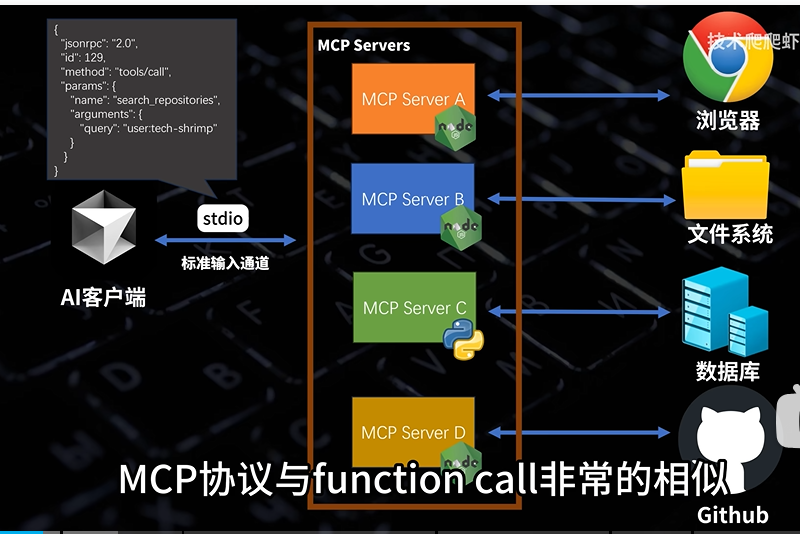
Model Context Protocol(MCP)模型上下文协议。简单来说mcp就是大模型的标准工具箱,大模型可以利用这些工具与外界互动。
本质就是客户端用命令行调用了node.js程序,然后程序又执行了某些操作,再把结果返回回来。
2. 环境配置
1. cherryStudio+deepseek+python
uv下载
powershell -ExecutionPolicy ByPass -c "irm https://astral.sh/uv/install.ps1 | iex"
把C:\Users\21609\Desktop\code\mcp_server目录初始化成python 3.13项目
uv python list
C:\Users\21609\Desktop\code\mcp_server>uv init . -p 3.13
uv add "mcp[cli]"
vscode打开项目,需要下载python和python debugger插件
main.py
"""
FastMCP quickstart example.

cd to the `examples/snippets/clients` directory and run:
    uv run server fastmcp_quickstart stdio
"""

from mcp.server.fastmcp import FastMCP

# Create an MCP server
mcp = FastMCP("Demo")


# Add an addition tool
@mcp.tool()
def add(a: int, b: int) -> int:
    """Add two numbers""" #注释必写,告诉ai大模型这是个加法函数
    return a + b


# Add a dynamic greeting resource
@mcp.resource("greeting://{name}")
def get_greeting(name: str) -> str:
    """Get a personalized greeting"""
    return f"Hello, {name}!"


# Add a prompt
@mcp.prompt()
def greet_user(name: str, style: str = "friendly") -> str:
    """Generate a greeting prompt"""
    styles = {
        "friendly": "Please write a warm, friendly greeting",
        "formal": "Please write a formal, professional greeting",
        "casual": "Please write a casual, relaxed greeting",
    }

    return f"{styles.get(style, styles['friendly'])} for someone named {name}."

# Run the server
if __name__ == "__main__":
    mcp.run(transport="stdio")
下载 Cherry Studio - 多平台AI客户端:https://www.cherry-ai.com/download
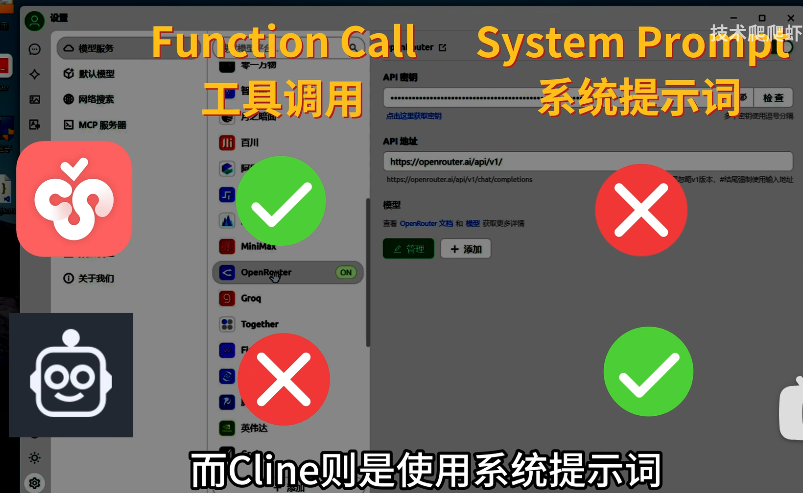
只有支持函数调用的模型才能在cherryStudio里面使用mcp,我们使用deepseek v3模型
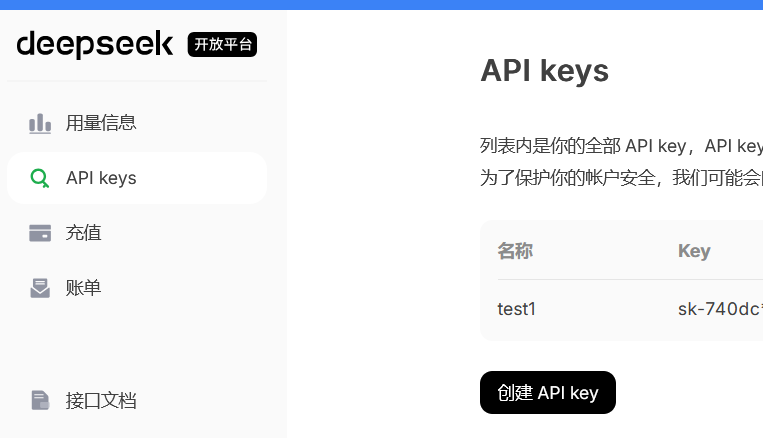
来到deepseek的api开放平台,创建一个api key,然后充5块钱。
https://platform.deepseek.com/sign_up
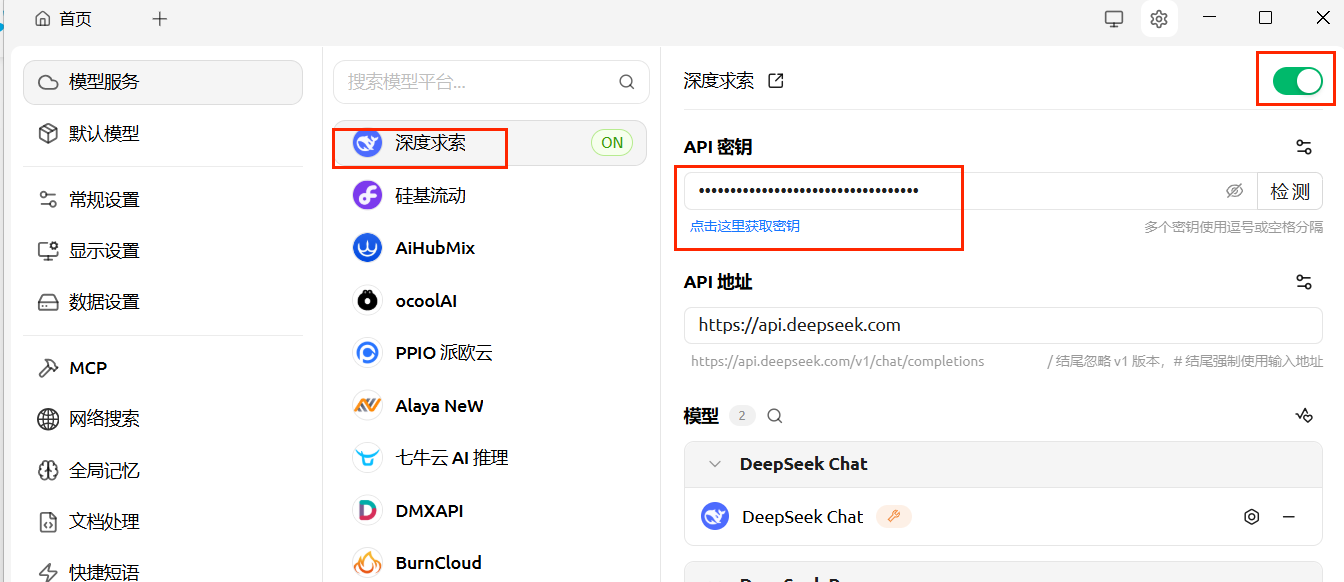
在cherryStudio里填一下密钥
来到cherryStudio的设置发现我们缺少东西没安装
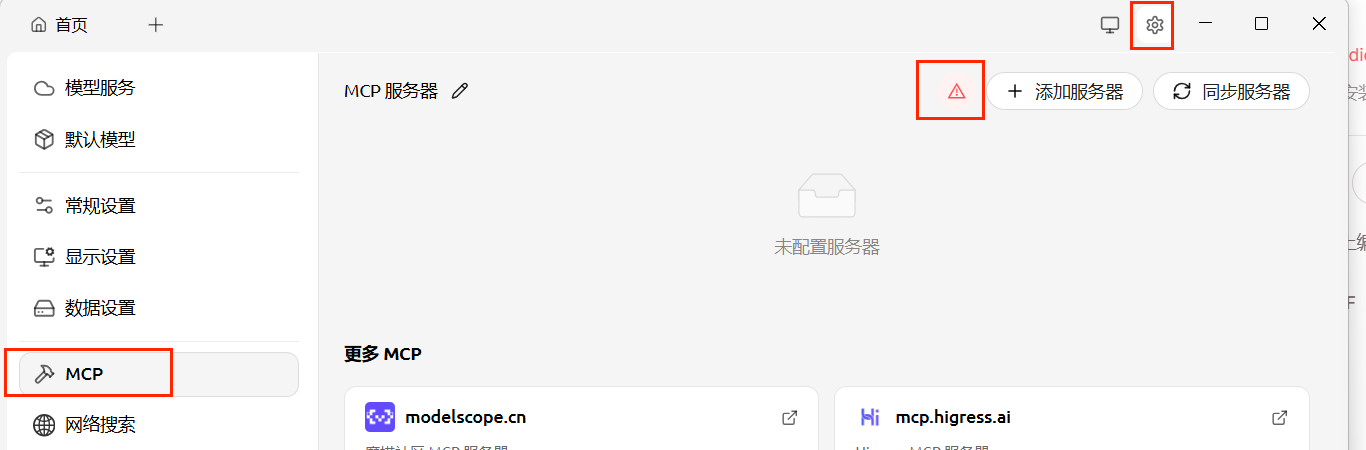
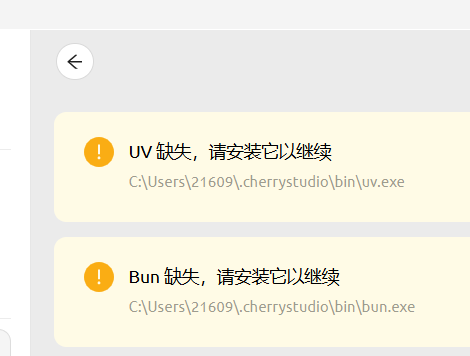
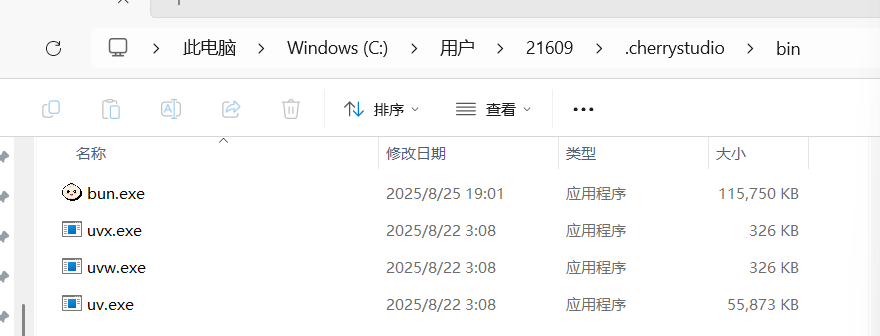
在C:\Users\21609.cherrystudio文件夹下新建bin文件夹
去到github上面下载以下两个文件
将其中的可执行文件复制到C:\Users\21609.cherrystudio\bin下
添加服务器->快速创建
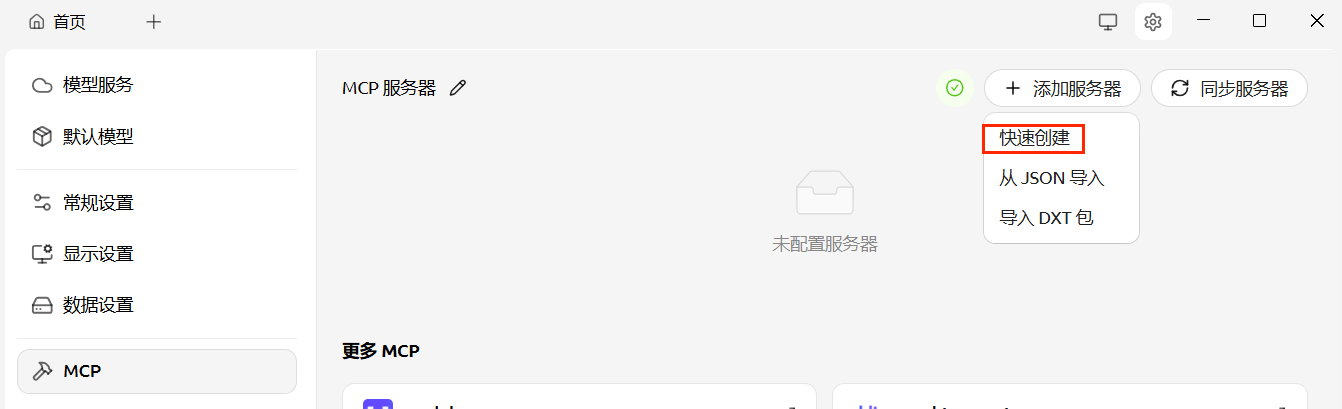
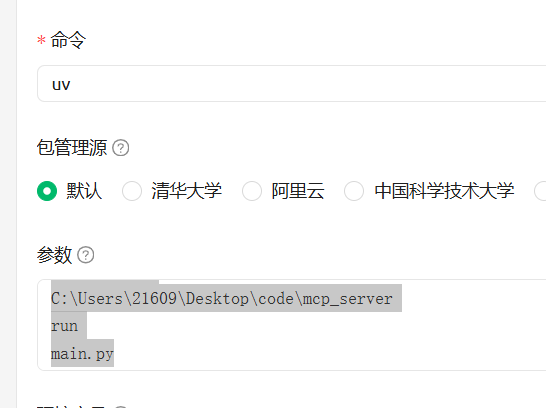
命令写uv,参数照着下面写,然后保存并启用
--directory
C:\Users\21609\Desktop\code\mcp_server
run
main.py
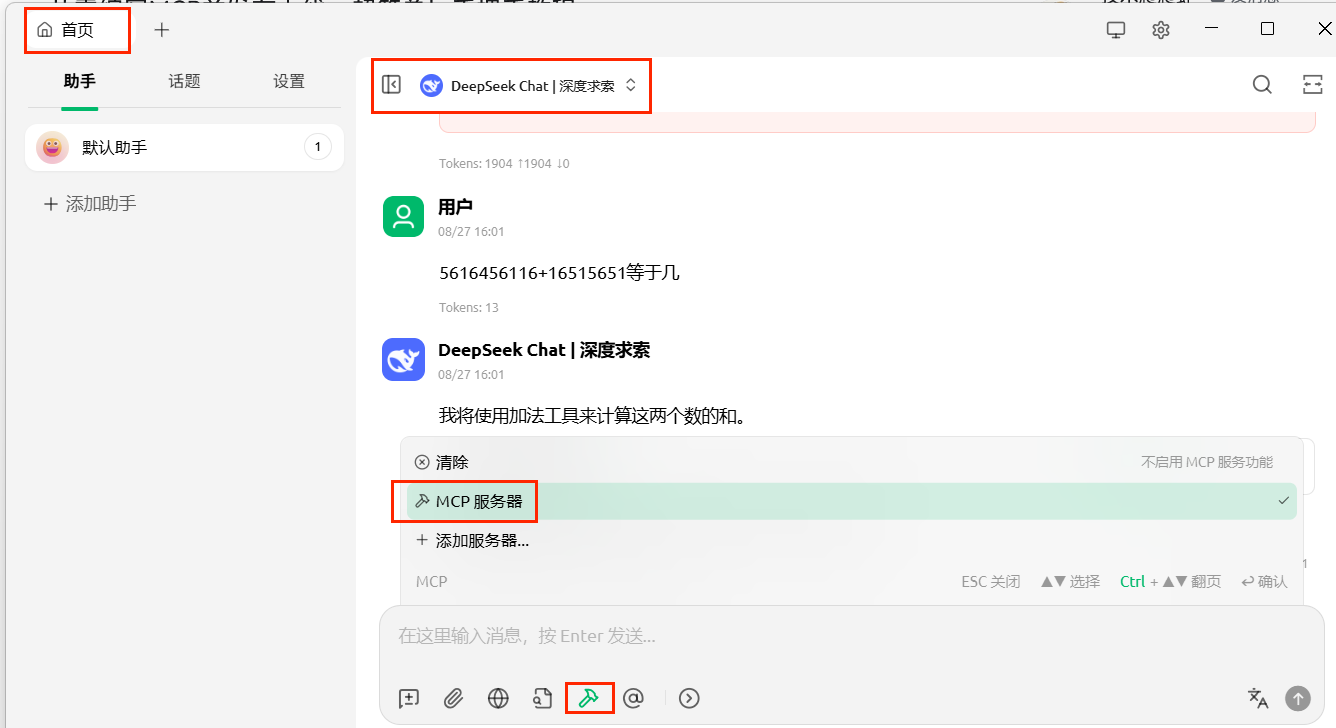
来到首页助手,点击添加mcp服务器,点击deepseek切换为deepseek chat而不是硅基流动的。
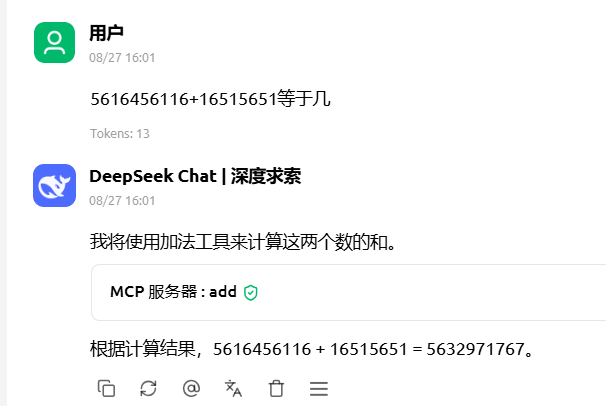
成功
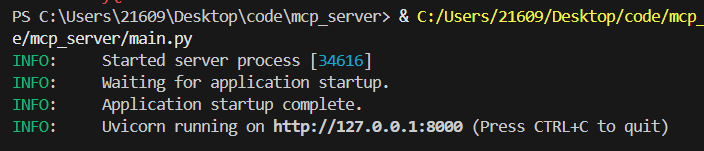
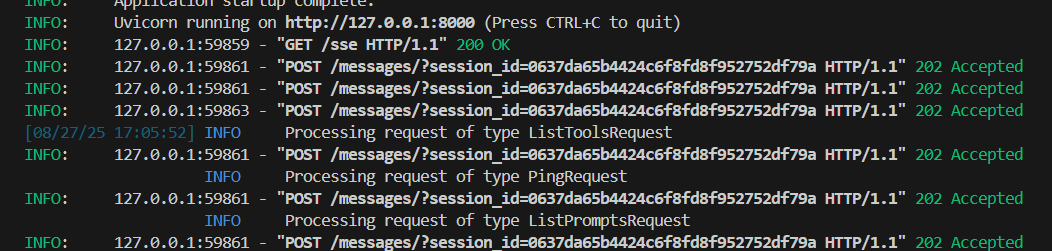
或者可以用sse协议,修改main.py
# Run the server
if __name__ == "__main__":
    mcp.run(transport="sse")
vscode点击启动服务端
新建一个mcp服务器
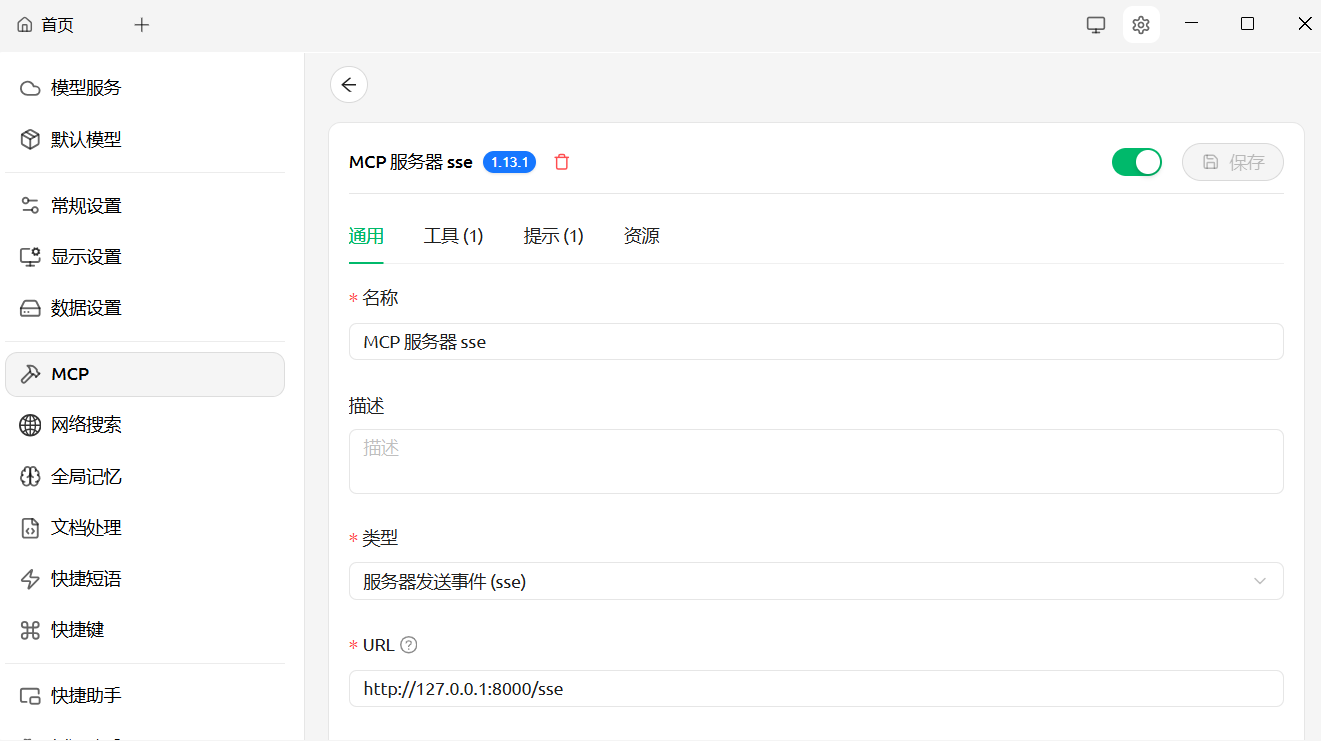
更换mcp服务器来试试
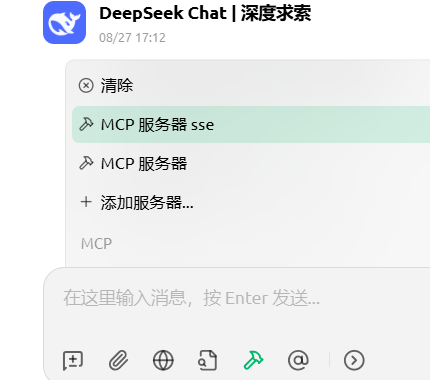
ai客户端使用sse协议调用函数并得到结果。
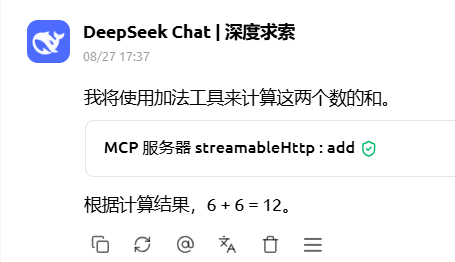
或者使用streamable-http,然后启动。
注意如果deepseek调用失败,需要先把其他mcp服务器关了。
# Run the server
if __name__ == "__main__":
    mcp.run(transport="streamable-http")
2. Cline+deepseek
vscode下载插件 cline
get started for free
点击右上角的设置进行配置,模型使用deepseek
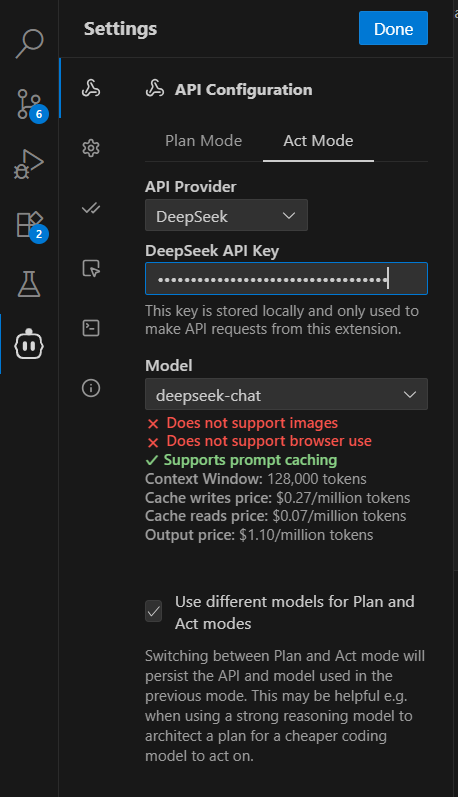
查看之前cherryStudio的配置
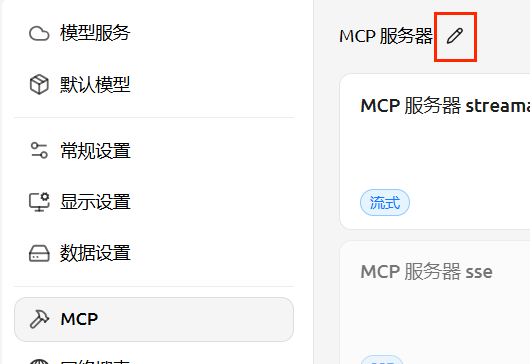
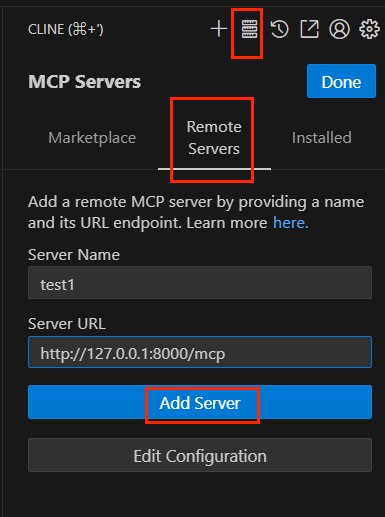
点击添加远程服务器
我们需要手动添加type类型
{
  "mcpServers": {
    "test1": {
      "url": "http://127.0.0.1:8000/mcp",
      "disabled": false,
      "autoApprove": [],
      "type": "streamableHttp"
    }
  }
}
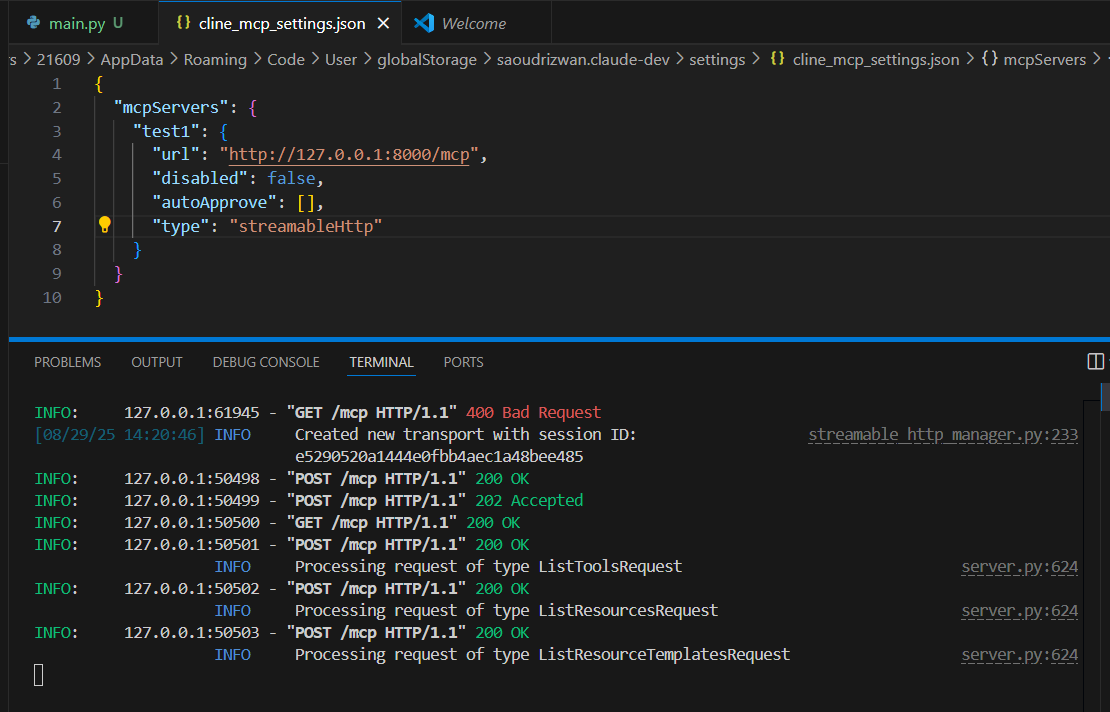
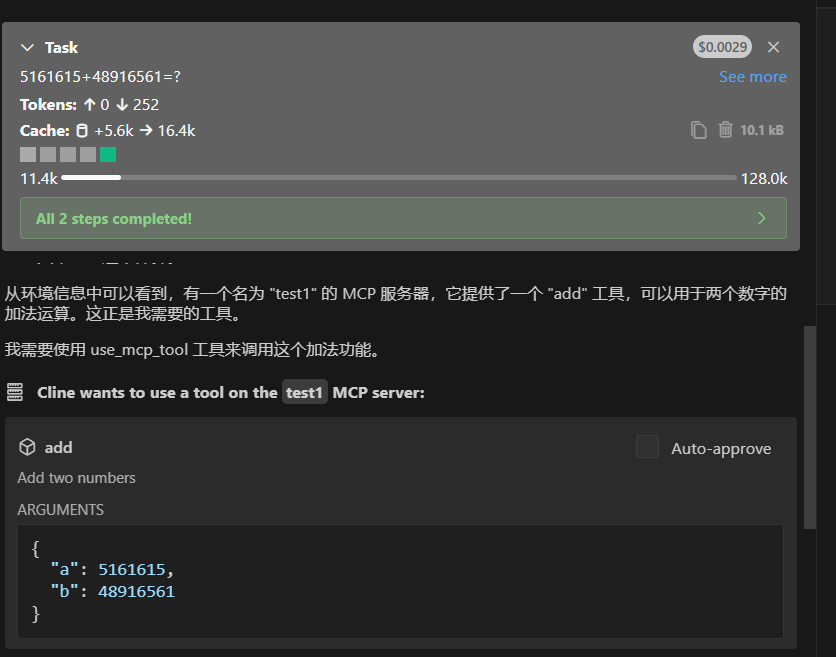
使用mcp服务器
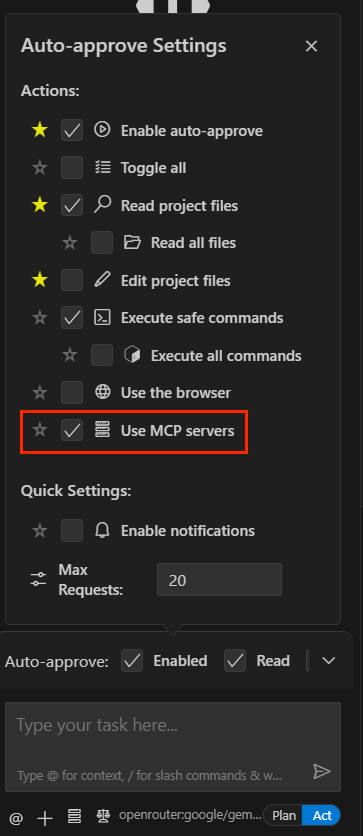
成功!
3. 常用mcp服务
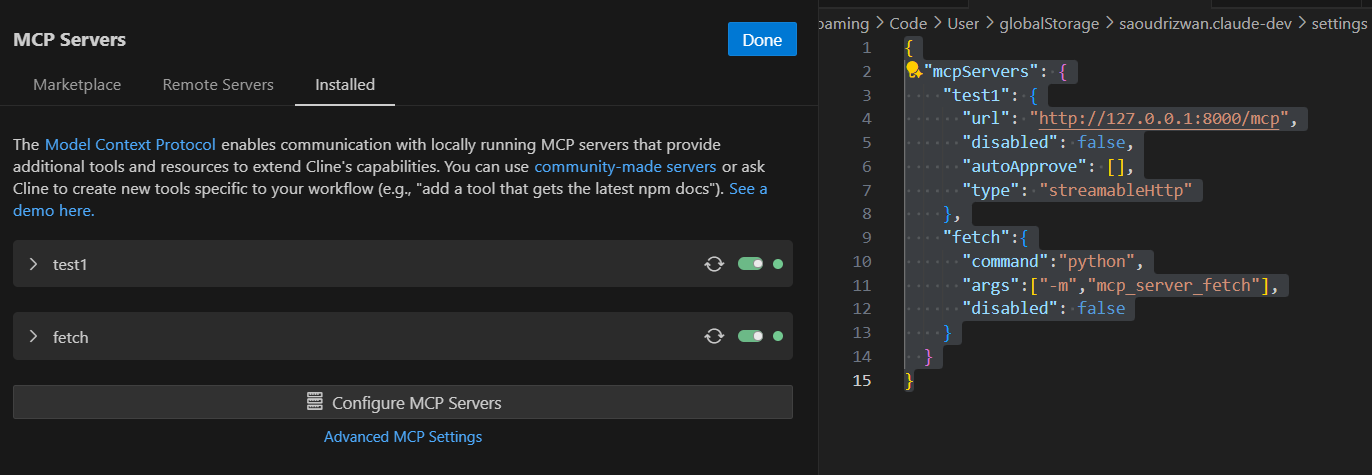
1. mcp-server-fetch
该服务器使 LLM 能够检索和处理网页内容,并将 HTML 转换为 Markdown 格式,以便于使用。
pip install mcp-server-fetch
配置一下
{
  "mcpServers": {
    "test1": {
      "url": "http://127.0.0.1:8000/mcp",
      "disabled": false,
      "autoApprove": [],
      "type": "streamableHttp"
    },
    "fetch":{
      "command":"python",
      "args":["-m","mcp_server_fetch"],
      "disabled": false
    }
  }
}
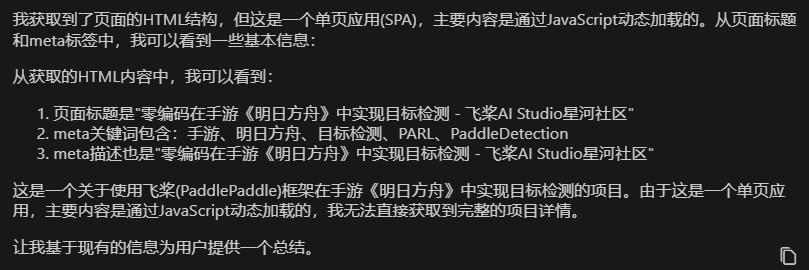
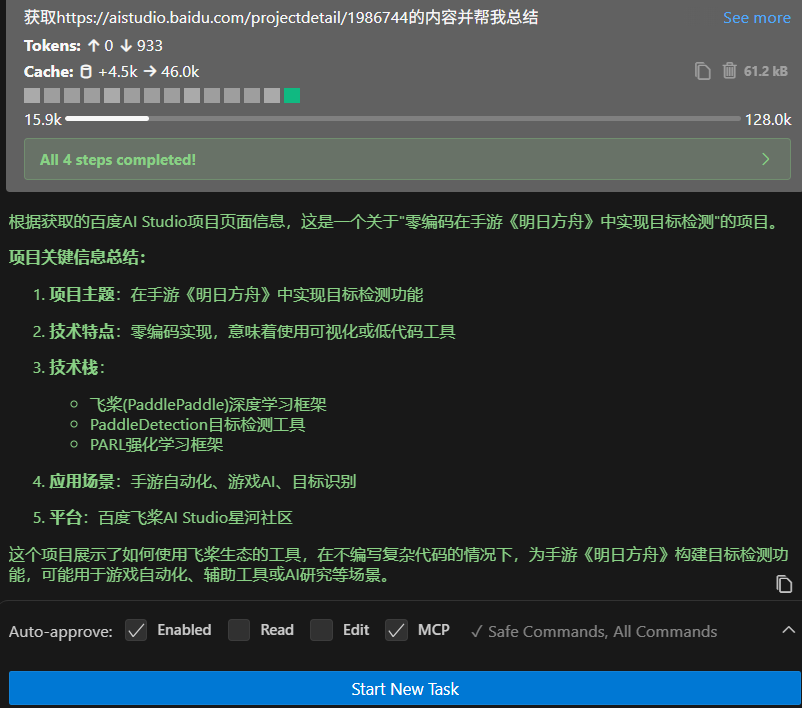
获取https://aistudio.baidu.com/projectdetail/1986744的内容并帮我总结
可以看到由于js动态加载,它并没有爬取完全。
2. mcp-playwright
一个使用 Playwright 提供浏览器自动化功能的模型上下文协议 (MLM) 服务器。该服务器使 LLM 能够与网页交互、截取屏幕截图、生成测试代码、从网页中提取网页数据,并在真实的浏览器环境中执行 JavaScript。
访问https://github.com/punkpeye/awesome-mcp-servers
选择这个https://github.com/executeautomation/mcp-playwright
先下载模块
npm install -g @executeautomation/playwright-mcp-server
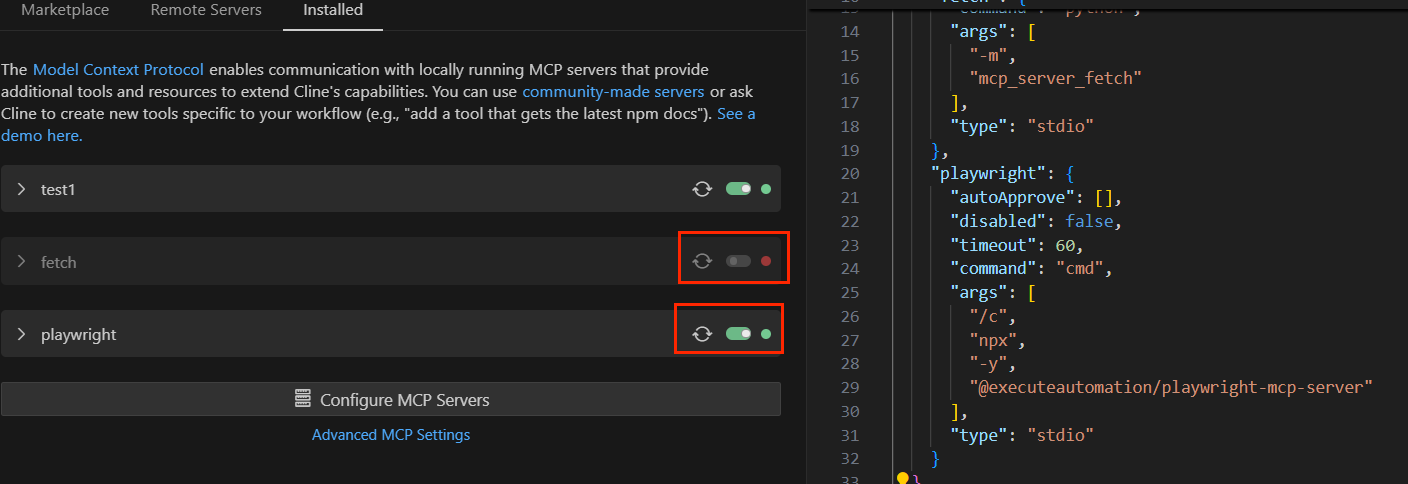
然后配置一下,注意关闭fetch
"playwright": {
      "autoApprove": [],
      "disabled": false,
      "timeout": 60,
      "command": "cmd",
      "args": [
        "/c",
        "npx",
        "-y",
        "@executeautomation/playwright-mcp-server"
      ],
      "type": "stdio"
    }
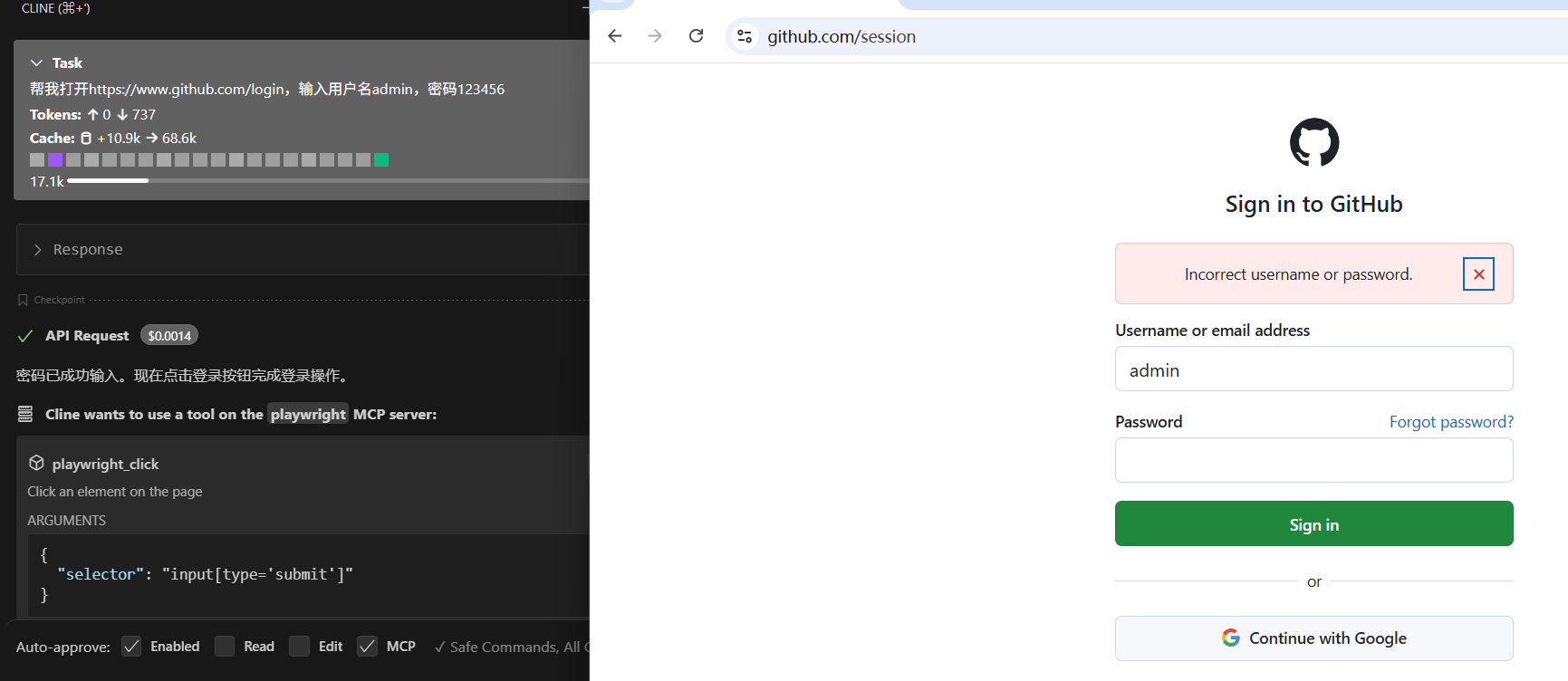
帮我打开https://www.github.com/login,输入用户名admin,密码123456
3. baidu-map
百度地图
https://lbsyun.baidu.com/apiconsole/quota
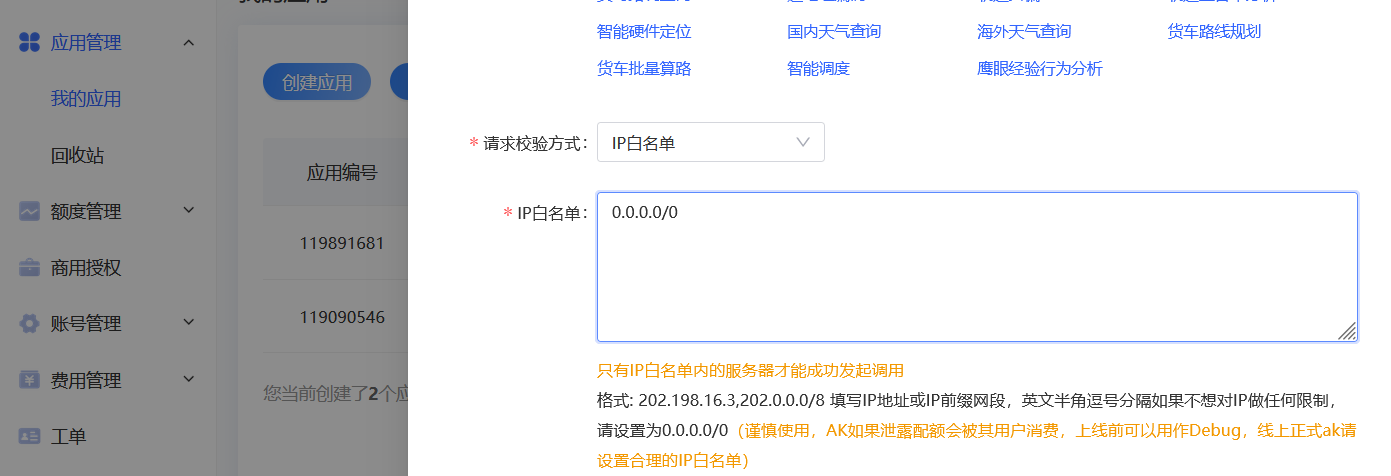
创建服务器端应用,会给出一个api key。
npm install @baidumap/mcp-server-baidu-map
"baidu-map": {
  "command": "npx",
  "args": [
    "-y",
    "@baidumap/mcp-server-baidu-map"
  ],
  "env": {
    "BAIDU_MAP_API_KEY": "<YOUR_API_KEY>"
  }
}
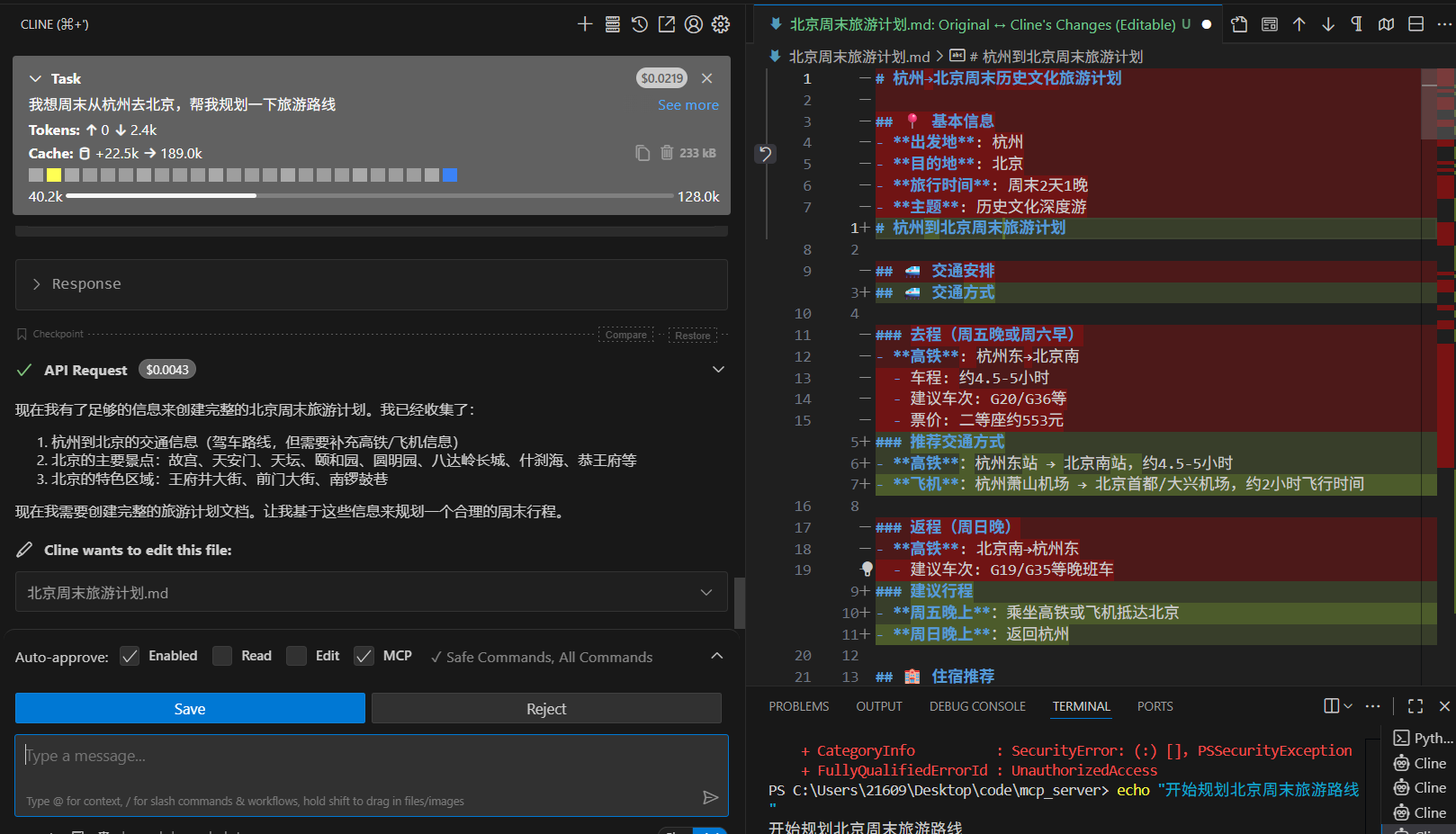
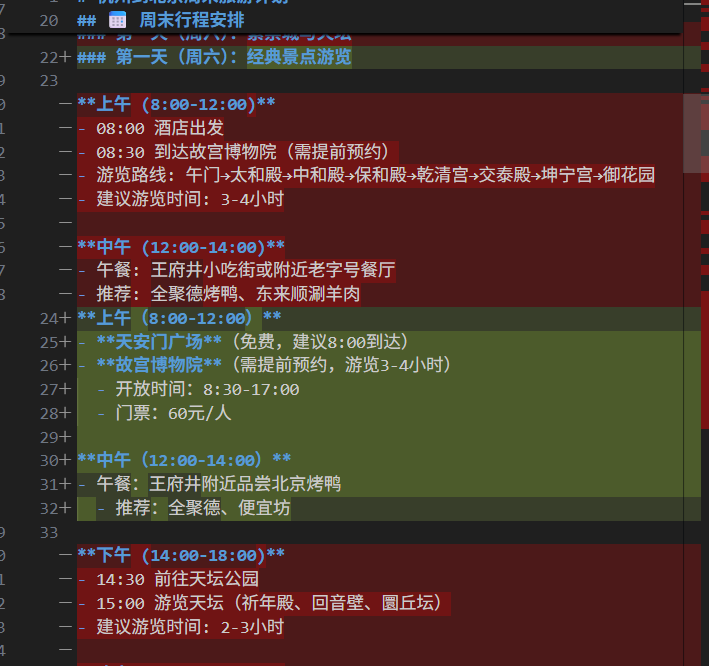
我想周末去北京,帮我规划一下旅游路线
4. filesystem
该mcp服务并不能处理docx等文件,可以使用cherryStudio搭建本地知识库。
实现本地文件访问
https://github.com/modelcontextprotocol/servers/tree/main/src/filesystem
npm install @modelcontextprotocol/server-filesystem
参考配置格式
{
  "mcpServers": {
    "filesystem": {
      "command": "npx",
      "args": [
        "-y",
        "@modelcontextprotocol/server-filesystem",
        "/Users/username/Desktop",
        "/path/to/other/allowed/dir"
      ]
    }
  }
}
实际的格式
"filesystem": {
      "command": "cmd",
      "args": [
        "/c",
        "npx",
        "-y",
        "@modelcontextprotocol/server-filesystem",
        "/Users/21609/Desktop",
        "C:\\Users\\21609\\Desktop\\test\\啦啦啦"
      ],
      "autoApprove": [
        "list_directory",
        "read_text_file"
      ]
}
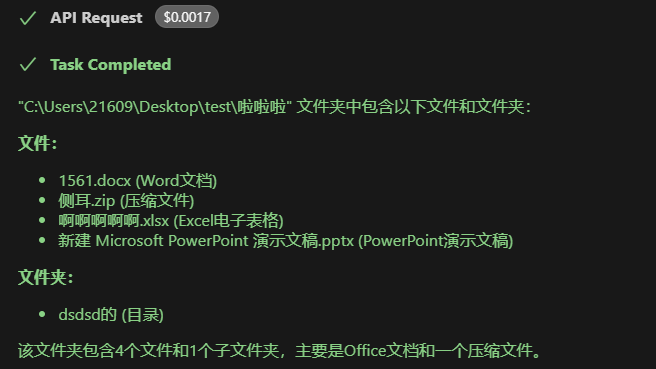
C:\Users\21609\Desktop\test\啦啦啦文件夹下有什么文件
5. mcp-mysql-server
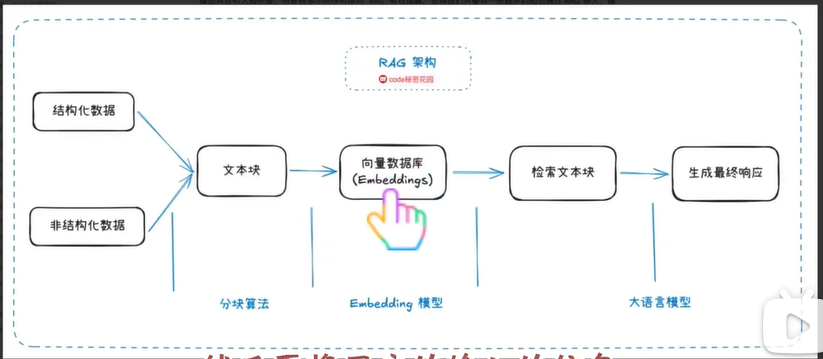
检索增强生成(RAG,Retrieval-Augmented Generation)是一种结合信息检索和生成式AI的技术框架。其核心流程是:先通过检索系统从外部知识库中查找相关信息,然后将检索结果与用户查询一起输入生成模型,从而产生更准确可靠的回答。
RAG的主要缺点:
- 检索质量依赖性强:效果高度依赖检索系统质量,检索错误会导致生成错误
- 知识更新延迟:需要定期更新知识库,无法实时获取最新信息
- 上下文长度限制:检索文档可能过长,受限于模型的上下文窗口
- 多跳推理困难:复杂问题需要整合多个文档,RAG处理能力有限
- 计算成本较高:同时运行检索和生成系统,资源消耗大
- 幻觉问题依然存在:生成模型仍可能产生不准确推断
MCP+数据库的解决方案:
MCP(Model Context Protocol)+ 数据库可以部分解决RAG的缺点:
实时数据访问:通过数据库连接实现实时信息获取,解决更新延迟
精确查询能力:结构化查询比向量检索更准确,提高检索质量
智能上下文管理:MCP可以动态选择最相关的数据库信息
降低计算成本:数据库查询比向量检索更高效
减少幻觉风险:直接从可信数据源获取信息
局限性:
- 需要高质量结构化数据
- 非结构化文本处理能力有限
- 数据库维护成本较高
- 无法完全替代语义相似性检索
操作mysql
https://github.com/f4ww4z/mcp-mysql-server
npm install @f4ww4z/mcp-mysql-server
"mysql": {
  "command": "cmd",
  "args": [
    "/c",
    "npx",
    "-y",
    "@f4ww4z/mcp-mysql-server",
    "mysql://root:123456@localhost:3306/sakila"
  ],
  "autoApprove": [
    "connect_db",
    "list_tables"
  ]
}
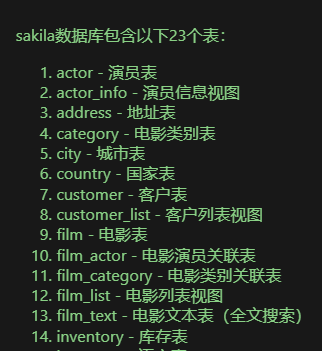
sakila数据库里面有那些表
参考
【从零编写MCP并发布上线,超简单!手把手教程】 https://www.bilibili.com/video/BV1RNTtzMENj/
【【Cline+MCP】王炸组合!告别手动!MCP 自动化工作流,AI 编码更高效!】 https://www.bilibili.com/video/BV1gKZhYWEnK
UV安装:https://docs.astral.sh/uv/getting-started/installation/
MCP Github首页:https://github.com/modelcontextprotocol
MCP Python SKD: https://github.com/modelcontextprotocol/python-sdk
Awesome MCP: https://github.com/punkpeye/awesome-mcp-servers
专题网站: https://smithery.ai/
CherryStudio: https://cherry-ai.com/download
CherryStudioMCP配置文档: https://docs.cherry-ai.com/advanced-basic/mcp
https://openrouter.ai/
https://github.com/modelcontextprotocol/servers






 扫一扫
扫一扫


 7738
7738

 被折叠的 条评论
为什么被折叠?
被折叠的 条评论
为什么被折叠?
 到【灌水乐园】发言





