


👉 这是一个或许对你有用的社群
🐱 一对一交流/面试小册/简历优化/求职解惑,欢迎加入「芋道快速开发平台」知识星球。下面是星球提供的部分资料:
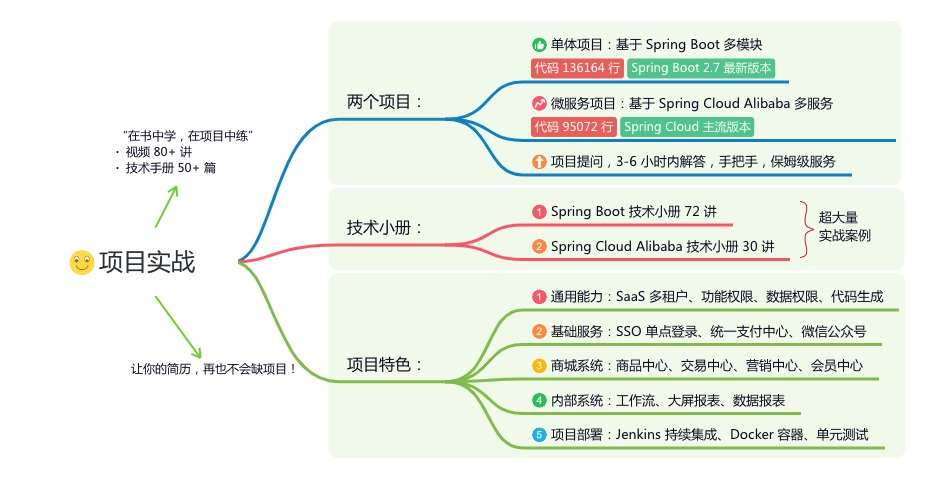
《项目实战(视频)》:从书中学,往事上“练”
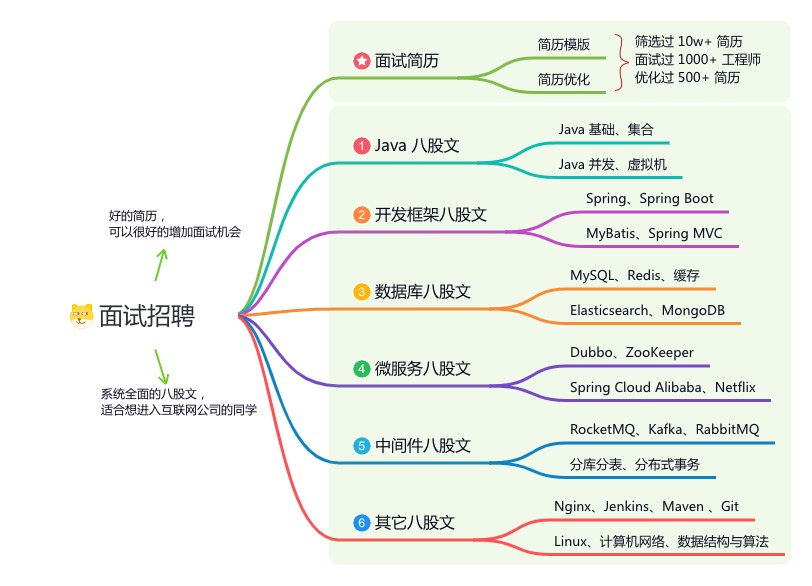
《互联网高频面试题》:面朝简历学习,春暖花开
《架构 x 系统设计》:摧枯拉朽,掌控面试高频场景题
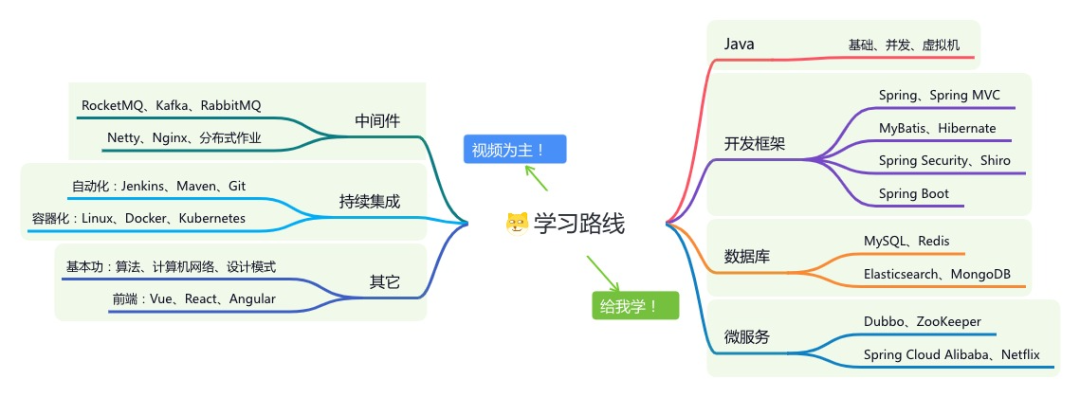
《精进 Java 学习指南》:系统学习,互联网主流技术栈
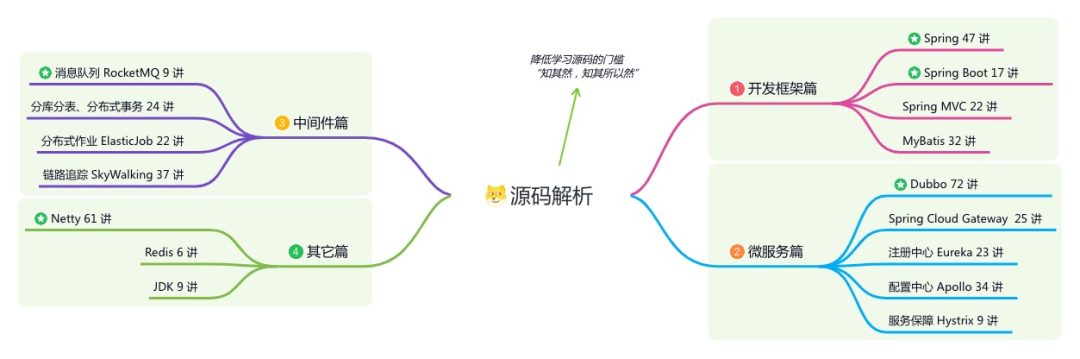
《必读 Java 源码专栏》:知其然,知其所以然
👉这是一个或许对你有用的开源项目
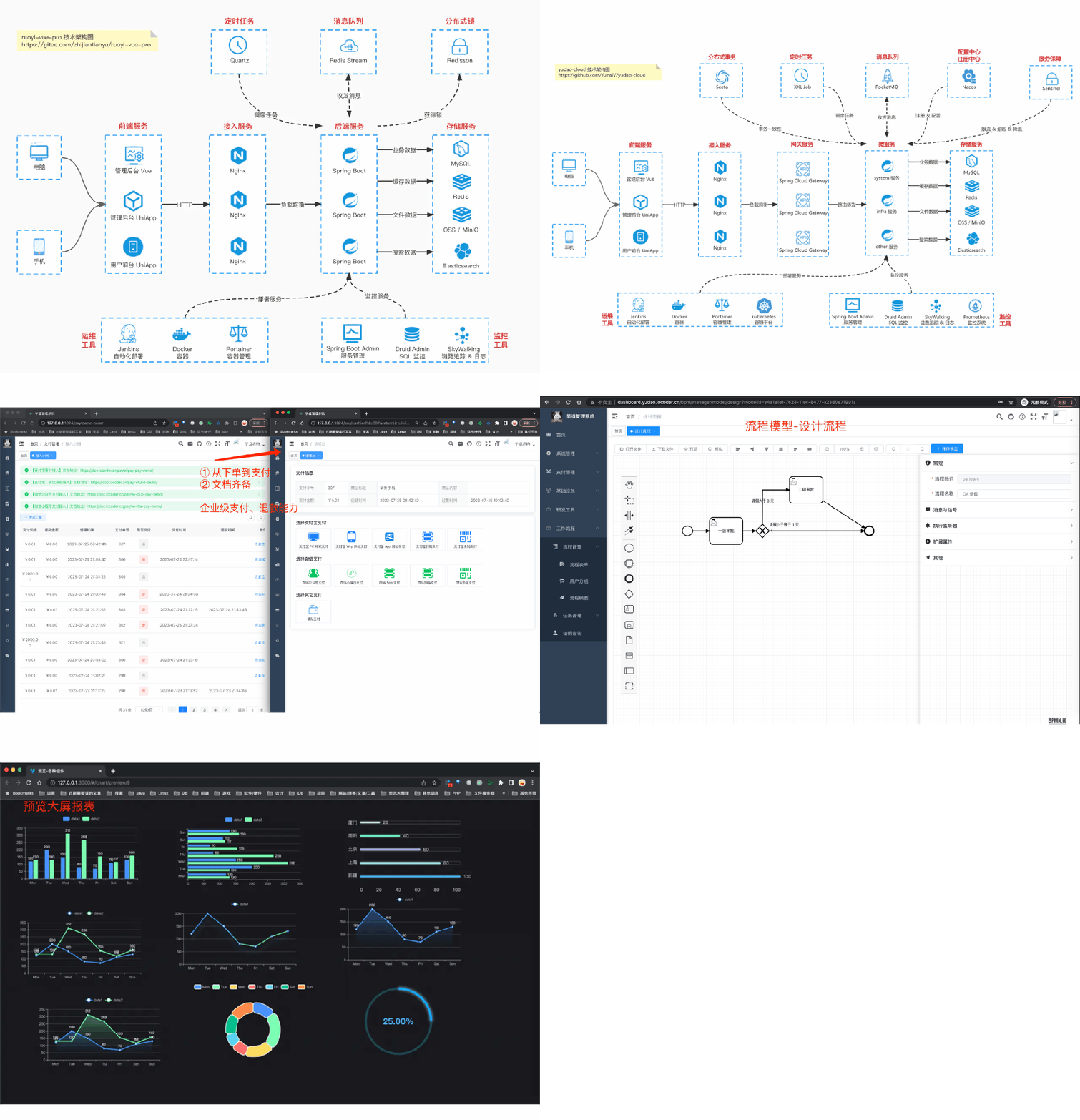
国产 Star 破 10w+ 的开源项目,前端包括管理后台 + 微信小程序,后端支持单体和微服务架构。
功能涵盖 RBAC 权限、SaaS 多租户、数据权限、商城、支付、工作流、大屏报表、微信公众号、CRM 等等功能:
Boot 仓库:https://gitee.com/zhijiantianya/ruoyi-vue-pro
Cloud 仓库:https://gitee.com/zhijiantianya/yudao-cloud
视频教程:https://doc.iocoder.cn
【国内首批】支持 JDK 21 + SpringBoot 3.2.2、JDK 8 + Spring Boot 2.7.18 双版本
来源:juejin.cn/post/
7387380647269253146
找了好多文章,每个文章多多少少都有坑点,终于是搞出来了,本文只搞整合,如需详细定义可自行去搜索,网上很多。
程序相关
环境
jdk1.8
maven3
SpringBoot 2.7.5
flowable 6.6.0
MySQL8
目录
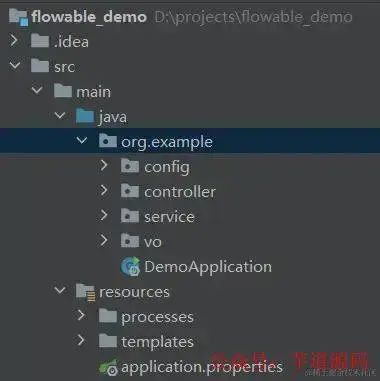
依赖
<properties>
    <maven.compiler.source>8</maven.compiler.source>
    <maven.compiler.target>8</maven.compiler.target>
    <project.build.sourceEncoding>UTF-8</project.build.sourceEncoding>
    <flowable.version>6.6.0</flowable.version>
</properties>

<parent>
    <groupId>org.springframework.boot</groupId>
    <artifactId>spring-boot-starter-parent</artifactId>
    <version>2.7.5</version>
    <relativePath/> <!-- lookup parent from repository -->
</parent>

<dependencies>
    <dependency>
        <groupId>org.springframework.boot</groupId>
        <artifactId>spring-boot-starter-web</artifactId>
    </dependency>
    <!-- 工作流flowable jar包 -->
    <dependency>
        <groupId>org.flowable</groupId>
        <artifactId>flowable-spring-boot-starter</artifactId>
        <version>${flowable.version}</version>
    </dependency>
    <!-- 下面俩皆是flowable-ui所需jar包,不用ui画流程图的可不加 -->
    <dependency>
        <groupId>org.flowable</groupId>
        <artifactId>flowable-spring-boot-starter-ui-idm</artifactId>
        <version>${flowable.version}</version>
    </dependency>
    <dependency>
        <groupId>org.flowable</groupId>
        <artifactId>flowable-spring-boot-starter-ui-modeler</artifactId>
        <version>${flowable.version}</version>
    </dependency>
    <!-- 忘了这家伙干啥的了,好像是解决中途的某个报错的,诸位可去掉验证验证 -->
    <dependency>
        <groupId>org.flowable</groupId>
        <artifactId>flowable-bpmn-layout</artifactId>
        <version>${flowable.version}</version>
    </dependency>
    <!-- mysql数据库连接jar包 -->
    <dependency>
        <groupId>mysql</groupId>
        <artifactId>mysql-connector-java</artifactId>
        <version>8.0.31</version>
    </dependency>
    <!-- mybatis ORM jar包 -->
    <dependency>
        <groupId>org.mybatis.spring.boot</groupId>
        <artifactId>mybatis-spring-boot-starter</artifactId>
        <version>2.2.2</version>
    </dependency>
    <dependency>
        <groupId>org.projectlombok</groupId>
        <artifactId>lombok</artifactId>
    </dependency>

    <dependency>
        <groupId>org.springframework.boot</groupId>
        <artifactId>spring-boot-starter-test</artifactId>
        <scope>test</scope>
    </dependency>
</dependencies>
配置
application.properties (可自行改为yml)
#端口
server.port=8081

#ui相关信息
flowable.idm.app.admin.user-id=admin
flowable.idm.app.admin.password=admin
flowable.idm.app.admin.first-name=xxx
flowable.idm.app.admin.last-name=xxx
flowable.database-schema-update=true# 没有数据库表的时候生成数据库表(true)  建表后可关闭(false),下次启动不会再次建表

> 基于 Spring Boot + MyBatis Plus + Vue & Element 实现的后台管理系统 + 用户小程序,支持 RBAC 动态权限、多租户、数据权限、工作流、三方登录、支付、短信、商城等功能
>
> * 项目地址:<https://github.com/YunaiV/ruoyi-vue-pro>
> * 视频教程:<https://doc.iocoder.cn/video/>

# 关闭定时任务JOB
flowable.async-executor-activate=false
#数据库
spring.datasource.url=jdbc:mysql://xxxx:3306/flowable-test?autoReconnect=true&useUnicode=true&characterEncoding=utf8&useSSL=false&serverTimezone=GMT%2B8&nullCatalogMeansCurrent=true #此处的nullCatalogMeansCurrent=true
spring.datasource.username=root
spring.datasource.password=123456
spring.datasource.driver-class-name=com.mysql.cj.jdbc.Driver
spring.datasource.type=com.zaxxer.hikari.HikariDataSource
#日志
logging.level.org.flowable=DEBUG
注意
&nullCatalogMeansCurrent=true这个一定要加在url后,不然flowable自动创建表失败在数据库中创建flowable数据库,启动项目时,flowable服务会自动创建对应的表
启动项目后 网站的登录用户 密码
user-id: admin password: admin
表
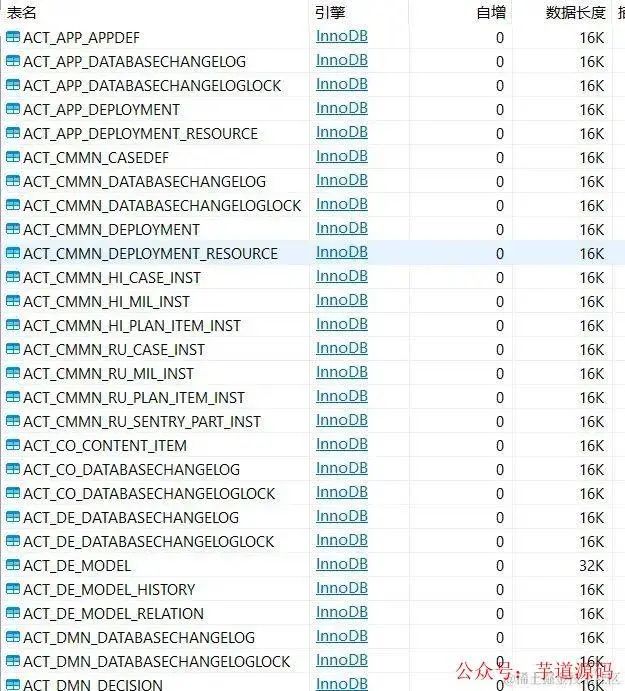
后面还有很多,自动创建的,我也没数过
类
防止流程图乱码FlowableConfig
package org.example.config;

import org.flowable.spring.SpringProcessEngineConfiguration;
import org.flowable.spring.boot.EngineConfigurationConfigurer;
import org.springframework.context.annotation.Configuration;

/**
 * flowable配置----为放置生成的流程图中中文乱码
 */
@Configuration
public class FlowableConfig implements EngineConfigurationConfigurer<SpringProcessEngineConfiguration> {


    @Override
    public void configure(SpringProcessEngineConfiguration engineConfiguration) {
        engineConfiguration.setActivityFontName("宋体");
        engineConfiguration.setLabelFontName("宋体");
        engineConfiguration.setAnnotationFontName("宋体");
    }
}
返回结果Result
package org.example.vo;

import lombok.AllArgsConstructor;
import lombok.Data;
import lombok.NoArgsConstructor;


@Data
@NoArgsConstructor
@AllArgsConstructor
public class Result {

    private boolean flag;
    private String message;
    private Object data;

    public Result(boolean flag , String message){
        this.flag = flag;
        this.message = message;
    }
}
TaskVO封装审批列表查询结果
package org.example.vo;

import lombok.AllArgsConstructor;
import lombok.Data;
import lombok.NoArgsConstructor;

/**
 * @ 审批列表查询结果
 */
@Data
@NoArgsConstructor
@AllArgsConstructor
public class TaskVO {
    private String id;
    private String day;
    private String name;
}
controller请假流程接口
package org.example.controller;

import lombok.extern.slf4j.Slf4j;
import org.example.vo.Result;
import org.example.vo.TaskVO;
import org.flowable.bpmn.model.BpmnModel;
import org.flowable.engine.*;
import org.flowable.engine.runtime.Execution;
import org.flowable.engine.runtime.ProcessInstance;
import org.flowable.image.ProcessDiagramGenerator;
import org.flowable.task.api.Task;
import org.springframework.beans.factory.annotation.Autowired;
import org.springframework.web.bind.annotation.*;

import javax.servlet.http.HttpServletResponse;
import java.io.InputStream;
import java.io.OutputStream;
import java.util.*;
import java.util.stream.Collectors;

@RestController
@RequestMapping("/leave")
@Slf4j
public class LeaveController {
    @Autowired
    private RuntimeService runtimeService;
    @Autowired
    private TaskService taskService;
    @Autowired
    private RepositoryService repositoryService;
    @Autowired
    private ProcessEngine processEngine;

    @PostMapping( "add/{day}/{studentUser}")
    public Result sub(@PathVariable("day") Integer day , @PathVariable("studentUser") String studentUser) {
        // 学生提交请假申请
        Map<String, Object> map = new HashMap<>();
        map.put("day", day);
        map.put("studentName", studentUser);
        // stuLeave为学生请假流程xml文件中的id,即后面bpmn20.xml文件的process id="stuLeave"
        ProcessInstance processInstance = runtimeService.startProcessInstanceByKey("stuLeave", map);
        log.info("流程实例ID:" + processInstance.getId());
        //完成申请任务
        Task task = taskService.createTaskQuery().processInstanceId(processInstance.getId()).singleResult();
        taskService.complete(task.getId());
        //此处id为流程id
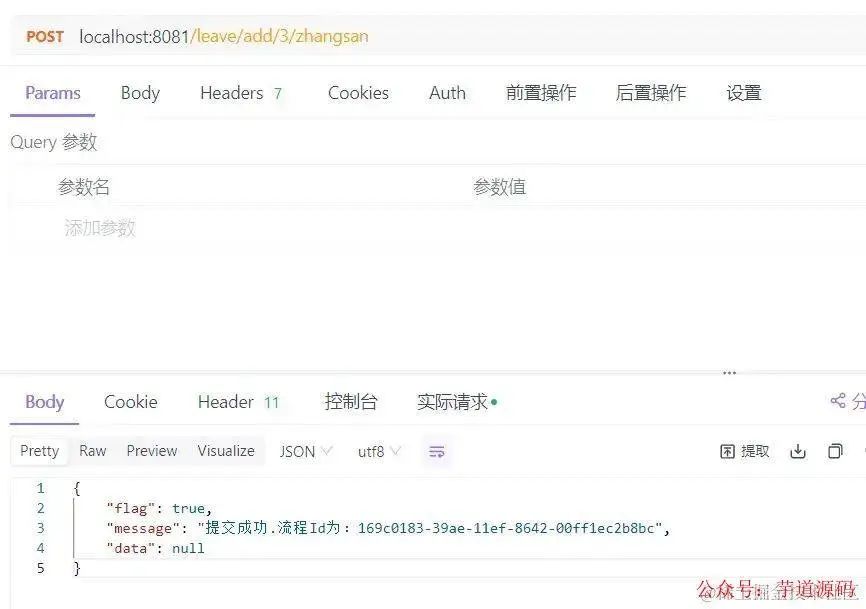
        return new Result(true,"提交成功.流程Id为:" + processInstance.getId()) ;
    }

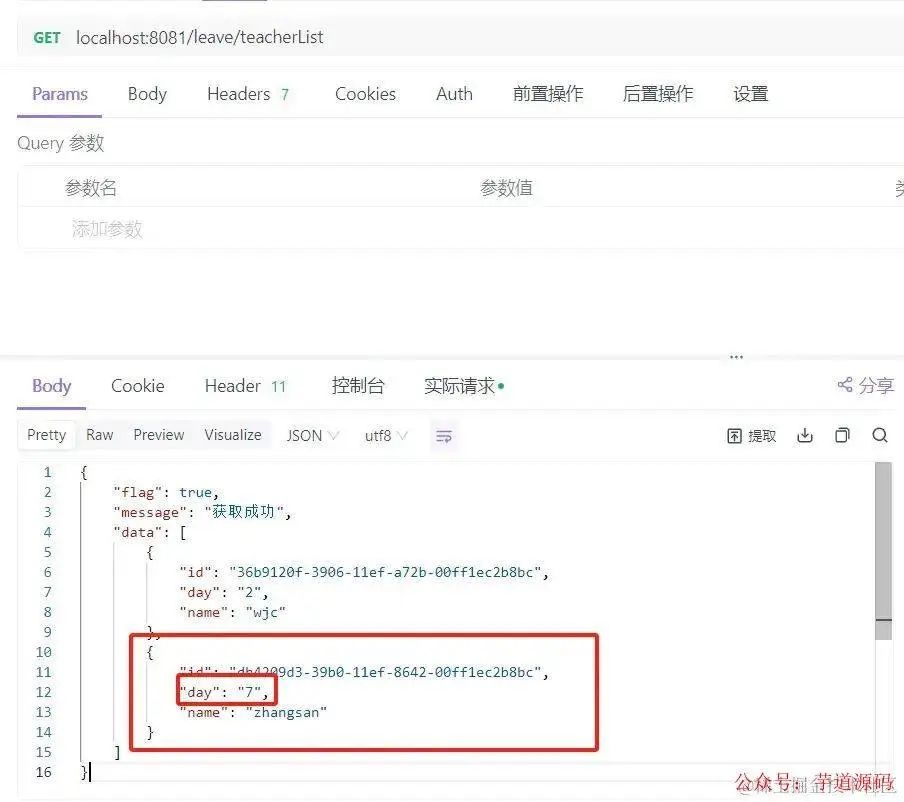
    @GetMapping("teacherList")
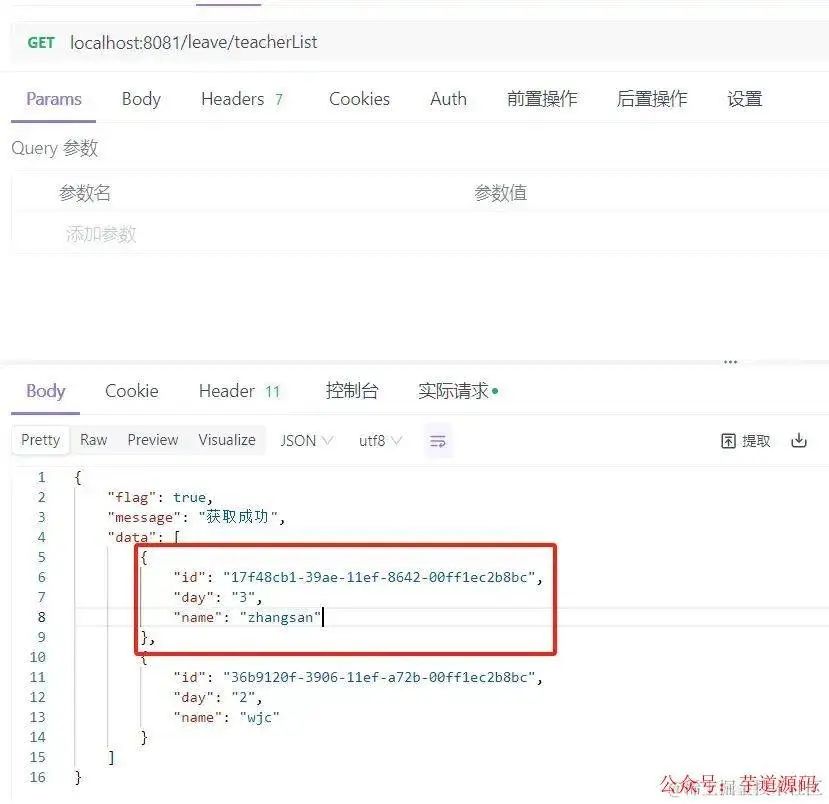
    public Result teacherList() {
        //此处.taskCandidateGroup("a")的值“a”即是画流程图时辅导员审批节点"分配用户-候选组"中填写的值
        List<Task> tasks = taskService.createTaskQuery().taskCandidateGroup("a").list();
        List<TaskVO> taskVOList = tasks.stream().map(task -> {
            Map<String, Object> variables = taskService.getVariables(task.getId());
            return new TaskVO(task.getId(), variables.get("day").toString(), variables.get("studentName").toString());
        }).collect(Collectors.toList());
        log.info("任务列表:" + tasks);
        if (tasks == null || tasks.size() == 0) {
            return new Result(false,"没有任务");
        }
        return new Result(true,"获取成功",taskVOList);
    }

    /**
     * 辅导员批准
     *
     * @param taskId 任务ID,非流程id
     */
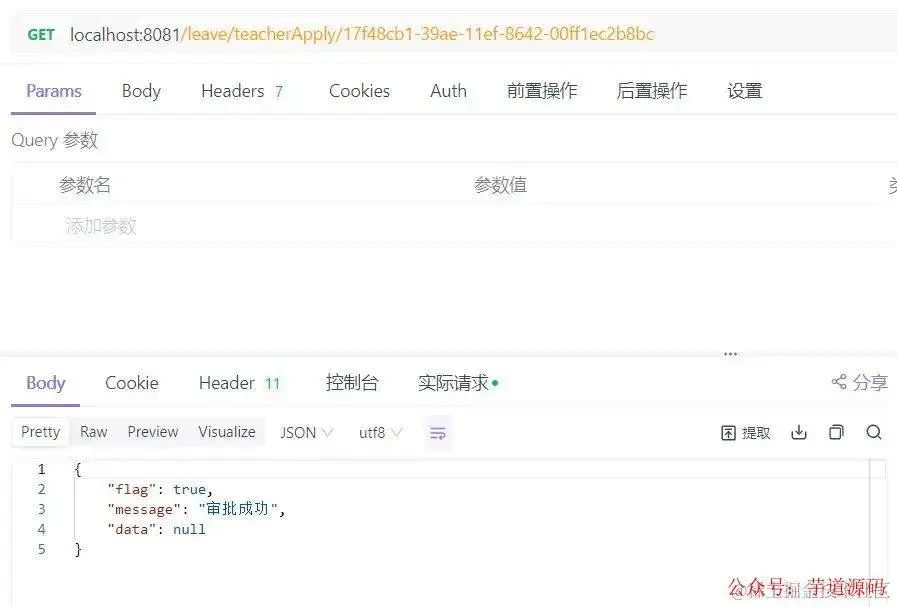
    @GetMapping("teacherApply/{taskId}")
    public Result teacherApply(@PathVariable("taskId") String taskId) {
        List<Task> tasks = taskService.createTaskQuery().taskCandidateGroup("a").list();
        Task task = taskService.createTaskQuery().taskCandidateGroup("a").taskId(taskId).singleResult();
        if (task == null) {
            return new Result(false, "没有任务");
        }
        //通过审核
        HashMap<String, Object> map = new HashMap<>();
        map.put("outcome", "通过");
//        for (Task task : tasks) {
//            taskService.complete(task.getId(), map);
//        }
        taskService.complete(task.getId(), map);
        return new Result(true,"审批成功");
    }

    /**
     * 辅导员拒绝
     * @param taskId 任务ID,非流程id
     */
    @GetMapping( "teacherReject/{taskId}")
    public Result teacherReject(@PathVariable("taskId") String taskId) {
        Task task1 = taskService.createTaskQuery().taskCandidateGroup("a").taskId(taskId).singleResult();
        //Task task = taskService.createTaskQuery().taskId(taskId).singleResult();
        if (task1 == null) {
            return new Result(false, "没有任务");
        }
        //通过审核
        HashMap<String, Object> map = new HashMap<>();
        map.put("outcome", "驳回");
        taskService.complete(task1.getId(), map);
        return new Result(true,"审批失败");
    }
    /**
     * 院长获取审批管理列表
     */
    @GetMapping("deanList")
    public Result deanList() {
        //此处.taskCandidateGroup("b")的值“b”即是画流程图时辅导员审批节点"分配用户-候选组"中填写的值
        List<Task> tasks = taskService.createTaskQuery().taskCandidateGroup("b").list();
        List<TaskVO> taskVOList = tasks.stream().map(task -> {
            Map<String, Object> variables = taskService.getVariables(task.getId());
            return new TaskVO(task.getId(), variables.get("day").toString(), variables.get("studentName").toString());
        }).collect(Collectors.toList());
        if (tasks == null || tasks.size() == 0) {
            return new Result(false,"没有任务");
        }
        return new Result(true,"获取成功",taskVOList);
    }

    /**
     * 院长批准
     * @param taskId 任务ID,非流程id
     * @return
     */
    @GetMapping("deanApply/{taskId}")
    public Result apply(@PathVariable("taskId") String taskId) {
        List<Task> tasks = taskService.createTaskQuery().taskCandidateGroup("b").list();
        //Task task = taskService.createTaskQuery().taskId(taskId).singleResult();
        if (tasks == null) {
            return new Result(false, "没有任务");
        }
        //通过审核
        HashMap<String, Object> map = new HashMap<>();
        map.put("outcome", "通过");
        for (Task task : tasks) {
            taskService.complete(task.getId(), map);
        }
        return new Result(true,"审批成功");
    }

    /**
     * 院长拒绝
     * @param taskId 任务ID,非流程id
     * @return
     */
    @GetMapping("deanReject/{taskId}")
    public Result deanReject(@PathVariable("taskId") String taskId) {
//        List<Task> tasks = taskService.createTaskQuery().taskCandidateGroup("b").list();
        Task task = taskService.createTaskQuery().taskId(taskId).singleResult();
        if (task == null) {
            return new Result(false, "没有任务");
        }
        //通过审核
        HashMap<String, Object> map = new HashMap<>();
        map.put("outcome", "驳回");
//        for (Task task : tasks) {
//            taskService.complete(task.getId(), map);
//        }
        taskService.complete(task.getId(), map);
        return new Result(true,"审批成功");
    }

    /**
     * 再次申请
     * @param piId 流程id
     * @param day
     * @return
     */
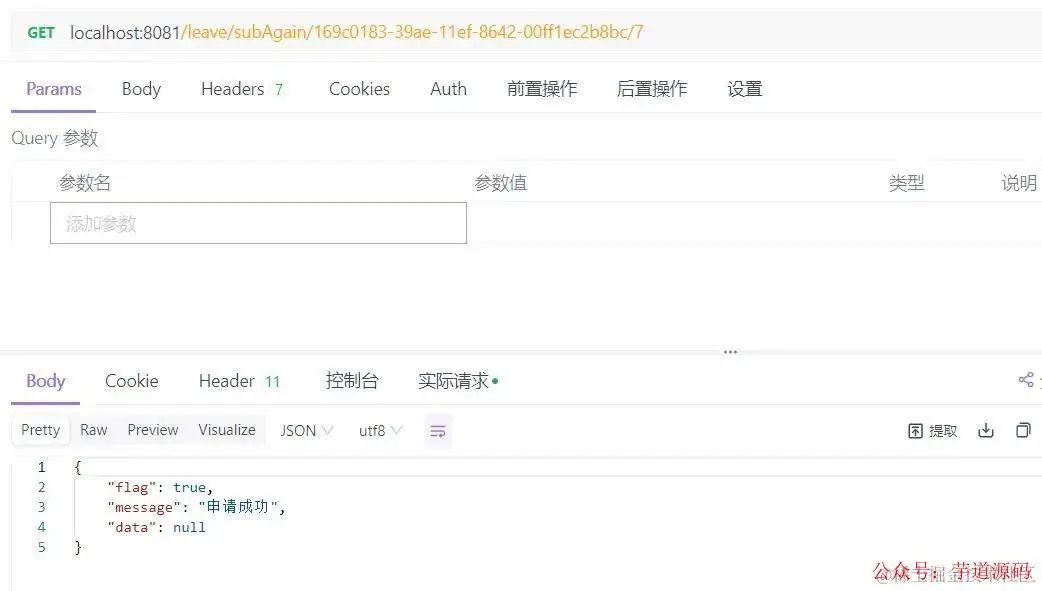
    @GetMapping("subAgain/{piId}/{day}")
    public Result subAgain(@PathVariable("piId") String piId, @PathVariable("day") Integer day){
        Task task = taskService.createTaskQuery().processInstanceId(piId).singleResult();
        if(Objects.isNull(task)){
            return new Result(false, "没有任务");
        }
        Map<String, Object> map = new HashMap<>();
        map.put("day", day);
        taskService.complete(task.getId(), map);
        return new Result(true,"申请成功");
    }

    /**
     * 生成流程图
     *
     * @param taskId 流程ID
     */
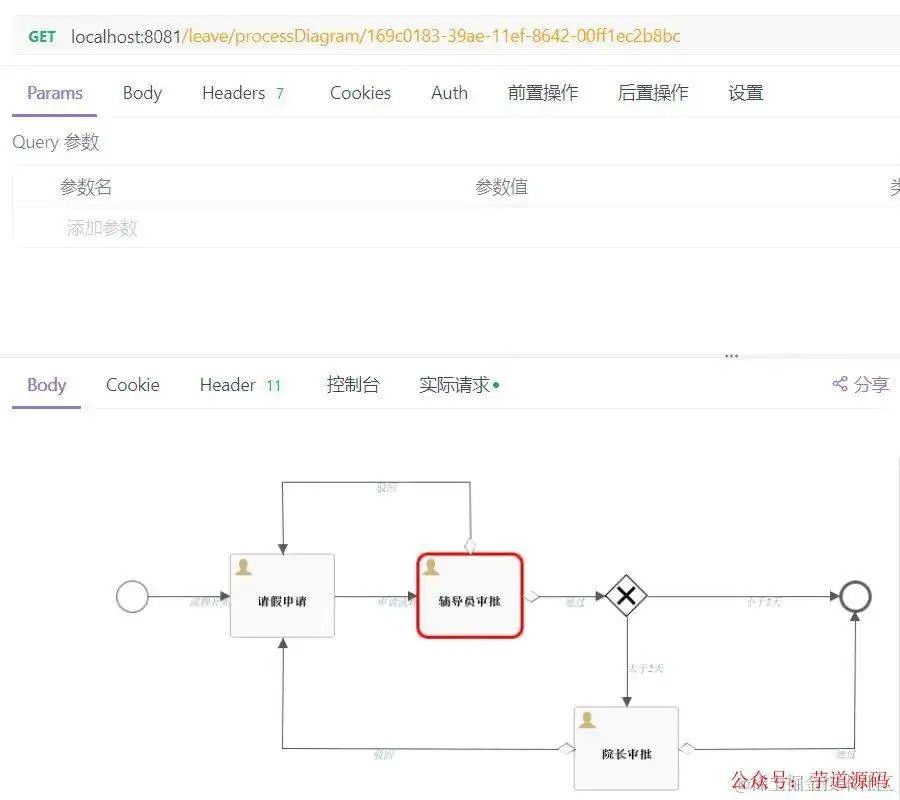
    @GetMapping( "processDiagram/{taskId}")
    public void genProcessDiagram(HttpServletResponse httpServletResponse,@PathVariable("taskId") String taskId) throws Exception {
        ProcessInstance pi = runtimeService.createProcessInstanceQuery().processInstanceId(taskId).singleResult();

        //流程走完的不显示图
        if (pi == null) {
            return;
        }
        Task task = taskService.createTaskQuery().processInstanceId(pi.getId()).singleResult();
        //使用流程实例ID,查询正在执行的执行对象表,返回流程实例对象
        String InstanceId = task.getProcessInstanceId();
        List<Execution> executions = runtimeService
                .createExecutionQuery()
                .processInstanceId(InstanceId)
                .list();

        //得到正在执行的Activity的Id
        List<String> activityIds = new ArrayList<>();
        List<String> flows = new ArrayList<>();
        for (Execution exe : executions) {
            List<String> ids = runtimeService.getActiveActivityIds(exe.getId());
            activityIds.addAll(ids);
        }

        //获取流程图
        BpmnModel bpmnModel = repositoryService.getBpmnModel(pi.getProcessDefinitionId());
        ProcessEngineConfiguration engconf = processEngine.getProcessEngineConfiguration();
        ProcessDiagramGenerator diagramGenerator = engconf.getProcessDiagramGenerator();
        InputStream in = diagramGenerator.generateDiagram(bpmnModel,
                "png", activityIds, flows, engconf.getActivityFontName(),
                engconf.getLabelFontName(), engconf.getAnnotationFontName(), engconf.getClassLoader(),
                1.0 ,true);
        OutputStream out = null;
        byte[] buf = new byte[1024];
        int legth = 0;
        try {
            //此处设置resp的header诸多文章都没写,但是我不写出不来流程图,诸位可去掉试试
            httpServletResponse.setHeader("Content-Type",
                    "image/png;charset=utf-8");
            out = httpServletResponse.getOutputStream();
            while ((legth = in.read(buf)) != -1) {
                out.write(buf, 0, legth);
            }
        } finally {
            if (in != null) {
                in.close();
            }
            if (out != null) {
                out.close();
            }
        }
    }
}此时可以启动项目了,访问http://localhost:8081 用配置文件配置的账号密码登录
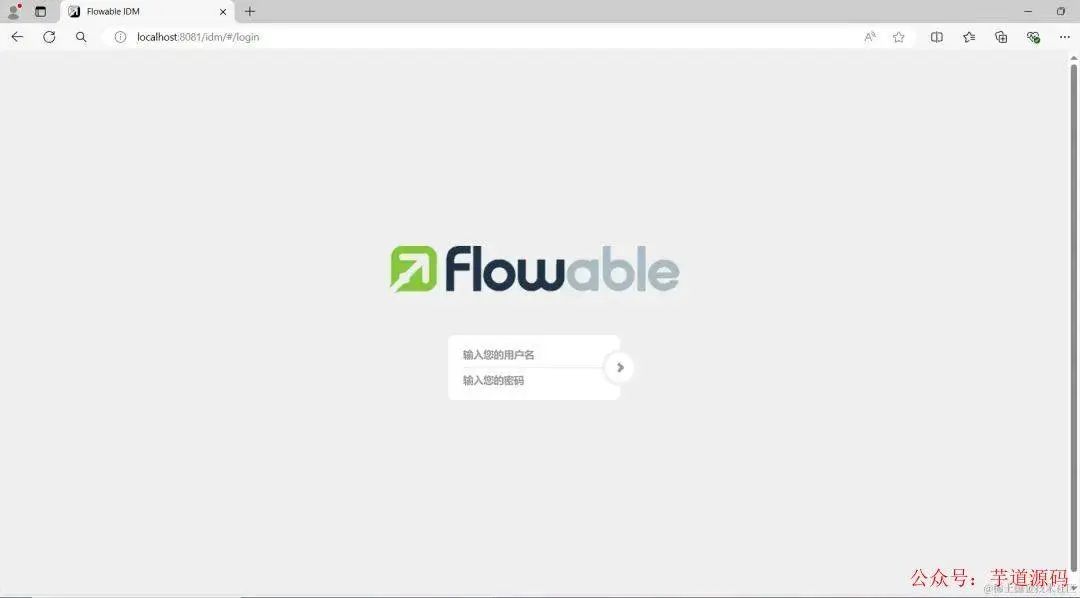
创建流程

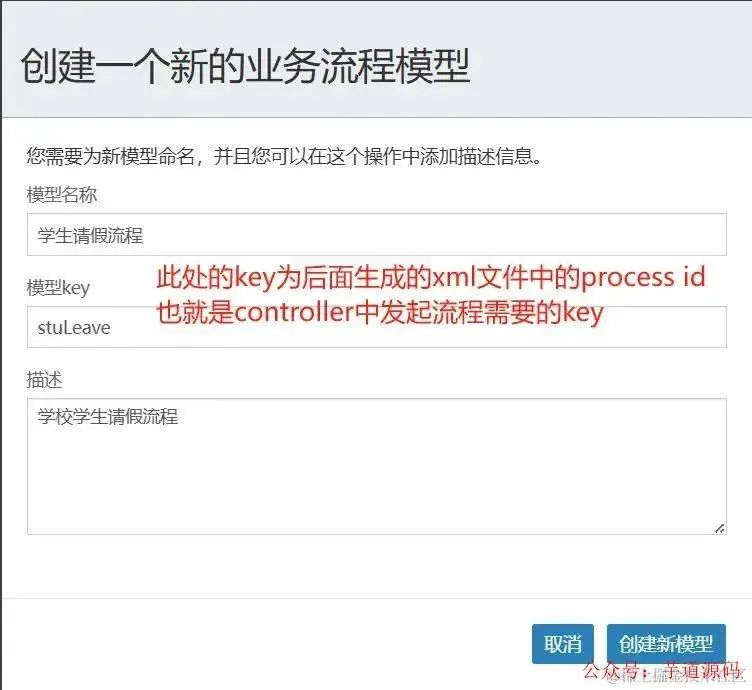
简单画图操作
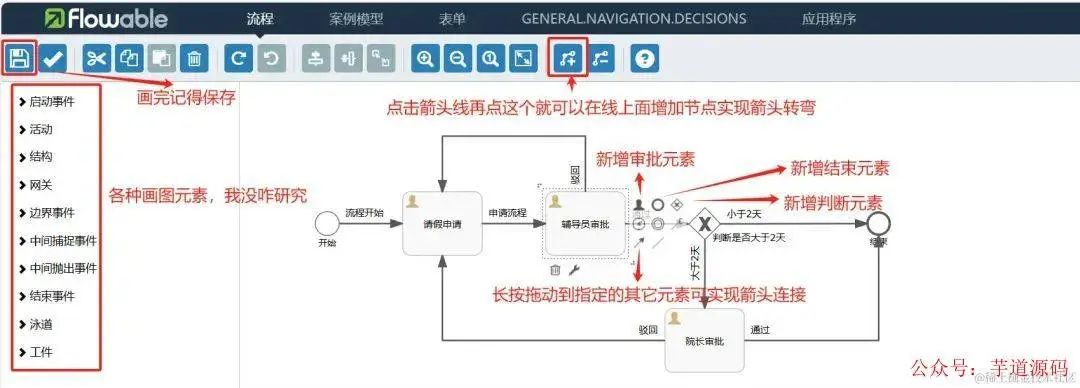
画请假流程
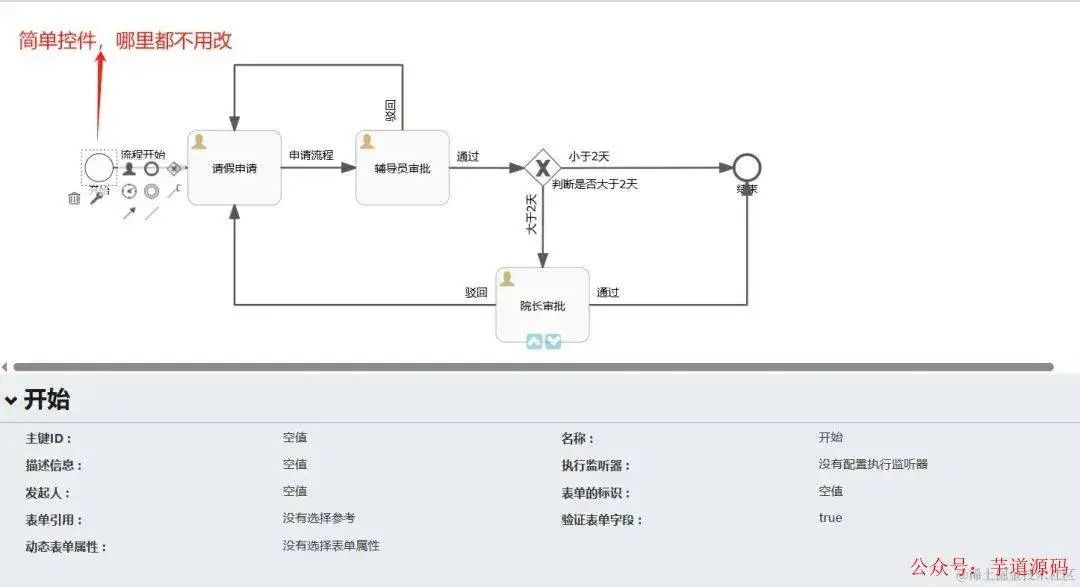
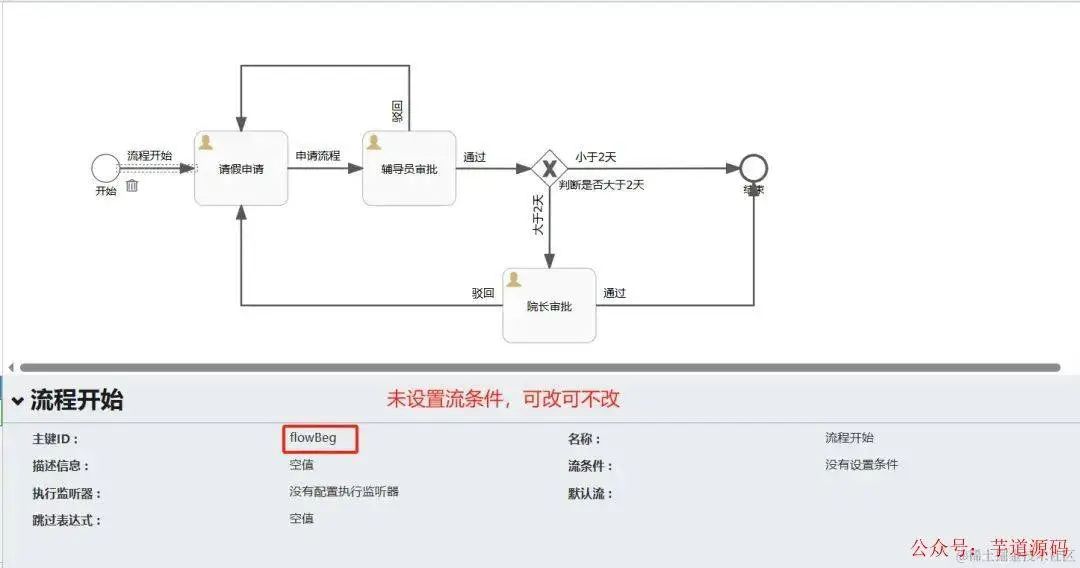
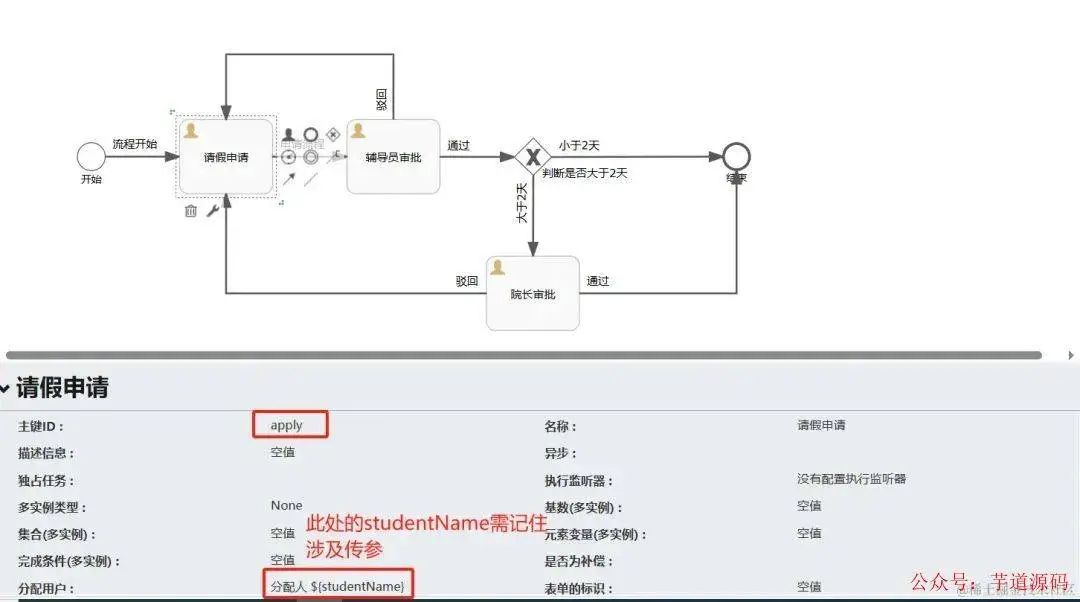
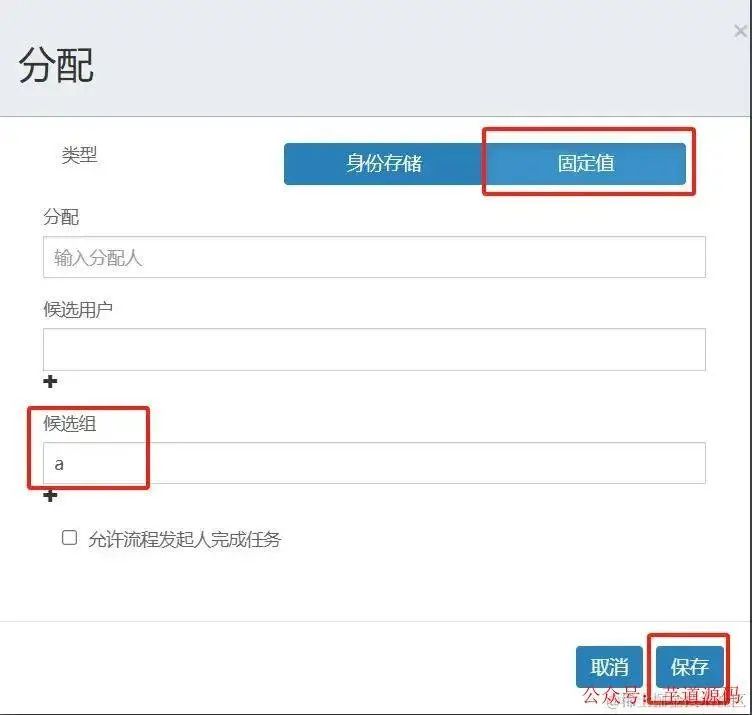
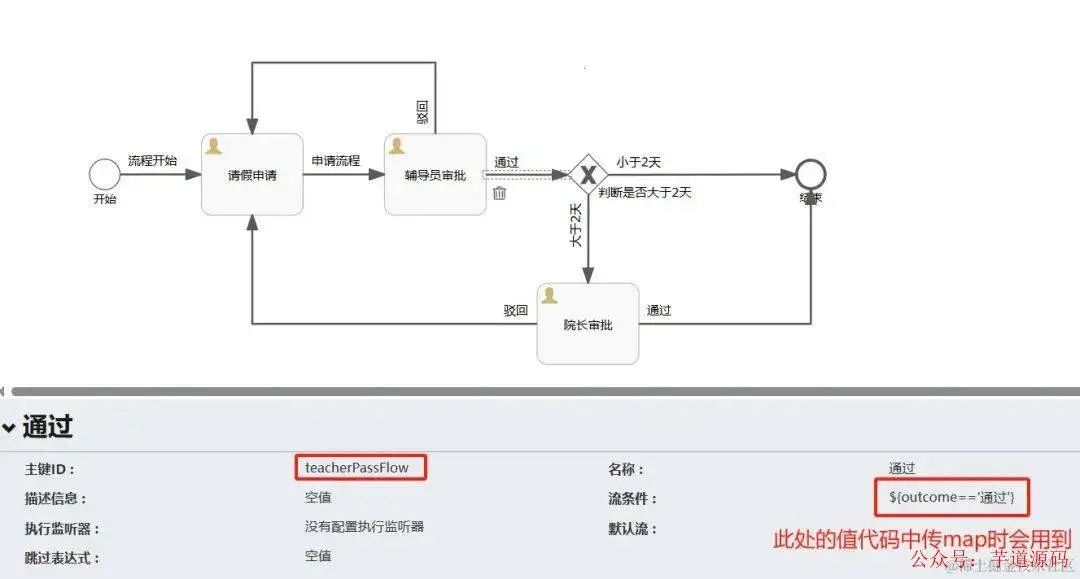
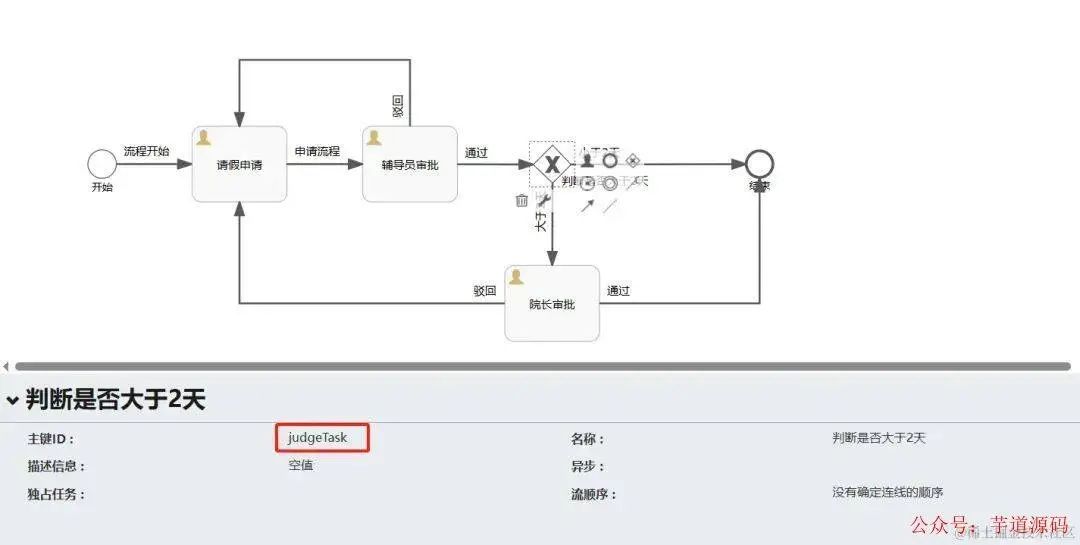
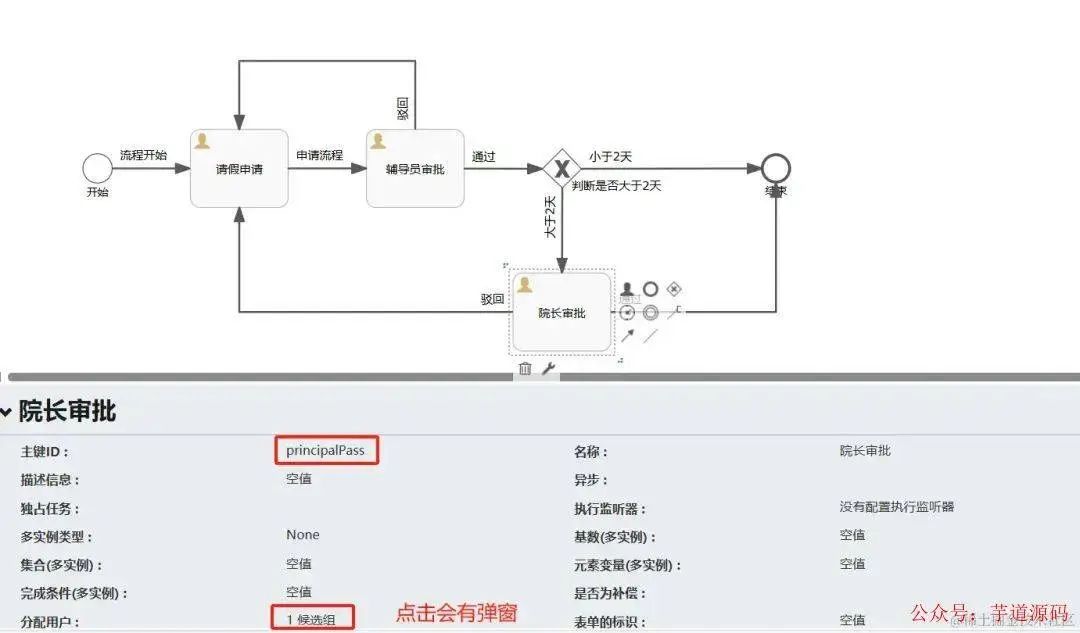
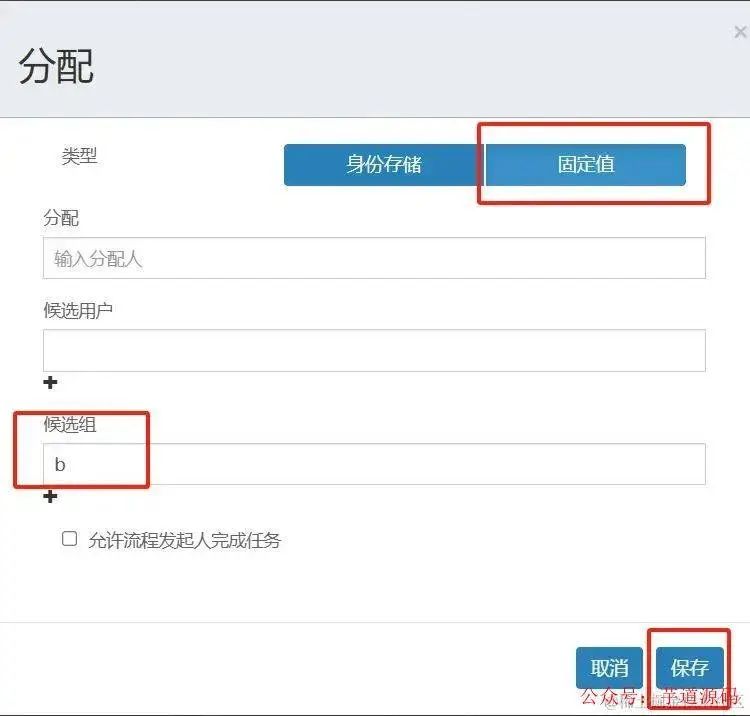
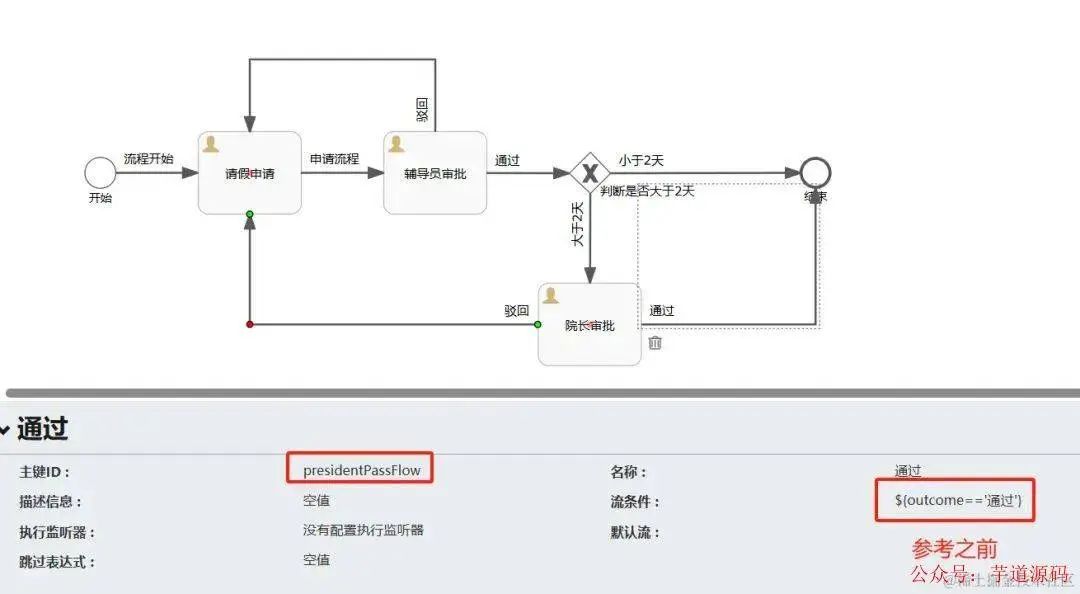
注意:每个审批元素属性中有个独占任务项,我参考的博客是改了的,但是我改不了,不过也没发现有啥问题,大家有兴趣可以去研究研究
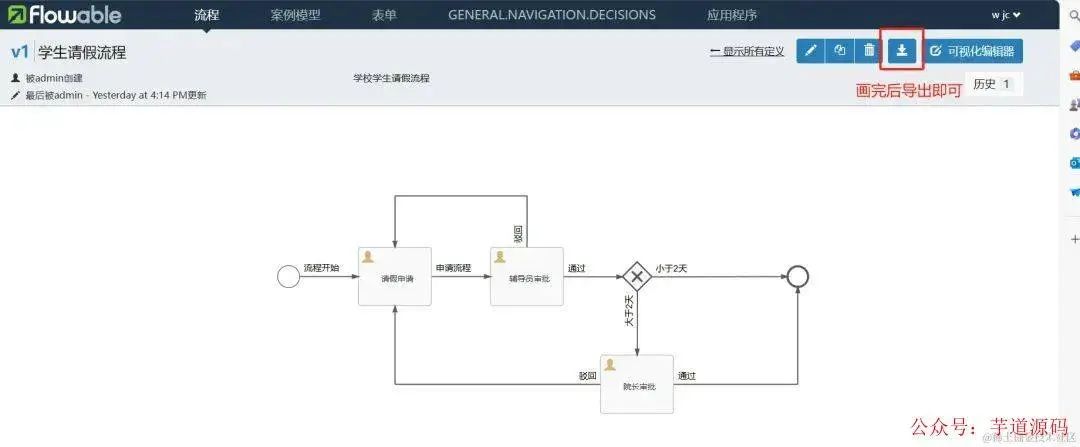
在resources下创建processes文件夹,复制下载的"学生请假流程.bpmn20.xml"到该目录即可
<?xml version="1.0" encoding="UTF-8"?>
<definitions xmlns="http://www.omg.org/spec/BPMN/20100524/MODEL" xmlns:xsi="http://www.w3.org/2001/XMLSchema-instance" xmlns:xsd="http://www.w3.org/2001/XMLSchema" xmlns:flowable="http://flowable.org/bpmn" xmlns:bpmndi="http://www.omg.org/spec/BPMN/20100524/DI" xmlns:omgdc="http://www.omg.org/spec/DD/20100524/DC" xmlns:omgdi="http://www.omg.org/spec/DD/20100524/DI" typeLanguage="http://www.w3.org/2001/XMLSchema" expressionLanguage="http://www.w3.org/1999/XPath" targetNamespace="http://www.flowable.org/processdef">
  <process id="stuLeave" name="学生请假流程" isExecutable="true">
    <documentation>学校学生请假流程</documentation>
    <startEvent id="startEvent1" name="开始" flowable:formFieldValidation="true"></startEvent>
    <userTask id="apply" name="请假申请" flowable:assignee="${studentName}" flowable:formFieldValidation="true">
      <extensionElements>
        <modeler:initiator-can-complete xmlns:modeler="http://flowable.org/modeler"><![CDATA[false]]></modeler:initiator-can-complete>
      </extensionElements>
    </userTask>
    <userTask id="teacherPass" name="辅导员审批" flowable:candidateGroups="a" flowable:formFieldValidation="true"></userTask>
    <exclusiveGateway id="judgeTask" name="判断是否大于2天"></exclusiveGateway>
    <userTask id="principalPass" name="院长审批" flowable:candidateGroups="b" flowable:formFieldValidation="true"></userTask>
    <endEvent id="over" name="结束"></endEvent>
    <sequenceFlow id="judgeLess" name="小于2天" sourceRef="judgeTask" targetRef="over">
      <conditionExpression xsi:type="tFormalExpression"><![CDATA[${day<=2}]]></conditionExpression>
    </sequenceFlow>
    <sequenceFlow id="judgeMore" name="大于2天" sourceRef="judgeTask" targetRef="principalPass">
      <conditionExpression xsi:type="tFormalExpression"><![CDATA[${day>2}]]></conditionExpression>
    </sequenceFlow>
    <sequenceFlow id="flowBeg" name="流程开始" sourceRef="startEvent1" targetRef="apply"></sequenceFlow>
    <sequenceFlow id="sid-F3C3133B-68E1-4D1B-B06B-761EDD44E9F6" name="申请流程" sourceRef="apply" targetRef="teacherPass"></sequenceFlow>
    <sequenceFlow id="TeacherNotPassFlow" name="驳回" sourceRef="teacherPass" targetRef="apply">
      <conditionExpression xsi:type="tFormalExpression"><![CDATA[${outcome=='驳回'}]]></conditionExpression>
    </sequenceFlow>
    <sequenceFlow id="teacherPassFlow" name="通过" sourceRef="teacherPass" targetRef="judgeTask">
      <conditionExpression xsi:type="tFormalExpression"><![CDATA[${outcome=="通过"}]]></conditionExpression>
    </sequenceFlow>
    <sequenceFlow id="presidentNotPassFlow" name="驳回" sourceRef="principalPass" targetRef="apply">
      <conditionExpression xsi:type="tFormalExpression"><![CDATA[${outcome=='驳回'}]]></conditionExpression>
    </sequenceFlow>
    <sequenceFlow id="presidentPassFlow" name="通过" sourceRef="principalPass" targetRef="over">
      <conditionExpression xsi:type="tFormalExpression"><![CDATA[${outcome=='通过'}]]></conditionExpression>
    </sequenceFlow>
  </process>
  <bpmndi:BPMNDiagram id="BPMNDiagram_stuLeave">
    <bpmndi:BPMNPlane bpmnElement="stuLeave" id="BPMNPlane_stuLeave">
      <bpmndi:BPMNShape bpmnElement="startEvent1" id="BPMNShape_startEvent1">
        <omgdc:Bounds height="30.0" width="30.0" x="100.0" y="163.0"></omgdc:Bounds>
      </bpmndi:BPMNShape>
      <bpmndi:BPMNShape bpmnElement="apply" id="BPMNShape_apply">
        <omgdc:Bounds height="80.0" width="100.0" x="209.9999968707562" y="137.99999794363978"></omgdc:Bounds>
      </bpmndi:BPMNShape>
      <bpmndi:BPMNShape bpmnElement="teacherPass" id="BPMNShape_teacherPass">
        <omgdc:Bounds height="80.0" width="100.0" x="389.99999418854725" y="137.99999794363978"></omgdc:Bounds>
      </bpmndi:BPMNShape>
      <bpmndi:BPMNShape bpmnElement="judgeTask" id="BPMNShape_judgeTask">
        <omgdc:Bounds height="40.0" width="40.0" x="569.9999915063382" y="157.99999764561656"></omgdc:Bounds>
      </bpmndi:BPMNShape>
      <bpmndi:BPMNShape bpmnElement="principalPass" id="BPMNShape_principalPass">
        <omgdc:Bounds height="80.0" width="100.0" x="539.9999834597114" y="284.9999915063383"></omgdc:Bounds>
      </bpmndi:BPMNShape>
      <bpmndi:BPMNShape bpmnElement="over" id="BPMNShape_over">
        <omgdc:Bounds height="28.0" width="28.0" x="794.9999881535771" y="163.9999975562096"></omgdc:Bounds>
      </bpmndi:BPMNShape>
      <bpmndi:BPMNEdge bpmnElement="presidentNotPassFlow" id="BPMNEdge_presidentNotPassFlow">
        <omgdi:waypoint x="539.9999834597114" y="324.9999915063383"></omgdi:waypoint>
        <omgdi:waypoint x="259.9999968707562" y="324.9999915063383"></omgdi:waypoint>
        <omgdi:waypoint x="259.9999968707562" y="217.9499979436398"></omgdi:waypoint>
      </bpmndi:BPMNEdge>
      <bpmndi:BPMNEdge bpmnElement="judgeLess" id="BPMNEdge_judgeLess">
        <omgdi:waypoint x="609.4890905518624" y="178.45641965548475"></omgdi:waypoint>
        <omgdi:waypoint x="795.0000204150059" y="178.03191983331223"></omgdi:waypoint>
      </bpmndi:BPMNEdge>
      <bpmndi:BPMNEdge bpmnElement="sid-F3C3133B-68E1-4D1B-B06B-761EDD44E9F6" id="BPMNEdge_sid-F3C3133B-68E1-4D1B-B06B-761EDD44E9F6">
        <omgdi:waypoint x="309.94999687075494" y="177.99999794363978"></omgdi:waypoint>
        <omgdi:waypoint x="389.99999418854725" y="177.99999794363978"></omgdi:waypoint>
      </bpmndi:BPMNEdge>
      <bpmndi:BPMNEdge bpmnElement="judgeMore" id="BPMNEdge_judgeMore">
        <omgdi:waypoint x="590.4349219597013" y="197.50836625144538"></omgdi:waypoint>
        <omgdi:waypoint x="590.1363337825771" y="284.9999915063383"></omgdi:waypoint>
      </bpmndi:BPMNEdge>
      <bpmndi:BPMNEdge bpmnElement="flowBeg" id="BPMNEdge_flowBeg">
        <omgdi:waypoint x="129.94999913083947" y="177.99999978727305"></omgdi:waypoint>
        <omgdi:waypoint x="209.99999373428892" y="177.99999865202045"></omgdi:waypoint>
      </bpmndi:BPMNEdge>
      <bpmndi:BPMNEdge bpmnElement="presidentPassFlow" id="BPMNEdge_presidentPassFlow">
        <omgdi:waypoint x="639.9499834597113" y="324.9999915063383"></omgdi:waypoint>
        <omgdi:waypoint x="808.9999881535771" y="324.9999915063383"></omgdi:waypoint>
        <omgdi:waypoint x="808.9999881535771" y="191.94992565845044"></omgdi:waypoint>
      </bpmndi:BPMNEdge>
      <bpmndi:BPMNEdge bpmnElement="TeacherNotPassFlow" id="BPMNEdge_TeacherNotPassFlow">
        <omgdi:waypoint x="439.99999418854725" y="137.99999794363978"></omgdi:waypoint>
        <omgdi:waypoint x="439.99999418854725" y="68.00000129640101"></omgdi:waypoint>
        <omgdi:waypoint x="259.9999968707562" y="68.00000129640101"></omgdi:waypoint>
        <omgdi:waypoint x="259.9999968707562" y="137.99999794363978"></omgdi:waypoint>
      </bpmndi:BPMNEdge>
      <bpmndi:BPMNEdge bpmnElement="teacherPassFlow" id="BPMNEdge_teacherPassFlow">
        <omgdi:waypoint x="489.949994188544" y="178.16594469153907"></omgdi:waypoint>
        <omgdi:waypoint x="570.4333248783485" y="178.43333101762673"></omgdi:waypoint>
      </bpmndi:BPMNEdge>
    </bpmndi:BPMNPlane>
  </bpmndi:BPMNDiagram>
</definitions>
基于 Spring Cloud Alibaba + Gateway + Nacos + RocketMQ + Vue & Element 实现的后台管理系统 + 用户小程序,支持 RBAC 动态权限、多租户、数据权限、工作流、三方登录、支付、短信、商城等功能
项目地址:https://github.com/YunaiV/yudao-cloud
视频教程:https://doc.iocoder.cn/video/
演示
提交申请
辅导员审批列表
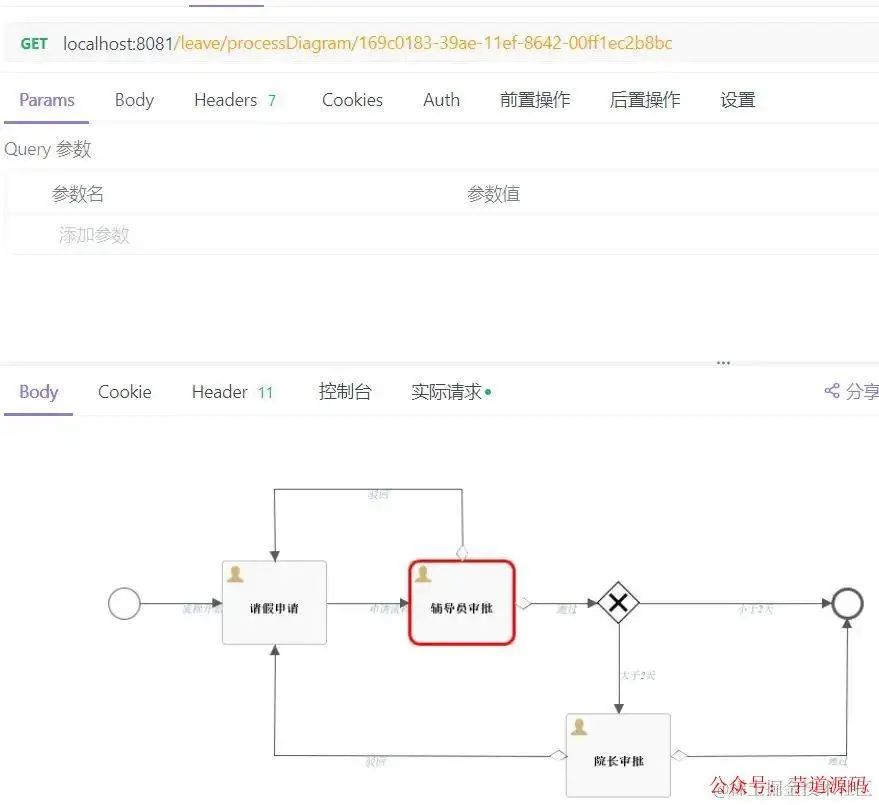
流程图
辅导员批准
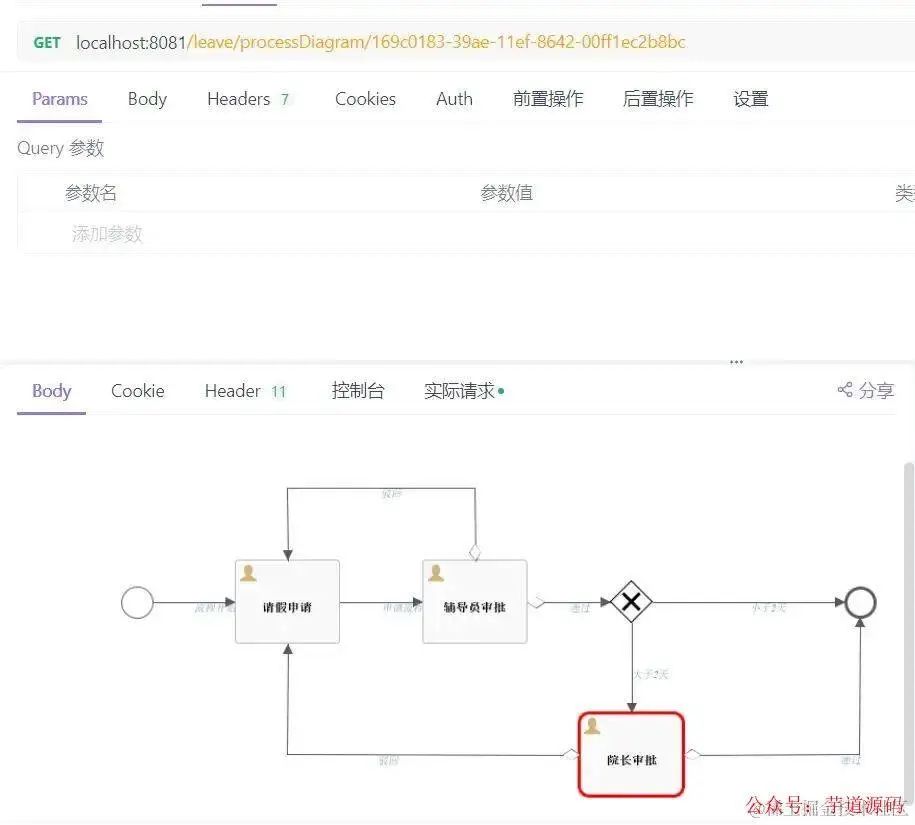
流程图
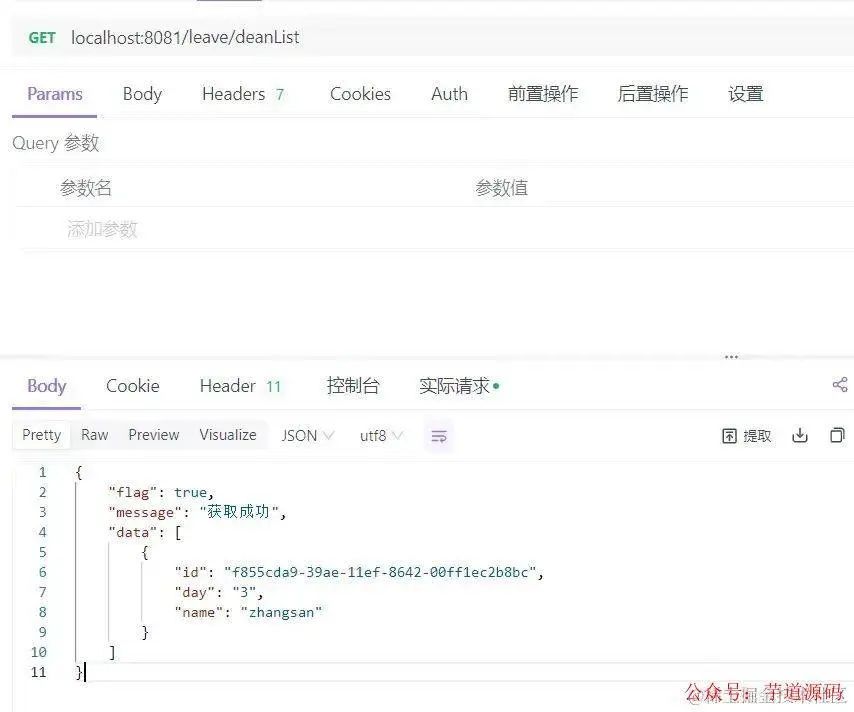
院长获取审批列表
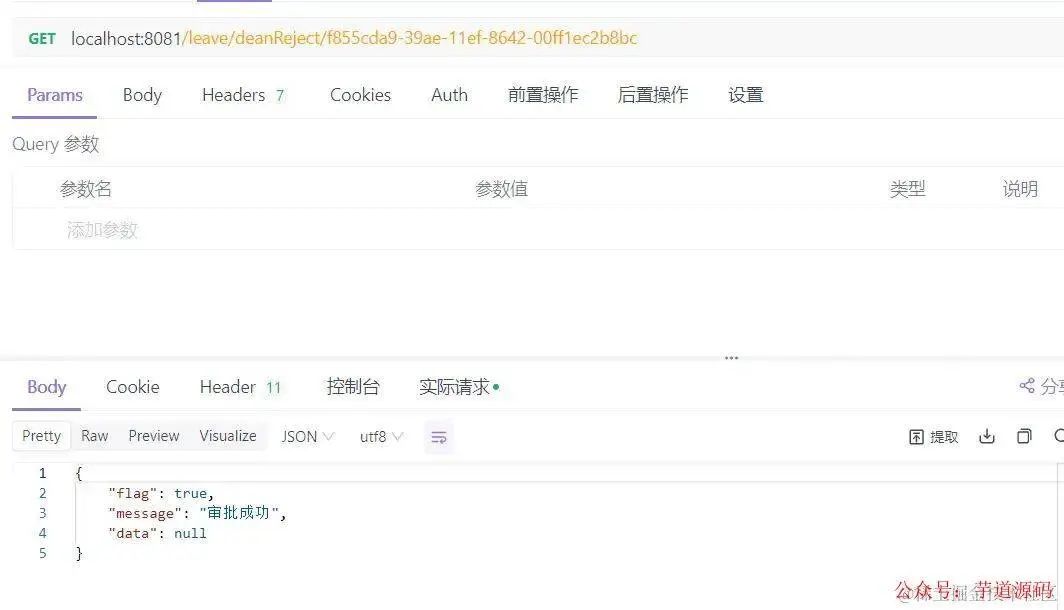
院长拒绝
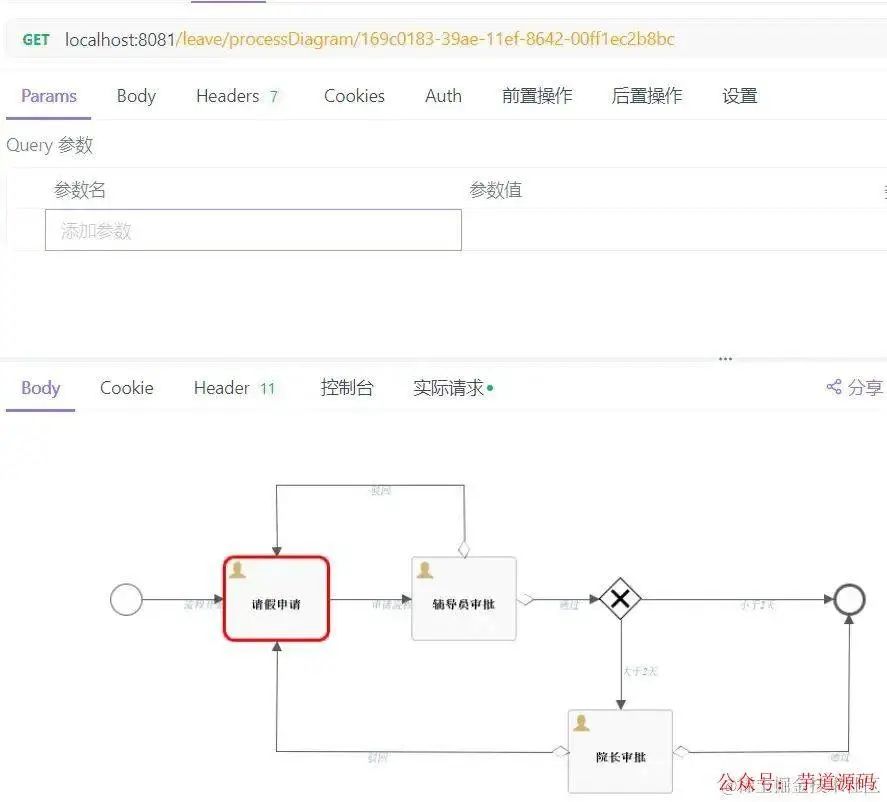
流程图
再次申请
流程图
辅导员审批列表
其它流程大家可自行验证
大家一定要注意各个接口的入参id,有的是流程id,有的是任务id,且任务id也会随着节点变动而变动,我是从审批列表中获取的,关于id变动这块,大家有兴趣可深入研究下,我反正是一脸懵,大家可以看看ACT_RU_TASK这张表观察观察每个审批节点的id变化情况
表结构
ACT_RE : 'RE’表示 repository。 这个前缀的表包含了流程定义和流程静态资源 (图片,规则,等等)。
ACT_RU: 'RU’表示 runtime。 这些运行时的表,包含流程实例,任务,变量,异步任务,等运行中的数据。 Flowable只在流程实例执行过程中保存这些数据, 在流程结束时就会删除这些记录。 这样运行时表可以一直很小速度很快。
ACT_HI: 'HI’表示 history。 这些表包含历史数据,比如历史流程实例, 变量,任务等等。
ACT_GE: GE 表示 general。 通用数据, 用于不同场景下
ACT_ID: ’ID’表示identity(组织机构)。这些表包含标识的信息,如用户,用户组,等等。
欢迎加入我的知识星球,全面提升技术能力。
👉 加入方式,“长按”或“扫描”下方二维码噢:

星球的内容包括:项目实战、面试招聘、源码解析、学习路线。
文章有帮助的话,在看,转发吧。
谢谢支持哟 (*^__^*) 2487


 扫一扫


 被折叠的 条评论
为什么被折叠?
 到【灌水乐园】发言


