


app.js
App({ onLaunch: function () { console.log('App Launch'); }, onShow: function () { console.log('App Show'); }, onHide: function () { console.log('App Hide'); } });
app.json
{ "pages": [ "pages/index/index" ], "window": { "navigationBarTitleText": "微信小程序示例" } }
index.js
Page({ data: { searchInput: '', swiperImages: [ '/images/image1.jpg', '/images/image2.jpg', '/images/image3.jpg' ], selectedTime: '12:00', selectedDate: '2023-01-01', customOptions: ['选项1', '选项2', '选项3'], selectedCustomOption: '选项1' }, bindSearchInput: function(e) { this.setData({ searchInput: e.detail.value }); console.log('搜索框输入:', this.data.searchInput); }, bindTimeChange: function(e) { this.setData({ selectedTime: e.detail.value }); console.log('选择的时间:', this.data.selectedTime); }, bindDateChange: function(e) { this.setData({ selectedDate: e.detail.value }); console.log('选择的日期:', this.data.selectedDate); }, bindPickerChange: function(e) { this.setData({ selectedCustomOption: this.data.customOptions[e.detail.value] }); console.log('选择的自定义选项:', this.data.selectedCustomOption); } });
index.wxml:
<view class="container"> <!-- 搜索框 --> <input type="text" bindinput="bindSearchInput" placeholder="请输入搜索内容" /> <!-- 轮播图 --> <swiper autoplay="true" indicator-dots="true" interval="5000" duration="500"> <block wx:for="{{swiperImages}}" wx:key="index"> <swiper-item> <image src="{{item}}" class="swiper-image" mode="aspectFill" /> </swiper-item> </block> </swiper> <!-- 时间选择器 --> <picker mode="time" value="{{selectedTime}}" bindchange="bindTimeChange"> <view class="picker"> 选择时间: {{selectedTime}} </view> </picker> <!-- 日期选择器 --> <picker mode="date" value="{{selectedDate}}" bindchange="bindDateChange"> <view class="picker"> 选择日期: {{selectedDate}} </view> </picker> <!-- 自定义选择器 --> <picker mode="selector" range="{{customOptions}}" bindchange="bindPickerChange"> <view class="picker"> 选择选项: {{selectedCustomOption}} </view> </picker> </view>
index.css:
.container { padding: 20px; } .swiper-image { width: 100%; height: 300px; } .picker { margin-top: 20px; padding: 10px; background-color: #f8f8f8; border-radius: 5px; }
效果图如图所示:
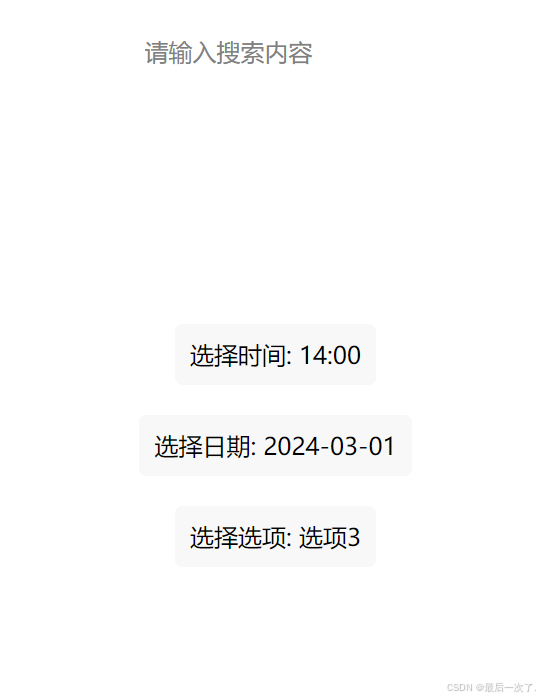
搜索框可以输入内容
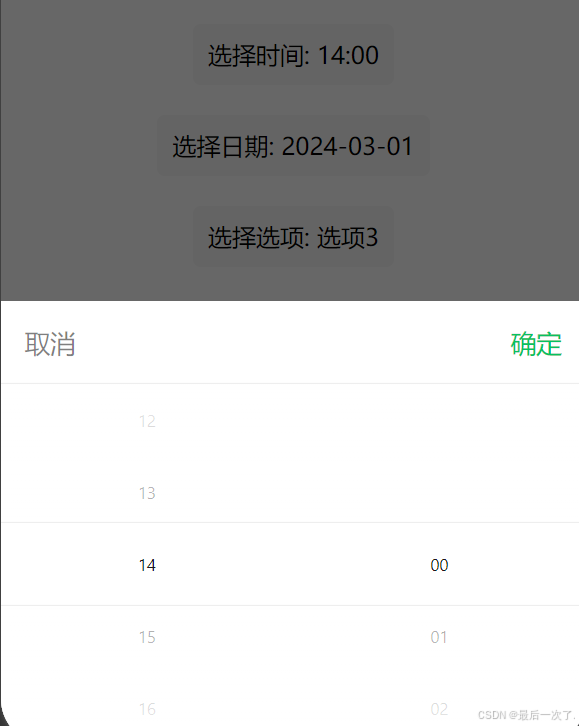
时间选择器可以选择时间
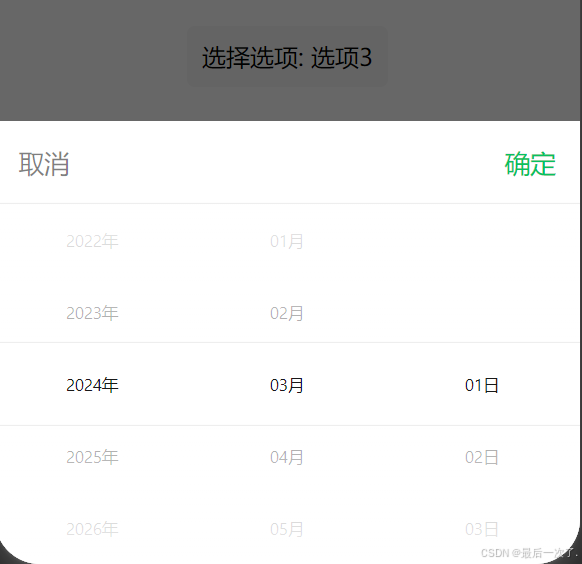
日期选择器选择日期
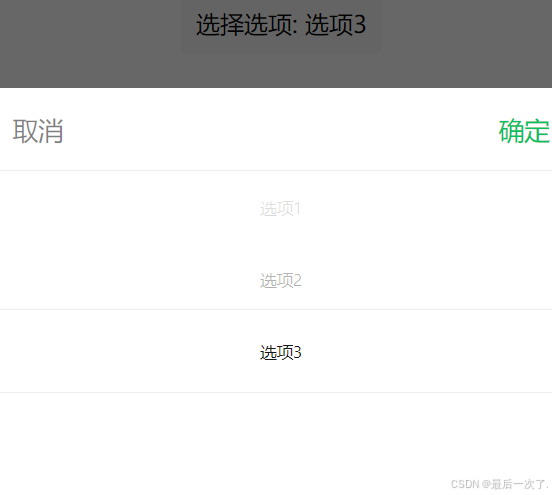
还可以自己定义选项





 扫一扫
扫一扫


 1万+
1万+

 被折叠的 条评论
为什么被折叠?
被折叠的 条评论
为什么被折叠?
 到【灌水乐园】发言





