 微信小程序全局配置介绍


DAY2 全局配置
pages
用于指定小程序由哪些页面组成,每一项都对应一个页面的 路径(含文件名) 信息。
小程序中新增/减少页面,都需要对 pages 数组进行修改。
在app.json中的代码:
"pages": [
    "pages/index/index",  //第一个页面
    "pages/home/home"     //第二个页面
  ]
index
第一个页面
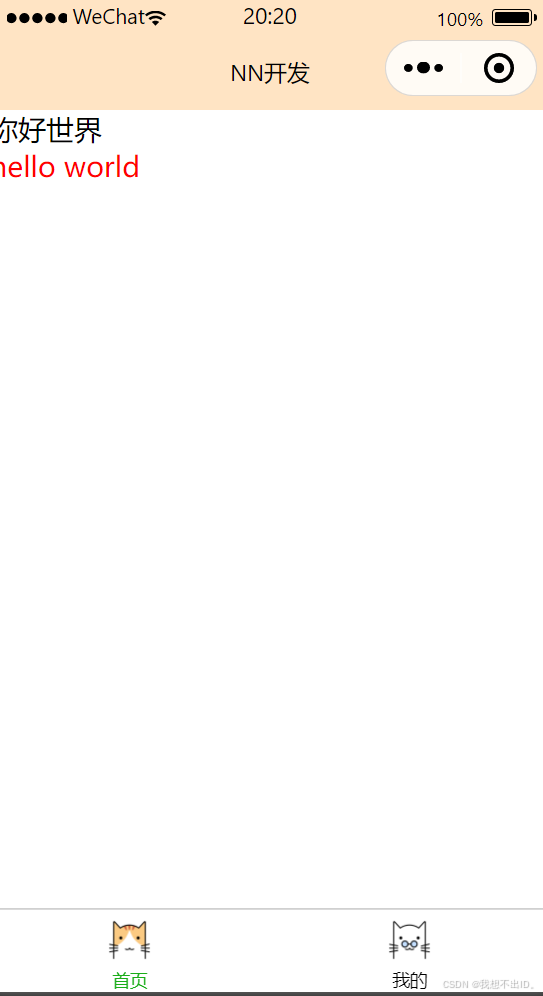
index.wxml:
<text>你好世界</text>
<view class='c1'>hello world</view>
iindex.wxss:
.c1{
  color:red
}
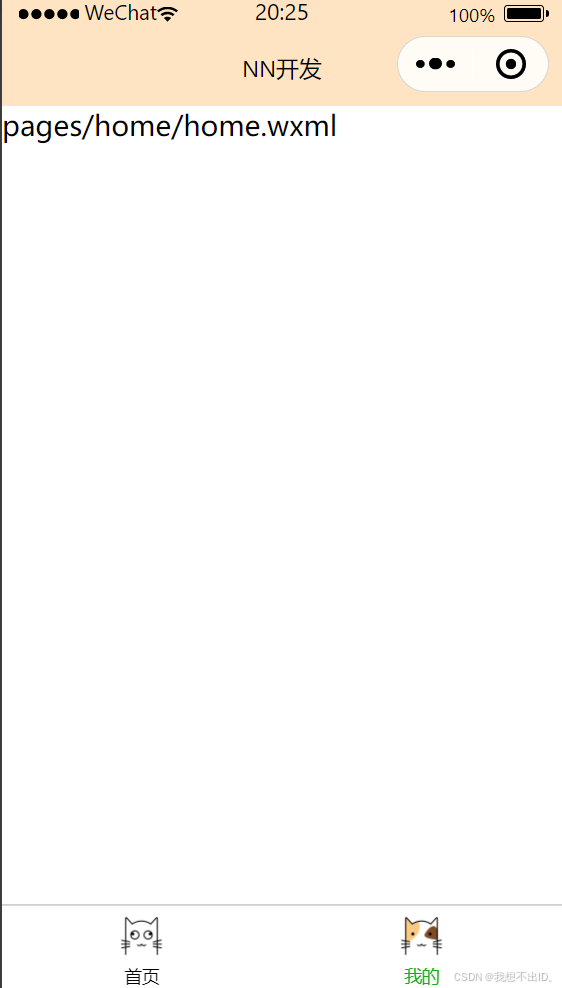
home
第二个页面
window
用于设置小程序的状态栏、导航条、标题、窗口背景色。
在app.json中的代码:
"window": {
    "navigationBarBackgroundColor": "#FFE4C4",//窗口背景颜色只能使用16进制,网页搜索rgb16进制表获取
    "navigationBarTextStyle": "black",//窗口字体颜色只有黑白两种选择
    "navigationBarTitleText": "NN开发"//窗口标题
  }
tabBar
底部 tab 栏的表现
在app.json中的代码:
 "tabBar": {
    "list": [                                   //tab 的列表,详见 list 属性说明,最少 2 个、最多 5 个 tab
      {
        "pagePath": "pages/index/index",          //页面路径,必须在 pages 中先定义
        "text": "首页",                          //tab 上按钮文字
        "iconPath":"static/tabBar/shouye.png", //图片路径,需要在目录里建一个文件夹来存放图标
        "selectedIconPath": "static/tabBar/shouye_press.png"     //选中时的图片路径
      },
      {
        "pagePath": "pages/home/home",
        "text": "我的",
        "iconPath":"static/tabBar/home.png",
        "selectedIconPath": "static/tabBar/home_press.png"
      }
    ]
  }





 扫一扫
扫一扫


 4947
4947

 被折叠的 条评论
为什么被折叠?
被折叠的 条评论
为什么被折叠?
 到【灌水乐园】发言





