downLabels: [{
        yhzh: '用户账号',
        xm: '姓名',
        xb: '性别(1为男,0为女)',
        yx: '邮箱',
        sjhm: '手机号码',
        dwmc: '单位名称',
        zhzt: '账号状态(1为正常,0为异常)',
        sjc: '创建时间'
      }] //定义对应表头


type:'表格名称'


  downloadExl(than, json, downLabels, downName, type) { // 导出到excel

    const keyMap = []

    for (const k in downLabels[0]) {

      keyMap.push(k)

    }

    const tmpdata = [] // 用来保存转换好的json

    json.map((v, i) => keyMap.map((k, j) => Object.assign({}, {

      v: v[k],

      position: (j > 25 ? this.getCharCol(j) : String.fromCharCode(65 + j)) + (i + 1)

    }))).reduce((prev, next) => prev.concat(next)).forEach(function(v) {

      tmpdata[v.position] = {

        v: v.v

      }

    })

    const outputPos = Object.keys(tmpdata) // 设置区域,比如表格从A1到D10

    const tmpWB = {

      SheetNames: ['mySheet'], // 保存的表标题

      Sheets: {

        mySheet: Object.assign({},

          tmpdata, // 内容

          {
            '!ref': outputPos[0] + ':' + outputPos[outputPos.length - 1] // 设置填充区域
          })

      }

    }
    const tmpDown = new Blob([this.rechange(XLSX.write(tmpWB,

      { bookType: (type === undefined ? 'xlsx' : type), bookSST: false, type: 'binary' } // 这里的数据是用来定义导出的格式类型

    ))], {

      type: ''

    }) // 创建二进制对象写入转换好的字节流

    var href = URL.createObjectURL(tmpDown) // 创建对象超链接

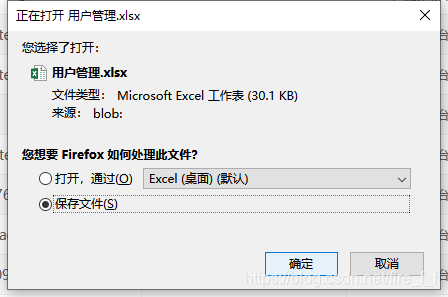
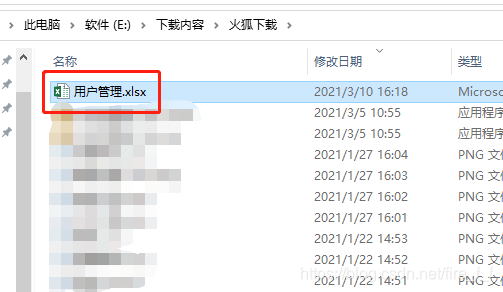
    than.outFile.download = downName + '.xlsx' // 下载名称

    than.outFile.href = href // 绑定a标签

    than.outFile.click() // 模拟点击实现下载

    setTimeout(function() { // 延时释放

      URL.revokeObjectURL(tmpDown) // 用URL.revokeObjectURL()来释放这个object URL

    }, 100)
  }


rechange(s) { // 字符串转字符流
    var buf = new ArrayBuffer(s.length)
    var view = new Uint8Array(buf)
    for (var i = 0; i !== s.length; ++i) {
      view[i] = s.charCodeAt(i) & 0xFF
    }
    return buf
  }


  getCharCol(n) { // 将指定的自然数转换为26进制表示。映射关系:[0-25] -> [A-Z]。
    let s = ''
    let m = 0
    while (n > 0) {
      m = n % 26 + 1
      s = String.fromCharCode(m + 64) + s
      n = (n - m) / 26
    }
    return s
  }








 扫一扫
扫一扫


 3100
3100

 被折叠的 条评论
为什么被折叠?
被折叠的 条评论
为什么被折叠?
 到【灌水乐园】发言





