



 本文介绍了一种使用ECharts实现数据分页展示的方法。通过自定义分页按钮控制图表展示的内容,适用于数据量较大时的场景。文章提供了完整的Vue组件代码示例,包括页面跳转逻辑及图表绘制。
1.需求:
要展示的数据量过多,需要通过分页才能展示完整
2.效果:
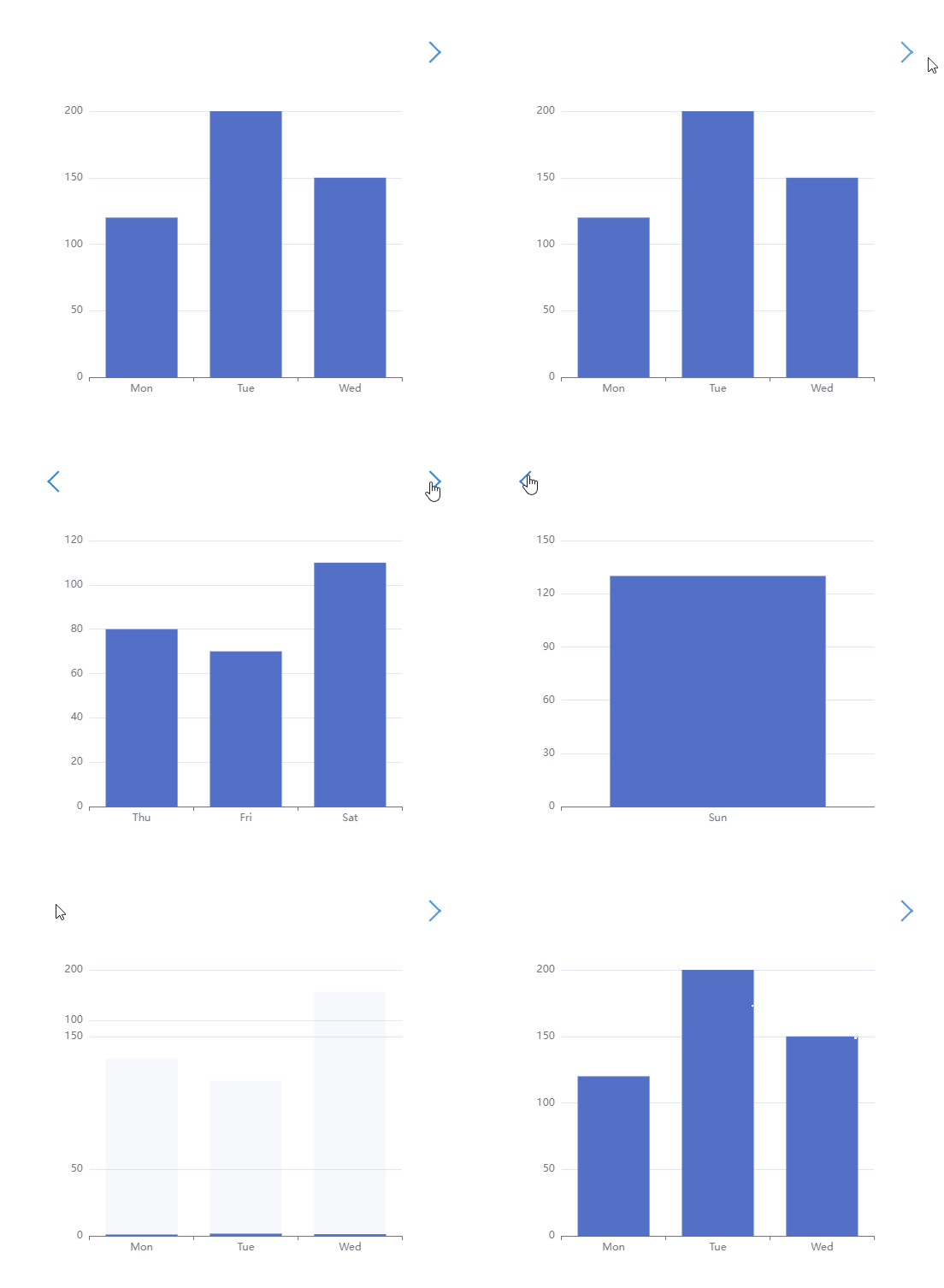
3.完整代码
<template>
  <!-- 图表的容器,一定要有宽高 -->
  <div class="Box">
    <div class="pageButton">
      <div class="pageNev" id="nev" @click="dataClickNev"></div>
      <div class="pageNext" id="next" @click="dataClickNext"></div>
    </div>
    <div class="chartBox">
      <div id="dataChart" :style="{ width: '100%', height: '100%' }"></div>
    </div>
  </div>
</template>

<script>
export default {
  data() {
    return {
      allData: null, //模拟后台返回的数据
      echartsPage: 3, //三条数据一页
      currentPage: 1, //当前显示页数
      totalPage: 0, // 共有多少页
    };
  },
  mounted() {
    this.getChartsData();
  },
  methods: {
    //点击事件
    dataClickNext() {
      this.currentPage = this.currentPage + 1;
      this.drawEcharts();
    },
    dataClickNev() {
      this.currentPage = this.currentPage - 1;
      this.drawEcharts();
    },
    getChartsData() {
      //模拟后台返回的数据
      this.allData = {
        series: [120, 200, 150, 80, 70, 110, 130],
        xAxis: ["Mon", "Tue", "Wed", "Thu", "Fri", "Sat", "Sun"],
      };
      //  每三个元素显示一页
      this.totalPage =
        this.allData.series.length % this.echartsPage === 0
          ? this.allData.series.length / this.echartsPage
          : Math.ceil(this.allData.series.length / this.echartsPage);
      this.drawEcharts();
    },
    //图表方法
    drawEcharts() {
      //获取id并初始化图表
      var myChart = this.$echarts.init(document.getElementById("dataChart"));
      //控制分页图标的显示隐藏(处在第一页隐藏上一页,处在最后一页隐藏下一页)
      if (this.currentPage == this.totalPage) {
        document.getElementById("next").style.display = "none"; //隐藏
      } else {
        document.getElementById("next").style.display = "";
      }
      if (this.currentPage == 1) {
        document.getElementById("nev").style.display = "none"; //隐藏
      } else {
        document.getElementById("nev").style.display = "";
      }
      //取出页面的值
      const start = (this.currentPage - 1) * this.echartsPage;
      const end = this.currentPage * this.echartsPage;
      //配置项
      let option = {
        tooltip: {
          trigger: "axis",
          axisPointer: {
            type: "shadow",
          },
        },
        xAxis: {
          type: "category",
          data: this.allData.xAxis.slice(start, end),
        },
        yAxis: {
          type: "value",
        },
        series: [
          {
            data: this.allData.series.slice(start, end),
            type: "bar",
          },
        ],
      };
      myChart.setOption(option); //通过setOption()方法生成图表
      window.addEventListener("resize", function () {
        myChart.resize(); //图表自适应的一个方法
      });
    },
  },
};
</script>

<style scoped>
.Box {
  width: 24%;
  height: 50vh;
  margin-left: 30%;
}
.chartBox {
  float: left;
  width: 100%;
  height: 50vh;
}
.pageButton {
  margin-bottom: 50px;
}
.pageNext {
  float: right;
  cursor: pointer;
  height: 1rem;
  margin-right: 0.25rem;
  width: 1rem;
  border-top: 2px solid #00a0e9;
  border-left: 2px solid #00a0e9;
  transform: rotate(135deg);
}
.pageNev {
  float: left;
  height: 1rem;
  width: 1rem;
  border-top: 2px solid #00a0e9;
  border-left: 2px solid #00a0e9;
  transform: rotate(-45deg);
  cursor: pointer;
  transition: all 0.28s ease;
}
</style>





 扫一扫
扫一扫


 626
626

 被折叠的 条评论
为什么被折叠?
被折叠的 条评论
为什么被折叠?
 到【灌水乐园】发言





