


一、按tab键补全
jupyter notebook使用默认的自动补全是关掉的。要打开自动补全,需修改默认配置。
命令行中输入:ipython profile create
以上命令会在~/.ipython/profile_default/目录下生成ipython_config.py和ipython_kernel_config.py

需要修改(ipython_config.py)的以下几行,将开启补全功能:
## Activate greedy completion PENDING DEPRECTION. this is now mostly taken care
#  of with Jedi.
#
#  This will enable completion on elements of lists, results of function calls,
#  etc., but can be unsafe because the code is actually evaluated on TAB.
c.Completer.greedy = True
## Experimental: restrict time (in milliseconds) during which Jedi can compute
#  types. Set to 0 to stop computing types. Non-zero value lower than 100ms may
#  hurt performance by preventing jedi to build its cache.
c.Completer.jedi_compute_type_timeout = 400
## Experimental: Use Jedi to generate autocompletions. Off by default.
c.Completer.use_jedi = True
重启jupyter后生效。
以上操作后,在编写代码是发现不是自动不全,是要按下tab键就可以补全了
二、自动补全
如果想自动代码补全。Jupyter Notebook 7.0以上版本移除了移除了 notebook.nbextensions 模块,所以通过如下方式安装nbextension,会报错:ModuleNotFoundError: No module named 'notebook.extensions'
-
pip install jupyter_contrib_nbextensions -
jupyter contrib nbextension install --user
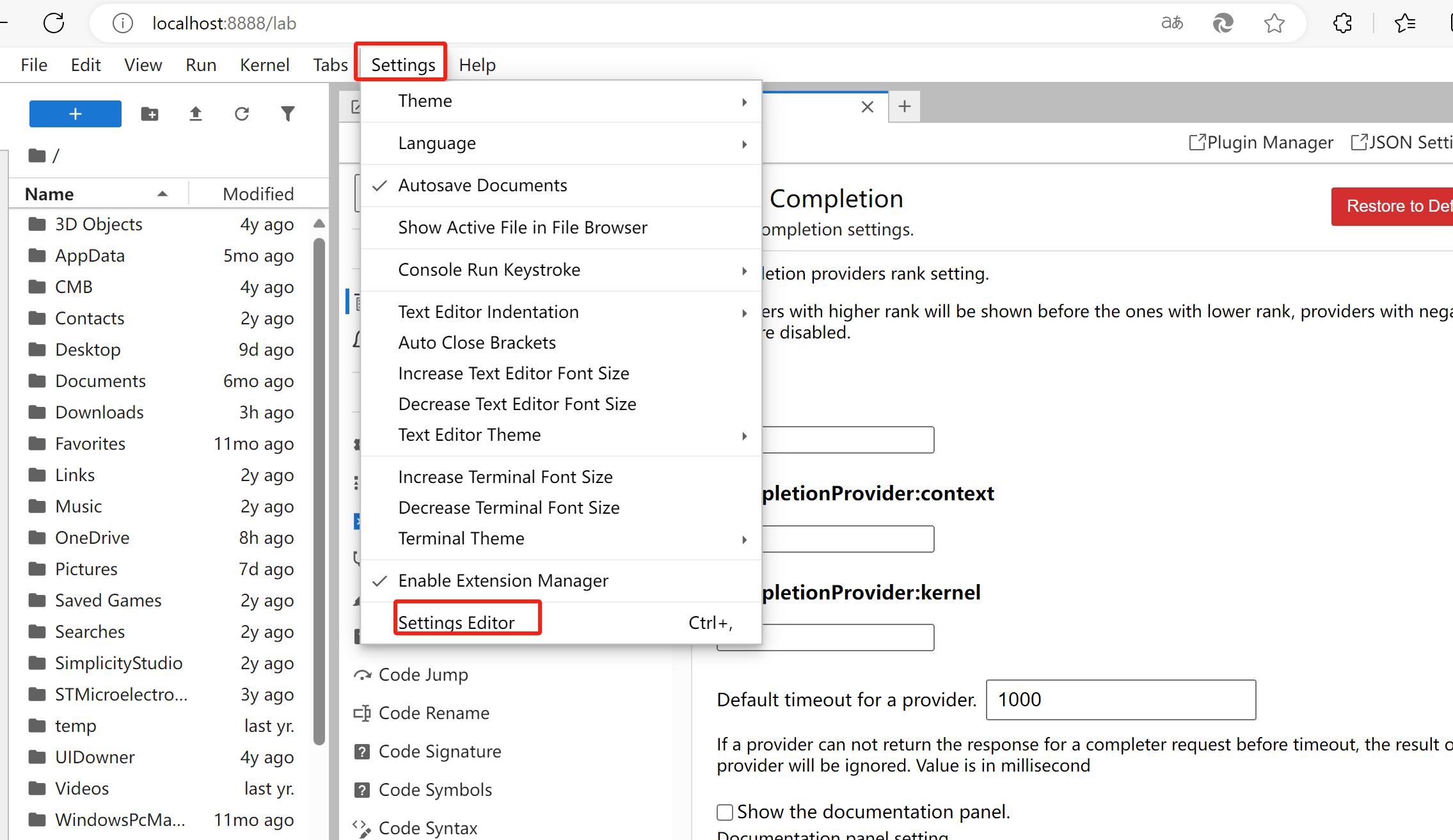
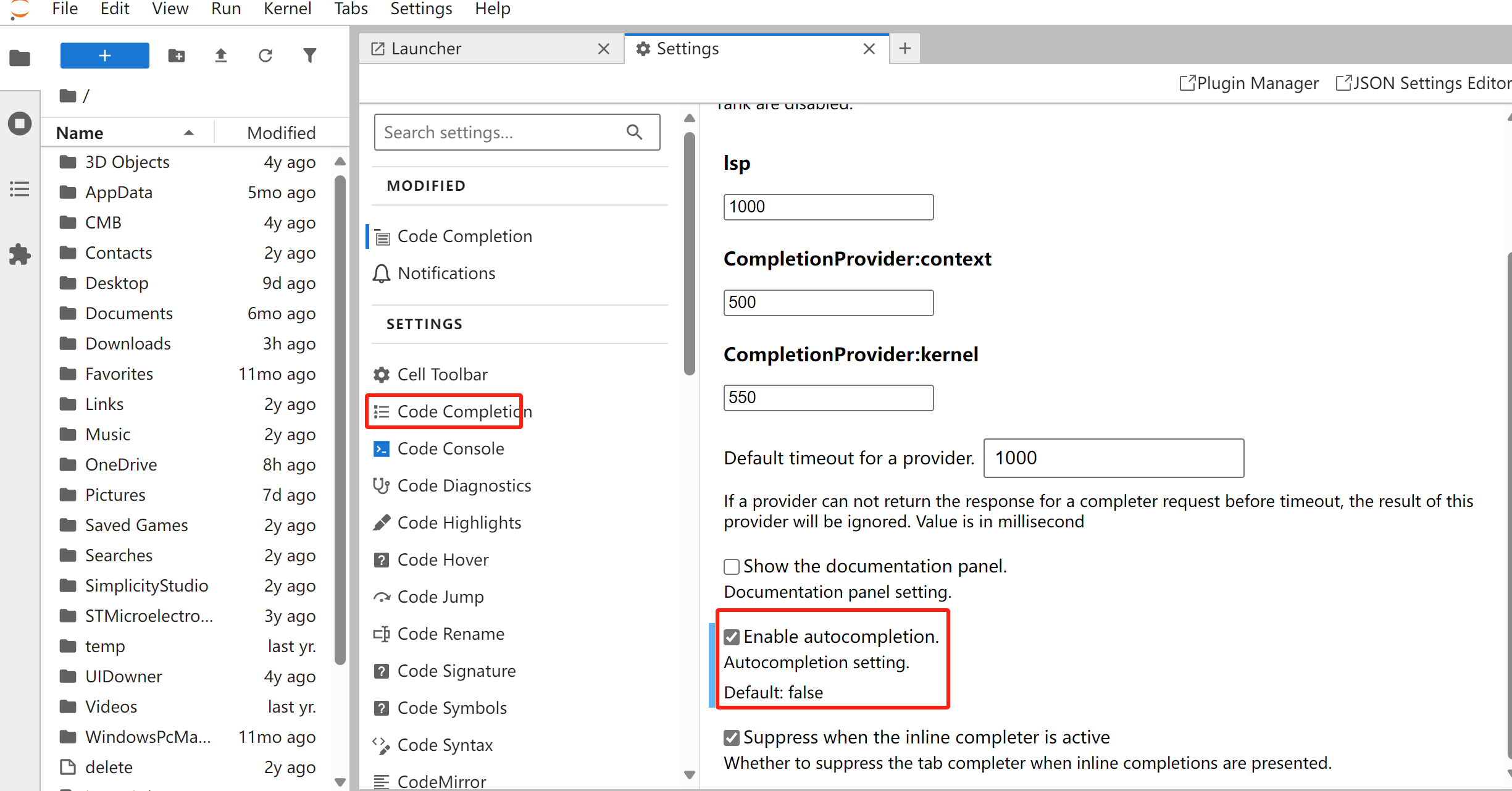
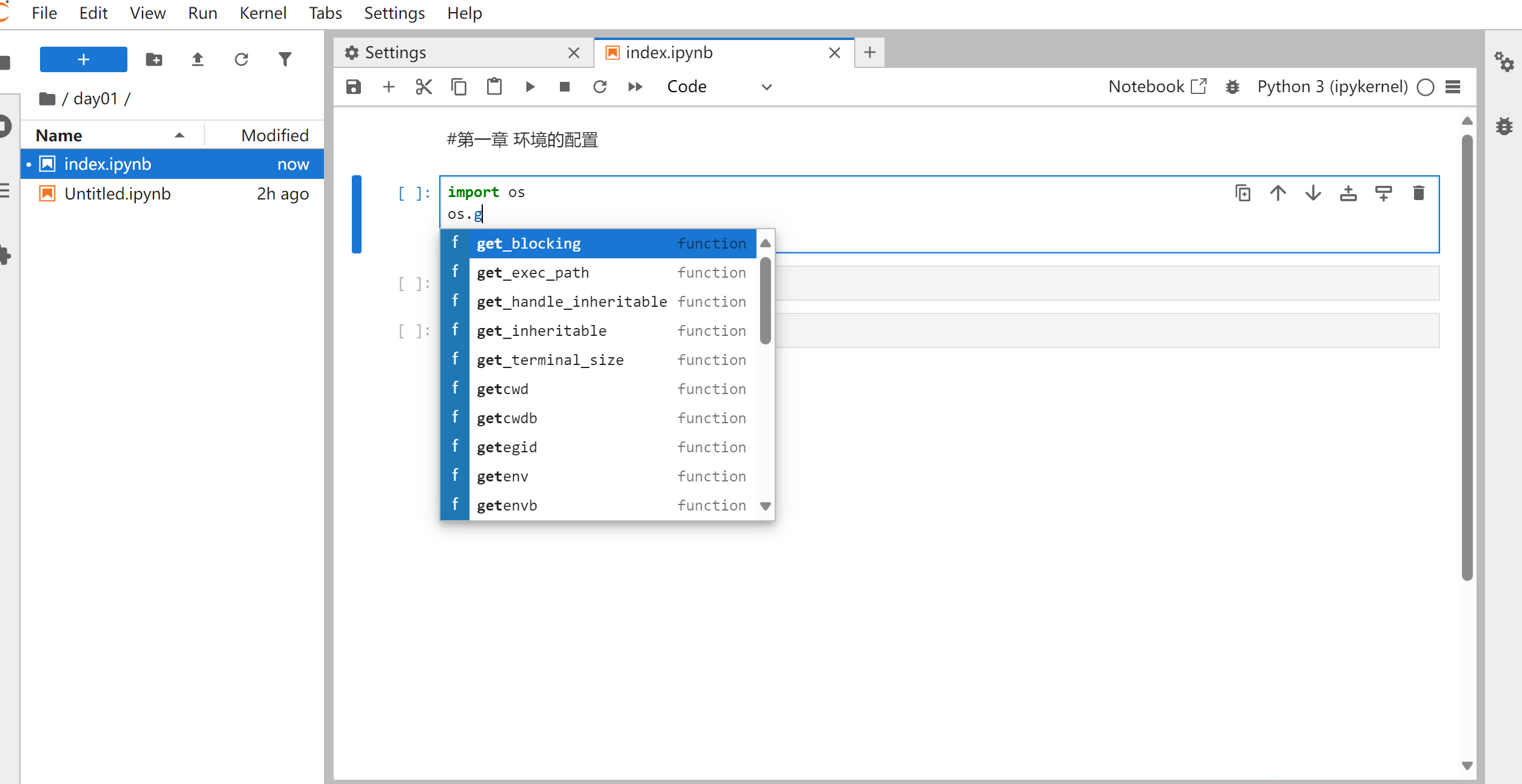
需通过界面设置,操作流程如下:
1、打开设置界面
2、打开autocompletion开关
3、验证效果





 扫一扫
扫一扫


 254
254

 被折叠的 条评论
为什么被折叠?
被折叠的 条评论
为什么被折叠?
 到【灌水乐园】发言





